Optical store billing software: a prescription, a frame, two lenses and one invoice
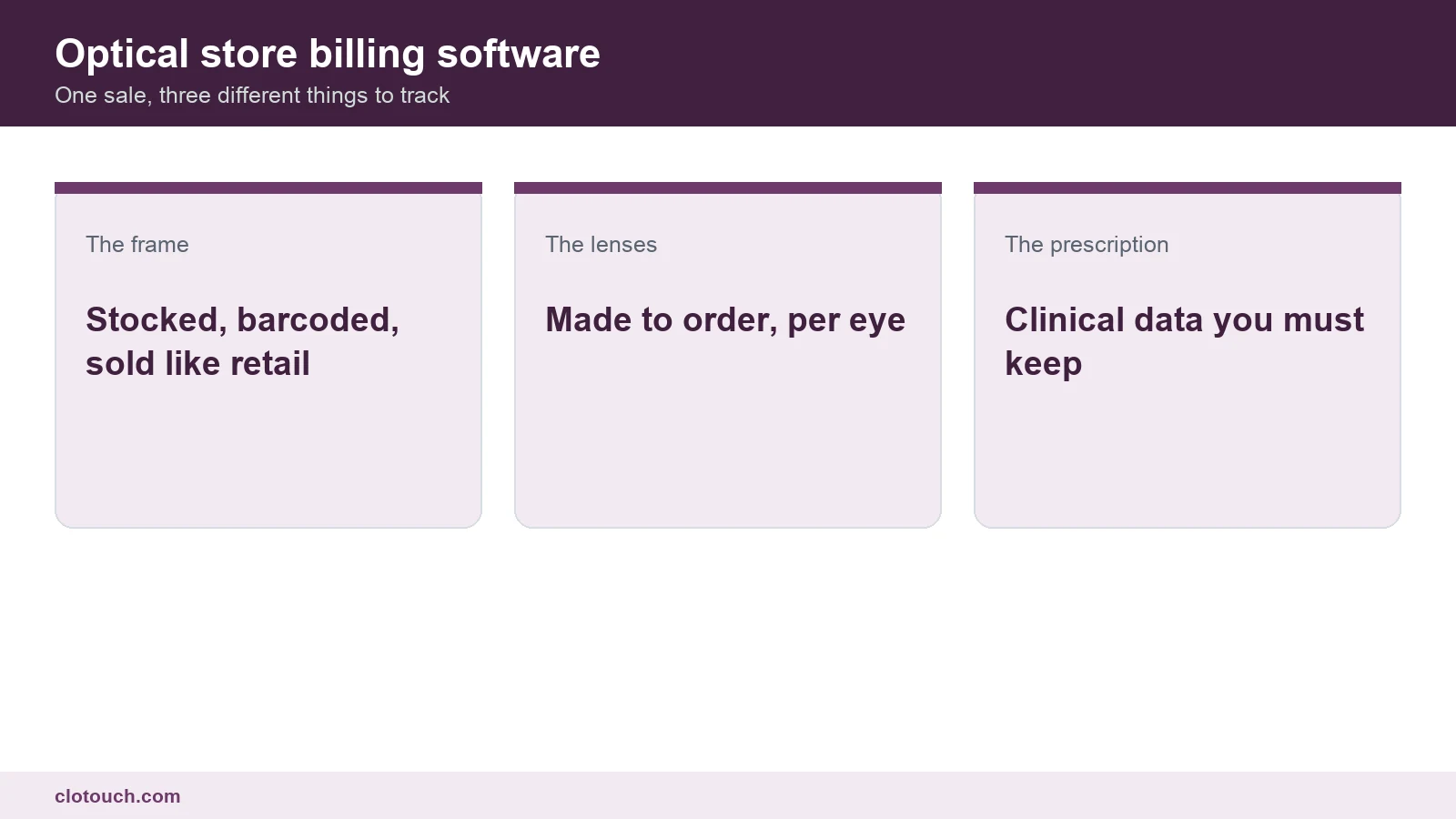
An optical shop looks like retail and bills like a workshop. The frame on the shelf is ordinary stock. The lenses are made to order, differ between the two eyes, and arrive days later. Joining those into one invoice is what a billing system has to do here.
Most general retail software cannot. It sells the frame happily and then has nowhere to put the rest.
On this page
The job card is the real document
The invoice is what the customer pays against. The job card is what the shop actually runs on, and it is the thing most systems leave out.
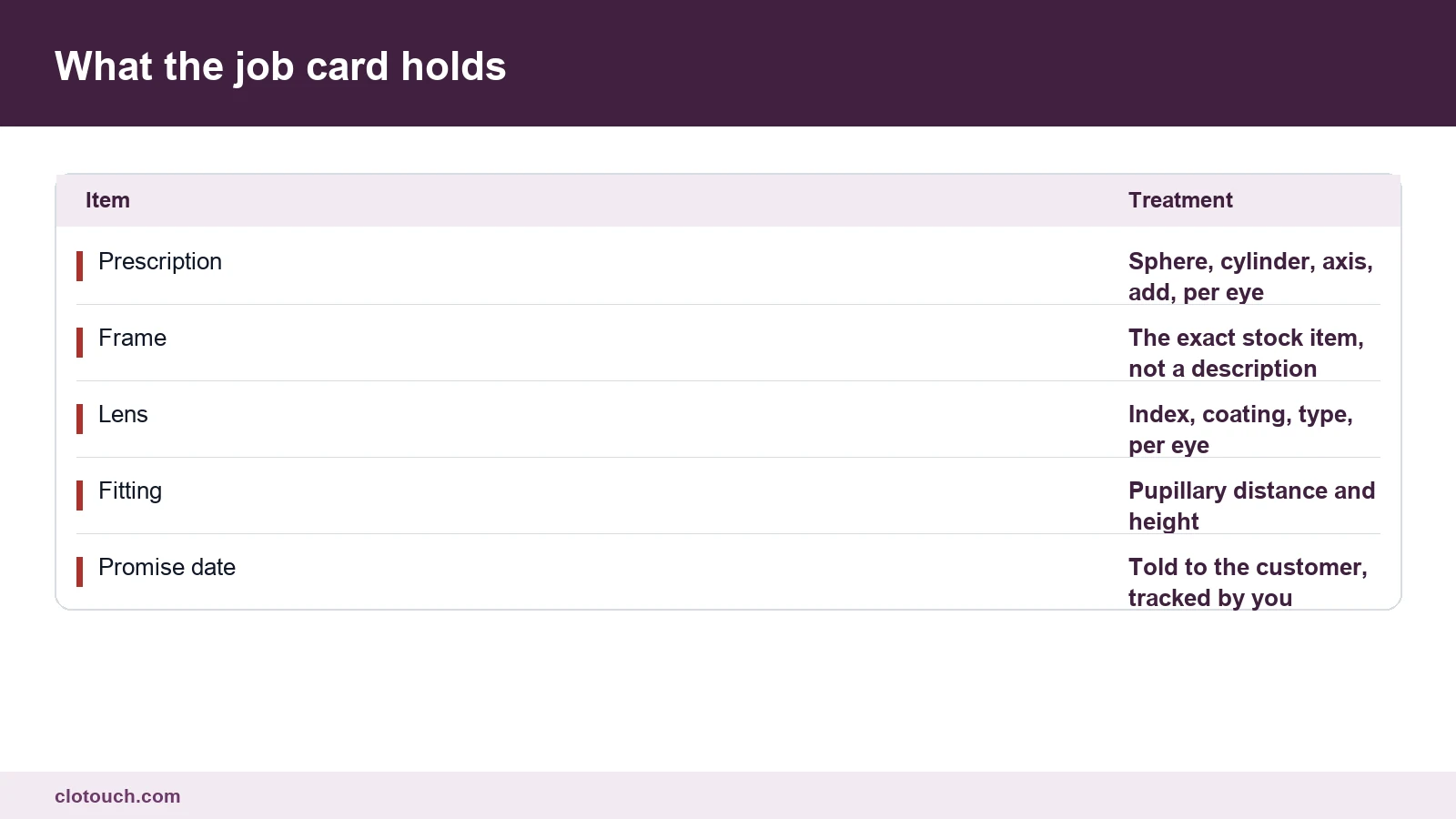
Every one of those lines has to be recorded before the order leaves for the lab. A job card missing the fitting measurements comes back wrong, and the cost of that is a remake, not a correction.
Tie the job card to the bill by number. Then a customer who walks in asking about their order can be answered in one search, rather than by someone flipping through a register.
A lens is not one item
Index, coating and type each change the price. A shop that keeps one item called lens and types the rate by hand can bill, but it can never tell you what it actually sells.
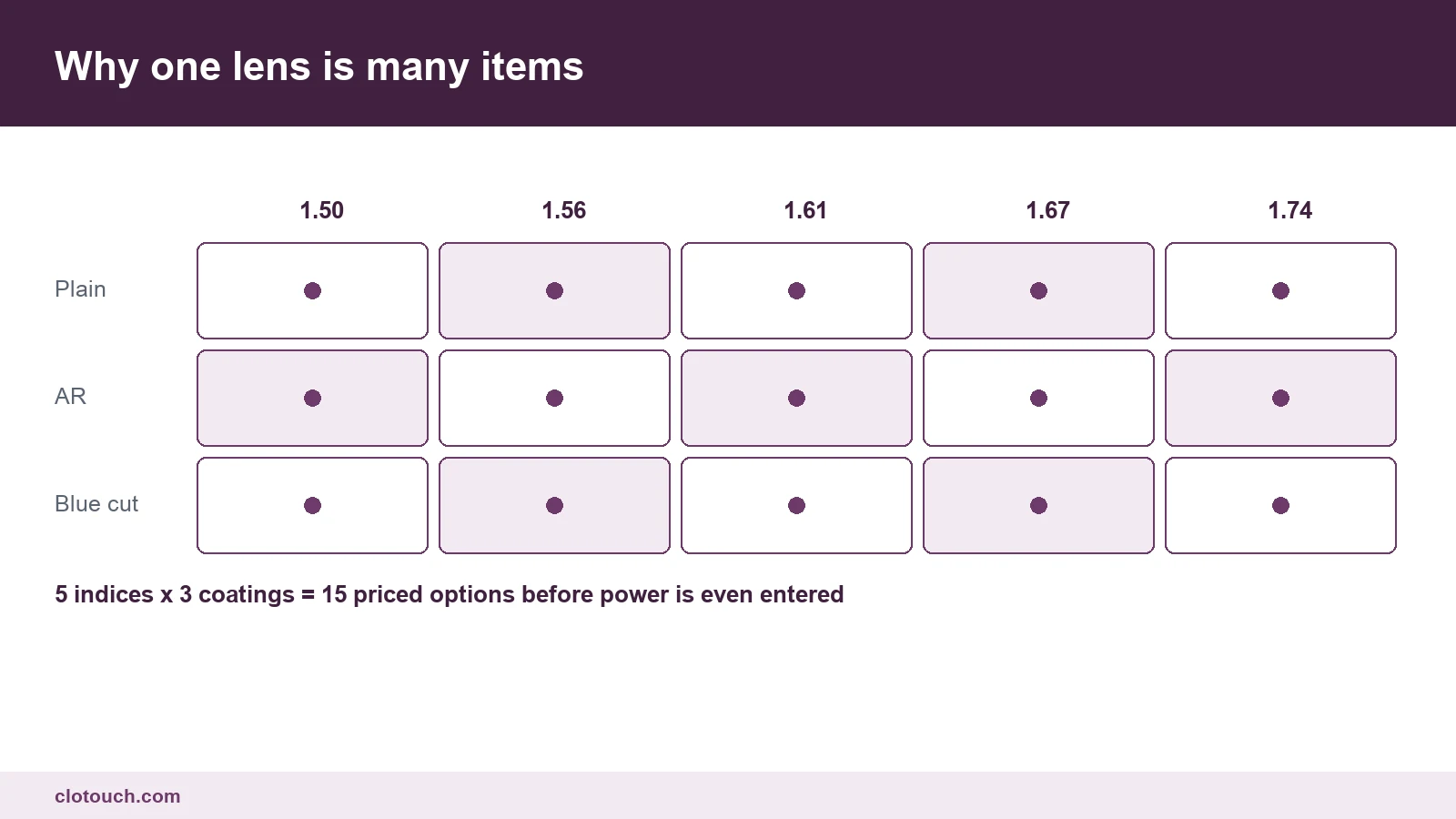
Build that grid once as real items with real prices. The counter then quotes consistently, and two staff members stop giving two different answers to the same question.
Power itself does not need to be a separate item. It belongs on the job card, because it describes the order rather than the price.
Two eyes, two lines, one bill
The right eye and the left eye are frequently not the same lens. Different power always, sometimes a different index, occasionally a different coating.
That means the bill needs two lens lines, not one line with a quantity of two. Where the system forces a single line, the shop loses the ability to say what was actually ordered.
It also breaks the remake. If one lens cracks in fitting, you replace one, and a single combined line cannot express that.
What optical store billing software must do with the lab
Most optical work goes out to a lab and comes back. Between those two moments the customer has paid an advance and is waiting on a promise date.
| Stage | What the system records | What it prevents |
|---|---|---|
| Order taken | Job card, advance received | Work starting without measurements |
| Sent to lab | Date out, lab name, reference | Orders that quietly go missing |
| Received back | Date in, quality check result | Handing over an unchecked job |
| Fitted and ready | Ready date, customer informed | A finished job sitting uncollected |
| Delivered | Balance collected, invoice closed | Goods leaving against an unpaid balance |
A pending report built on those five stages is the single most useful screen in an optical shop. It shows what is late and what is ready but uncollected, which together explain most customer complaints.
Advance payments change the accounting
A customer typically pays part on ordering and the rest on delivery. The sale is not complete at the first payment, and treating it as complete overstates the day’s revenue.
- Record the advance against the job, not as a closed sale
- Keep the balance visible on the job card and in the pending report
- Recognise the sale when the goods are delivered, not when ordered
- Never release a job without either the balance or an authorised exception
- Track advances on cancelled jobs separately, because they usually need refunding
Shops that skip the first point end up with a sales figure that includes work still sitting at the lab, and the day’s numbers stop meaning anything.
The prescription is clinical data
A prescription is personal health information. It should be stored against the customer, retrievable on their next visit, and not left in a notebook anyone can read.
The practical value is repeat business. A customer returning after two years whose previous power you can produce in one search is far more likely to buy from you than from the shop that cannot.
Keep a date against every prescription. An old power is not a current power, and selling against a three-year-old reading is how a remake happens.
What to test before buying
- Bill one frame with two different lenses and check both appear as separate lines
- Take a part payment and confirm the sale does not close
- Find a two-year-old prescription by customer name in under ten seconds
- Produce a pending list split into at lab, ready and uncollected
- Replace a single cracked lens on an existing job without rebuilding the bill
If a vendor demonstrates optical store billing software using a single lens line and a full payment, they are showing you general retail. Ask for the remake instead, because that is where the trade actually lives, and where the feature list stops helping.
Frequently asked questions
Why does an optical bill need two lens lines?
Because the two eyes are usually not the same lens. Power differs almost always, and index or coating sometimes. One line with a quantity of two cannot express what was ordered, and it makes replacing a single cracked lens impossible without rebuilding the bill.
What is a job card and why does it matter?
It is the internal record the shop works from: prescription per eye, the exact frame item, lens index, coating and type, fitting measurements, and the promise date. A job card missing the fitting measurements produces a remake rather than a correction.
How should advance payments be handled?
Record the advance against the job rather than closing the sale. Recognise the sale on delivery. Otherwise the day’s revenue includes work still sitting at the lab, and the balance owed stops being visible to whoever hands the spectacles over.
How should lenses be set up in the item master?
As real items split by index, coating and type, each with its own price. Power belongs on the job card, since it describes the order rather than the price. A single generic lens item with a typed rate bills fine but reports nothing.
What should an optical pending report show?
Jobs at the lab, jobs received and ready, and jobs ready but uncollected, each with a promise date. Those three states explain most customer complaints in an optical shop, and they are invisible without a job card linked to the bill.
Sources, method and author
Written around the optical workflow rather than from a software feature list. The job card, the per-eye lens lines, the five lab stages and the advance handling are the points where general retail software usually fails this trade. The lens grid is illustrative: index and coating ranges differ by supplier. Prescription storage is treated as personal health data, which is how it should be handled regardless of system.
- CBIC GST — invoice requirements where goods and made-to-order work combine
- World Health Organization on refractive errors — what a prescription records and why it dates
- Ministry of Electronics and Information Technology — handling of personal data held by a business
Clotouch is a point of sale product built by Clonet Technologies Pvt Ltd. This guide describes what to test in any system for an optical shop, including ours. It is not clinical, legal or tax advice.
Author. Aman Raj. Published 25 October 2026 for Clonet Technologies Pvt Ltd, Bengaluru.