How to Maximize Restaurant POS Features for Streamlined Operations and Growth
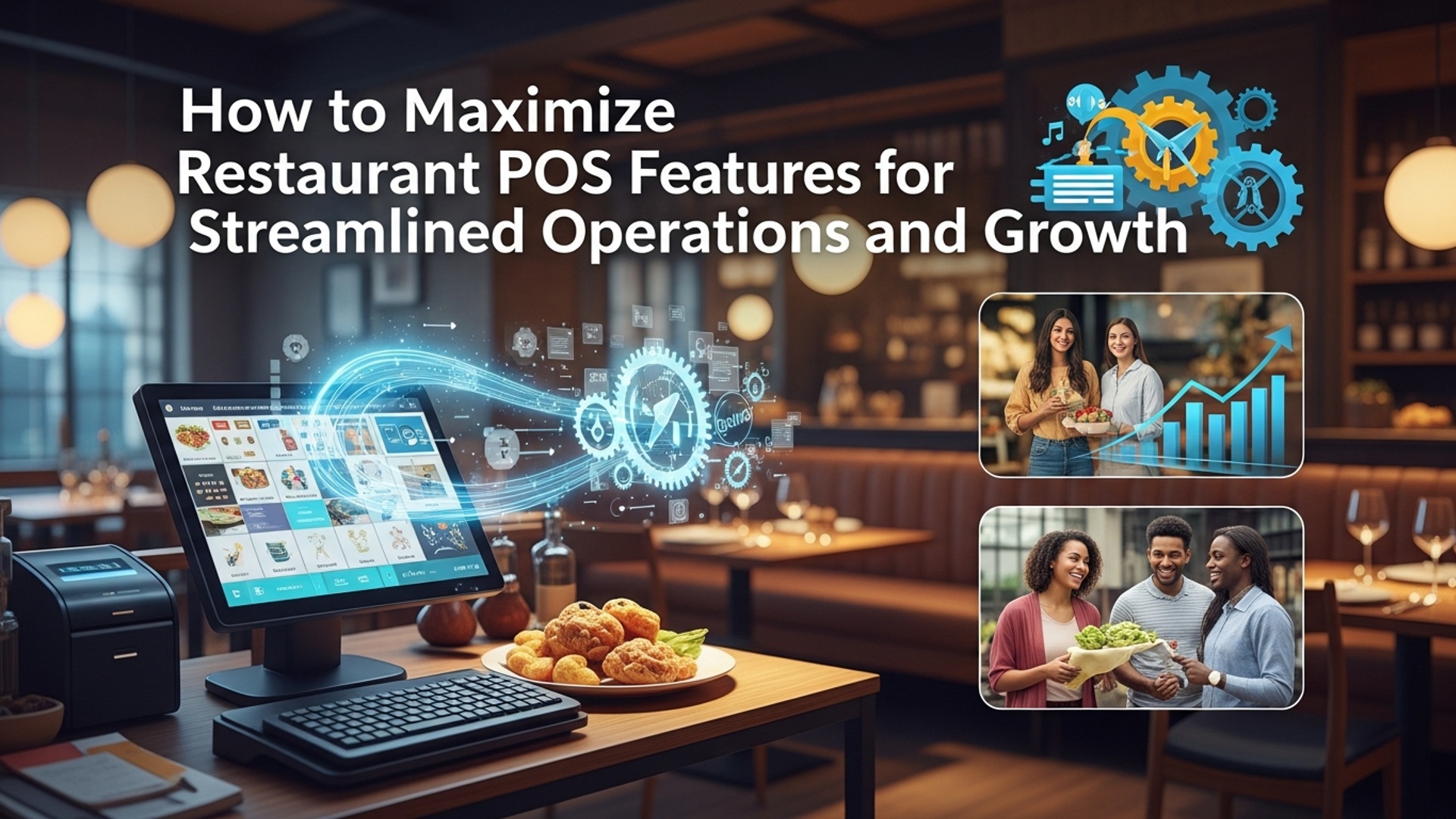
Far more than just a payment terminal, mastering advanced restaurant POS features is now indispensable for operational excellence and sustainable growth in a competitive market. Modern POS software transcends basic transaction processing, offering robust modules for inventory management, real-time sales analytics, sophisticated table management. seamless online ordering integration. Businesses often underutilize these powerful capabilities, overlooking their potential to automate workflows, reduce waste. gain actionable insights into customer behavior and peak performance periods. By strategically deploying integrated analytics and cloud-based reporting, operators can transform raw data into informed decisions, enhancing efficiency from front-of-house to back-office and driving a measurable return on investment.

Unlocking the Full Potential of Your Restaurant POS Features
In today’s fast-paced culinary landscape, a Point of Sale (POS) system is far more than just a glorified cash register. It’s the central nervous system of any successful restaurant, café, or bar, orchestrating everything from order taking to inventory management. Maximizing your restaurant POS features is not merely about using the system; it’s about strategically leveraging its advanced capabilities to streamline operations, enhance customer experiences. ultimately drive sustainable growth. Many establishments only scratch the surface of what their POS technology can offer, missing out on critical opportunities for efficiency and profitability. This guide will delve deep into how you can harness the full power of your POS system, transforming it from a simple transaction tool into a comprehensive business management platform.
Streamlining Front-of-House Operations with Advanced Restaurant POS Features
The front-of-house (FOH) is the face of your restaurant. efficient operations here are paramount for customer satisfaction. Modern restaurant POS features are designed to make service seamless and swift.
- Intuitive Order Management
- Seamless Payment Processing
- Online Ordering and Delivery Integration
Beyond basic order entry, a robust POS allows for intricate order customization, including modifiers, special requests. split checks with ease. For instance, a server at “The Bistro” can quickly add “no onions” to a burger order, split a table’s bill by specific items, or transfer an order from the bar to a dining table without manual re-entry. Integration with Kitchen Display Systems (KDS) ensures orders are sent directly to the relevant kitchen station, reducing errors and speeding up prep times.
Gone are the days of clunky card readers. Advanced POS systems offer integrated payment processing that supports EMV chip cards, contactless payments (NFC). mobile wallets. Handheld POS devices empower servers to take orders and process payments tableside, enhancing convenience and table turnover. “Cafe Express” implemented tableside payments and saw a 10% increase in customer satisfaction scores due to faster checkout times.
With the rise of digital dining, integrating online ordering platforms directly into your POS is non-negotiable. Whether it’s your own website’s ordering portal or third-party delivery services like DoorDash or Uber Eats, a unified POS ensures all orders flow into a single system. This prevents manual data entry, minimizes errors. provides a consolidated view of all sales channels.
Optimizing Back-of-House Efficiency: Inventory and Supply Chain Management
The back-of-house (BOH) is where profitability is often made or lost. Sophisticated restaurant POS features for inventory management are critical.
- Real-time Inventory Tracking
- Vendor Management and Order Automation
- Waste Reduction and Cost Control
- Recipe Management
This is a game-changer for cost control. Your POS can track ingredients as they are used in recipes, automatically updating stock levels. When “Pasta Perfection” sells a lasagna, the system deducts cheese, pasta. sauce ingredients, providing an accurate, up-to-the-minute view of stock. This capability helps prevent stockouts of popular items and identifies slow-moving inventory.
Many POS systems allow you to store vendor data, track purchase history. even automate reorder points. When inventory levels drop below a pre-set threshold, the system can generate purchase orders automatically, sending them directly to your suppliers. This reduces administrative burden and ensures you always have necessary supplies.
By monitoring inventory usage and identifying waste, a POS helps you pinpoint areas of loss. Detailed reports can show you which ingredients are frequently wasted or over-ordered. For example, if your POS data reveals excessive spoilage of a specific vegetable, you can adjust ordering quantities or re-evaluate supplier quality. According to industry statistics, restaurants can reduce food waste by up to 15-20% by effectively using POS inventory features.
Inputting your recipes into the POS system allows for precise portion control and accurate food costing. Every time an item is sold, the system knows exactly how much of each ingredient was used, contributing to accurate inventory deductions and detailed cost-of-goods-sold analysis.
Empowering Your Team: Staff Management and Scheduling
Your team is your greatest asset. POS systems offer robust features to manage your workforce efficiently.
- Time Clock and Shift Management
- Performance Tracking
- Payroll Integration
Employees can clock in and out directly through the POS terminal, ensuring accurate timekeeping. Managers can use the system to build schedules, manage shifts. track labor costs in real-time. This helps prevent overtime, ensures adequate staffing during peak hours. optimizes labor expenditure.
Some advanced POS solutions can track individual server performance, including average check size, sales per hour. tips. This data can be invaluable for identifying top performers, providing targeted training. fostering a high-performing team culture.
Integrating your POS with payroll software can automate the transfer of time and attendance data, significantly reducing manual data entry errors and streamlining the payroll process.
Building Customer Loyalty with Integrated CRM and Marketing Tools
Customer Relationship Management (CRM) is no longer just for large corporations. Your POS is a powerful tool for understanding and engaging your customers.
- Customer Profiles and Purchase History
- Loyalty Programs and Promotions
- Feedback Collection
By collecting customer data at the point of sale (e. g. , email, phone number), you can build detailed profiles. These profiles can track purchase history, dietary preferences. visit frequency. Imagine “The Neighbourhood Eatery” knowing a regular customer always orders the vegan special and sends them a personalized offer when a new vegan dish is introduced.
Implement loyalty programs directly through your POS. Customers can earn points, receive discounts, or access exclusive offers based on their spending. The system can automatically track points, apply rewards. manage gift cards, making it easy to encourage repeat business.
Some POS systems offer integrated tools for collecting customer feedback, either through digital surveys or direct prompts. This real-time feedback loop allows you to address issues quickly and continuously improve service quality.
Data-Driven Decisions: Harnessing POS Reporting and Analytics
The true power of modern restaurant POS features lies in their ability to generate comprehensive reports and actionable insights.
- Comprehensive Sales Reports
- Labor Cost Analysis
- Inventory Turnover and Variance Reports
- Customizable Dashboards
assess sales by hour, day, week, or month. comprehend peak hours, identify best-selling menu items. track individual server performance. These insights can inform staffing decisions, menu engineering. marketing strategies. For example, a report might reveal that your brunch menu items are significantly more popular on Sundays, prompting you to extend brunch hours.
Gain deep insights into your labor costs relative to sales. Identify periods of overstaffing or understaffing. optimize schedules for maximum efficiency and profitability.
interpret how quickly different ingredients move and identify discrepancies between actual and theoretical inventory usage. This is crucial for controlling food costs and minimizing waste.
Many modern POS systems offer customizable dashboards that provide a real-time snapshot of your key performance indicators (KPIs), allowing managers and owners to quickly assess the health of their business at a glance.
Integrating Your Restaurant POS Features for a Unified Ecosystem
The true magic happens when your POS system doesn’t operate in a vacuum but integrates seamlessly with other essential software.
- APIs and Third-Party Integrations
- Cloud vs. On-Premise Considerations
Modern POS systems are built with Application Programming Interfaces (APIs) that allow them to “talk” to other software. This includes accounting software (e. g. , QuickBooks, Xero), reservation systems (e. g. , OpenTable), marketing automation platforms. even security systems. A fully integrated ecosystem reduces manual data entry, prevents errors. provides a holistic view of your business operations.
The choice between a cloud-based POS and an on-premise system significantly impacts integration capabilities and accessibility.
| Feature | Cloud-Based POS | On-Premise POS |
|---|---|---|
| Data Storage | Remote servers (internet required) | Local servers (on-site) |
| Accessibility | Anywhere with internet access | Limited to on-site access |
| Updates & Maintenance | Automatic, managed by vendor | Manual, often requires IT staff |
| Initial Cost | Lower (subscription model) | Higher (upfront hardware/software) |
| Integration Ease | Generally easier via APIs | Can be complex, vendor-dependent |
| Security | Vendor managed, robust encryption | Your responsibility, can vary |
While an on-premise system offers more control over hardware, cloud-based solutions typically provide greater flexibility, easier scalability. more streamlined integrations with a wider array of third-party applications, making them a popular choice for modern restaurants.
Best Practices for Maximizing Your POS Investment
Simply having a powerful POS system isn’t enough; you need to actively cultivate its potential.
- Comprehensive Staff Training
- Regular Software Updates
- Prioritize Data Security
- Customization and Configuration
- Leverage Customer Support
- Monitor and assess Reports Regularly
The most advanced POS features are useless if your team doesn’t know how to use them. Invest in thorough and ongoing training for all staff members, from new hires to seasoned veterans. Ensure they interpret not just the ‘how’ but also the ‘why’ behind each feature, emphasizing how it benefits their work and the business.
POS vendors frequently release updates that introduce new features, improve existing ones. patch security vulnerabilities. Ensure your system is always up-to-date to leverage the latest capabilities and maintain optimal performance.
Your POS handles sensitive customer and financial data. Implement strong passwords, restrict access levels based on roles. ensure your system complies with payment card industry (PCI) standards. Regular data backups are also crucial.
Don’t settle for out-of-the-box settings. Take the time to customize your POS to fit your restaurant’s unique workflow, menu. operational needs. This includes configuring menus, pricing rules, table layouts. user permissions.
Your POS provider’s support team is a valuable resource. Don’t hesitate to reach out for assistance, training, or to explore advanced functionalities you might not be utilizing.
Make a habit of reviewing your POS reports at least weekly. Look for trends, identify areas for improvement. use the data to make informed business decisions. For example, by analyzing sales data, “The Green Spoon” restaurant discovered that their daily special on Tuesdays consistently underperformed. They used this insight to adjust their menu rotation, leading to a 5% increase in Tuesday sales.
By treating your POS system as a dynamic tool that requires continuous attention and optimization, you can unlock its full potential, leading to more streamlined operations, happier customers. a more profitable business.
Conclusion
Embracing your restaurant POS system’s full capabilities is no longer optional; it’s a strategic imperative for navigating today’s dynamic hospitality landscape. Beyond basic transactions, features like integrated inventory management, real-time sales analytics. seamless online ordering have become non-negotiable. I’ve personally observed establishments revolutionize their operations by simply dedicating time to understanding and utilizing their POS beyond the checkout screen. For instance, leveraging detailed sales reports to optimize menu engineering, or using customer data for targeted loyalty programs – these are tangible steps toward enhanced profitability. My personal tip: conduct a quarterly ‘feature audit’ with your team. Identify one underutilized aspect, like automated staff scheduling or integrated loyalty points. commit to mastering it. This iterative approach ensures continuous improvement. Recent developments, such as AI-powered forecasting for ingredient orders or hyper-personalized customer recommendations, further underscore the depth of modern POS systems. By actively exploring these facets, you’re not just streamlining; you’re actively unlocking new avenues for growth and a significant boost to your bottom line, as discussed in 5 Ways Restaurant POS Systems Boost Your Business Profitability. Don’t just use your POS; empower your business with it to thrive.
More Articles
7 Essential Features Your Restaurant POS System Must Have
Unlock Business Growth with 8 Essential Restaurant POS Software Features
How to Choose Essential POS System Functions for Restaurant Success
Avoid These 7 Common Mistakes When Using Restaurant POS Software
How to Select Essential POS Features for Your Restaurant’s Success

FAQs
How can a modern restaurant POS really speed up my daily operations?
A good POS system centralizes everything from taking orders quickly (think tablets or self-service kiosks) to processing payments seamlessly. It drastically cuts down on manual errors, speeds up table turns. ensures orders go straight to the kitchen, effectively eliminating communication delays and boosting overall service efficiency.
What’s the deal with POS and inventory? Can it actually help me stop wasting food?
Absolutely! An integrated POS tracks every ingredient used in your dishes as they’re sold. It gives you real-time updates on stock levels, flags low inventory. can even automate reorder alerts. This means less guesswork, better portion control. a significant reduction in food waste and spoilage, saving you money.
How can my POS help me grasp my customers better and keep them coming back?
Your POS captures valuable customer data with every transaction – what they order, how often. their preferences. Many systems have built-in CRM or loyalty program features. You can use this info to personalize promotions, offer special discounts. build a stronger relationship with your regulars, encouraging repeat business and building loyalty.
Beyond just sales numbers, what kind of reports should I be looking at on my POS to grow my business?
Look beyond just gross sales! Your POS can generate reports on peak hours, best-selling items, employee performance, average check size. even food cost percentages. Analyzing these insights helps you optimize staffing, refine your menu, identify profitable dishes. make data-driven decisions to truly boost your bottom line.
My restaurant does online orders and delivery. How can my POS make that less of a headache?
A strong POS integrates directly with your online ordering platform and third-party delivery services. This means online orders automatically flow into your kitchen display system (KDS) and POS, eliminating the need for manual re-entry, reducing errors. streamlining the entire fulfillment process from order to delivery, making it much smoother.
Can a POS really help me manage my team more efficiently?
Yes, many POS systems include robust features for staff management. You can track clock-ins/outs, manage shifts, monitor individual sales performance. even simplify tip calculations. This streamlines payroll, helps you identify top performers. ensures you always have the right staff on hand during your busiest periods.
I want to improve my menu’s profitability. How does my POS play into that?
Your POS provides detailed sales data for every single menu item. You can easily see which dishes are best sellers, which have the highest profit margins. which are just slow movers. This intel allows you to make informed decisions about pricing, remove unpopular items, promote high-profit dishes. even effectively test new items, optimizing your entire menu.