POS hardware: what to buy for a counter, and what to refuse to buy
Hardware is where a first point of sale purchase usually goes wrong. The software is chosen carefully and then a package of devices is added without much thought, because they came bundled. A billing system runs on a surprisingly small amount of equipment.
This is what a counter genuinely needs, what depends on the trade, and what can wait.
On this page
The four things every counter needs
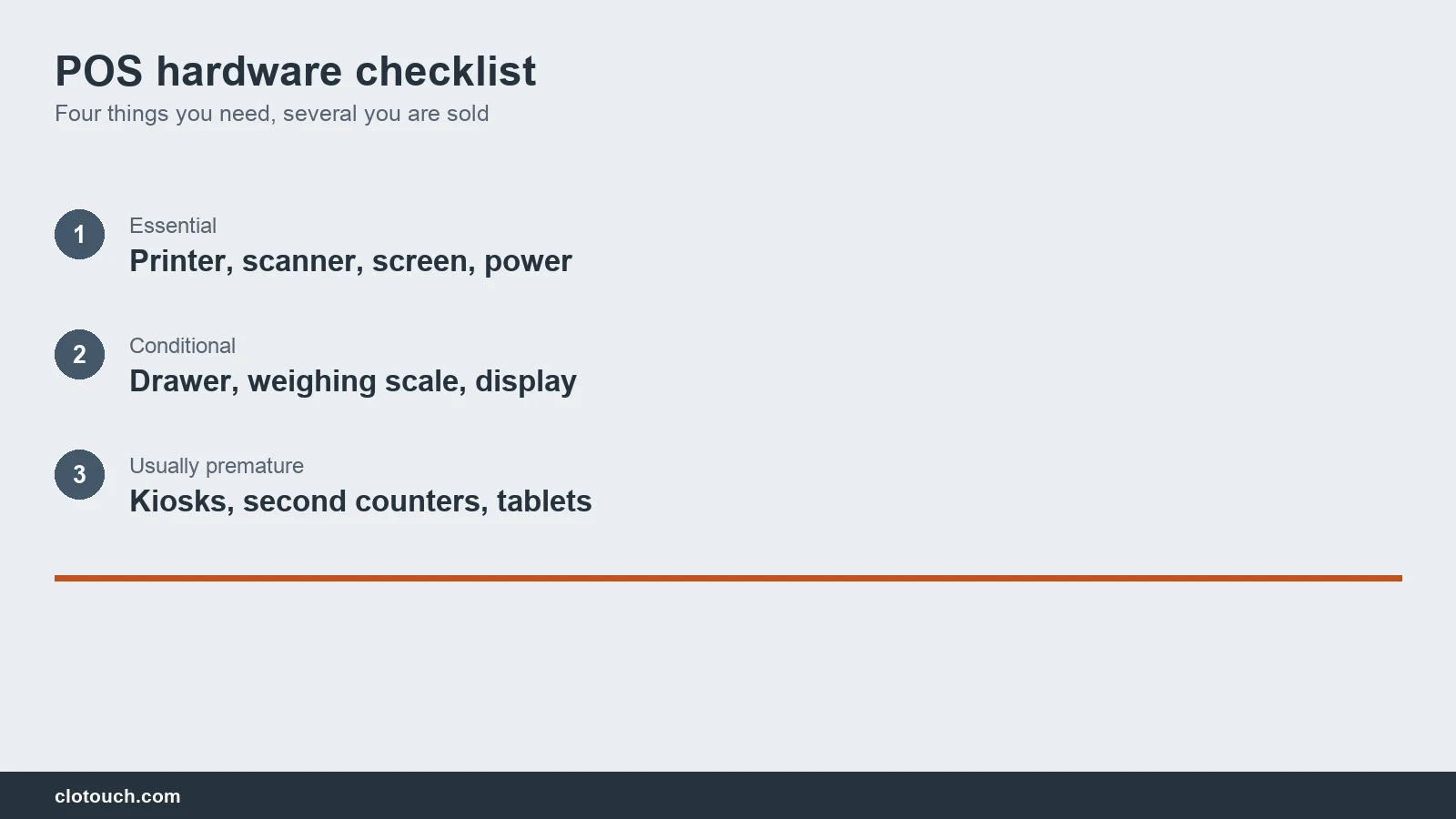
A device to bill on, a printer, a way to identify items, and power that does not fail. Everything else is specific to a trade.
- A billing device, which can be a basic desktop or an all-in-one terminal
- A receipt printer, matched to how long the receipt must survive
- A barcode scanner, unless your goods genuinely carry no codes
- A power backup sized for the counter, not for the whole shop
- A reliable connection, with a fallback if billing needs the internet
The power backup is the one shops underspend on and regret. Billing stops the moment power does. A counter that cannot bill during an outage loses the sale and the customer. Size it for the billing device and the printer only, which is far cheaper than backing up the whole shop.
How the pieces actually connect
Understanding the layout matters because it tells you what fails when something stops working.
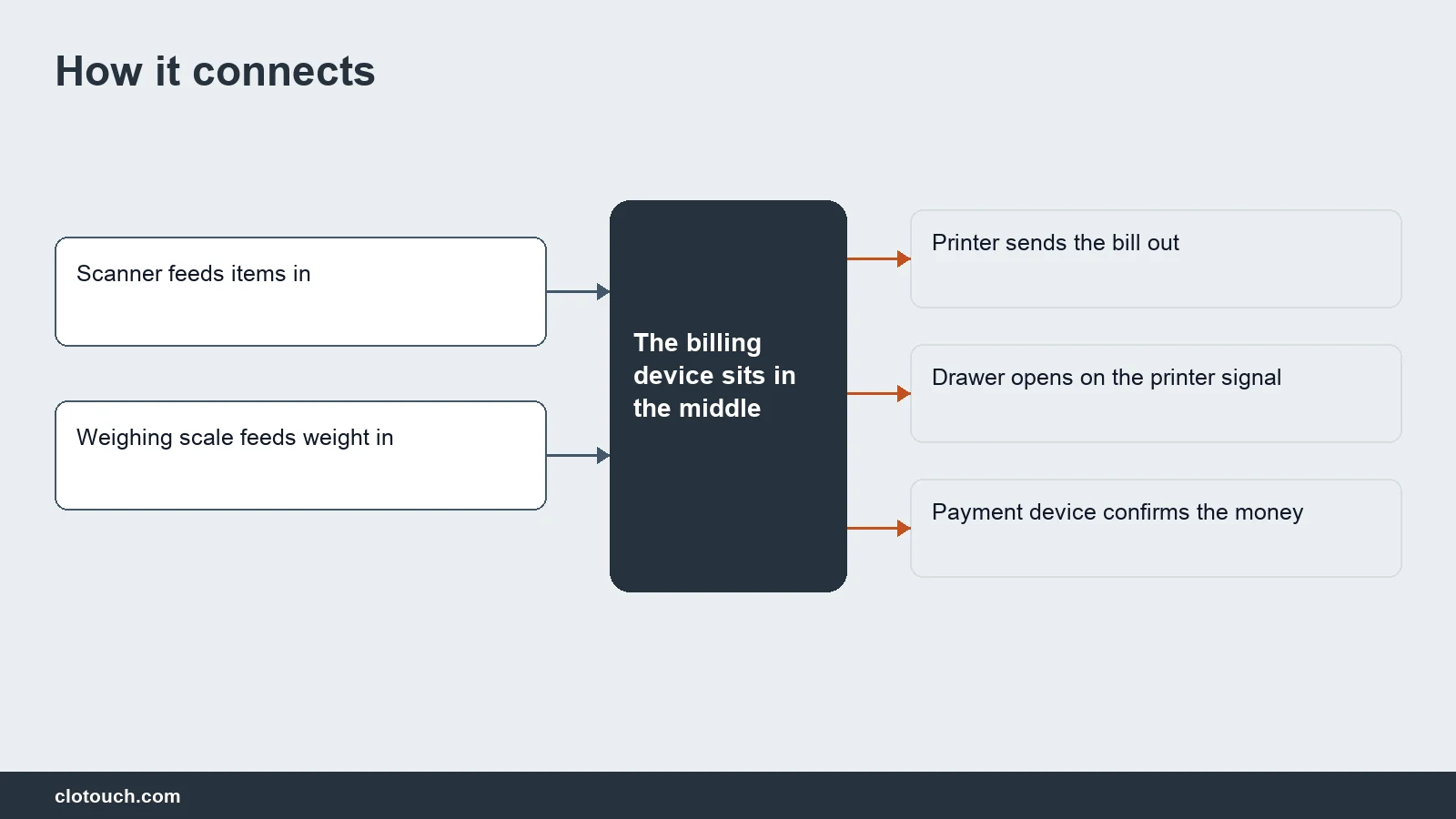
The cash drawer is the one people find surprising. It usually opens on a signal from the printer, not from the computer. So a dead printer means a drawer that will not open. Any POS hardware checklist that skips this point produces a support call in the first month.
Printers, and the choice nobody explains
Thermal printers are fast, quiet and need no ribbon. Dot matrix printers are slow and noisy, and their print survives.
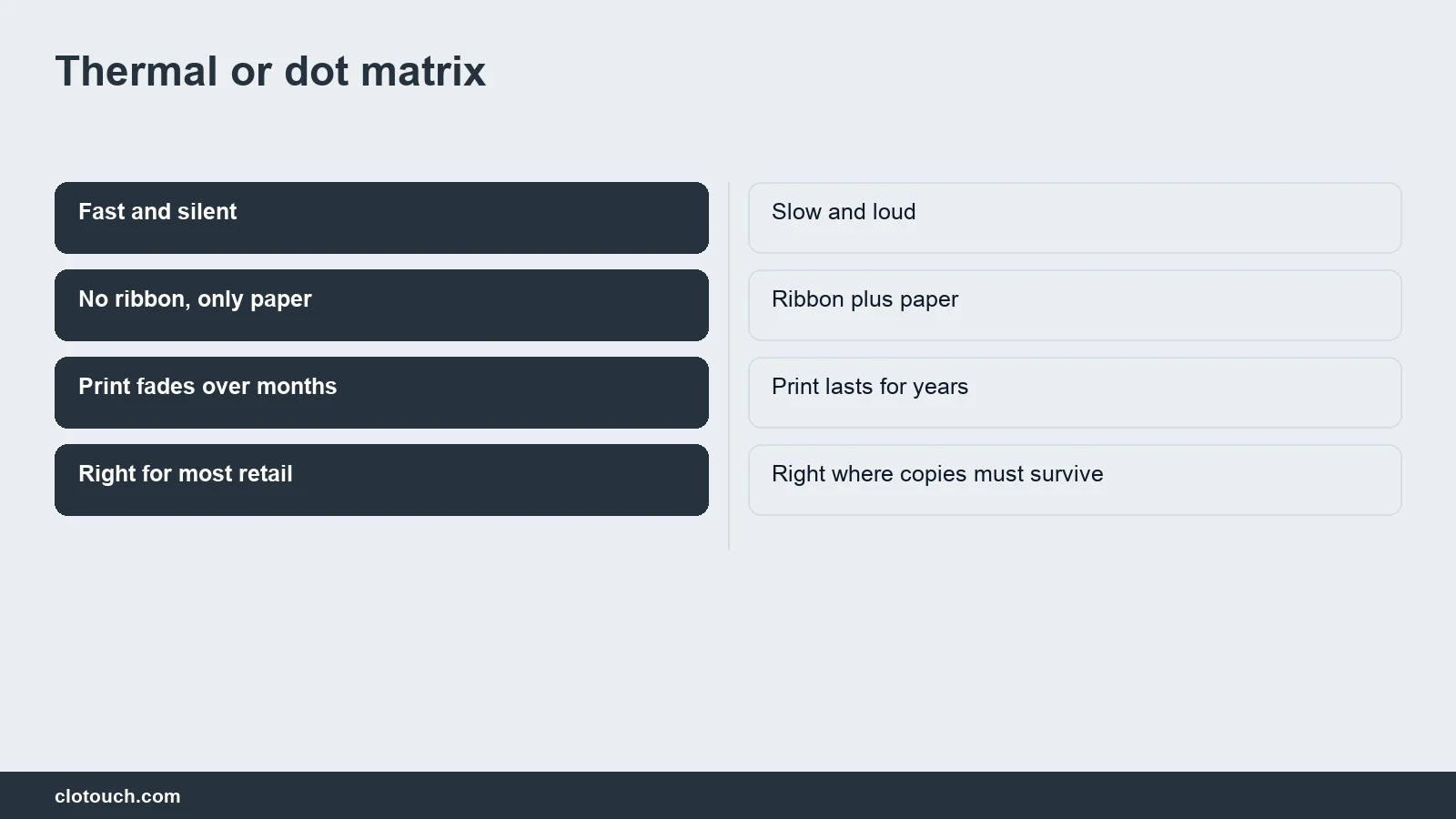
Thermal print fades, especially in heat. A retail receipt nobody keeps is fine. A document a customer may produce in a year’s time, like a warranty bill, is not.
Match the paper width to the trade too. Eighty millimetres suits most retail and restaurants. Fifty-eight is cheaper and cramped once a GST split and a few discounts appear on the bill. Changing width later means changing the printer, so decide once.
What this POS hardware checklist leaves out on purpose
Several devices get sold to first-time buyers who do not need them yet. Each is defensible later and premature on day one.
| Device | Who actually needs it | When to wait |
|---|---|---|
| Customer display | High-value or trust-sensitive retail | Small counter, visible screen |
| Cash drawer | Shops with real cash volume | Mostly digital payments |
| Weighing scale integration | Grocery, sweets, loose goods | Everything sold by piece |
| Second billing counter | Queues that genuinely form | One counter is idle half the day |
| Self-service kiosk | Quick service, consistent volume | Before staffing is the bottleneck |
The weighing scale is the one worth paying for when it applies. A scale that talks to the billing system removes a typing step on every single sale, and typed weights are a steady source of error.
Heat, dust and voltage
Equipment in an Indian shop faces conditions a specification sheet does not mention. Dust gets into scanner windows and printer mechanisms. Heat shortens the life of everything.
Voltage fluctuation kills more hardware than ordinary failure does. A decent stabiliser or a line-interactive backup protects a purchase that costs several times as much. Keep the counter devices on that protected line and nothing else, so the load stays predictable.
Buy a scanner rated for the counter it will sit on. A cheap one survives a quiet shop and fails in a season, usually in the week it is needed most. The same is true of the printer mechanism, which wears by the kilometre of paper rather than by the year.
Spares cost less than downtime
A counter stops for small reasons. A roll of paper runs out mid-rush. A cable works loose. A scanner stops reading.
Keep a month of paper rolls, a spare cable for every connected device, and ideally a second scanner. None of that is expensive, and each one has stopped a shop trading at some point.
Write down what each device is and when it was bought. When something fails in the middle of a season, the model number saves an hour of searching.
Buy for the counter you have
- Count what a busy hour actually looks like, then size for that
- Buy the printer for how long the bill must remain readable
- Protect the power before buying anything optional
- Add the weighing scale only if you sell by weight
- Leave the kiosk and the second counter until queues are real
Hardware bought ahead of need is capital sitting on a counter doing nothing. The software, the item master and the reports, is where the return actually comes from, and the back office runs on data rather than devices.
Frequently asked questions
What hardware does a shop genuinely need to start billing?
A billing device, a receipt printer, and a barcode scanner unless your goods carry no codes. Then power backup for the counter, and a reliable connection with a fallback if billing needs the internet. Everything beyond those depends on the trade.
Should I buy a thermal or dot matrix printer?
Thermal for most retail and restaurants: fast, quiet, no ribbon. Dot matrix where the print must survive, such as warranty bills a customer may produce a year later, because thermal print fades in heat.
Why will my cash drawer not open?
Because it usually opens on a signal from the printer rather than from the computer. A dead or disconnected printer therefore means a drawer that stays shut, which surprises most shops the first time it happens.
Which optional device is most worth buying?
An integrated weighing scale, if you sell anything loose. It removes a typing step from every single sale, and typed weights are a steady source of billing error. Customer displays, kiosks and second counters can usually wait.
What kills POS hardware fastest in Indian conditions?
Voltage fluctuation, then dust and heat. A stabiliser or line-interactive backup protects equipment worth several times its cost. Dust gets into scanner windows and printer mechanisms, so a cheap scanner often fails during the busiest season.
Sources, method and author
Written as a purchasing guide for a first or replacement counter, organised by what is essential, conditional and premature rather than by product category. The printer comparison reflects the practical trade-off between thermal and dot matrix. The drawer-opens-from-the-printer point is included because it is the single most common support call on a new counter. No brands, models or prices are named, since both change constantly.
- CBIC GST — what must appear on a printed invoice
- Department of Consumer Affairs — legal metrology approval for weighing equipment in trade
- Bureau of Indian Standards — safety and quality marking on electrical equipment
Clotouch is a point of sale product built by Clonet Technologies Pvt Ltd. The guidance is about what a counter needs, not about what we sell. No brands or prices are recommended.
Author. Aman Raj. Published 26 October 2026 for Clonet Technologies Pvt Ltd, Bengaluru.