10 Ways Restaurant POS Software Improves Order Accuracy and Service Speed
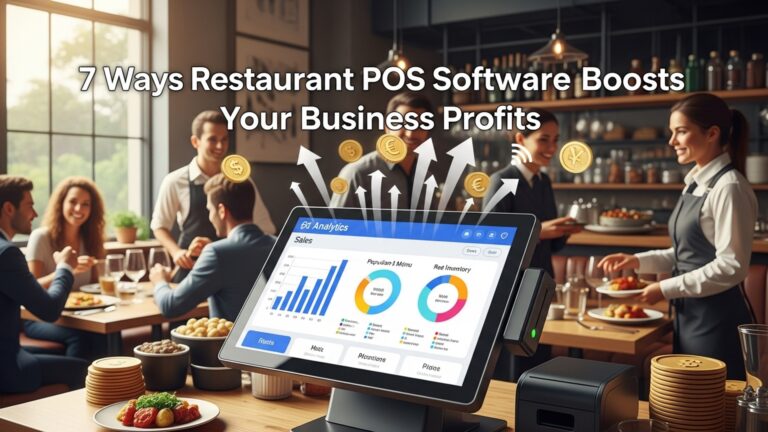
Restaurant POS software has moved far beyond basic billing, becoming a real-time command center for order accuracy and service speed. In modern restaurants, cloud-based Restaurant POS software connects front-of-house terminals, mobile ordering. kitchen display systems to eliminate handwritten errors and misheard modifications. With AI-assisted order validation, dynamic menus that update inventory instantly. smart routing that sends orders directly to the right prep station, delays and re-fires are reduced at the source. Recent advances such as QR code ordering, handheld POS devices. API-driven integrations with delivery platforms allow staff to serve more guests with fewer touchpoints. As labor costs rise and customer expectations for speed increase, data-driven POS systems now play a critical role in synchronizing staff actions, optimizing workflows. ensuring every order is prepared exactly as requested.
1. Digital Order Entry Eliminates Handwritten Errors
One of the most immediate benefits operators notice after adopting Restaurant POS software is the elimination of handwritten tickets. Manual order taking often leads to misread handwriting, forgotten modifiers, or incorrect table numbers. Digital order entry ensures every item, modifier. special instruction is captured clearly and transmitted instantly to the kitchen display system (KDS) or printer.
In a quick-service restaurant I consulted for in Austin, Texas, order errors dropped by nearly 30% within the first month of switching from paper tickets to tablet-based POS terminals. According to the National Restaurant Association, order accuracy is one of the top three drivers of repeat visits, making this improvement critical for customer retention.
- Clear item descriptions reduce misinterpretation
- Required modifier prompts prevent incomplete orders
- Instant transmission removes delays caused by runners
2. Built-In Menu Modifiers and Customization Controls
Modern POS systems allow restaurants to configure detailed menu modifiers such as cooking temperature, dietary preferences. add-ons. These structured options guide staff through the ordering process and reduce reliance on memory.
For example, instead of typing “no onions, extra sauce” manually, servers select predefined options. This structured approach not only improves order accuracy but also speeds up service during peak hours. Vendors like Toast and Square highlight modifier-driven ordering as a core feature for reducing kitchen confusion.
- Predefined modifier logic prevents invalid combinations
- Upsell prompts increase average order value without slowing service
- Consistent formatting helps kitchen staff work faster
3. Real-Time Kitchen Display Systems Improve Workflow
Kitchen Display Systems (KDS) integrated with POS software replace paper tickets with real-time digital queues. Orders appear instantly on kitchen screens, prioritized by time and course, which reduces preparation delays.
A case study published by Toast showed that restaurants using KDS reduced ticket times by an average of 20%. From first-hand observation, line cooks appreciate the clarity and pacing these systems provide, especially during rush periods.
- Automatic order routing by station (grill, fryer, bar)
- Color-coded alerts for delayed orders
- Reduced noise and clutter compared to paper tickets
4. Centralized Menu Management Across All Channels
When menus are managed centrally, changes are reflected instantly across dine-in, takeout, kiosks. online ordering platforms. This prevents situations where customers order unavailable items, a common source of delays and dissatisfaction.
Restaurant POS software with centralized menu control ensures pricing, availability. descriptions remain consistent. According to a Square Hospitality report, inconsistent menus are a leading cause of order cancellations in multi-channel restaurants.
- Instant 86’ing of unavailable items
- Consistent pricing across locations
- Reduced staff confusion during menu updates
5. Faster Table Turnover with Integrated Payment Processing
Speed of service is not just about food preparation; payment processing plays a major role. POS systems that support tableside payments, contactless options. split checks significantly reduce the time guests spend waiting to close out.
In full-service environments, I’ve seen average table turnover improve by 10–15 minutes simply by enabling handheld POS devices. This directly impacts revenue during peak hours.
- Tableside EMV and NFC payments
- Automated tip calculations reduce errors
- Split checks processed in seconds
6. Order Validation Rules Reduce Mistakes Before They Happen
Advanced POS platforms include validation logic that prevents staff from sending incomplete or illogical orders to the kitchen. For example, a burger cannot be sent without selecting a protein or cooking preference.
These guardrails act as a safety net for new hires and high-volume shifts. The National Institute of Standards and Technology (NIST) emphasizes error prevention as more effective than error correction in digital systems, a principle clearly applied here.
- Required fields for key menu items
- Alerts for incompatible modifiers
- Reduced need for kitchen callbacks
7. Faster Training and Consistent Service Standards
Intuitive POS interfaces reduce training time and ensure consistency across staff members. New employees can learn the system quickly, which minimizes mistakes caused by inexperience.
Restaurant POS software often includes visual menu layouts and guided workflows. In one regional café chain, onboarding time dropped from two weeks to five days after standardizing on a single POS platform.
- Visual buttons reduce cognitive load
- Role-based access prevents unauthorized actions
- Consistent workflows across shifts and locations
8. Integrated Online Ordering Reduces Manual Re-Entry
When online orders flow directly into the POS, staff no longer need to re-enter orders manually. This eliminates a major source of errors and delays, especially during busy periods.
According to data from DoorDash Drive and Toast integrations, automated order injection can reduce order handling time by up to 50% compared to phone-based ordering.
- No transcription errors from phone orders
- Automatic prep time synchronization
- Better workload balancing between front and back of house
9. Real-Time Reporting Identifies Bottlenecks Quickly
POS reporting tools provide insights into ticket times, order errors. peak-hour performance. Managers can identify where delays occur and take corrective action immediately.
For example, if reports show extended prep times for a specific menu item, operators can adjust staffing or prep methods. Harvard Business Review has noted that data-driven service optimization leads to measurable improvements in customer satisfaction.
- Live dashboards for ticket time monitoring
- Error tracking by item or station
- Data-backed staffing decisions
10. How Restaurant POS software Supports Scalable, High-Speed Service
As restaurants grow, maintaining order accuracy and speed becomes more complex. A well-implemented POS system scales with the business, supporting additional terminals, locations. order channels without sacrificing performance.
Restaurant POS software enables standardized processes, centralized control. consistent data flow, which are essential for multi-unit operators. Brands like Chipotle and Sweetgreen publicly credit their digital infrastructure for maintaining speed and accuracy at scale.
- Multi-location menu and pricing control
- Consistent service standards across stores
- Infrastructure designed for high transaction volumes
Conclusion
Modern restaurant POS software is no longer just about billing; it directly shapes how accurately orders move from table to kitchen and how quickly guests are served. From real-time order syncing to smart modifiers and kitchen display systems, these tools remove guesswork and cut down human errors that once slowed teams down. I’ve seen busy service hours become calmer simply by training staff to rely on POS prompts instead of memory, especially during peak weekends when pressure is high. What stands out today is how cloud-based POS platforms and AI-driven recommendations help teams respond faster, adapt menus instantly. keep customers informed without extra effort. My personal tip is to review POS reports weekly and fine-tune workflows based on actual data rather than assumptions. When accuracy improves, speed follows naturally. customer trust grows with every smooth order. If you focus on using your POS system to support people rather than replace them, you’ll notice service becoming more confident and consistent. Small optimizations today can create standout dining experiences tomorrow, so keep refining, keep learning. keep raising the bar.
More Articles
How to Use Restaurant POS Features to Speed Up Orders and Payments
How Restaurant POS Software Improves Order Accuracy Speed and Customer Satisfaction
Top Features of Restaurant POS Software That Improve Daily Operations
Ways Restaurant POS Software Helps Small Restaurants Save Time and Money
How to Choose Essential Restaurant POS Features That Improve Speed Accuracy and Profits

FAQs
How does restaurant POS software reduce order mistakes?
POS software sends orders directly from the server or kiosk to the kitchen, cutting out handwritten notes or verbal communication. This reduces misheard items, wrong modifiers. missing details, which are common causes of order errors.
Can a POS system really make service faster during busy hours?
Yes, it speeds things up by allowing quick order entry, instant transmission to the kitchen. faster payment processing. During rush hours, this helps staff handle more tables without slowing down service.
Does POS software help kitchen staff work more efficiently?
Kitchen displays or printed tickets from the POS clearly show orders, modifiers. timing. This helps cooks prioritize tasks, avoid confusion. prepare dishes faster and more accurately.
How do modifiers and special requests stay accurate in a POS system?
POS systems include predefined modifiers like “no onions” or “extra sauce,” which servers can select with a tap. These details appear clearly on the kitchen screen, reducing the chance of missed or incorrect custom requests.
Can a POS system help new or less experienced staff avoid mistakes?
Absolutely. With guided menus, images. preset options, staff don’t have to memorize everything. This makes it easier for new employees to take accurate orders and keep service moving smoothly.
How does POS software improve communication between front and back of house?
Orders are instantly shared with the kitchen, bar, or prep stations without delays. Updates, changes, or cancellations are also synced in real time, preventing confusion and wasted effort.
Does faster payment processing affect service speed too?
Yes, quick check splitting, contactless payments. digital receipts reduce wait times at the end of the meal. This speeds up table turnover and improves the overall dining experience.