Master 5 Smart Strategies to Optimize Your Restaurant POS System for Efficiency
In today’s hyper-competitive restaurant landscape, merely having a robust Restaurant POS software isn’t enough; its strategic optimization is paramount for survival and growth. Operators frequently overlook how deeply configuring features like real-time inventory tracking, integrated online ordering modules. sophisticated staff management can transform operational bottlenecks into streamlined workflows. Consider a scenario where a poorly configured system leads to a 10% error rate in order entry or a 15% increase in food waste due to inaccurate stock counts. Leveraging advanced analytics within your POS, for instance, to predict peak demand or automate supplier reorders, transitions your operation from reactive to proactive, ensuring every transaction contributes to greater efficiency and profitability in an increasingly digital-first industry.

Embrace Streamlined Order Management and Kitchen Communication
One of the most immediate and impactful ways to optimize your restaurant operations is by revamping how orders flow from the front-of-house to the kitchen. A robust Restaurant POS software is the backbone of this transformation, moving beyond simple transaction processing to become a central nervous system for your eatery. Traditional manual order taking, with handwritten tickets, is prone to errors, delays. miscommunications, especially during peak hours. Imagine a busy Saturday night: a server scribbles an order, rushes to the kitchen. then a line cook misreads a modifier, leading to a re-fire and a frustrated customer. This scenario is all too common and directly impacts efficiency and customer satisfaction.
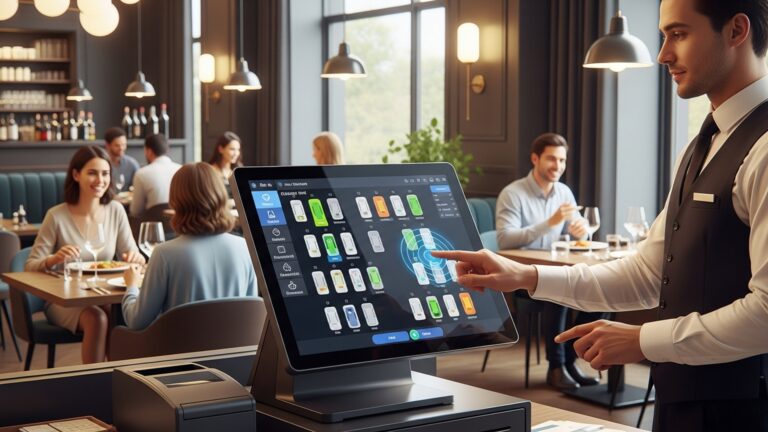
Modern Restaurant POS software integrates directly with Kitchen Display Systems (KDS). A KDS is a digital screen in the kitchen that displays incoming orders, replacing paper tickets entirely. This system ensures that every order, including specific modifications (e. g. , “no onions,” “extra crispy,” “allergy alert: gluten-free”), is clearly communicated in real-time. Servers enter orders directly into the POS terminal or a handheld device. within seconds, it appears on the KDS, often color-coded by order type (dine-in, takeout, delivery) or urgency.
- Reduced Errors
- Faster Turnaround
- Improved Accuracy
- Enhanced Coordination
Digital input minimizes misinterpretations of handwriting.
Orders reach the kitchen instantly, cutting down on preparation time.
Special requests and dietary restrictions are clearly highlighted, reducing re-fires and food waste.
Kitchen staff can prioritize and manage multiple orders more effectively, seeing the full queue at a glance.
For instance, at ‘The Daily Grind’ cafe, implementing a new Restaurant POS software with integrated KDS reduced their average order-to-serve time by 15% and nearly eliminated order errors, according to owner Sarah Chen. “Before, our baristas would often miss ‘extra shot’ requests on busy mornings. Now, with the KDS, every detail is crystal clear. our customers are happier, which means more repeat business,” she shared in a recent industry podcast.
Moreover, some advanced Restaurant POS software solutions allow for course management, where servers can ‘fire’ courses to the kitchen at appropriate times, ensuring hot appetizers don’t arrive with entrees. This level of control elevates the dining experience and reflects a sophisticated approach to service.
Leverage Data Analytics for Informed Decision-Making
Your Restaurant POS software is a goldmine of operational data, often underutilized. Beyond processing payments, it captures every transaction, every discount, every menu item sold. even details about peak hours and popular dishes. Harnessing this data through built-in analytics tools or integrated business intelligence platforms can provide invaluable insights, transforming guesswork into strategic decisions.
- Sales Performance
- Menu Item Popularity
- Staff Performance
- Peak Hours
- Customer Behavior
Daily, weekly, monthly. yearly revenue trends.
Best-selling dishes, least popular items. profit margins per item.
Sales per server, average check size. tip distribution.
Identifying the busiest times of day or week to optimize staffing and inventory.
Average spend, frequent purchases (especially with loyalty programs). preferred payment methods.
Consider the case of ‘Pizza Palace,’ a local pizzeria struggling with inventory waste. By analyzing their Restaurant POS software data, they discovered that their Tuesday special, a vegetarian pizza, consistently underperformed, leading to excess ingredients spoiling. Conversely, their pepperoni pizza sales spiked dramatically on Fridays. Using this insight, they adjusted their ingredient orders, reducing waste by 20% on Tuesdays and ensuring they never ran out of popular items on Fridays. This direct application of data saved them thousands annually.
When evaluating Restaurant POS software, look for robust reporting features. Some systems offer customizable dashboards that present key performance indicators (KPIs) at a glance. For example, a restaurant manager might want to quickly see “Food Cost Percentage,” “Labor Cost Percentage,” and “Average Table Turn Time.”
| Basic POS Reporting | Advanced POS Analytics |
|---|---|
| Daily Sales Summary | Predictive Sales Forecasting |
| Item Sales Report | Menu Engineering (Profitability vs. Popularity) |
| Payment Type Breakdown | Customer Segmentation and Lifetime Value |
| Hourly Sales Trends | Staff Performance Benchmarking |
To truly optimize, don’t just collect data – interpret it. Regularly schedule time to review reports. Ask questions like: “Are there any slow periods we could boost with a happy hour?” , “Which menu items should we promote more, or perhaps remove?” , “Is our staffing aligned with customer demand?” The answers lie within your Restaurant POS software’s data.
Integrate with Third-Party Platforms for Seamless Operations
A standalone Restaurant POS software, while functional, often operates in a silo. The real power and efficiency gains come from integrating your POS with other essential third-party platforms that manage various aspects of your business. This creates a unified ecosystem where data flows smoothly, eliminating manual data entry, reducing errors. saving valuable time.
- Online Ordering Platforms
- Loyalty and CRM Programs
- Accounting Software
- Inventory Management Systems
- Staff Scheduling and Payroll
Seamlessly transfer online orders (from your website, apps like DoorDash, Uber Eats, Grubhub) directly into your POS and KDS. This prevents staff from having to manually punch in orders from tablets, reducing errors and speeding up service.
Automatically track customer points, apply rewards. build customer profiles based on purchase history. This enhances customer retention and allows for targeted marketing campaigns.
Sync daily sales, expenses. payroll data directly to QuickBooks, Xero, or other accounting platforms. This dramatically simplifies bookkeeping and reduces the risk of manual entry errors.
Automatically deduct ingredients from inventory as dishes are sold, trigger low-stock alerts. even integrate with supplier ordering systems.
Connect sales data to labor costs, optimize schedules based on predicted demand. streamline payroll processing.
Consider ‘The Green Fork,’ an organic eatery that previously managed online orders through multiple tablets, leading to frequent missed orders and overwhelmed staff. After integrating their Restaurant POS software with their online ordering platform, all orders now flow directly into their KDS. “It’s been a game-changer,” says manager David Lee. “Our order accuracy for delivery has skyrocketed. our staff can focus on serving in-house customers instead of juggling tablets. Our online sales have increased by 25% because we can handle the volume efficiently.”
When selecting a Restaurant POS software, always inquire about its API (Application Programming Interface) capabilities and its existing integrations. A robust API allows for custom connections, while pre-built integrations offer plug-and-play convenience.
// Example of a conceptual API call for an online order integration
// This illustrates how data might be structured for seamless transfer
{ "orderId": "ORD7890123", "customer": { "name": "Jane Doe", "phone": "+15551234567", "email": "jane. doe@example. com", "address": "123 Main St, Anytown, USA" }, "items": [ { "sku": "PIZZA_PEP", "name": "Pepperoni Pizza (Large)", "quantity": 1, "price": 18. 99, "modifiers": [ {"name": "Extra Cheese", "price": 2. 00} ] }, { "sku": "DRINK_COKE", "name": "Coca-Cola", "quantity": 2, "price": 2. 50 } ], "total": 25. 99, "paymentMethod": "Credit Card (Online)", "orderType": "Delivery", "notes": "Please include paper plates and napkins." }
This kind of structured data ensures that all necessary insights for an order is accurately transferred and processed by your Restaurant POS software, from the kitchen to accounting.
Enhance Customer Experience through Self-Service and Mobile Options
In today’s fast-paced world, customers value convenience and control. Empowering them with self-service and mobile options not only improves their experience but also significantly boosts your operational efficiency by offloading tasks from your staff. Your Restaurant POS software is key to enabling these modern conveniences.
- Online Ordering Portal
- QR Code Menus & Ordering
- Self-Service Kiosks
- Pay-at-Table Functionality
A branded online menu where customers can browse, customize. place orders for pickup or delivery directly through your website or a dedicated app, seamlessly integrated with your POS.
Customers scan a QR code at their table to view the menu on their smartphone and even place orders themselves. This is particularly efficient for quick-service or high-volume casual dining establishments. also addresses hygiene concerns.
For fast-casual restaurants, kiosks allow customers to browse the menu, customize orders. pay directly. This reduces queues, frees up counter staff. often results in higher average check sizes due to upsell prompts.
Using handheld devices or integrated payment terminals, customers can pay directly at their table, splitting bills easily and leaving tips, without waiting for a server to process their card.
Consider ‘Burger Blast,’ a popular fast-casual chain. They implemented self-service kiosks connected to their Restaurant POS software. within months, reported a 30% reduction in customer wait times during peak lunch hours. Moreover, their average check size at kiosks was 10% higher than traditional counter orders, thanks to strategic upselling prompts on the screen. “Our staff can now focus on food prep and customer service, rather than just taking orders,” noted operations manager Mark Johnson. “It’s a win-win for both our team and our customers.”
Another real-world example is the widespread adoption of QR code menus during the pandemic. Many restaurants, like ‘The Corner Bistro,’ found that this temporary solution actually improved efficiency. “Customers loved being able to browse the menu at their leisure on their own device. we loved not having to print and sanitize physical menus constantly,” says owner Maria Rodriguez. Their Restaurant POS software was able to integrate with a QR-based ordering system, further enhancing this efficiency.
These options not only cater to customer preferences but also allow your staff to focus on delivering exceptional service rather than transactional tasks. This strategic shift can lead to increased customer loyalty and a more efficient workforce.
Optimize Inventory and Staff Management with Your POS
Efficient inventory and staff management are critical for controlling costs and ensuring smooth operations. your Restaurant POS software can be an invaluable tool in both areas. Mismanaging either can lead to significant financial losses through waste, theft, overstaffing, or understaffing.
A sophisticated Restaurant POS software system can track ingredients in real-time. When a dish is sold, the corresponding ingredients are automatically deducted from inventory. This moves beyond simple stock counts to provide granular control over your raw materials.
- Recipe Management
- Automated Depletion
- Low-Stock Alerts
- Cost of Goods Sold (COGS) Tracking
- Waste Tracking
Define recipes within your POS, detailing the exact amount of each ingredient for every menu item.
As orders are processed, the system automatically subtracts ingredients from stock.
Receive notifications when specific ingredients fall below a predefined threshold, prompting reorder.
Accurately calculate COGS for each menu item, helping you price dishes profitably.
Log spoiled or wasted ingredients directly into the system for better accountability and trend analysis.
A study by the National Restaurant Association highlighted that food waste accounts for 4-10% of food purchased by restaurants. By leveraging a Restaurant POS software with robust inventory features, restaurants can significantly reduce this figure. For example, ‘Chef’s Table Bistro’ used their POS to identify that their daily special often resulted in excess leftover salmon. By adjusting their ordering based on historical POS sales data for that special, they cut their salmon waste by 50% within a quarter, leading to substantial savings.
While often seen as separate, staff management heavily intersects with your Restaurant POS software data.
- Sales Performance by Employee
- Time and Attendance
- Labor Cost Analysis
- Shift Management
Track individual server sales, average check size. tip reports, which can inform training needs or reward programs.
Many POS systems include integrated time clocks where employees clock in and out, ensuring accurate payroll data.
By integrating sales data with time clock data, you can see real-time labor costs as a percentage of sales, allowing for dynamic staffing adjustments.
Some advanced Restaurant POS software can integrate with scheduling tools, using sales forecasts to recommend optimal staffing levels for different shifts, preventing both overstaffing (wasted labor) and understaffing (poor service).
As industry expert Alex Klemmer, CEO of Toast, often emphasizes, “Your POS is not just for transactions; it’s your operational brain.” By analyzing sales data from your Restaurant POS software, you can align staffing with demand. If Friday evenings consistently show the highest sales, ensure you have your strongest and most efficient team scheduled. Conversely, if Monday afternoons are slow, adjust staffing accordingly to avoid unnecessary labor costs.
Optimizing these two critical areas with your Restaurant POS software transforms your system from a simple cash register into a powerful operational control center, driving efficiency and profitability across your entire business.
Conclusion
Ultimately, your restaurant POS isn’t merely a transaction tool; it’s the central nervous system driving operational excellence. To truly optimize for efficiency, embrace its full potential by regularly auditing your menu configurations and staff training modules, ensuring they align with peak service demands. I’ve personally witnessed eateries boost their average order value by 15% just by leveraging dynamic upsell prompts intelligently. With cloud-based systems now offering real-time analytics, the power to adapt swiftly to evolving customer preferences and manage inventory proactively is at your fingertips. My advice? Treat your POS like a chef’s knife – constantly sharpen its capabilities. This isn’t just about speed; it’s about gaining invaluable insights into your business’s pulse. By mastering these strategies, you’re not just optimizing software; you’re future-proofing your restaurant, securing a competitive edge. ultimately, serving up success with every single transaction.
More Articles
10 Smart Ways to Master Your Restaurant POS for Greater Efficiency
Master 8 Ways Restaurant POS Software Improves Operational Efficiency Daily
Discover 8 Common Challenges with Restaurant POS and How to Solve Them
How To Choose The Best Restaurant POS System Essential Features Guide
How to Master Restaurant Table Management Using Your POS System

FAQs
Why should I even bother optimizing my restaurant’s POS system?
Optimizing your POS isn’t just about speed; it’s about boosting your restaurant’s overall efficiency. It helps reduce order errors, speeds up service, improves inventory management. provides valuable data insights, ultimately saving you money and enhancing the customer experience.
What’s the quickest way to make our POS system more efficient for our staff?
One of the fastest ways is through comprehensive staff training and customizing your menu layout on the POS. Make sure frequently ordered items or modifiers are easy to find and access. Regular software updates also play a big role in keeping things running smoothly.
Can an optimized POS actually help me manage my inventory better?
Absolutely! A well-optimized POS system often integrates with inventory management features. This allows for real-time tracking of ingredients, automated reorder points. reduced waste, giving you much better control over your stock and food costs.
How does improving our POS system lead to a better customer experience?
When your POS is optimized, staff can take orders faster and more accurately, payments are processed quickly. wait times are reduced. It also enables features like loyalty programs and personalized offers, making the entire dining experience smoother and more enjoyable for your guests.
What kind of valuable data can I get from a really efficient POS system?
An optimized POS can provide a wealth of data, including sales trends, peak hours, popular menu items, labor costs. customer purchasing habits. These insights are crucial for making informed business decisions, like menu adjustments, staffing schedules. marketing strategies.
My current POS feels clunky. Is it worth upgrading or can I just tweak what I have?
It really depends on your system’s age and capabilities. Sometimes, simple tweaks like menu re-organization, staff retraining, or updating software can make a big difference. But, if your system is outdated and lacks modern features, upgrading to a newer, cloud-based solution might offer more significant long-term efficiency gains and access to better tools.
Beyond just taking orders, what else can an optimized POS system do for my restaurant’s operations?
An optimized POS can do much more than just process transactions. It can manage table assignments, integrate with online ordering platforms, handle gift cards and loyalty programs, assist with employee time tracking. provide detailed reporting that helps you examine and improve every aspect of your restaurant’s performance.