Best Android POS Apps for India: Which Ones You Can Actually Use
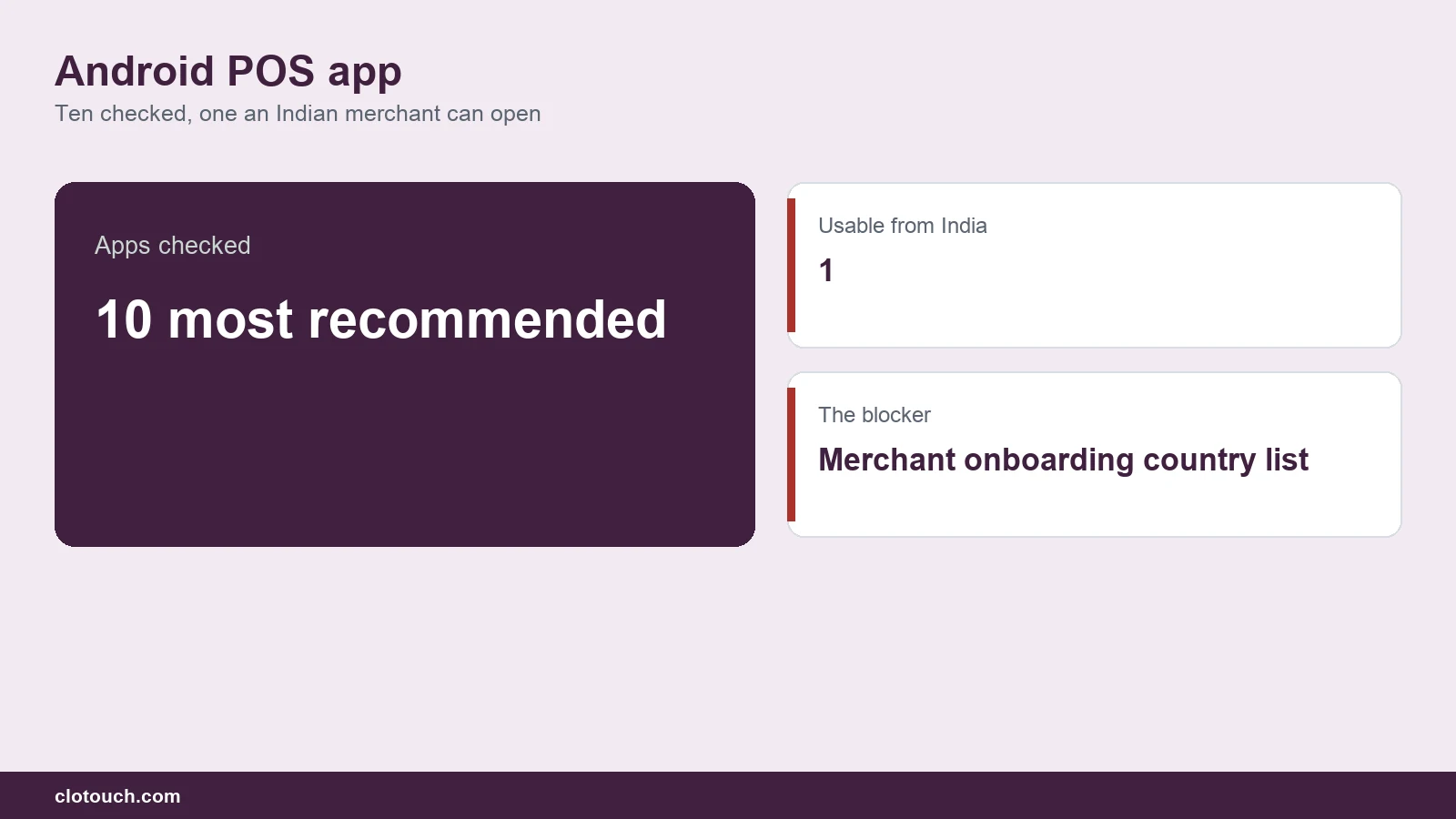
Short answer: of the ten Android POS apps most often recommended in “best of” lists, only one of them, Loyverse, can be signed up for and used by a merchant in India today. The rest either restrict merchant onboarding to a fixed list of countries that excludes India, or run their card processing only in markets India is not part of. Several still install happily from the Indian Play Store, which is what makes the problem hard to spot.
On this page
This guide checks each Android POS app against the one question the global roundups skip: can a shop in Chennai, Coimbatore or Bengaluru actually open an account, take a payment and issue a GST invoice on it?
Key takeaways
- Availability is the first filter, not price. Eight of the ten apps commonly listed cannot onboard an Indian merchant, according to each vendor’s own documentation.
- An app installing is not the same as an account you can trade on. Square’s Android app is live on the Indian Play Store with 2.4 lakh reviews, but Square’s own developer documentation lists only eight seller countries, and India is not one.
- Revel Systems should be removed from any 2026 list. It was acquired by Shift4, folded into SkyTab, and was an iPad product to begin with.
- Android is the practical default in India. Android runs 92.44% of Indian mobile devices, so an Android POS matches the hardware people already own.
- QR now vastly outnumbers card terminals. India had 115.3 lakh POS terminals in May 2026 against 785.4 crore Bharat QR and UPI QR acceptance points, roughly 68 QR points for every card terminal.
- Check offline behaviour in detail, not as a yes or no. Loyverse records sales offline but disables refunds, new customer registration and card terminals until it reconnects.
Which Android POS apps work in India? The short table
Availability below is taken from each vendor’s own country documentation, checked in August 2026. “Merchant onboarding” means whether a business registered in India can open an account and process payments, not whether the app downloads.
| App | Android | Indian merchant onboarding | Best suited to |
|---|---|---|---|
| Loyverse POS | Yes, native | Yes | Small shops and cafes wanting a free tier |
| Shopify POS | Yes | Online only; no in-person card processing in India | Existing Shopify sellers |
| Lightspeed Retail | Partial; iPad first | No | Specialty retail outside India |
| Square POS | Yes | No; eight seller countries only | US and a few other markets |
| Clover POS | Yes, own devices | No | US merchants on Fiserv rails |
| Zettle by PayPal | Yes | No; twelve countries only | European small traders |
| SumUp POS | Yes | No; 38 markets, India absent | European mobile sellers |
| Erply POS | Yes | No India localisation | Nordic and US chains |
| eHopper POS | Yes | No practical availability | US small business |
| Revel Systems | No; iPad product | Discontinued as a standalone product | Nobody, in 2026 |
That table is the whole argument. Eight rows are a dead end for an Indian buyer, and the tenth no longer exists. If you have been comparing these apps on price, you have been comparing options you cannot buy.
Can you use your phone as a POS in India?
Yes. An Android phone with POS software becomes a working till: it takes the order, prints or sends the receipt, records the sale against stock, and accepts payment through a UPI QR code. You do not need a separate card machine to start.
This works in India for a specific reason. Payment acceptance here has moved to QR rather than card hardware. India had 115.3 lakh POS terminals in May 2026, up from 45.2 lakh in May 2021. Over the same period Bharat QR and UPI QR acceptance points went from 1,922 lakh to 7,854 lakh, according to Grant Thornton Bharat’s India Payments Trends Report 2026, compiled from RBI data. That is about 68 QR acceptance points for every card terminal.
The cost side matters too. The Ministry of Finance confirmed in August 2026 that UPI remains free for users, and that the “vast majority of the transactions will remain free of charge for merchants on UPI”. Any future merchant discount rate would be threshold based rather than applied to everyone, and set well below debit or credit card rates. For a small shop, that is the difference between paying to accept money and not paying.
Volume backs it up. UPI processed 2,366 crore transactions worth ₹29.9 lakh crore in July 2026 alone, per the same Ministry of Finance release. Your customers already pay this way.
What is an Android POS app?
An Android POS app is point of sale software that runs on the Android operating system, turning a phone, tablet or purpose-built Android terminal into the machine that rings up sales. It replaces the till, and usually the paper stock book as well.
A working Android POS app does four jobs:
- Billing. Adds items to a cart by search, category or barcode, applies tax and discounts, and produces a receipt.
- Payment. Shows a UPI QR code, records cash, or connects to a card reader where one is supported.
- Inventory. Reduces stock as items sell and warns you before something runs out.
- Reporting. Records what sold, when, by whom, and at what margin.
Two related terms get used loosely. Mobile POS, or mPOS, is software that runs on a handheld device rather than a fixed counter machine. SoftPOS is a mode, sometimes called tap on phone, in which the phone itself reads a contactless card, with no separate reader at all. Every SoftPOS app is a mobile POS app, but most mobile POS apps are not SoftPOS.
A dynamic QR code is a payment code that already carries the exact bill amount, so the customer cannot mistype it. Merchant onboarding is the vendor’s process for approving a business to accept money, and it is restricted by country far more often than app downloads are.
Why Android became the default POS platform in India
Three facts explain it.
Android is what people already have. Android runs 92.44% of mobile devices in India as of July 2026, against 7.5% for iOS, according to Statcounter. An iPad-first POS asks an Indian shopkeeper to buy into a platform almost nobody around them uses.
An aside worth noting: several POS products marketed as mobile are iPad products. Lightspeed Retail is the clearest example in this list. If a vendor’s demo video shows an iPad, ask directly what runs on Android before you commit.
Capable Android hardware got cheap, then stopped being throwaway cheap. The average smartphone sold in India now costs US$302, a record high and up 10.4% year on year in Q1 2026, IDC reports. The US$100 to US$200 band is now 45% of shipments, while the sub-US$100 tier collapsed 59% year on year to 8%. Buyers moved up a tier. The practical effect is that a typical phone in an Indian shop is now fast enough to run a POS properly.
Connectivity is broad but not perfect. India had 1,092.79 million internet subscribers at the end of March 2026, of which 1,046.26 million were wireless, per the TRAI performance indicator report. Rural tele-density was 60.46%. Most shops are connected. Not all of them are connected all the time, which is why offline behaviour deserves its own section below.
The market is following the hardware. India’s POS terminal market was worth USD 4.0 billion in 2025 and is forecast to reach USD 7.7 billion by 2034. Within that, mobile and portable units were already 62.15% of the market in 2025 and are growing faster than the market as a whole.
The availability trap: why the app installs but the account will not open
How we checked this: Availability for all ten apps below was checked individually against each vendor’s own country documentation and its Indian Play Store listing in August 2026. Where a vendor publishes a supported-country list, that list is linked.
An app appearing on the Indian Play Store is not the same as a merchant account you can trade on. These are two separate permissions, and only one of them is visible before you sign up.
This is the part that costs people a weekend.
Google Play does not restrict most POS apps by country. Square’s Android app renders on the Indian Play Store today with a 4.6 rating, 2.4 lakh reviews and an update dated 27 August 2026. It downloads. It opens. Then you reach the sign-up screen, and Square’s own international availability documentation applies: Square supports sellers in eight countries, and India is not among them.
The same pattern repeats across the list. Zettle by PayPal serves twelve countries. SumUp’s merchant account table covers 38 markets. Clover’s developer documentation enumerates its served regions across four groups, and India appears in none of them. Every one of those apps is installable here. None of them will let an Indian business trade.
How to check this yourself in two minutes, before you install anything:
- Search for the vendor’s name plus “supported countries” or “international availability”, and look for a page on the vendor’s own domain rather than a review blog.
- Find the list of countries where merchants can open an account. This is often different from the list of countries where the app is available, and different again from where the company sells hardware.
- If India is absent, stop there. Pricing and features do not matter.
- If India is present, check separately whether in-person payment processing is supported, not just the account. Shopify is the case in point: Shopify works in India for online stores through gateways such as Razorpay, but Shopify POS in-person card processing is not available here.
The ten apps, checked against India
Each verdict below cites the vendor’s own documentation. Where pricing could not be confirmed on the vendor’s own page, no price is given, because the figures circulating on review sites disagree with each other. Erply, for one, is quoted at four different monthly prices across four different aggregators.
1. Loyverse POS: the one that works
Indian merchant onboarding: yes. Loyverse is verifiably usable in India. Its Play listing renders on the Indian storefront with a 4.8 rating, 17.8K reviews and over 10 lakh downloads.
Loyverse is free for the core POS, with paid add-ons for employee management and advanced inventory. For a single small shop that mostly needs billing and basic stock, the free tier is genuine rather than a trial.
Its offline behaviour is documented honestly by the vendor, which is rare enough to be worth quoting. Per the Loyverse help centre, the app records sales and manages shifts with no internet connection, storing receipts locally as “Unsynced” until connectivity returns. But while offline: the refund button is disabled, new customer registration is unavailable, integrated card terminals do not work, and stock levels are not displayed. You also cannot sign out while unsynced receipts remain on the device.
That is a reasonable set of trade-offs, and knowing them in advance is the point. A shop that processes returns regularly should not assume offline mode covers it.
2. Shopify POS: online yes, in-person no
Indian merchant onboarding: partial, and not for card payments. Shopify operates in India for online selling, typically with an Indian gateway handling payments. Shopify POS for in-person card processing is a different product with its own supported-location list, and India is not on it.
If you already run a Shopify store and want the counter to share stock with the website, this is worth a conversation with Shopify directly about what is and is not supported here. If you are starting from nothing, it is not the obvious choice in India.
3. Lightspeed Retail POS: not really an Android product
Indian merchant onboarding: no. There is a second problem: Lightspeed Retail is iPad first. What is confirmed on Android is the Lightspeed Scanner app. A January 2026 Lightspeed release announced contactless selling on Scanner reaching general availability on Android, but only for Lightspeed Payments customers in the US, Canada, Australia, the UK, Ireland, Belgium and the Netherlands.
Lightspeed appears on Android POS lists constantly. On the evidence, it does not belong there, and it certainly does not belong on one aimed at India.
4. Square POS: the most misleading entry
Indian merchant onboarding: no. Covered above. Square is the reason this article leads with availability rather than features. It is a good product, it has a real Android app, that app is on the Indian Play Store, and an Indian business still cannot use it.
5. Clover POS: US rails
Indian merchant onboarding: no. Clover’s hardware (Flex, Mini, Station) genuinely runs Android, and Clover Go is a real Android app. But Clover’s developer documentation lists its served regions, and India is not in any of them. The Clover Go SDK is documented as United States only.
6. Zettle by PayPal: twelve countries
Indian merchant onboarding: no. Zettle’s own country list runs to twelve markets and does not include India. PayPal’s India documentation compounds it: PayPal classifies India as receive and withdraw only, so domestic Indian payment acceptance is not on the table.
7. SumUp POS: 38 markets, India absent
Indian merchant onboarding: no. SumUp’s official developer documentation includes a merchant-account market table covering 38 countries. India is not one of them.
8. Erply POS: Nordic and US focus
Indian merchant onboarding: no. Erply’s own market list covers Estonia, Finland, the USA, the UK, Denmark, Sweden, Canada, Australia and New Zealand. There is no India localisation, which in practice means no GST handling.
9. eHopper POS: built around US-only features
Indian merchant onboarding: no practical availability. eHopper’s plans are built around constructs specific to the United States, including EBT acceptance and cash-discount or surcharge programmes. There is no GST or UPI support.
10. Revel Systems: no longer a product
Remove it from your shortlist. Revel was acquired by Shift4 and folded into SkyTab; revelsystems.com now redirects to Shift4. It was also an iPad platform from the start, so it was never an Android POS. Any 2026 list still recommending Revel as an Android POS app has not been checked.
What “free” actually means
“Free POS app for Android” is one of the most common searches in this space, and it is answered badly almost everywhere. Three different things get called free:
- Free software, paid payments. The app costs nothing and the vendor earns a percentage of every card transaction. Common in the US. Largely irrelevant in India, where UPI carries no merchant fee for most transactions.
- Free tier, paid modules. Core billing is free forever; employee management, advanced inventory or multi-outlet cost extra. Loyverse works this way.
- Free trial. Free for 14 or 30 days, then billed. Frequently listed as “free” in comparison tables.
In India the second and third are what you will meet. Because UPI acceptance itself is generally free to the merchant, a free POS tier here can genuinely mean zero running cost for a single-counter shop, which is not true in markets where the vendor depends on card processing revenue.
The features that actually matter in India
Global feature lists undersell the things that decide whether a POS survives a week in an Indian shop.
GST invoicing
The receipt has to carry the right GST breakdown, and you need the reports at filing time. An app with no India localisation, which covers most of this list, cannot do this properly.
UPI acceptance at the counter
Given UPI is 85.5% of India’s payment transaction volume, per Grant Thornton’s compilation of RBI data, this is not optional. Look for a dynamic QR that carries the exact bill amount, rather than a static sticker the customer types the amount into.
Offline mode, examined properly
Ask what specifically still works without a connection. As the Loyverse documentation shows, “works offline” can still mean no refunds, no new customers and no live stock. Get the detail before you rely on it.
Barcode and weight handling
Grocery and kirana counters need loose-weight items and embedded barcodes from a weighing scale. Apparel needs size and colour variants. These are different problems and not every POS does both.
Credit, or khata
A great many Indian shops run informal customer credit. If the POS cannot record it, it will be kept in a notebook alongside the POS, and the stock numbers will drift out of line within a month.
Receipts on WhatsApp
Printing is optional for many small shops. Sending the bill to the customer on WhatsApp often is not.

Choosing hardware: phone, tablet or dedicated terminal
Three sensible setups, in rising order of cost.
Your existing phone. Cheapest possible start. Suits a stall, a delivery counter, a market seller, or a shop testing whether it wants a POS at all. Add a small Bluetooth receipt printer later if customers ask for paper. Clotouch sells this as a product: you can run a full POS on your own Android phone with Pixi Go, with an optional 58mm printer.
An Android tablet on the counter. The middle option. Bigger screen, easier for staff, still cheap hardware you can replace anywhere. Works well for cafes and small restaurants where someone takes orders at the table.
A dedicated Android POS terminal. Built for the job: integrated printer, longer life under daily use, and a screen angled for a counter. Worth it once you are ringing up serious volume, or when you want the till to be a till rather than a phone someone might walk off with. Clotouch’s range includes an 8-inch Android POS terminal with a built-in receipt printer and a 10.1-inch Android POS system.
One practical note: whichever you pick, check that the POS software supports the peripherals you will want later. A barcode scanner, a cash drawer and a kitchen printer are all straightforward if the software expects them, and impossible if it does not.

How to choose, in order
Work down this list. Stop at the first hard no.
- Can an Indian business open an account? Check the vendor’s own country documentation. This eliminates most global options immediately.
- Does it handle GST invoicing and reporting? If there is no India localisation, this will fail at filing time.
- Does it take UPI at the counter with a dynamic QR? Static QR codes create reconciliation work you do not want.
- What exactly works offline? Not whether, but what. Ask about refunds and stock display specifically.
- Does it fit your category? Weight-based items for grocery, variants for apparel, table and KOT handling for restaurants. These are genuinely different needs.
- Can it record customer credit? If your shop runs khata, a POS that ignores it will be worked around rather than used.
- What does it cost when you grow? Check the price of the second outlet and the tenth staff login, not just the first month.
Notice that price is last. An app you cannot sign up for is not cheaper, it is unavailable.
Frequently asked questions
What is the best Android POS app?
For a merchant in India, the honest shortlist is much smaller than the global lists suggest. Of the ten apps most commonly recommended, Loyverse is the one an Indian business can verifiably sign up for and use. The right answer for your shop then depends on category, GST handling and whether you need multi-outlet stock.
Can I use my phone as a POS in India?
Yes. An Android phone running POS software handles billing, stock and receipts, and accepts payment via a UPI QR code without any card hardware. This is a practical setup in India specifically, because QR acceptance points outnumber card terminals by roughly 68 to 1.
Is there a genuinely free POS app for Android in India?
Yes, with limits. Loyverse offers a free core POS with paid add-ons for employee management and advanced inventory. Because UPI acceptance carries no merchant fee for most transactions, a free tier in India can mean a genuinely zero-cost setup for a single counter, which is not true in markets where vendors rely on card processing revenue.
Why does Square install in India if I cannot use it?
Google Play does not restrict the download by country, but Square restricts merchant onboarding. Square’s own developer documentation lists eight seller countries and India is not among them. The app working and the account opening are two separate things, and this catches people out regularly.
Does an Android POS work without internet?
Usually in part, and the detail matters. Loyverse, for example, records sales and manages shifts offline but disables refunds, blocks new customer registration, will not run integrated card terminals and does not display stock levels until it reconnects. Ask any vendor for the specific list rather than accepting “yes”.
Do I need a card machine as well?
Often not. With UPI carrying 85.5% of India’s payment transaction volume, a dynamic QR on the POS screen covers most customers. A card reader becomes worth adding when a meaningful share of your customers pay by card, which varies a lot by area and category.
What about GST on an Android POS?
Any POS you use in India needs to produce a compliant GST invoice and give you the reports you need at filing time. This is the single clearest dividing line between software built for India and software adapted for it. Most of the global apps in this list have no India localisation at all.
Android POS or an iPad POS?
In India, Android, for a straightforward reason: Android runs 92.44% of mobile devices here. Hardware is cheaper, easier to replace locally, and familiar to staff. Several well-known POS products are iPad first, including Lightspeed Retail, which is worth knowing before you buy a tablet.
Where this leaves you
The global “best Android POS” lists are not wrong so much as written for somewhere else. They rank products on price and features, which is reasonable if you can buy all of them. In India you cannot buy most of them, which makes availability the only sensible first question.
Check the vendor’s own country page before anything else. Then check GST, then UPI, then what genuinely works when the connection drops. That order will save you the weekend that Square’s Play Store listing would otherwise cost you.
Related reading
- Clotouch’s mobile point of sale software
- GST invoicing and delivery-app integration for Indian restaurants
- Purchase orders, goods received notes and stock transfers
- The web-based Clotouch Back Office portal
- The full Clotouch POS feature list