7 Essential Features Your Restaurant POS Software Must Have for Success
In today’s fast-paced culinary landscape, selecting the right Restaurant POS software is no longer a luxury but a fundamental necessity for operational efficiency and sustained growth. A truly effective Restaurant POS software system transcends mere transaction processing, evolving into a central nervous system for your entire establishment. Modern restaurateurs face increased demands for seamless customer experiences, efficient inventory management. insightful data analytics to navigate current trends like contactless ordering, third-party delivery integrations. dynamic supply chains. Leveraging advanced features, from real-time sales reporting and integrated kitchen display systems to robust staff optimization and customer relationship management, critically impacts profitability and guest satisfaction. Your chosen POS must be a strategic asset, not just a checkout tool, to thrive in the modern hospitality market.
1. Intuitive Order Management and a User-Friendly Interface
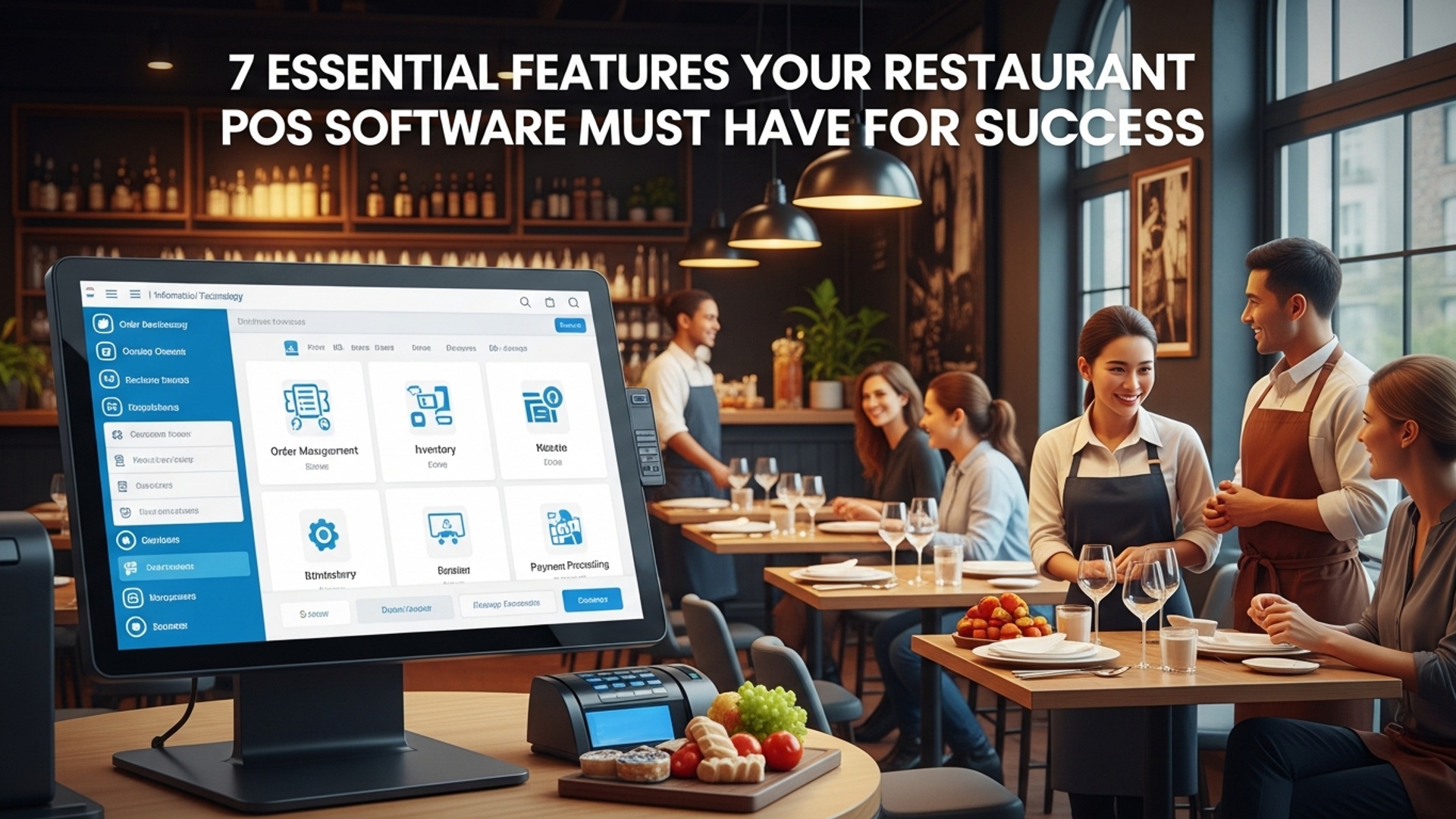
The core function of any restaurant POS software is to streamline the ordering process. An intuitive and user-friendly interface is not just a luxury; it’s a necessity that directly impacts your staff’s efficiency and customer satisfaction. Imagine a busy Friday night: orders are flying in. your servers need to input them quickly and accurately. A clunky, complicated system can lead to errors, slow service. frustrated staff, ultimately affecting your bottom line.
- Easy Navigation
- Customizable Menus
- Table Management
- Kitchen Display System (KDS) Integration
The system should be simple to learn and use, even for new hires. Drag-and-drop functionality, clear icons. logical menu structures are key.
The ability to easily add, remove, or modify menu items, prices. modifiers (e. g. , “no onions,” “extra cheese”) on the fly. This is crucial for daily specials or seasonal changes.
A visual representation of your dining room layout, allowing servers to easily assign orders to tables, split checks. manage table statuses (e. g. , seated, ordered, paid).
Seamless communication with the kitchen, displaying orders clearly and prioritizing them, reducing paper waste and miscommunications. For example, a KDS can automatically route drink orders to the bar and food orders to the relevant kitchen station.
Real-world application: Think of a bustling cafe where baristas need to quickly ring up coffee, pastries. sandwiches. A well-designed restaurant POS software allows them to tap categories, select items. process payments in mere seconds, keeping the line moving and customers happy. This efficiency directly contributes to higher table turnover and increased sales during peak hours.
2. Robust Inventory Management
Managing inventory effectively is one of the most significant challenges and opportunities for profit in the restaurant industry. Without robust inventory management features in your POS system, you’re essentially operating blind, risking food waste, stockouts. inaccurate cost calculations. Industry experts often cite poor inventory control as a major reason for restaurant failures.
- Real-time Tracking
- Ingredient-Level Tracking
- Vendor Management
- Waste Tracking
- Automated Reordering & Alerts
Automatically deducts ingredients from stock as dishes are sold. This provides an up-to-the-minute view of what you have on hand.
Beyond just tracking finished dishes, the system should break down each menu item into its raw ingredients. For example, selling a burger deducts ground beef, buns, lettuce, tomatoes. cheese from your inventory.
Track supplier data, purchase orders. delivery schedules. This streamlines the reordering process and helps identify reliable vendors.
Allows staff to record spoiled or wasted items, providing valuable data to identify problem areas and improve operational efficiency.
Set par levels for ingredients. the system can automatically generate purchase orders or send alerts when stock is low, preventing unexpected shortages.
Case Study: A small bistro struggled with inconsistent food costs. After implementing a POS system with detailed ingredient-level inventory tracking, they discovered they were over-portioning expensive ingredients like avocado and salmon. By adjusting recipes and portion controls based on the data, they reduced food waste by 15% and improved their gross profit margin by 3% within six months.
3. Integrated Payment Processing
In today’s fast-paced world, customers expect a seamless and secure payment experience. Your restaurant POS software must offer integrated payment processing to avoid manual errors, speed up transactions. ensure data security. Disconnected systems can lead to double entry, reconciliation headaches. potential security vulnerabilities.
- Multiple Payment Options
- PCI Compliance
- Offline Mode
- Split Tender & Split Checks
- Tip Management
Support for credit/debit cards (EMV chip cards), contactless payments (NFC like Apple Pay, Google Pay), mobile payments. gift cards. Cash management should also be integrated.
Ensures your system adheres to the Payment Card Industry Data Security Standard, protecting sensitive customer financial insights. This is non-negotiable for security and legal compliance.
The ability to process payments even if your internet connection goes down, then syncs transactions once connectivity is restored. This prevents lost sales during outages.
Easily accommodate customers who want to split bills by item, by equal amounts, or pay using multiple payment methods.
Streamlined tip pooling and distribution features, making payroll easier and more accurate for your staff.
Explanation: EMV (Europay, MasterCard. Visa) is a global standard for credit and debit payment cards based on chip card technology. It’s more secure than traditional magnetic stripe cards because it generates a unique cryptogram for each transaction, making it extremely difficult for fraudsters to counterfeit cards or capture data. Ensuring your POS is EMV compliant protects both your business and your customers.
4. Comprehensive Reporting and Analytics
Data is the new currency for businesses. restaurants are no exception. A robust restaurant POS software should not just process transactions but also collect and assess data, providing actionable insights that drive strategic decisions. Without detailed reports, you’re making decisions based on guesswork rather than facts.
- Sales Reports
- Cost of Goods Sold (COGS) Reports
- Labor Cost Reports
- Inventory Reports
- Customer Reports
- Customizable Dashboards
Track sales by hour, day, week, month, item, category, server. payment type. Identify peak hours, best-selling items. top-performing staff.
grasp the true cost of your menu items, helping you price dishes profitably and identify areas for cost reduction.
Monitor labor expenses against sales to ensure optimal staffing levels and control payroll costs.
Detailed reports on stock levels, consumption rates. waste, tying directly into your inventory management.
If integrated with CRM, track customer spending habits, visit frequency. loyalty program engagement.
Allow you to view key metrics at a glance, tailoring the details to your specific needs.
Actionable Takeaway: By analyzing sales reports, a restaurant owner might discover that their “Chef’s Special Pasta” is incredibly popular on Tuesdays but barely sells on weekends. This insight could lead them to promote it more heavily during the week or replace it with a different special for weekend diners, optimizing their menu and ingredient usage.
5. Customer Relationship Management (CRM) Features
Building a loyal customer base is vital for long-term restaurant success. Modern restaurant POS software goes beyond transaction processing to include features that help you grasp and engage with your customers, fostering repeat business and positive word-of-mouth.
- Customer Database
- Loyalty Programs
- Marketing Integrations
- Feedback Collection
- Personalized Experiences
Collect and store customer data such as names, contact details, order history. preferences (e. g. , allergies, favorite dishes).
Easily set up and manage loyalty points, rewards, or discount programs directly through the POS. For example, “buy 9 coffees, get the 10th free.”
Connects with email marketing platforms or SMS services to send targeted promotions, special offers, or birthday greetings based on customer data.
Integrate tools for collecting customer feedback directly at the point of sale or via digital channels, allowing you to address issues promptly and improve service.
Use purchase history to offer personalized recommendations or remember a customer’s usual order, enhancing their dining experience.
Example: A popular pizza place uses its POS to track customer orders. They notice a customer frequently orders a specific vegan pizza. On their next visit, the server can greet them by name and ask if they’d like “the usual vegan delight,” creating a memorable and personalized experience that encourages loyalty.
6. Employee Management and Scheduling
Managing your workforce efficiently is as crucial as managing your ingredients. A comprehensive restaurant POS software should offer robust employee management features that simplify scheduling, time tracking. performance monitoring, reducing administrative burden and improving operational flow.
- Time Clock Functionality
- Shift Scheduling
- Role-Based Permissions
- Performance Tracking
- Payroll Integration
Allows employees to clock in and out directly from the POS terminal, accurately tracking work hours for payroll.
Create, manage. distribute staff schedules, often with features to prevent double-booking or exceeding labor budgets. Some advanced systems allow staff to swap shifts.
Assign different access levels to various staff roles (e. g. , servers can’t access financial reports, managers can). This enhances security and accountability.
Monitor individual server sales, average check size. tip reports, providing data for performance reviews and training opportunities.
Seamlessly export time clock data to popular payroll software, simplifying the payroll process and reducing errors.
Comparison Table: Basic vs. Advanced Employee Management
| Feature | Basic POS Integration | Advanced POS Integration |
|---|---|---|
| Time Clock | Clock in/out | Clock in/out, break tracking, biometric options |
| Scheduling | Manual schedule entry | Drag-and-drop scheduling, shift swapping, labor cost forecasting |
| Permissions | Limited role access | Granular permissions by function, user activity logs |
| Performance | Basic sales by user | Detailed sales metrics, tip reports, customer feedback linked to server |
7. Scalability and Third-Party Integrations
Your restaurant’s needs will evolve. your POS system should be able to grow with you. Scalability ensures that your software can handle increased transaction volumes, additional locations. new functionalities without requiring a complete overhaul. Equally vital are robust third-party integrations, which allow your POS to connect with other essential business tools, creating a unified ecosystem.
- Growth Potential
- API Integrations
- Essential Integrations
- Online Ordering & Delivery Platforms
- Accounting Software
- Reservations Systems
- Marketing Automation
- Hardware Compatibility
If you plan to open more locations or expand your service offerings (e. g. , adding online ordering, catering), your POS should support this without significant friction. Cloud-based POS systems are inherently more scalable.
Look for a system with an open API (Application Programming Interface) or pre-built integrations with popular platforms. This allows your POS to “talk” to other software.
Seamlessly integrate with services like DoorDash, Uber Eats, or your own online ordering system, sending orders directly to the KDS.
Sync sales, expense. payroll data with platforms like QuickBooks or Xero to simplify bookkeeping and financial reporting.
Connect with tools like OpenTable or Resy to manage bookings and customer flow.
Integrate with email marketing (e. g. , Mailchimp) or CRM tools for targeted campaigns.
Ensure the software is compatible with a range of hardware options (terminals, printers, card readers) to allow flexibility as your business expands.
Technical Explanation: An API acts as an intermediary that allows two applications to talk to each other. For example, when your online ordering system sends an order to your POS, it’s typically using an API. The online ordering system sends a request to the POS API, which then processes the order and updates the system accordingly. This seamless data exchange is crucial for avoiding manual data entry and ensuring real-time accuracy across different platforms.
Conclusion
Ultimately, the right restaurant POS isn’t merely a tool; it’s the operational backbone that dictates your establishment’s rhythm and growth trajectory. Neglecting crucial features can lead to inefficiencies, frustrated staff. a less-than-stellar customer experience. From my experience observing countless eateries, a robust system like one that seamlessly integrates online ordering, table management. real-time inventory tracking truly empowers your team. Imagine a bustling Friday night where orders flow effortlessly from server tablets to the kitchen display system, minimizing errors and maximizing table turns – that level of operational fluidity is priceless in today’s fast-paced dining landscape. Your investment in a feature-rich POS is a strategic move towards a more resilient and profitable business. Don’t settle for ‘good enough’; meticulously evaluate options that align with your unique culinary vision and operational demands. This isn’t just about processing transactions today; it’s about making data-driven decisions to optimize menus, manage costs. cultivate a loyal customer base, setting your restaurant up for sustained success.
More Articles
Solve Common Problems 6 Smart Ways Restaurant POS Software Helps You
Streamline Your Restaurant Operations with POS Software and Kitchen Display System
Choosing Your System 5 Key Features for the Best Restaurant POS
Unlocking Efficiency 7 Smart Ways Restaurant POS Software Boosts Your Business
How to Choose the Best Restaurant POS Software for Your Needs

FAQs
Why is having top-notch order management in my POS so vital?
It’s key for speed and accuracy. A good system handles dine-in, takeout. delivery orders smoothly, reducing errors, splitting checks easily. sending orders directly to the kitchen. This means happier customers and a more efficient kitchen.
How does a POS system help me manage my restaurant’s inventory?
A great POS tracks ingredients in real-time. It automatically adjusts stock levels as items are sold, alerts you when supplies are low. helps prevent waste. This saves you money by reducing spoilage and ensuring you always have popular items on hand.
What kind of valuable insights can I actually get from my POS software?
Beyond just sales numbers, a powerful POS gives you deep insights. You can see your busiest times, best-selling dishes, employee performance. even profit margins. These reports help you make smarter decisions about staffing, menus. promotions.
Can a POS really help me build better customer loyalty?
Absolutely! A good POS can store customer data, track their order history. manage loyalty programs. This lets you offer personalized discounts, remember preferences. create targeted promotions, making customers feel valued and encouraging repeat business.
Is a POS useful for managing my restaurant team?
Definitely. Modern POS systems often include features for employee management like time tracking, shift scheduling. performance monitoring. This simplifies payroll, helps you optimize staffing levels. gives you a clear picture of individual and team productivity.
How crucial is it for my POS to integrate with online ordering and delivery services?
It’s super vital in today’s market. Seamless integration means online orders flow directly into your POS, eliminating manual entry errors and streamlining your workflow. This expands your reach, speeds up service. ensures you don’t miss out on potential revenue from these popular channels.
What’s the big deal about table management features for my dine-in service?
For dine-in restaurants, it’s a game-changer. A POS with table management lets you see table statuses at a glance, assign servers efficiently, manage reservations. optimize seating. This reduces wait times, improves the dining experience. ensures your floor staff are working smarter.