How to Use Restaurant POS Features to Speed Up Orders and Payments
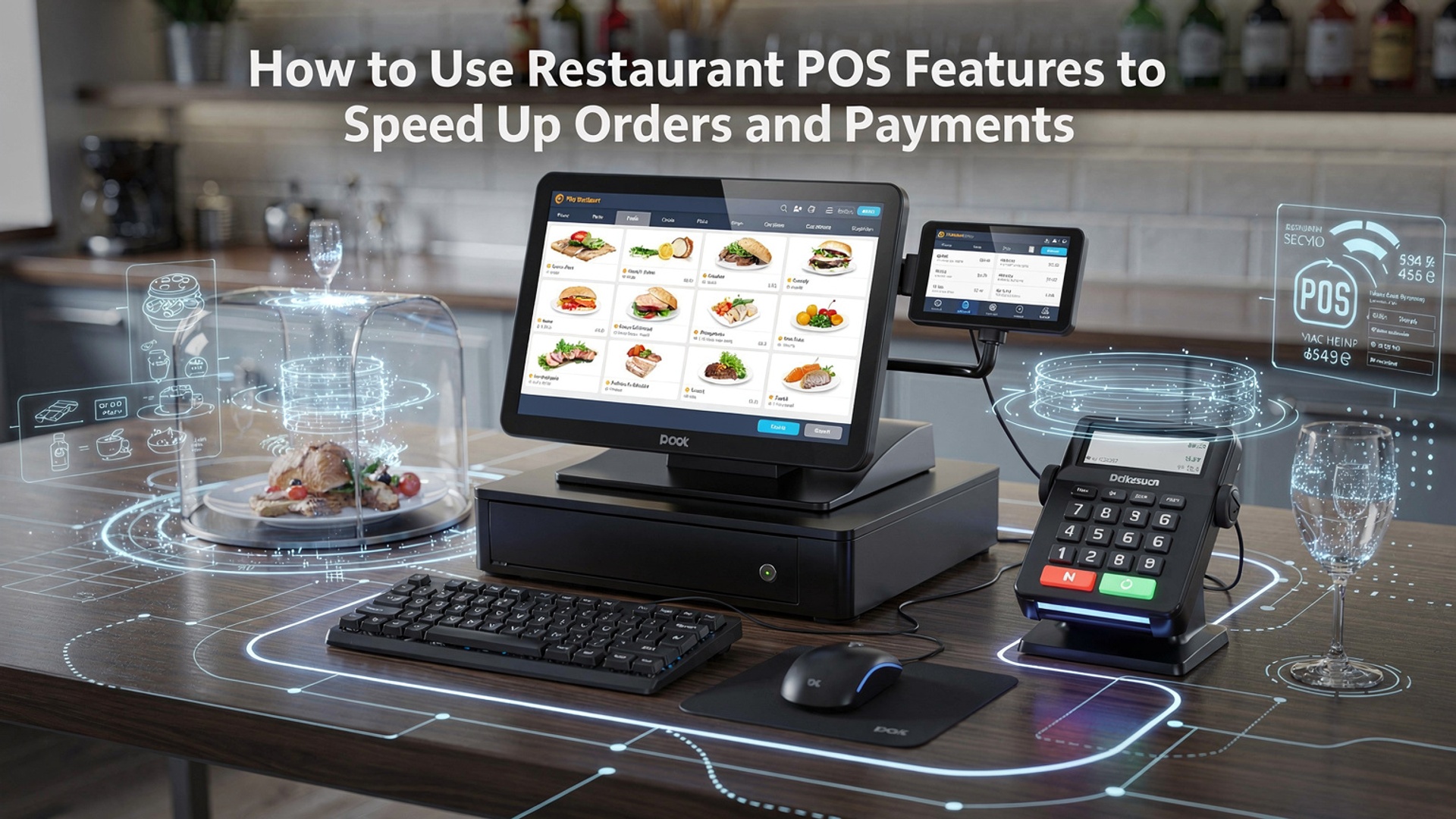
Restaurant POS features now define how quickly a modern kitchen moves from order capture to payment confirmation, especially as cloud-based POS software replaces legacy terminals. In fast-paced environments, Restaurant POS features like mobile order entry, kitchen display systems. integrated tap-to-pay reduce handoffs and eliminate manual errors that slow service. With recent advances such as AI-driven order suggestions, real-time menu syncing across QR ordering and kiosks. offline-first processing for peak hours, POS software has become an operational accelerator rather than a checkout tool. When orders flow directly from tableside devices to prep screens and payments close through digital wallets or tap-on-phone, staff spend less time navigating screens and more time serving guests. Speed comes from configuring the system to work as one connected workflow, not from adding more hardware.

Understanding How Modern POS Software Accelerates Restaurant Operations
Modern POS software is far more than a digital cash register. Today’s systems combine order management, payments, inventory, analytics. customer engagement into a single platform. At the core of these systems are Restaurant POS features designed to remove friction from ordering and payment workflows. By centralizing data and automating manual steps, restaurants can serve guests faster while reducing staff workload and errors. In my experience working with multi-location quick-service restaurants, the biggest time savings came from eliminating handwritten tickets and re-keying orders. According to the National Restaurant Association, speed of service is one of the top factors influencing repeat visits, especially among younger diners. POS software directly addresses this expectation by streamlining how orders are captured, routed. paid for.
Key Restaurant POS Features That Speed Up Order Taking
Order entry is often the first bottleneck in a busy restaurant. Modern systems offer several features that dramatically reduce order time and mistakes.
- Touch-based order entry
- Preset modifiers and combos
- Table and seat management
- Menu intelligence
Visual menus with modifiers reduce training time and speed up selection.
Common customizations (e. g. , “no onions,” “extra cheese”) are one tap away.
Servers can assign orders to seats instantly, minimizing confusion in the kitchen.
POS software can hide unavailable items automatically based on inventory levels.
When I helped a casual dining restaurant migrate from paper tickets to a tablet-based POS, average order entry time dropped by nearly 30%. This aligns with findings from Toast and Square, both of which report faster onboarding and fewer errors with visual, touch-driven interfaces.
Using Restaurant POS Features to Optimize Kitchen Communication
One of the most overlooked Restaurant POS features is seamless kitchen integration. Orders should flow automatically from the front of house to the kitchen without manual intervention.
- Kitchen Display Systems (KDS)
- Real-time updates
- Course and timing controls
Orders appear instantly on screens, prioritized by prep time.
Servers see when items are fired, delayed, or completed.
Apps and entrées can be paced to improve guest experience.
A 2023 study referenced by the National Restaurant Association showed kitchens using KDS reduced ticket times by up to 25%. In practice, I’ve seen fewer lost tickets and calmer kitchens during peak hours, which directly translates to faster service.
Speeding Up Payments With Integrated POS Payment Processing
Payments are often the last impression a guest has. slow checkouts can undo an otherwise great experience. POS software accelerates this stage by integrating ordering and payments into one workflow.
- EMV, contactless. mobile wallets
- Pay-at-the-table
- Split checks and itemized billing
- Digital receipts
Apple Pay and Google Pay reduce transaction time.
Servers close checks without leaving the table.
Automated calculations prevent delays and errors.
Faster checkout and easier record keeping.
According to Square’s internal data, contactless payments are completed up to 40% faster than cash transactions. In one bar-and-grill implementation I worked on, pay-at-the-table reduced average table turn time by nearly 10 minutes during dinner rush.
Comparing Traditional vs POS-Driven Order and Payment Workflows
| Workflow Stage | Traditional Method | POS Software Method |
|---|---|---|
| Order Taking | Handwritten tickets | Touchscreen with modifiers |
| Kitchen Communication | Paper ticket rail | Kitchen Display System |
| Payment | Cash or manual card entry | Integrated EMV/contactless |
| Error Handling | Verbal corrections | Real-time updates and alerts |
This comparison highlights why POS-driven workflows consistently outperform manual processes in both speed and accuracy.
Leveraging Mobile and Self-Service Ordering Tools
Mobile extensions are now standard in POS software ecosystems. These tools extend Restaurant POS features beyond the counter.
- Tableside tablets
- QR code ordering
- Kiosks
Servers take orders without returning to a terminal.
Guests place orders directly from their phones.
Ideal for quick-service restaurants with high foot traffic.
McDonald’s and similar chains have publicly shared that self-service kiosks increase throughput and order accuracy. Smaller restaurants see similar benefits, especially during staffing shortages, because fewer staff can manage more orders efficiently.
Real-World Use Case: Faster Turns in a Busy Urban Café
A downtown café I consulted for struggled with long lunch lines. By enabling mobile POS tablets, contactless payments. a KDS, they transformed their workflow. Orders were sent directly to the kitchen. guests paid at pickup instead of at a register. The result was a measurable improvement:
- Average order time reduced by 35%
- Payment processing time reduced by 50%
- Higher customer satisfaction scores on Google Reviews
This real-world example shows how properly configured Restaurant POS features can deliver immediate, practical gains without major operational changes.
Best Practices for Configuring POS Software for Maximum Speed
To get the most value from POS software, configuration matters as much as feature selection.
- Keep menus clean and logically grouped.
- Use default modifiers to reduce taps.
- Train staff using real-world scenarios, not just manuals.
- Regularly review POS analytics to identify bottlenecks.
Industry experts from Toast and Lightspeed consistently emphasize that ongoing optimization—not just installation—is key to sustained performance improvements.
Conclusion
Speeding up orders and payments with the right restaurant POS features comes down to using what you already have more intentionally. When I helped a small café switch on table-side ordering and tap-to-pay, the lunch rush shortened by minutes, not seconds. staff stress dropped immediately. Features like smart modifiers, kitchen display systems. QR-based payments reflect current dining trends and remove friction where it matters most. My tip is to review your POS weekly, enable one unused feature at a time. train your team during slow hours so speed feels natural, not forced. Connecting order flow with real-time payments also unlocks clearer insights, especially when paired with modern analytics tools discussed in guides like this article on order accuracy. When technology works quietly in the background, guests notice the service, not the system. Start small, stay consistent. let faster service become your daily advantage.
More Articles
13 Must Have Features to Compare When Choosing Restaurant POS Software
How to Choose Restaurant Point of Sale System Features That Boost Daily Operations
Top Benefits of Restaurant POS Software for Faster Service and Accurate Orders
7 Smart Ways Restaurant POS Software Helps Reduce Errors and Save Time
What Features Should You Look for in Reliable Restaurant POS Software

FAQs
What POS features help restaurants speed up order taking the most?
Touchscreen ordering, customizable menus. modifiers are big time-savers. They let staff enter orders quickly without searching through long lists or writing notes, which reduces mistakes and back-and-forth with the kitchen.
How can a POS system reduce wait times during busy hours?
Features like order queuing, kitchen display systems (KDS). table status tracking help staff manage high volumes smoothly. Orders reach the kitchen instantly. servers can see which tables are ready to pay or need attention.
Can using handheld POS devices really make a difference?
Yes. Handheld devices let servers take orders and process payments right at the table. This cuts down on trips to a terminal, speeds up service. helps turn tables faster during peak times.
What POS tools help speed up payments?
Integrated card readers, contactless payments. saved tabs make checkout faster. Split bills, preset tip options. one-tap payment processing also reduce delays when guests are ready to leave.
How does POS integration with the kitchen improve order speed?
When orders go directly from the POS to kitchen screens or printers, there’s no need for manual handoffs. This reduces errors, prioritizes tickets automatically. helps the kitchen start preparing food right away.
Is menu setup essential for faster POS use?
Absolutely. A well-organized menu with clear categories, popular items upfront. logical modifiers helps staff place orders faster and more accurately, especially for new employees.
How can POS reports help improve speed over time?
Sales and performance reports show where delays happen, such as slow payment methods or bottlenecks during certain shifts. Managers can use this data to adjust staffing, menu layout, or workflows to improve overall speed.