How to Choose the Best Restaurant POS System with Essential Functionalities
Choosing the right restaurant POS system defines operational efficiency, making it essential to identify the must-have restaurant POS functionalities for sustained success. A modern POS solution is no longer just a cash register; it acts as the digital backbone, integrating critical aspects like inventory tracking, real-time analytics. seamless kitchen display system (KDS) communication. With recent trends emphasizing cloud-native platforms, AI-powered predictive ordering. diverse contactless payment integrations, selecting a system demands a deep understanding of its capabilities. Future-proofing your establishment requires a scalable and adaptable POS, driving both profitability and an elevated guest experience in a competitive market.
Understanding the Restaurant POS System Landscape
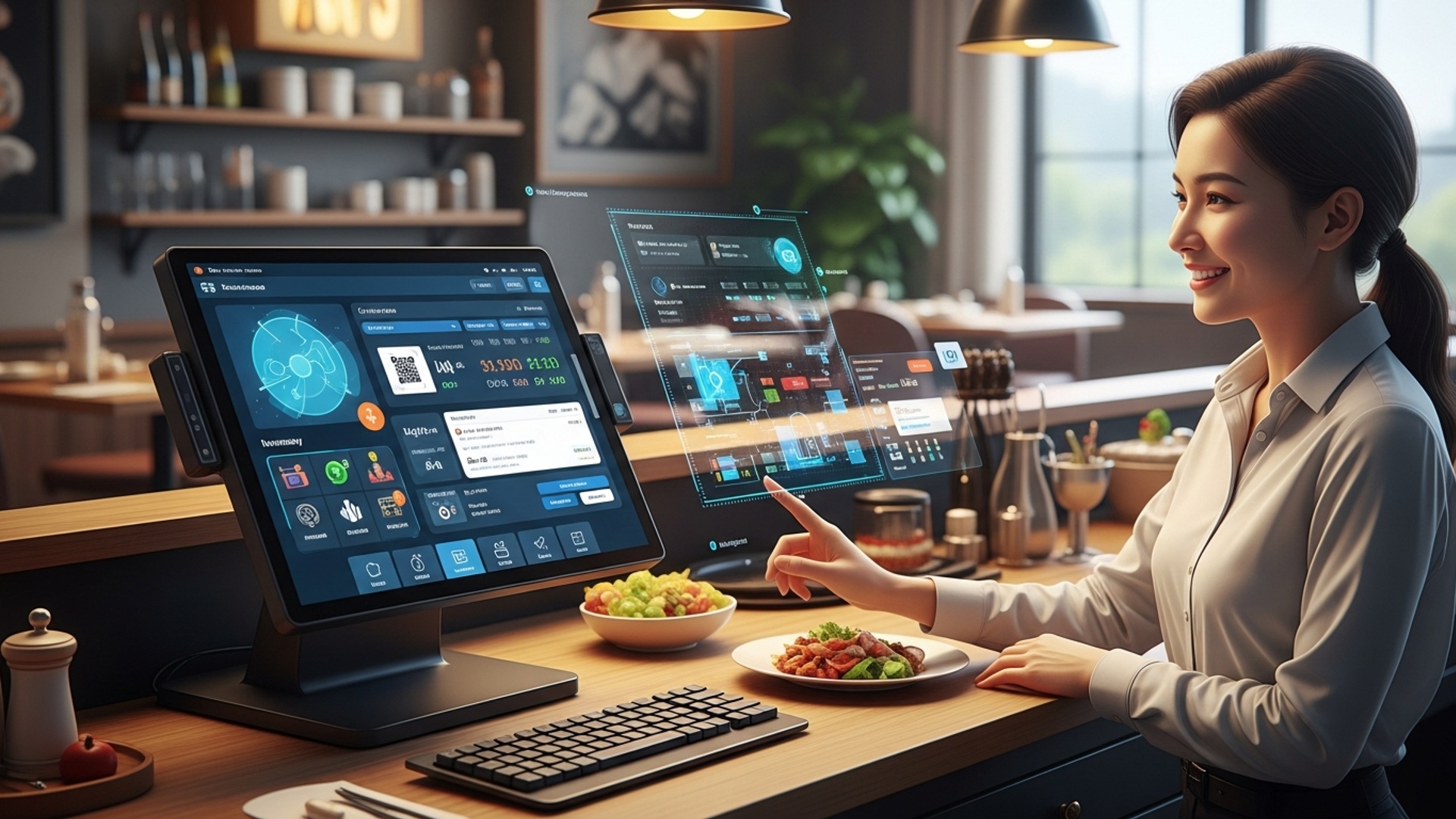
In today’s fast-paced culinary world, a robust Point of Sale (POS) system is no longer a luxury but a fundamental necessity for any restaurant aiming for efficiency, profitability. an exceptional customer experience. A restaurant POS system is essentially the central nervous system of your establishment, managing everything from order taking and payment processing to inventory control and staff management. Choosing the right system means understanding its core purpose and how it integrates into the daily operations of your business.
At its heart, a POS system is a combination of hardware and software designed to streamline transactions. Hardware components typically include touch-screen terminals, payment card readers (like EMV chip readers), receipt printers. cash drawers. Software, on the other hand, provides the interface and intelligence to manage orders, inventory, customer data. sales reports. The evolution of POS technology has seen a significant shift from traditional on-premise systems to cloud-based solutions, offering greater flexibility and accessibility.
Cloud-Based vs. On-Premise POS: A Fundamental Choice
Before diving into the must-have restaurant POS functionalities, it’s crucial to grasp the two primary types of POS systems available: cloud-based and on-premise. Each has distinct advantages and disadvantages that can significantly impact your restaurant’s operations and budget.
| Feature | Cloud-Based POS | On-Premise POS |
|---|---|---|
| Data Storage | Data stored on remote servers, accessible via internet. | Data stored locally on restaurant’s own servers. |
| Accessibility | Access data from anywhere with an internet connection (e. g. , tablet, smartphone). | Access limited to the restaurant’s local network. |
| Cost Structure | Typically subscription-based (SaaS model), lower upfront cost. | Higher upfront cost for hardware and software licenses, lower ongoing fees. |
| Updates & Maintenance | Automatic updates, vendor handles maintenance and security. | Manual updates, restaurant responsible for maintenance and security. |
| Scalability | Easily scale up or down based on business needs. | Scaling often requires significant hardware upgrades. |
| Offline Capability | Most modern cloud POS have an offline mode, syncing when connection returns. | Fully operational without internet. remote access is limited. |
For many modern restaurants, especially those looking for flexibility, lower upfront costs. remote management capabilities, cloud-based systems are often the preferred choice. For instance, a multi-location cafe chain can easily standardize menus, track sales across all branches. manage staff remotely with a cloud POS. But, establishments with very specific security requirements or unreliable internet access might still find on-premise systems more suitable.
Understanding the Must-Have Restaurant POS Functionalities
When evaluating POS software, identifying the must-have restaurant POS functionalities is paramount. These core features ensure smooth operations, enhance customer satisfaction. provide critical insights for business growth. Without these, even the most sophisticated system can fall short.
1. Order Management & Customization
The ability to efficiently take and process orders is the cornerstone of any restaurant POS. This includes:
- Intuitive Interface
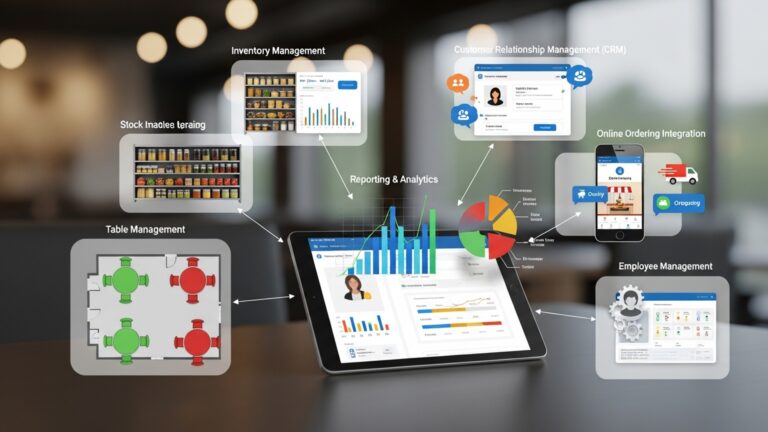
- Table Management
- Order Modifiers
- Course Management
- Takeout & Delivery Integration
Easy-to-navigate touch-screen menus for quick order entry, reducing errors and training time.
Visual floor plans, table status tracking (occupied, vacant, waiting for food). the ability to split or combine tables.
Essential for restaurants, allowing customization like “no onions,” “extra cheese,” “medium-rare,” or specific dietary restrictions. A good system ensures these modifications are clearly communicated to the kitchen.
For fine dining, the ability to course orders out, sending specific items to the kitchen at appropriate times.
Seamless handling of orders from various channels, including third-party delivery apps or your own online ordering platform.
Real-world application: Imagine a busy Friday night at “The Urban Bistro.” A server quickly enters a complex order for a party of six, adding specific dietary notes for two guests. The POS system automatically sends the appetizer course to the Kitchen Display System (KDS) immediately, while holding the main courses until the appetizers are marked as served, ensuring perfect timing and preventing kitchen chaos.
2. Payment Processing Capabilities
Modern payment processing goes beyond just swiping cards. Your POS system must support a variety of payment methods securely and efficiently.
- Multiple Payment Options
- PCI Compliance
- Tip Management
- Offline Payment Mode
Credit/debit cards (EMV chip, swipe, tap), mobile payments (Apple Pay, Google Pay), gift cards. even split payments.
Ensures secure handling of customer payment data, protecting both your business and your customers from fraud. This is non-negotiable.
Easy addition and distribution of tips for servers and staff.
Crucial for cloud-based systems, allowing transactions to be processed even during internet outages and synced later.
Industry experts emphasize that a reliable payment gateway integrated directly into your POS system significantly reduces errors and speeds up service, directly impacting customer satisfaction.
3. Inventory Management
Effective inventory control is a game-changer for profitability. This functionality helps minimize waste, prevent stockouts. manage costs.
- Ingredient Tracking
- Vendor Management
- Real-time Stock Levels
- Waste Management
- Recipe Management
Track raw ingredients and their usage in recipes. For example, if a burger uses 4oz of beef, the system deducts that amount when a burger is sold.
Track supplier insights, purchase orders. receiving.
Know exactly what’s in stock at any given moment, often with alerts for low stock items.
Record spoiled or wasted items to get a true picture of ingredient costs.
Input and manage recipes, which automatically link to inventory deductions upon sale.
Case Study: “Mama Mia’s Pizzeria” adopted a POS with robust inventory management. They discovered they were over-ordering pepperoni due to inaccurate manual counts. The POS identified this, leading to reduced waste and a 5% decrease in food costs within three months, showcasing the tangible benefits of this core functionality.
4. Staff Management & Timekeeping
Managing your team effectively is vital for operational smoothness.
- Time Clock Functionality
- Shift Management
- Role-Based Permissions
- Performance Tracking
Employees can clock in/out directly from the POS terminal, simplifying payroll.
Some systems offer basic scheduling tools or integrate with dedicated scheduling software.
Assign different access levels to staff (e. g. , servers can’t access financial reports, managers can void orders).
Monitor individual server sales, tips. average check sizes for performance reviews.
5. Reporting and Analytics
Data is power. a good POS system provides actionable insights into your business performance.
- Sales Reports
- Labor Cost Reports
- Inventory Reports
- Customer Data Reports
- Customizable Reports
Daily, weekly, monthly. yearly sales breakdowns by item, category, server. time of day.
Track labor costs against sales to optimize staffing.
Identify best-selling and slow-moving items, ingredient costs. potential waste.
If integrated with CRM, track customer preferences and purchase history.
The ability to generate specific reports tailored to your unique business questions.
These reports are essential for making informed decisions, whether it’s adjusting menu prices, optimizing staff schedules, or identifying peak sales periods. For example, a restaurant owner might notice a significant drop in sales for a particular menu item through the POS reports, prompting them to either remove it or revise the recipe.
Advanced & Integratable Must-Have Restaurant POS Functionalities
Beyond the core features, modern POS systems offer advanced functionalities and integrations that can significantly elevate your restaurant’s operations and customer engagement. These are often what differentiate a good POS from a great one.
1. Customer Relationship Management (CRM)
A built-in or integrated CRM module allows you to capture customer data, track preferences. build loyalty programs.
- Customer Profiles
- Loyalty Programs
- Marketing Integration
Store names, contact info, order history. dietary preferences.
Manage points, rewards. discounts for returning customers.
Connect with email marketing platforms to send promotions or personalized offers.
For a coffee shop, knowing a customer’s favorite latte order and offering a free drink after 10 purchases can significantly boost repeat business and foster a sense of community.
2. Kitchen Display System (KDS) Integration
A KDS replaces traditional paper tickets in the kitchen, dramatically improving order accuracy and kitchen efficiency.
- Digital Order Display
- Order Routing
- Timing & Alerts
Orders appear instantly on screens in the kitchen, color-coded by time or status.
Automatically send specific items to relevant stations (e. g. , grill, prep, expediter).
Track preparation times, flag delayed orders. ensure dishes are ready simultaneously.
This is a particularly strong example of how a POS system’s ecosystem of features can transform an operation. A KDS integration means fewer errors, faster ticket times. a calmer, more organized kitchen environment.
3. Online Ordering & Delivery Platform Integration
In the digital age, customers expect the convenience of online ordering. Your POS should seamlessly integrate with these platforms.
- Native Online Ordering
- Third-Party Integrations
Some POS systems offer their own white-label online ordering portals.
Connect with popular delivery services like DoorDash, Uber Eats. Grubhub, funneling orders directly into your POS and KDS.
This integration simplifies order management, prevents manual re-entry errors. ensures consistent menu pricing across all channels.
4. Open APIs and Third-Party Integrations
An API (Application Programming Interface) allows different software systems to communicate with each other. A POS with an open API or a wide range of pre-built integrations offers unparalleled flexibility.
- Accounting Software
- Reservations Systems
- Marketing Automation
Connect with QuickBooks, Xero, etc. , to automate financial reporting.
Integrate with platforms like OpenTable or Resy for seamless table management.
Link to email marketing or social media tools.
For example, a restaurant might use an API to pull sales data from their POS directly into a custom-built Excel dashboard for advanced financial modeling, eliminating manual data entry.
// Example of a hypothetical API call for sales data
GET /api/v1/sales? start_date=2023-01-01&end_date=2023-01-31&format=json
Authorization: Bearer YOUR_API_KEY
This ability to integrate with other specialized software means your POS acts as a central hub, creating a truly comprehensive operational ecosystem for your restaurant.
Choosing Your Best Fit: Actionable Takeaways
Selecting the best restaurant POS system with all the must-have restaurant POS functionalities requires careful consideration and a clear understanding of your specific needs. Here are actionable steps to guide your decision:
- Assess Your Restaurant’s Needs
- What type of restaurant do you operate (QSR, fine dining, cafe, bar)?
- What is your average transaction volume?
- Do you require online ordering, delivery, or tableside ordering?
- What is your budget for upfront costs and monthly subscriptions?
- What existing software do you need to integrate with (e. g. , accounting, reservations)?
- Prioritize Essential Features
- Research & Demo Multiple Systems
- Consider Hardware Compatibility
- Evaluate Support & Training
- Read Reviews & Get References
- interpret the Total Cost of Ownership (TCO)
Make a list of your absolute non-negotiable functionalities, including all the core features discussed above. Then, identify advanced features that would be “nice-to-have.”
Don’t settle for the first option. Request demos from 3-5 leading POS providers. During demos, pay close attention to the user interface, ease of use. how well it addresses your specific needs. Ask about their customer support, training. update policies.
If you have existing hardware, check if it’s compatible. Otherwise, factor in the cost of new hardware. Many modern cloud POS systems run on standard tablets (e. g. , iPads), reducing hardware costs.
A powerful POS is only as good as the support behind it. Look for vendors offering 24/7 support, comprehensive training resources. a dedicated account manager if possible. What happens when something goes wrong during a busy dinner rush? Reliable support is critical.
Look for reviews from other restaurant owners in your niche. Ask the vendor for references from similar businesses. Their experience can provide invaluable insights.
Beyond the initial purchase or subscription fee, consider costs for hardware, installation, training, ongoing support, payment processing fees. potential third-party integration fees.
By taking a systematic approach and focusing on the must-have restaurant POS functionalities that align with your business model, you can choose a system that not only streamlines operations but also empowers your restaurant to thrive in a competitive market.
Conclusion
Choosing the ideal restaurant POS system transcends merely ticking off a feature list; it’s about identifying the operational heartbeat that will power your unique establishment. From witnessing countless kitchens streamline operations, I can attest that the right POS becomes your most reliable silent partner. Don’t just look for generic capabilities; envision how each functionality, like real-time ingredient tracking or integrated online ordering, directly solves a specific pain point or enhances your guest’s journey. Embrace modern trends by prioritizing cloud-based systems that offer remote management and invaluable data analytics. Imagine instantly knowing your peak sales hours for a particular dish or managing multiple locations from a single dashboard – this level of insight is now standard. Test a few contenders, ask about integration with your existing tools. always consider scalability for future growth. Your chosen system isn’t merely a transactional tool; it’s an investment ready to propel you towards remarkable efficiency and an unparalleled dining experience.
More Articles
Choosing Your System 5 Key Features for the Best Restaurant POS
How to Choose the Best Restaurant POS Software for Your Needs
9 Practical Tips for Choosing Restaurant POS Software That Fits Your Business
Unlocking Efficiency 7 Smart Ways Restaurant POS Software Boosts Your Business
Boost Efficiency with Restaurant POS Features Everyone Needs

FAQs
What are the absolute essential features a restaurant POS system needs to have?
Look for robust order management (taking orders, sending to the kitchen, splitting checks), integrated payment processing (card, mobile), basic inventory tracking. customer management. These are your foundational building blocks for efficient operations.
How can I tell if a POS system will be easy for my staff to pick up and use quickly?
Usability is key! Request a demo and ideally a free trial. Pay attention to the interface – is it intuitive? Can new hires learn it without a huge training manual? Read reviews about ease of use and ask existing users for their experiences.
Do I need to worry about the POS system integrating with my other business tools, like accounting or online ordering?
Absolutely! Integration can save you tons of time and prevent errors. Check if it connects seamlessly with your preferred accounting software, online ordering platforms, loyalty programs, or even delivery services. Seamless data flow makes everything smoother and more efficient.
What kind of customer support should I expect if something goes wrong with the system?
Good support is non-negotiable. Look for 24/7 availability, multiple contact methods (phone, chat, email). a reputation for quick, knowledgeable help. Downtime costs money, so reliable and responsive support is crucial for keeping your restaurant running.
How do I figure out the right budget for a POS system without overspending or getting something too basic?
Consider not just the monthly subscription fee. also hardware costs, installation fees. payment processing rates. Think about the total cost of ownership over time. Get clear, itemized quotes from several providers and compare what’s included in each package to ensure you get the best value for your needs.
What if my restaurant grows or I open new locations? Can a POS system handle that?
It definitely should! Choose a system that’s designed to scale with your business. Look for cloud-based options that can easily add more terminals, users, or even multiple locations without a complete system overhaul. Flexibility for future growth is a smart long-term investment.
Are the reporting and analytics features actually useful for a restaurant owner?
Definitely! Robust reporting gives you invaluable insights into sales trends, popular menu items, staff performance. inventory levels. This data helps you make smarter decisions about staffing, purchasing. menu optimization, directly impacting your bottom line and overall profitability.