7 Essential Features Your Restaurant POS System Must Have
- Restaurant POS software
- Restaurant POS software
1. Intuitive Order Management and Customization
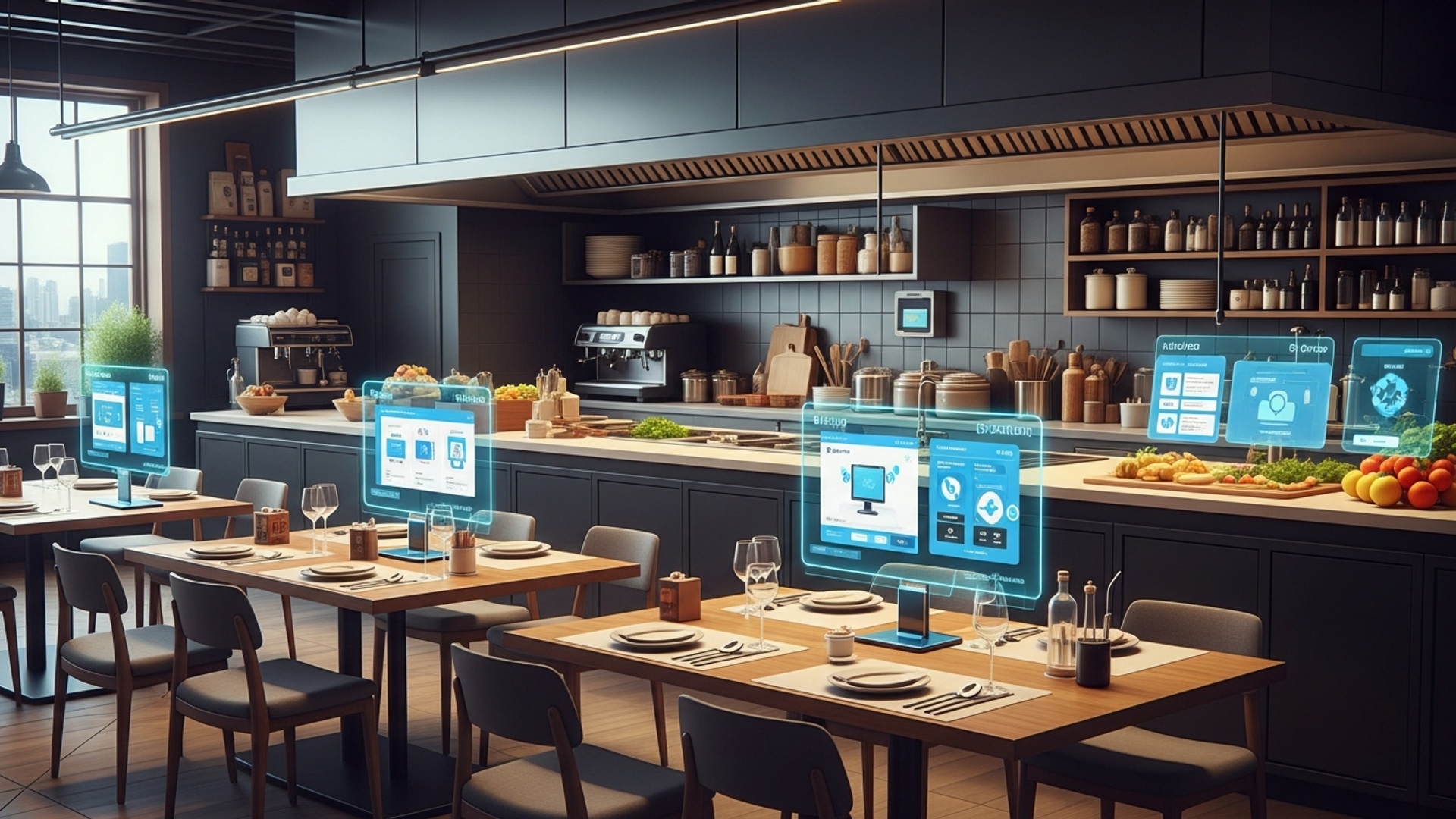
In the fast-paced environment of a restaurant, efficient order processing is the backbone of smooth operations and customer satisfaction. An exceptional Restaurant POS software isn’t just about ringing up sales; it’s about streamlining the entire order lifecycle from table to kitchen and back. This core functionality significantly impacts server efficiency and reduces errors.
- Easy Order Entry
- Customization Options
- Table Management
- Order Splitting/Combining
- Course Management
Servers should be able to quickly navigate menus, add items. apply modifiers with minimal taps. This means clear categorization, visual menu displays. search functions.
The ability to easily add special requests (e. g. , “no onions,” “extra sauce,” “allergy alert”) directly to an order is crucial. This insights must then seamlessly transmit to the kitchen display system (KDS) or printer.
A visual layout of your restaurant’s floor plan allows staff to manage tables, split or combine checks, transfer orders. track table status (e. g. , seated, ordered, eating, paid).
Customers often request to split checks by item, seat, or even custom amounts. Your POS system should handle these complex scenarios effortlessly, preventing manual calculations and potential errors.
For fine dining or multi-course meals, the ability to “fire” courses to the kitchen at appropriate times ensures dishes are served fresh and in sequence.
Imagine a busy Friday night. A server takes an order for a large party, including several modifications for dietary restrictions. With an intuitive POS, they select the dish, tap on “modify,” and choose “gluten-free bun” and “allergy: nuts” from pre-configured options. This details instantly appears on the KDS screen, alerting the kitchen staff, preventing delays. ensuring customer safety. Without this feature, the server would have to manually write down notes, increasing the risk of miscommunication and errors.
When evaluating potential systems, conduct a hands-on demo. Have your most junior and most experienced staff members try entering complex orders and managing tables. Their feedback on ease of use is invaluable.
2. Integrated Inventory Management
For any restaurant, controlling costs is paramount. a significant portion of those costs comes from inventory. An integrated inventory management feature within your Restaurant POS software is not merely a convenience; it’s a financial necessity. It helps track ingredients, minimize waste. prevent stockouts, directly impacting your bottom line.
- Real-Time Tracking
- Recipe Management
- Supplier Management
- Waste Tracking
- Automated Alerts
Automatically deducts ingredients from inventory as dishes are sold. For example, if a “Classic Burger” is sold, the system should deduct one burger patty, a certain amount of lettuce, tomato, bun, etc.
Allows you to input exact ingredient lists and quantities for each menu item. This is critical for accurate cost calculation and inventory depletion.
Keep a database of your suppliers, their contact details. pricing. Generate purchase orders directly from the POS based on low stock alerts.
Record spoiled, dropped, or otherwise wasted items to get an accurate picture of actual usage and identify areas for improvement.
Set minimum stock levels for critical ingredients. The system should automatically alert you when an item is running low, prompting you to reorder.
Dish: Signature Pasta Primavera
Ingredients:
- Pasta (Linguine): 150g
- Zucchini: 50g
- Bell Pepper (Red): 40g
- Cherry Tomatoes: 30g
- Olive Oil: 15ml
- Garlic: 5g
- Parmesan Cheese: 10g
Every time a “Signature Pasta Primavera” is ordered, the system automatically reduces the stock of each ingredient by the specified amount. This precision allows for accurate food costing and reduces manual counting.
Comparison: Basic vs. Advanced Inventory Management
| Feature | Basic Inventory (Standalone) | Integrated Inventory (POS) |
|---|---|---|
| Real-time Tracking | Manual updates, often delayed | Automatic deduction upon sale |
| Recipe Costing | Manual calculation, prone to errors | Automated based on ingredient prices |
| Purchase Orders | Separate system or manual process | Generated directly from stock levels |
| Waste Management | Often overlooked or manually tracked | Logged and analyzed within the system |
| Labor Savings | High manual effort for tracking | Significantly reduced manual tasks |
Prioritize a POS system with robust, integrated inventory. The initial setup might seem daunting. the long-term benefits in cost control and efficiency are immense. It’s often cited by industry experts like the National Restaurant Association that efficient inventory management can reduce food waste by 10-15%.
3. Robust Payment Processing Options
In today’s diverse payment landscape, flexibility is key. Your restaurant’s point-of-sale (POS) system must support a wide array of payment methods to cater to every customer and ensure a seamless checkout experience. This feature directly impacts customer satisfaction and transaction speed.
- Credit/Debit Card Processing
- Mobile Payments
- Gift Card Management
- Split Payments
- Offline Mode
- Tip Management
Support for all major card networks (Visa, MasterCard, American Express, Discover) is non-negotiable. This includes EMV chip readers for security and NFC (Near Field Communication) for contactless payments (Apple Pay, Google Pay).
Growing in popularity, mobile wallets offer speed and convenience. Your POS should integrate with these systems.
Allow customers to purchase, redeem. check balances on branded gift cards directly through your POS. This is a powerful tool for customer loyalty and revenue generation.
Beyond splitting checks, customers often want to pay using multiple methods for a single transaction (e. g. , part gift card, part credit card).
In case of internet outages, the system should allow you to continue processing payments securely and sync them once connectivity is restored. This prevents lost sales during critical times.
Seamlessly handle tip entry for servers, ensuring accurate distribution and reporting.
When dealing with sensitive customer financial data, PCI DSS (Payment Card Industry Data Security Standard) compliance is paramount. Your POS provider should ensure their system and integrated payment processors adhere to these strict security protocols to protect both your business and your customers.
A family finishes their meal. One parent wants to pay with their credit card, the other with a gift card. a third adult wants to use Apple Pay for their portion. A robust payment system handles all these requests in moments, without the server needing to use multiple devices or manually calculate change, leading to a quick and satisfying departure for the customers.
grasp the transaction fees associated with different payment processors. Some POS providers offer in-house payment processing, which can simplify billing and support. Compare these options carefully to find the most cost-effective and integrated solution for your business.
4. Comprehensive Reporting and Analytics
Data is the new currency for businesses. restaurants are no exception. A powerful Restaurant POS software provides more than just transaction records; it delivers actionable insights through comprehensive reporting and analytics. This feature empowers you to make informed decisions, optimize operations. boost profitability.
- Sales Reports
- Labor Reports
- Inventory Reports
- Customer Reports
- Void/Discount Reports
Track sales by hour, day, week, month, server, menu item. category. Identify peak hours, best-selling dishes. underperforming items.
Monitor employee hours, overtime. labor costs. Compare labor costs against sales to optimize staffing levels.
Gain insights into food costs, ingredient usage, waste. popular items. Identify areas where waste can be reduced or purchasing improved.
If integrated with CRM, track customer spending habits, visit frequency. loyalty program engagement.
Monitor voids and discounts to identify potential training needs or prevent internal fraud.
Analytics transform raw data into insights. For instance, by analyzing sales reports, you might discover that your “Late Night Happy Hour” promotions are driving significant beverage sales but minimal food sales. This insight could prompt you to introduce a small, curated late-night food menu to capitalize on the existing foot traffic.
SELECT DATE(transaction_time) AS sale_date, SUM(total_amount) AS daily_revenue
FROM transactions
WHERE transaction_time >= '2023-01-01' AND transaction_time < '2023-02-01'
GROUP BY sale_date
ORDER BY sale_date;
While you won’t be writing SQL queries directly, your POS system’s interface should provide similar insights through user-friendly dashboards and customizable reports.
Don’t just collect data; examine it regularly. Schedule weekly or monthly reviews of your key reports. Look for trends, anomalies. opportunities. Use these insights to adjust staffing, refine your menu, target promotions. negotiate better deals with suppliers.
5. Employee Management and Scheduling
Managing a restaurant team effectively is crucial for operational efficiency and service quality. An integrated employee management feature within your POS system can significantly simplify HR tasks, improve communication. ensure compliance. This goes beyond simple time tracking, offering a holistic approach to workforce management.
- Time and Attendance Tracking
- Shift Scheduling
- Payroll Integration
- Permissions and Access Control
- Performance Tracking
Employees can clock in and out directly through the POS terminal, ensuring accurate timekeeping. This reduces manual errors and payroll discrepancies.
Create and manage schedules, assign shifts. handle shift swaps. Some advanced systems allow employees to view their schedules and request changes via a mobile app.
Seamlessly export time card data to popular payroll systems, simplifying the payroll process and reducing administrative overhead.
Define different levels of access for staff members. For example, servers can process orders and payments, while managers have access to voids, discounts. reporting. This enhances security and accountability.
Monitor individual sales performance, average check size. customer feedback (if integrated with a review system). This helps identify top performers and areas for additional training.
With a robust system, every action taken on the POS can be linked to a specific employee. This audit trail is invaluable for resolving discrepancies, investigating errors. ensuring compliance with company policies.
A manager needs to quickly find a replacement for a server who called in sick. Instead of making numerous phone calls, they access the POS scheduling module, see who is available. message them directly, streamlining the process. Meanwhile, accurate clock-in/out records ensure that payroll processing at the end of the week is smooth and error-free, saving hours of manual data entry.
Look for a system that offers employee self-service features, such as viewing schedules and requesting time off. This empowers your team and reduces administrative burdens on management. Also, ensure the permission settings are granular enough to protect sensitive business data while allowing staff to perform their duties efficiently.
6. Customer Relationship Management (CRM) and Loyalty Programs
Building a loyal customer base is vital for long-term restaurant success. Modern Restaurant POS software extends beyond transactions to include powerful CRM capabilities, enabling you to grasp your customers better and reward their loyalty. This feature transforms casual diners into regulars and advocates.
- Customer Database
- Loyalty Programs
- Targeted Marketing
- Feedback Collection
- Preference Tracking
Collect and store customer data such as names, contact details, order history, dietary preferences. special occasions (e. g. , birthdays).
Implement points-based systems, tiered rewards, or punch cards. Customers earn rewards for purchases, which they can redeem later.
Use customer data to send personalized promotions, birthday offers, or special event invitations via email or SMS.
Integrate with customer feedback tools to gather insights on service, food quality. overall experience.
Record customer preferences, like their favorite table, drink, or allergy details, to provide a highly personalized dining experience on repeat visits.
According to a study by Accenture, 91% of consumers are more likely to shop with brands that provide offers and recommendations that are relevant to them. A POS with integrated CRM allows you to do just that. When a regular customer walks in, the system can alert staff to their favorite drink or a past order, creating a memorable, personalized experience.
IF customer_total_spend >= 100 THEN ADD 10 points_to_loyalty_account
ELSE IF customer_total_spend >= 500 THEN UPGRADE_TO_VIP_STATUS AND ADD 50_bonus_points
END IF IF customer_birthday_month = CURRENT_MONTH THEN SEND_EMAIL_OFFER("Free Dessert on us!") END IF
This kind of logic, managed by your POS, automates rewards and communication, making it easy to run effective loyalty programs.
Start with a simple loyalty program, like a points system for every dollar spent. gradually introduce more sophisticated elements as you gather data. Train your staff to encourage sign-ups and explain the benefits. A robust CRM isn’t just about discounts; it’s about building relationships that drive repeat business.
7. Multi-Location and Cloud-Based Accessibility
For restaurants looking to grow or those with multiple branches, a cloud-based POS system with multi-location capabilities is indispensable. This feature offers unparalleled flexibility, scalability. centralized control, making it a cornerstone for modern restaurant management.
- Centralized Management
- Remote Access
- Real-Time Data
- Scalability
- Automatic Updates & Backups
- Reduced IT Costs
Manage menus, pricing, inventory. employee schedules across all locations from a single dashboard. This ensures consistency and reduces administrative overhead.
Access critical business data and reports from anywhere, at any time, on any device with an internet connection. This is invaluable for owners and managers who are often on the go.
Get up-to-the-minute sales, labor. inventory data from all locations. This allows for immediate decision-making and rapid response to operational changes.
Easily add new locations or expand your operations without significant hardware investments or complex software installations. New terminals can be set up quickly.
Cloud-based systems typically receive automatic software updates and security patches, ensuring you always have the latest features and protection. Data is regularly backed up, minimizing the risk of loss.
Eliminates the need for expensive on-premise servers and dedicated IT staff for maintenance.
| Feature | Cloud-Based POS | On-Premise POS |
|---|---|---|
| Data Storage | Remote servers, accessible anywhere | Local servers, within the restaurant |
| Accessibility | Web browser/app, any device | Limited to local network terminals |
| Cost Structure | Subscription-based (SaaS) | Upfront license + maintenance fees |
| Updates/Maintenance | Automatic by provider | Manual by user or IT staff |
| Scalability | Easy to add locations/users | More complex, hardware dependent |
| Disaster Recovery | Managed by provider, robust | Requires local backup strategy |
A restaurant group owner, with three locations across the city, can log into their Restaurant POS software dashboard from home. They can instantly see which location is performing best, assess sales of a new menu item across all branches. push a price update for a specific ingredient to all inventories simultaneously. This level of oversight and control would be impossible or incredibly cumbersome with an on-premise system.
Even if you currently only have one location, consider a cloud-based system. It positions your business for future growth and offers unmatched flexibility and data security. Ensure the provider has a strong uptime guarantee and robust customer support for cloud services.
Conclusion
Choosing a restaurant POS system extends far beyond just processing payments; it’s about strategically equipping your business for growth and efficiency. My personal tip is to approach this decision not as a checklist. by visualizing how each feature directly solves a pain point or unlocks a new opportunity in your daily operations. For instance, robust inventory management, a feature often overlooked, can drastically reduce waste, much like how many Chennai eateries have optimized their supply chains by tracking ingredients in real-time. In today’s dynamic F&B landscape, with the continuous evolution of online ordering and delivery platforms, an integrated system with features like native online ordering and detailed analytics isn’t merely a luxury; it’s a necessity. Such capabilities streamline workflows, enhance customer experience. provide invaluable insights to adapt swiftly. By focusing on these essential functions, you empower your team, delight your patrons. position your restaurant to thrive amidst competition. Invest wisely. watch your business flourish. For further guidance on selection, consider how to select essential POS features for your restaurant’s success.
More Articles
How to Choose Essential POS System Functions for Restaurant Success
What Key Features Should Your Restaurant POS Software Absolutely Have
Unlock Business Growth with 8 Essential Restaurant POS Software Features
5 Crucial Questions to Ask When Choosing Restaurant POS Software
Choosing Restaurant POS Software 10 Questions to Ask Before You Buy

FAQs
Why is a robust order management system so crucial for my restaurant?
A strong order management system is at the core of efficient service. It ensures accurate order taking, allows for easy modifications to customer requests (like ‘no onions’ or ‘extra sauce’). streamlines communication with the kitchen, which significantly speeds up service and minimizes errors.
How can a POS system help me manage my tables better?
An effective POS includes visual table management features, allowing you to quickly see which tables are occupied, clean, or waiting for food. This helps hosts seat guests efficiently, enables servers to manage their sections more effectively. prevents bottlenecks during peak hours.
What should I really look for in a POS when it comes to handling payments?
Your POS must be versatile with payment options – supporting credit cards, mobile payments, gift cards. easy check splitting. It needs to be secure, reliable. ideally integrate seamlessly with your preferred payment processor to ensure a fast and hassle-free checkout experience for everyone.
Can a restaurant POS actually help me keep track of my ingredients and stock?
Absolutely! A good POS system tracks your inventory in real-time. It automatically deducts ingredients as dishes are sold, alerts you when stock levels are low. can even assist with reordering. This feature drastically reduces waste, controls food costs. ensures you never run out of popular items.
What kind of business insights and reports can I expect from a good POS system?
A powerful POS provides invaluable reports and analytics. You can uncover your best-selling dishes, identify peak service hours, monitor server performance. examine daily, weekly, or monthly sales trends. This data is essential for making smarter decisions about staffing, menu engineering. marketing promotions.
Is it true a POS can assist with managing my staff?
Yes, many modern POS systems come with employee management features. This often includes time clock functionality for accurate payroll, customizable access permissions for different roles. even sales performance tracking to help you manage your team’s efficiency and schedules effectively.
Why would my restaurant need customer tracking or loyalty programs through a POS?
Integrating CRM features into your POS lets you build customer profiles, track their dining preferences. manage loyalty programs. This capability helps you offer personalized service, run highly targeted promotions. encourage repeat business, ultimately fostering stronger, long-term customer relationships.