Unlock Business Growth with 8 Essential Restaurant POS Software Features
- restaurant POS software
- restaurant POS software
Streamlined Order Management: The Core of Efficient Operations
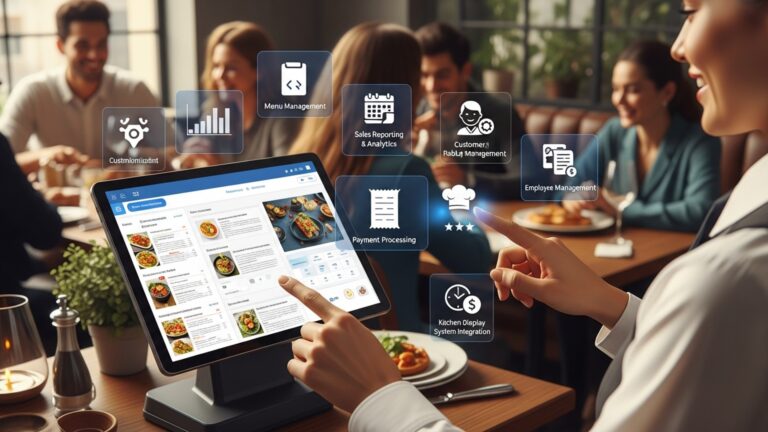
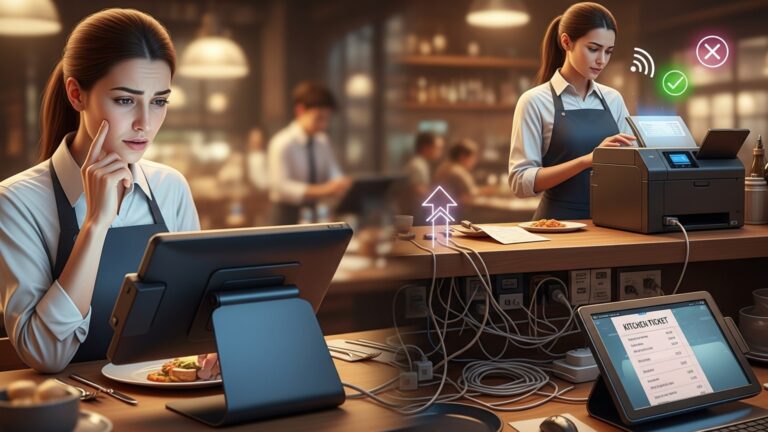
In the fast-paced environment of a restaurant, efficient order management is not just a convenience; it’s a necessity for survival and growth. At the heart of this efficiency lies robust restaurant POS software. This foundational feature digitizes the entire ordering process, from the moment a customer places an order to its dispatch to the kitchen or bar. Imagine a busy Saturday night: instead of handwritten tickets that can be misplaced or misread, orders are instantly and accurately transmitted to the relevant stations.
A modern point-of-sale system typically offers:
- Intuitive Interface
- Table Management
- Kitchen Display Systems (KDS) Integration
Easy-to-navigate screens allow staff to quickly find menu items, apply modifiers (e. g. , “no onions,” “extra cheese”). specify special requests.
Visual floor plans enable staff to track table status, manage reservations. split checks with ease.
Orders appear instantly on kitchen screens, reducing errors, improving communication between front-of-house and back-of-house. speeding up preparation times. This can be particularly impactful during peak hours, as exemplified by a local bistro that saw its average order-to-serve time drop by 15% after implementing a POS with KDS integration.
This seamless flow not only enhances customer satisfaction through faster service but also reduces operational errors, saving money on wasted ingredients and rework.
Advanced Inventory Management: Mastering Your Margins
One of the biggest silent profit killers in the restaurant industry is poor inventory management. Without a clear picture of what’s in stock, what’s selling. what’s expiring, businesses bleed money through waste, theft. missed sales opportunities. Modern restaurant POS software transforms this challenge into an opportunity for significant savings and improved profitability.
Key aspects of a powerful inventory module include:
- Real-time Tracking
- Recipe Management
- Vendor Management & Automated Ordering
- Waste Tracking
Every sale automatically updates inventory levels, giving you an accurate, up-to-the-minute count of ingredients and finished products. This means no more unpleasant surprises when an ingredient runs out mid-service.
Input your recipes. the system automatically deducts the exact quantities of ingredients used for each dish sold. This precision is invaluable for understanding true food costs.
Set reorder points. the POS can automatically generate purchase orders when stock levels fall below a certain threshold. Some advanced systems can even integrate directly with suppliers.
Easily log spoiled items, over-portioning, or breakage, providing critical data for identifying areas of inefficiency and training needs.
Consider a multi-location pizza chain: by centralizing their inventory through a robust POS, they identified that particular toppings were consistently over-ordered at one location and under-ordered at another. Adjusting purchasing based on this data led to a 7% reduction in food waste across all locations within six months.
Integrated Payment Processing: Speed, Security. Flexibility
The checkout experience is the final touchpoint for your customers. it needs to be as smooth and secure as possible. Integrated payment processing within your restaurant POS software is crucial for meeting modern consumer expectations and enhancing operational efficiency. It moves beyond traditional separate terminals, offering a unified system.
The advantages are numerous:
- Faster Transactions
- Enhanced Security (PCI Compliance)
- Multiple Payment Options
- Reduced Reconciliation Errors
- Pay-at-Table Options
With direct integration, there’s no need to manually enter amounts into a separate terminal, reducing errors and speeding up service. This is particularly beneficial during peak hours, allowing staff to serve more customers efficiently.
Reputable POS systems offer encrypted transactions and adhere to PCI (Payment Card Industry) Data Security Standards, protecting both your business and your customers from fraud.
Support for credit/debit cards, contactless payments (NFC), mobile payments (Apple Pay, Google Pay). even gift cards within a single system caters to diverse customer preferences.
All transactions are automatically recorded and linked to orders, simplifying end-of-day reconciliation and minimizing discrepancies.
Many modern POS systems offer handheld devices, allowing servers to process payments directly at the customer’s table, improving convenience and table turnover.
A coffee shop in a bustling city center found that by adopting a POS with integrated contactless payments, their average transaction time decreased by 10 seconds, accumulating to significant time savings and shorter queues during rush hour.
Customer Relationship Management (CRM): Building Loyalty and Personalization
Beyond transactional efficiency, fostering strong customer relationships is a powerful driver of long-term growth. A comprehensive restaurant POS software often includes CRM functionalities that help you comprehend your clientele better and reward their loyalty.
Key CRM features:
- Customer Databases
- Loyalty Programs
- Personalized Marketing
- Feedback Management
Collect and store customer data, including contact details, order history, dietary preferences. visit frequency. This data is invaluable for personalized marketing.
Easily set up and manage points-based systems, tiered rewards, or special discounts for repeat customers. For instance, a local diner implemented a “Buy 9, Get 10th Free” coffee loyalty program directly through their POS, leading to a 20% increase in repeat coffee sales.
Use collected data to send targeted promotions, birthday offers, or recommendations based on past purchases. Imagine sending a personalized email to a customer who frequently orders vegan options, announcing a new plant-based dish.
Some systems allow for direct customer feedback integration, providing insights into service quality and areas for improvement.
By leveraging these features, restaurants can move beyond generic service to create memorable, personalized experiences that keep customers coming back.
Reporting and Analytics: Data-Driven Decision Making
Intuition can guide you. data empowers you. High-quality restaurant POS software is more than just a transaction processor; it’s a powerful data engine that generates actionable insights into every facet of your business. This feature is paramount for making informed strategic decisions.
Essential reporting capabilities include:
- Sales Reports
- Labor Reports
- Inventory Reports
- Customer Reports
- Performance Dashboards
examine sales by item, category, time of day, server, or payment type. Identify your best-selling dishes, peak hours. top-performing staff.
Track employee hours, sales per hour. labor costs. Optimize scheduling to match demand and control payroll expenses.
comprehend ingredient usage, identify waste, track cost of goods sold (COGS). pinpoint popular/unpopular items.
Gain insights into customer spending habits, visit frequency. loyalty program effectiveness.
Many systems offer intuitive dashboards that provide a real-time overview of key metrics, allowing managers to quickly assess business health.
A regional chain of burger joints, leveraging advanced POS analytics, discovered that their afternoon slump could be countered by a specific “happy hour” combo. This data-driven promotion, informed by sales patterns, boosted their mid-afternoon revenue by 18%.
Employee Management: Empowering Your Team
Your staff are the backbone of your restaurant. Effective employee management features within your POS system can streamline operations, improve accountability. enhance team productivity. This goes beyond just clocking in and out.
Key functionalities often include:
- Time and Attendance Tracking
- Role-Based Permissions
- Performance Tracking
- Tip Management
- Shift Scheduling
Employees can clock in and out directly through the POS, ensuring accurate payroll. Biometric or PIN-based systems can prevent “buddy punching.”
Assign different access levels to various staff members (e. g. , servers can’t access financial reports, managers can). This enhances security and reduces internal fraud risks.
Monitor individual server sales, average check size. customer feedback. This data can be used for performance reviews, training. incentive programs.
Streamline tip pooling and distribution, ensuring fairness and transparency among staff.
Some advanced systems offer integrated scheduling tools that consider staff availability, labor costs. projected demand.
A restaurant group with high staff turnover implemented a POS with robust employee tracking. They used performance data to identify top performers and implemented a bonus structure, leading to a 10% reduction in staff turnover and a noticeable improvement in service consistency.
Online Ordering and Delivery Integration: Expanding Your Reach
In today’s digital age, a restaurant’s reach extends far beyond its physical doors. Online ordering and delivery integration are no longer optional extras but essential components for capturing a wider customer base and generating additional revenue streams. Your restaurant POS software should be the central hub for these operations.
Consider these critical integrations:
- Native Online Ordering Platform
- Third-Party Delivery Aggregator Integration
- Delivery Management Tools
- Menu Synchronization
Many POS systems offer their own branded online ordering portal that seamlessly integrates with your menu, inventory. kitchen display system. This avoids third-party commission fees.
Connect directly with popular platforms like DoorDash, Uber Eats. Grubhub. Orders placed through these services flow directly into your POS, eliminating the need for manual re-entry from separate tablets. This reduces errors and streamlines kitchen workflow.
Track delivery orders, assign drivers. manage delivery zones directly from the POS.
Updates to your menu in the POS are automatically reflected across all integrated online ordering and delivery platforms, ensuring consistency and accuracy.
A small family-owned Italian restaurant that traditionally relied on dine-in business saw a 30% increase in revenue during challenging times by leveraging their POS’s integrated online ordering. They minimized reliance on commission-heavy third-party apps by promoting their direct online portal, showcasing the power of a unified system.
Multi-Location Management: Scaling Your Success
For growing businesses with multiple outlets, managing each location independently can quickly become a logistical nightmare. A powerful restaurant POS software provides centralized control and visibility across all your establishments, enabling consistent operations and strategic growth.
Key features for multi-location management:
- Centralized Menu Management
- Consolidated Reporting
- Unified Inventory Management
- Centralized Customer Database
- Remote Access and Control
Update menus, pricing. promotions across all locations from a single dashboard. This ensures brand consistency and reduces administrative overhead.
Gain a holistic view of sales, labor. inventory performance across your entire enterprise. Compare individual store performance, identify top-performing locations. pinpoint areas needing improvement.
Manage inventory, track transfers between locations. centralize purchasing for better bulk discounts and supply chain efficiency.
Customers can earn and redeem loyalty points at any of your locations, enhancing their experience and driving repeat business across your brand.
Manage operations, review reports. make adjustments from anywhere with an internet connection, offering unparalleled flexibility for business owners.
A rapidly expanding coffee chain attributed much of its smooth growth to a POS system that offered robust multi-location capabilities. They could A/B test menu items at different locations, examine which promotions performed best regionally. scale successful strategies across their entire network with minimal friction.
Conclusion
Embracing the 8 essential POS software features isn’t just about modernizing; it’s about strategically equipping your restaurant for sustained growth. We’ve seen how robust inventory management prevents costly waste, much like when my friend’s café drastically cut food spoilage by tracking ingredients down to the last gram using their new system. This goes beyond simple transactions; it’s about leveraging real-time data, a current trend, to make informed decisions – from optimizing popular menu items to streamlining staff workflows. My personal tip? Start by identifying your single biggest operational bottleneck, whether it’s order accuracy or customer feedback. prioritize a POS feature that directly addresses it. This targeted approach ensures immediate impact and builds momentum. Think of your POS as an intelligent co-pilot, guiding your business through the dynamic culinary landscape. By actively implementing these features, you’re not just saving time; you’re unlocking new revenue streams and enhancing customer loyalty in an increasingly competitive market. To truly make an informed decision, consider exploring how to select essential POS features for your restaurant’s success. The path to a thriving, efficient restaurant starts now; seize the opportunity to transform your operations and watch your business flourish.
More Articles
5 Crucial Questions to Ask When Choosing Restaurant POS Software
7 Essential Restaurant POS Features Your Business Needs to Thrive
10 Smart Ways Restaurant POS Software Can Cut Your Operating Costs
How to Maximize Your Restaurant’s Efficiency With Key POS Features

FAQs
Why should my restaurant even bother with new POS software?
Modern POS software isn’t just for processing payments anymore. It’s a powerful tool that helps streamline operations, manage inventory better, grasp your customers. ultimately boost your profits by making smarter decisions about everything from your menu to your staff.
How does POS software help me keep track of all my ingredients?
Good POS systems come with robust inventory management features. They track ingredients as they’re used in orders, alert you when stock is low. even help with ordering from suppliers. This prevents waste, ensures you never run out of popular items. keeps your food costs in check.
Can I really get useful insights from a POS system to grow my business?
Absolutely! Top POS software offers detailed reporting and analytics. You can see your best-selling dishes, busiest hours, staff performance. more. This data is gold for making informed decisions about your menu, staffing levels, marketing campaigns. overall business strategy.
What about keeping customers coming back? Can a POS help with loyalty programs?
Yes, many advanced POS systems integrate customer relationship management (CRM) tools. This lets you create loyalty programs, track customer preferences and purchase history. even send targeted promotions. It’s a fantastic way to encourage repeat business and build a loyal customer base.
My restaurant does a lot of online orders. How does a POS fit into that?
Essential POS software often includes integrated online ordering capabilities or seamless integration with popular third-party delivery platforms. This means all your orders, whether dine-in or online, flow into one system, simplifying order management, kitchen operations. ensuring accuracy.
Is there a way a POS can help me manage my staff better?
Definitely! Many systems include features for employee management, like time tracking, shift scheduling. even performance monitoring. This makes payroll easier, helps optimize staffing levels during peak hours. can even boost team efficiency by tracking individual sales.
How easy is it to change my menu or add daily specials with this kind of software?
It’s super easy! Modern restaurant POS systems allow for quick and intuitive menu management. You can update prices, add new items, create daily specials, or mark items as sold out in just a few clicks across all your terminals, ensuring your menu is always current and accurate for your customers.