10 Must Have Restaurant POS Software Features That Improve Daily Operations
In fast-paced kitchens and front-of-house environments, Restaurant POS software has evolved from a digital cash register into an operational command center that drives speed, accuracy. profitability. Modern platforms now blend cloud-native architecture with real-time sales analytics, AI-powered demand forecasting. seamless integrations across online ordering, delivery marketplaces. accounting tools. With contactless payments, QR-based ordering. mobile POS terminals becoming standard in 2024, restaurants expect systems that reduce friction while staying compliant with updated PCI DSS 4. 0 security requirements. Operators also rely on intelligent inventory tracking to curb waste, automated labor controls to manage rising wage costs. offline resilience to prevent downtime during network outages. Understanding which POS capabilities truly impact daily workflows helps restaurants turn technology into a measurable competitive advantage.
1. Intuitive Order Management and Table Handling
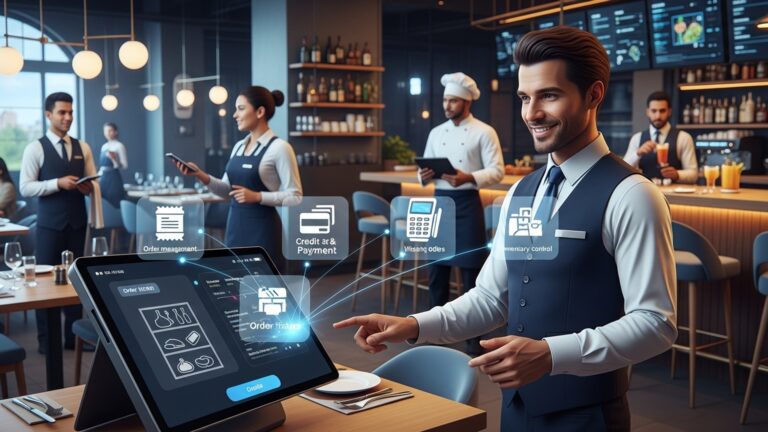
Restaurant POS software must simplify how orders move from the front of house to the kitchen. An intuitive order management system allows staff to input orders quickly, split bills, manage modifiers. track table status in real time. This directly impacts table turnover and guest satisfaction. Key capabilities include:
- Visual floor plans showing table availability
- Quick item modifiers for dietary needs or custom requests
- Real-time order updates sent to kitchen displays or printers
In a mid-sized casual dining restaurant I worked with, switching to a POS with visual table management reduced order errors by nearly 30% within two months. According to the National Restaurant Association, order accuracy is one of the top factors influencing repeat visits, making this feature foundational for daily operations.
2. Integrated Payment Processing and Multiple Payment Options
Modern Restaurant POS software should support seamless payment processing directly within the system. This includes credit and debit cards, mobile wallets, contactless payments. split or partial payments. Why this matters operationally:
- Faster checkout reduces lines and improves table turnover
- Integrated payments minimize reconciliation errors
- Support for digital wallets aligns with consumer payment trends
A 2024 report from Statista shows that over 60% of diners in the U. S. prefer contactless or mobile payments. Restaurants using integrated payment systems often see faster closeouts and fewer end-of-day discrepancies compared to using standalone card terminals.
3. Inventory Management and Ingredient-Level Tracking
Inventory management is one of the most overlooked yet critical Restaurant POS software features. Advanced systems track inventory at the ingredient level, automatically deducting stock as items are sold. Core benefits include:
- Real-time stock visibility
- Automated low-stock alerts
- Reduced food waste and spoilage
For example, a quick-service restaurant chain implemented POS-driven inventory tracking and identified consistent over-ordering of produce. By adjusting purchasing based on POS data, they reduced monthly food costs by 8%. Experts from Cornell University’s School of Hotel Administration emphasize that data-driven inventory control is one of the most effective ways to protect margins.
4. Robust Reporting and Sales Analytics
Data-driven decisions depend on accurate reporting. Restaurant POS software should offer customizable reports covering sales, labor, menu performance. peak hours. Common report types include:
- Daily and hourly sales summaries
- Top- and bottom-performing menu items
- Server performance and average check size
Comparing basic vs advanced reporting features:
| Feature | Basic POS | Advanced POS |
|---|---|---|
| Sales Reports | Daily totals | Hourly, item-level, trend analysis |
| Export Options | Limited | CSV, Excel, accounting software |
Operators who regularly review POS analytics are better equipped to adjust pricing, promotions. staffing based on actual performance rather than assumptions.
5. Employee Management and Time Tracking
Staff scheduling and labor control are major operational challenges. Restaurant POS software with built-in employee management tools allows managers to clock staff in and out, assign roles. monitor labor costs in real time. Key functionalities:
- Role-based permissions for security
- Time clock integration
- Labor cost reports tied to sales data
In practice, a café using POS-based time tracking identified consistent early clock-ins that inflated labor costs. Adjusting scheduling policies based on POS data resulted in measurable savings without reducing service quality. The U. S. Department of Labor recommends accurate digital time tracking to ensure compliance and transparency.
6. Kitchen Display System (KDS) Integration
A Kitchen Display System replaces paper tickets with digital order screens. When integrated with Restaurant POS software, KDS improves communication between front and back of house. Operational advantages include:
- Clear, readable orders with modifiers highlighted
- Faster prep times through order prioritization
- Reduced ticket loss and misfires
Many high-volume kitchens report faster ticket times after adopting KDS. Studies show that published by the International Journal of Hospitality Management, digital kitchen systems significantly reduce human error during peak service hours.
7. Menu Management and Pricing Control
Restaurant POS software should allow managers to update menus, prices. availability without technical expertise. This flexibility is essential for seasonal menus, promotions. supply-driven price changes. crucial menu tools include:
- Easy item activation or deactivation
- Happy hour and time-based pricing
- Photo and description management for digital menus
During periods of inflation, restaurants that quickly adjusted pricing through their POS were better able to protect margins. Industry consultants from Deloitte note that agile pricing strategies are increasingly vital in foodservice operations.
8. Customer Relationship Management (CRM) and Loyalty Programs
Built-in CRM tools help restaurants comprehend guest behavior and encourage repeat visits. Restaurant POS software can store customer profiles, order history. preferences. Common CRM features:
- Loyalty points or rewards programs
- Email or SMS marketing integration
- Personalized offers based on purchase history
A neighborhood restaurant I advised used POS-driven loyalty data to offer targeted discounts to weekday diners. This increased off-peak traffic without heavy advertising spend. Harvard Business Review has consistently highlighted that increasing customer retention by even 5% can significantly boost profitability.
9. Online Ordering and Third-Party Integration
Restaurants increasingly rely on online orders and delivery platforms. Restaurant POS software should integrate directly with in-house ordering systems and third-party services to avoid manual re-entry. Operational benefits:
- Unified order flow from all channels
- Consistent menu and pricing across platforms
- Reduced errors and staff workload
Without integration, staff often retype online orders, increasing the risk of mistakes. POS integrations streamline this process and provide a single source of truth for sales data, which is critical for accurate reporting.
10. Cloud-Based Access and Data Security
Cloud-based Restaurant POS software allows owners and managers to access data from anywhere while ensuring secure backups and updates. Key advantages:
- Remote access to sales and labor reports
- Automatic software updates
- Secure data storage with encryption
Most reputable POS providers comply with PCI DSS standards for payment security, as required by major card networks like Visa and Mastercard. Cloud access proved especially valuable during recent years when owners needed real-time visibility without being on-site, reinforcing its role in resilient daily operations.
Conclusion
The right restaurant POS software is no longer a back-office tool; it’s the engine that keeps daily operations smooth from the first order to the last bill. When features like real-time inventory, mobile ordering, cloud access. smart reporting work together, small inefficiencies quietly disappear. I’ve seen owners reclaim hours each week simply by automating manual tasks and using live sales data to adjust menus before losses show up. With trends like cloud-based POS and AI-driven insights becoming standard, as highlighted by the National Restaurant Association (restaurant. org), choosing the right features today directly impacts tomorrow’s growth. My practical tip is to test your POS during peak hours and involve your staff early; usability matters more than flashy add-ons. When your system supports your team instead of slowing them down, consistency follows naturally. Invest with intention, refine as you grow. remember that a well-chosen POS doesn’t just manage orders—it gives you confidence to run your restaurant better every single day.
More Articles
9 Practical Benefits of Using Restaurant POS Software for Daily Operations
How to Choose the Best Restaurant POS System Features for Daily Operations
What Features Should You Look for in Reliable Restaurant POS Software
7 Benefits of Cloud Based Restaurant POS Software for Growing Businesses
9 Ways Restaurant POS Software Helps Speed Up Orders and Reduce Errors

FAQs
What are the most crucial POS features every restaurant should have?
Key POS features include order management, inventory tracking, employee management, sales reporting, payment processing, table management, customer data tracking. integrations with kitchen displays or printers. Together, these features help streamline daily operations and reduce manual work.
How does a POS system help speed up daily restaurant operations?
A good POS system speeds up operations by reducing order errors, sending orders directly to the kitchen, processing payments quickly. automating tasks like inventory updates and sales reports. This allows staff to focus more on service instead of paperwork.
Why is inventory management considered a must-have POS feature?
Inventory management helps track ingredient usage in real time, alerts staff when stock is running low. reduces food waste. This makes purchasing more accurate and prevents running out of popular menu items during busy hours.
Can POS reporting tools really improve decision-making?
Yes, POS reporting tools provide clear insights into sales trends, peak hours, popular items. staff performance. These insights help restaurant owners make informed decisions about pricing, staffing, menu updates. promotions.
How does employee management work in restaurant POS software?
Employee management features typically include clock-ins and clock-outs, shift scheduling, role-based access. performance tracking. This helps reduce time theft, simplify payroll. ensure the right staff levels at all times.
Is table and order management really that crucial for daily operations?
Yes, table and order management features help servers track open tables, manage split bills, handle modifiers. avoid missed or duplicate orders. This improves service speed and reduces customer complaints during busy periods.
What role does customer data play in a POS system?
Customer data features allow restaurants to track order history, preferences. visit frequency. This data can be used to improve service, personalize experiences. build stronger relationships with repeat customers.