
How to Master Restaurant POS Systems for Billing and Order Efficiency
In the fast-paced world of modern dining, mastering a restaurant POS with billing and order management is no longer optional—it’s essential for staying competitive. Today’s POS systems go beyond basic transactions, offering features like real-time order tracking, digital menu integration. personalized customer experiences, all while minimizing errors and boosting efficiency. For example, cloud-based POS platforms allow seamless synchronization between front-of-house and kitchen operations, ensuring orders are processed accurately and promptly. With the rising demand for contactless payments and online ordering, leveraging these systems helps restaurants adapt to evolving consumer expectations. Moreover, advanced analytics tools embedded in POS systems provide actionable insights on sales trends, peak hours. menu performance, empowering restaurateurs to make data-driven decisions. By fully understanding and utilizing these capabilities, restaurants can enhance operational flow, reduce wait times. create a seamless dining experience that keeps customers returning.
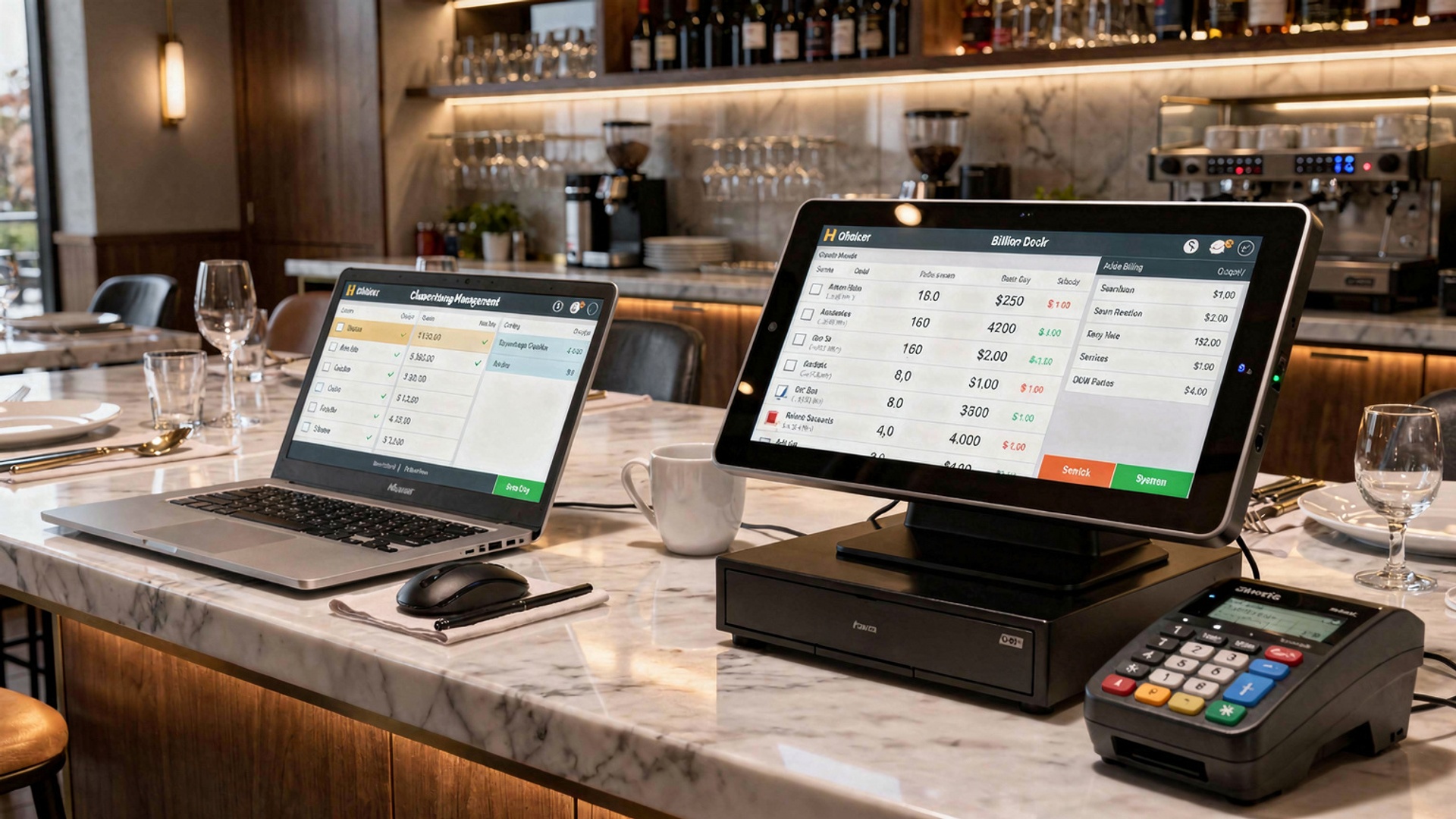
Understanding Restaurant POS Systems
A Restaurant Point of Sale (POS) system is a combination of hardware and software designed to manage transactions, orders. overall operational workflows in a restaurant setting. It serves as the central hub for managing billing, order processing, inventory. customer interactions. Modern restaurant POS systems with billing and order management also integrate with analytics tools, kitchen displays. payment gateways to optimize efficiency.
Key Components of a Restaurant POS System
To master a restaurant POS, it is crucial to comprehend its core components. Each module works together to ensure seamless operations.
- Hardware: Includes touch-screen terminals, receipt printers, cash drawers, barcode scanners. kitchen display systems (KDS).
- Software: POS applications that handle orders, billing, menu management. employee scheduling.
- Payment Processing: Integration with payment gateways to accept credit cards, mobile payments. digital wallets.
- Cloud Connectivity: Enables data backup, updates. remote access for real-time monitoring of operations.
- Inventory Management: Tracks stock levels to ensure ingredients and supplies are available when needed.
Benefits of Restaurant POS with Billing and Order Management
Implementing a restaurant POS system with billing and order management offers numerous benefits that simplify daily operations and improve customer satisfaction.
- Faster Transactions: Streamlines the billing process with minimal errors, reducing customer wait times.
- Order Accuracy: Ensures orders are sent directly to the kitchen, minimizing miscommunication between servers and chefs.
- Inventory Tracking: Monitors real-time inventory levels, reducing waste and preventing stockouts.
- Reporting Insights: Provides detailed analytics on peak hours, sales trends. menu performance to inform business decisions.
- Improved Customer Experience: Ensures smoother and quicker service with integrated payment options and loyalty programs.
Choosing the Right Restaurant POS for Billing and Order Management
Not all POS systems are created equal. Selecting the best system for your restaurant depends on several factors.
| Feature | Importance | Example Use Case |
|---|---|---|
| Cloud-Based vs. On-Premise POS | Cloud-based systems allow for remote monitoring, while on-premise systems offer higher control. | Cloud POS is ideal for multi-location restaurants tracking all branches remotely. |
| Customizable Menu Management | Allows easy updates to menu items and prices. | Useful for restaurants with seasonal menus or daily specials. |
| Integration with Third-Party Apps | Enables seamless communication between online ordering platforms and the POS. | Works well for restaurants offering delivery services via platforms like UberEats or DoorDash. |
| Kitchen Display Systems (KDS) | Improves communication between the front-of-house and kitchen staff. | Beneficial for busy establishments to ensure timely and accurate order preparation. |
Best Practices for Using a Restaurant POS System
To fully utilize a restaurant POS system, here are some best practices:
- Provide Staff Training: Conduct regular workshops to ensure all employees grasp how to navigate the POS efficiently.
- Update Software Regularly: Ensure your POS software is up-to-date to leverage the latest features and security enhancements.
- Customize Your System: Tailor menus, add modifiers. integrate loyalty programs to suit your restaurant’s unique needs.
- Monitor Reports: Use data-driven insights from the POS system to adjust operations, improve menu performance. reduce costs.
- Ensure a Backup System: Prepare for any technical issues by having offline functionality or a backup payment system.
Real-World Applications of a Restaurant POS with Billing and Order Management
- Quick-Service Restaurants: For fast-food outlets, a POS system enables efficient queue management and speedy transactions during peak hours.
- Fine Dining Establishments: Helps manage reservations, table assignments. multi-course orders seamlessly.
- Food Trucks: Mobile POS systems allow food trucks to process orders and payments on the go.
- Cafes and Coffee Shops: Simplifies order customization for beverages and integrates with loyalty programs for returning customers.
How to Troubleshoot Common Restaurant POS Issues
Despite its advantages, a restaurant POS system can encounter problems. Knowing how to troubleshoot common issues is crucial.
- System Lag: Slow performance can be resolved by clearing cache, restarting the system, or updating the software.
- Payment Failures: Ensure the payment gateway integration is active and verify your internet connection.
- Hardware Malfunctions: Regularly clean devices and ensure proper maintenance to avoid issues with printers, card readers. touch screens.
- Data Discrepancies: Double-check sales reports and ensure all transactions are logged correctly. Use POS integrations to cross-verify.
Emerging Trends in Restaurant POS Systems
As technology evolves, so do restaurant POS systems. Staying updated with the latest trends can help your business stay competitive.
- AI-Powered Analytics: Advanced POS systems now use machine learning to provide predictive analytics for inventory restocking and sales forecasting.
- Integration with IoT: IoT-enabled devices, such as smart kitchen appliances, are being integrated with POS systems to streamline operations further.
- Contactless Dining Solutions: Customers can order and pay using QR codes and mobile apps, reducing physical contact and enhancing convenience.
- Blockchain for Payment Security: Some POS systems are exploring blockchain for secure and transparent payment processing.
Training Your Team to Use Restaurant POS Systems
One of the most critical steps in mastering a restaurant POS system is training your staff. A well-trained team ensures smooth operations and minimal errors.
- Hands-On Practice: Allow employees to practice using the POS during training sessions to familiarize themselves with its features.
- Role-Based Training: Tailor training modules to fit the specific responsibilities of servers, cashiers. managers.
- Provide Troubleshooting Guides: Equip staff with resources to resolve common issues independently.
- Ongoing Refresher Courses: Regularly update staff on new features or updates to the POS system.
Conclusion
Mastering a restaurant POS system is no longer a luxury but a necessity in today’s fast-paced and customer-driven food industry. By understanding its full potential, you can optimize billing, streamline order management. improve overall efficiency. The key lies in consistent learning and leveraging recent advancements, such as AI-powered analytics and integrated inventory tracking, to adapt to the dynamic needs of your business. For instance, using features like real-time menu updates or table management can significantly reduce wait times and enhance customer satisfaction. From my experience, investing time in understanding the nuances of the system, such as customizing workflows for peak hours or training staff regularly, can make all the difference. Also, keeping an eye on emerging trends like contactless payments or loyalty integrations can help you stay ahead of the competition. Remember, a POS system is only as effective as the strategy behind its use. As you refine your skills, embrace a mindset of continuous improvement. Efficiency is not a destination but an ongoing process. With persistence and the right tools, your restaurant can not only keep up with the industry but also set new standards. Start today. turn your POS system into the backbone of a seamless, customer-first dining experience.
More Articles
5 Common Restaurant POS Mistakes and How to Avoid Them
10 Essential Tools Every Restaurant Software in Chennai Should Have
How to Master Restaurant POS with Table Management for Better Efficiency
5 Common Problems Solved by Modern Restaurant POS Software

FAQs
What’s the first step to learning a restaurant POS system?
Start by understanding the basics, like menu setup, order processing. billing features. Practice with the training mode if the system has one.
How can I make billing faster using a POS system?
Customize your menu categories and shortcuts for popular items to speed up the checkout process. Familiarity with quick payment options also helps.
What’s the best way to handle errors during order entry?
Most systems have an edit or void option. Learn to use it efficiently to fix mistakes without disrupting the workflow.
Do I need technical skills to master a POS system?
Not really. Most modern POS systems are user-friendly. Basic computer skills are enough. consistent practice makes a big difference.
How can I make sure my staff uses the POS system efficiently?
Provide training sessions and create simple guides tailored to your restaurant’s setup. Encourage them to ask questions and practice regularly.
What’s the easiest way to manage table orders with a POS system?
Learn the table mapping and order routing features. They let you assign orders to tables and send them directly to the kitchen to avoid confusion.
Are there features I should prioritize in a POS system?
Yes, look for inventory tracking, reporting tools. integration with payment methods. These features simplify operations and improve efficiency.
How do I get better at using the reporting tools in a POS system?
Spend time exploring the analytics and reports section. Focus on sales trends, peak hours. inventory data to optimize your operations.