Master 5 Smart Strategies to Boost Restaurant Efficiency with POS Systems
The modern restaurant landscape demands more than just traditional cash registers; it requires intelligent operational hubs that drive efficiency and profitability. Restaurant POS software has evolved into a critical strategic tool, moving beyond simple transaction processing to integrate real-time inventory management, optimize kitchen workflows via KDS. personalize guest experiences through integrated loyalty programs. With labor costs rising and supply chains constantly fluctuating, leveraging advanced analytics from your POS system allows operators to make data-driven decisions, from dynamic menu pricing to predictive staffing, ensuring agility in today’s competitive and fast-paced market. Mastering its capabilities unlocks significant operational gains.
Understanding the Foundation: What is a Restaurant POS System?
Before diving into advanced strategies, it’s crucial to comprehend what a Point of Sale (POS) system is, especially in the context of a bustling restaurant environment. At its core, a POS system is more than just a cash register; it’s an integrated hardware and software solution designed to manage all aspects of a sales transaction. For restaurants, this means handling orders, processing payments, tracking inventory. managing staff. Modern Restaurant POS software goes far beyond these basics, acting as the central nervous system for an establishment, connecting front-of-house (FOH) operations with back-of-house (BOH) functions seamlessly. Think of it as a digital hub that centralizes critical data, automates routine tasks. provides invaluable insights to optimize every facet of your business.
Key components typically include:
- Hardware
- Software
- Payment Processing
Touchscreen terminals, kitchen display systems (KDS), customer-facing displays, receipt printers, cash drawers. handheld devices for tableside ordering.
The operating system and application that manages transactions, inventory, reporting, staff. customer data. This is where the true power of Restaurant POS software lies.
Integration with credit card processors, enabling secure and efficient transactions, including EMV chip readers, NFC (contactless) payments. mobile payment options.
The transition from traditional, manual systems to sophisticated Restaurant POS software represents a paradigm shift, offering unprecedented control and efficiency. Now, let’s explore five smart strategies to leverage this technology.
1. Streamline Order Management and Kitchen Workflow
One of the most immediate and impactful benefits of a robust Restaurant POS software is its ability to revolutionize order management. Traditional paper-and-pen ordering is prone to errors, delays. miscommunication between servers and the kitchen staff. A modern POS system eliminates these bottlenecks by digitizing the entire process.
Actionable Takeaways:
- Tableside Ordering with Handheld Devices
- Kitchen Display Systems (KDS) Integration
- Customizable Menu and Modifiers
Equip your servers with tablets or handheld POS devices. This allows them to take orders directly at the table, send them instantly to the kitchen or bar. even process payments on the spot. This not only speeds up service but also reduces order entry errors and allows servers to spend more time engaging with customers. For example, a server at “The Bistro” noted a 15% increase in table turnover simply by adopting handheld ordering, as orders hit the kitchen faster.
Replace paper tickets with KDS screens in the kitchen. Orders from the FOH appear instantly, clearly. sequentially. Chefs can easily prioritize, mark items as prepared. manage cook times. This visual system minimizes lost tickets, reduces food waste from incorrect orders. improves communication between kitchen stations. It’s like a digital conductor for your culinary team, ensuring every dish is prepared efficiently and accurately.
Leverage the flexibility of your Restaurant POS software to create highly customizable menus with clear modifiers (e. g. , “no onions,” “extra cheese,” “medium rare”). This ensures precise order transmission and reduces guesswork, leading to higher customer satisfaction and fewer re-fires.
A recent industry report by Square found that restaurants utilizing integrated KDS systems reported a 30% reduction in order errors and a 10-15% improvement in average ticket times. This demonstrates the tangible impact on operational efficiency and customer experience.
2. Optimize Inventory Control and Reduce Waste
Food and beverage costs are typically a restaurant’s largest expense after labor. Inefficient inventory management can lead to significant financial losses through spoilage, over-ordering. theft. Modern Restaurant POS software provides powerful tools to gain granular control over your stock.
Actionable Takeaways:
- Real-Time Inventory Tracking
- Automated Reordering and Vendor Management
- Waste Reduction and Portion Control
Every time an item is sold through the POS, the system automatically deducts its components from your inventory. This provides real-time insights into stock levels, allowing you to know exactly what you have on hand at any given moment. This level of detail helps prevent stockouts of popular items and avoids over-ordering perishable goods.
Configure your Restaurant POS software to set par levels for ingredients. When an item falls below its predetermined threshold, the system can automatically generate purchase orders or alert you to reorder. Some advanced systems can even integrate directly with your suppliers, streamlining the entire procurement process and leveraging historical data for more accurate forecasting. Imagine never running out of a key ingredient during a busy dinner service again because your POS proactively managed it.
By accurately tracking ingredient usage, you can identify areas of waste. The POS can help monitor portion sizes by linking menu items to specific ingredient quantities. For instance, if a recipe calls for 4 oz of chicken, the system tracks 4 oz of chicken for each sale. This insight can highlight staff training needs or menu adjustments required to maintain profitability. Industry experts like Kevin Boehm, co-founder of Boka Restaurant Group, emphasize that “tight inventory control is the backbone of restaurant profitability.”
By effectively managing inventory, restaurants can typically reduce food waste by 10-20% and significantly improve their bottom line. This is a direct result of the detailed data and automation capabilities of comprehensive Restaurant POS software.
3. Enhance Customer Relationship Management (CRM) and Loyalty
In today’s competitive dining landscape, retaining customers is just as vital as attracting new ones. A sophisticated Restaurant POS software can transform how you interact with your clientele, fostering loyalty and driving repeat business.
Actionable Takeaways:
- Capture Customer Data and Preferences
- Implement Targeted Loyalty Programs
- Personalized Marketing and Communication
Your POS system can be a powerful data collection tool. By integrating with online ordering platforms, loyalty programs, or simply by asking for an email at checkout, you can build a database of customer details. This includes order history, dietary preferences, average spend. visit frequency. For example, “Café Verde” uses its POS to note that a regular customer always orders the vegan burrito, allowing staff to offer it proactively.
Move beyond generic punch cards. Use your Restaurant POS software to create tiered loyalty programs, reward points for spending, or offer exclusive discounts to frequent diners. The system can automatically track points, apply rewards. notify customers of their benefits. This personalized approach makes customers feel valued and encourages them to return. A study by Bond Brand Loyalty found that 79% of consumers are more likely to do business with a brand that offers a loyalty program.
Leverage the customer data collected by your POS to send targeted marketing messages. Offer a free dessert on a customer’s birthday, promote a new dish based on their past orders, or send a special offer to those who haven’t visited in a while. This level of personalization, facilitated by your Restaurant POS software, significantly increases the effectiveness of your marketing efforts compared to mass mailings.
By turning transaction data into actionable customer insights, your restaurant can build stronger relationships, increase customer lifetime value. cultivate a loyal following. This strategic use of Restaurant POS software moves beyond simple transactions to create memorable dining experiences.
4. Improve Staff Management and Performance Tracking
Your staff are the face and backbone of your restaurant. Efficient management of your team is critical for smooth operations and excellent customer service. Modern Restaurant POS software offers robust features to streamline staff management, optimize scheduling. monitor performance.
Actionable Takeaways:
- Integrated Time and Attendance
- Optimized Shift Scheduling
- Performance Monitoring and Training Identification
Use your POS as a digital time clock. Employees can clock in and out directly through the system, eliminating manual time cards and reducing payroll errors. This feature provides accurate labor cost tracking, which is essential for managing your budget. Many systems also include biometric options (fingerprint scans) for enhanced security and to prevent “buddy punching.”
Some Restaurant POS software solutions integrate with or offer built-in scheduling tools. These tools allow managers to create schedules based on forecasted sales data, historical traffic patterns. staff availability. This ensures adequate staffing during peak hours while avoiding overstaffing during slower periods, directly impacting labor costs. For instance, a restaurant might schedule more servers on Friday evenings based on POS data showing consistently high sales.
The POS system tracks individual server sales, average check sizes, tips. even table turnover rates. This data provides valuable insights into staff performance. Managers can identify top performers for recognition and identify areas where additional training might be needed. For example, if a server consistently has lower average check sizes, it might indicate a need for upselling training. This data-driven approach, powered by your Restaurant POS software, allows for fair and objective performance reviews.
By effectively managing your workforce through your POS, you can reduce labor costs, improve staff morale through fair scheduling. ultimately enhance the overall customer experience through a well-managed and high-performing team. “A well-managed team is a profitable team,” states restaurant consultant David Scott Peters, underscoring the importance of these tools.
5. Leverage Data Analytics for Strategic Decisions
Perhaps the most transformative capability of advanced Restaurant POS software is its ability to collect, review. present vast amounts of operational data. This data is a goldmine for strategic decision-making, moving beyond guesswork to informed choices.
Actionable Takeaways:
- Comprehensive Sales Reporting
- Menu Engineering and Profitability Analysis
- Identifying Trends and Forecasting
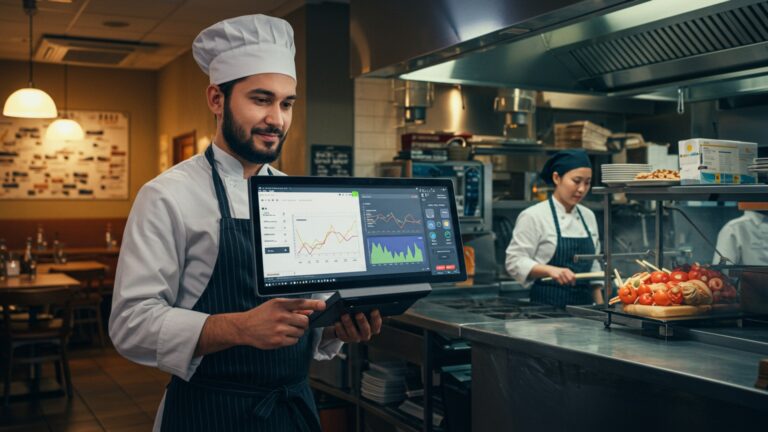
Your POS system provides detailed sales reports, allowing you to examine sales by hour, day, week, month, or even specific events. You can break down sales by menu item, category, server. payment type. This helps identify peak hours for staffing, popular dishes for menu planning. areas where sales might be lagging. For example, a restaurant might discover that its brunch service on Sundays is its most profitable period, prompting them to invest more in marketing that time slot.
With granular sales data, you can perform effective menu engineering. Your Restaurant POS software can help identify your most profitable dishes (high popularity, high profit margin) and those that are “dogs” (low popularity, low profit margin). This insight allows you to optimize your menu for maximum profitability, adjusting pricing, promoting popular items, or removing underperforming ones.
Historical data from your POS is invaluable for identifying seasonal trends, predicting future demand. making accurate forecasts for inventory and staffing. Understanding these patterns, whether it’s a surge in soup sales in winter or increased patio dining in summer, allows for proactive adjustments rather than reactive responses. This foresight, driven by your Restaurant POS software, is a significant competitive advantage.
Leveraging these analytical capabilities transforms your Restaurant POS software from a transactional tool into a strategic business intelligence platform. It empowers owners and managers to make data-driven decisions that directly impact efficiency, profitability. long-term success. As industry analyst Darren Tristano from CHD Expert notes, “Data is the new currency in the restaurant industry. Those who can effectively harness and interpret it will lead the market.”
Conclusion
Mastering your POS system is no longer just about processing transactions; it’s about unlocking a powerful engine for operational efficiency and sustained growth. As we’ve explored, integrating smart strategies transforms your POS from a simple cash register into a dynamic hub for data-driven decisions, from real-time inventory adjustments to understanding peak demand shifts for optimal staffing. My personal tip is to designate a weekly “POS power hour” to delve into your system’s analytics – you’ll be amazed at the actionable insights you uncover, much like how a recent client discovered their forgotten lunch menu items were actually top sellers after analyzing historical data. This proactive approach ensures you’re not just reacting to issues but strategically optimizing every facet of your restaurant in today’s fast-paced, competitive market. Embrace this journey. watch your efficiency soar.
More Articles
How to Select the Best Restaurant POS System 7 Essential Features Guide
A Guide to Choosing the Best Restaurant POS System 10 Key Steps
Learn How to Unlock Top Restaurant POS System Features for Seamless Operations
Learn How to Select Essential POS Software Features for Your Restaurant
10 Smart Strategies to Master Your Restaurant POS for Better Service

FAQs
What’s the big deal with POS systems for restaurants?
Think of a POS system as the central brain for your restaurant. It helps you do everything from taking orders and processing payments super fast to managing your inventory and keeping an eye on sales. , it makes your whole operation smoother and more efficient, cutting down on manual work and errors.
How exactly can a POS help my staff work faster and get orders out quicker?
A good POS streamlines the whole order process. Waitstaff can input orders directly at the table or from a central terminal, sending them straight to the kitchen display system (KDS). This cuts down on errors, eliminates handwritten tickets. ensures the kitchen gets orders instantly, speeding up service and table turnover.
Can a POS system really make a difference with inventory management and food waste?
Absolutely! Many POS systems have integrated inventory features. Every time an ingredient is used in a dish that’s sold, the system automatically adjusts stock levels. This helps you track what you have, identify popular items, minimize waste by knowing exactly what to order. even alerts you when it’s time to reorder, saving you money and preventing stockouts.
Does using a POS system improve the customer experience?
Definitely! Faster order taking and payment processing mean less waiting time for your customers. Plus, some systems allow for tableside ordering and payment, which feels modern and convenient. Accurate orders mean happy customers getting exactly what they asked for, leading to better satisfaction and encouraging repeat business.
How can I use the data from a POS to make my restaurant better?
A POS system collects tons of valuable data on sales, peak hours, popular menu items, staff performance. more. You can run reports to see what’s selling best, identify slow periods, optimize staffing schedules. even spot trends to adjust your menu or promotions. It’s like having a crystal ball for your business decisions, helping you make smarter, data-driven choices.
Is it difficult to get staff comfortable with a new POS system?
It can be a change. most modern POS systems are designed to be user-friendly and intuitive, much like a smartphone. With proper training and a little practice, staff usually pick it up quickly. The benefits of ease and speed often outweigh the initial learning curve, making their jobs easier and less stressful in the long run.
What are some specific ‘smart strategies’ a POS helps implement to boost efficiency?
Beyond the basics, a POS helps with smart strategies like optimizing your menu based on real sales data (removing slow sellers, promoting popular ones), managing labor costs by tracking staff hours accurately and identifying over/under-staffing, reducing food waste through precise inventory control, speeding up table turnover. even building and managing customer loyalty programs directly through the system to encourage repeat visits.