A Guide to Choosing the Best Restaurant POS System 10 Key Steps
Navigating the complex landscape of modern restaurant operations demands more than just processing transactions; it requires a robust technological backbone that drives efficiency and enhances guest experiences. Choosing the right Restaurant POS software is no longer a simple decision, especially with the rapid evolution towards cloud-based systems, mobile ordering integration. sophisticated real-time inventory management. Today’s restaurateurs face the challenge of selecting a solution that not only streamlines front-of-house and back-of-house workflows but also provides actionable data analytics to inform strategic decisions, from optimizing staffing to personalizing customer loyalty programs. A poorly chosen system can hinder growth, while an optimal one becomes a critical asset in a competitive market increasingly defined by digital innovation and contactless service trends.
1. Understanding Your Restaurant’s Unique Needs
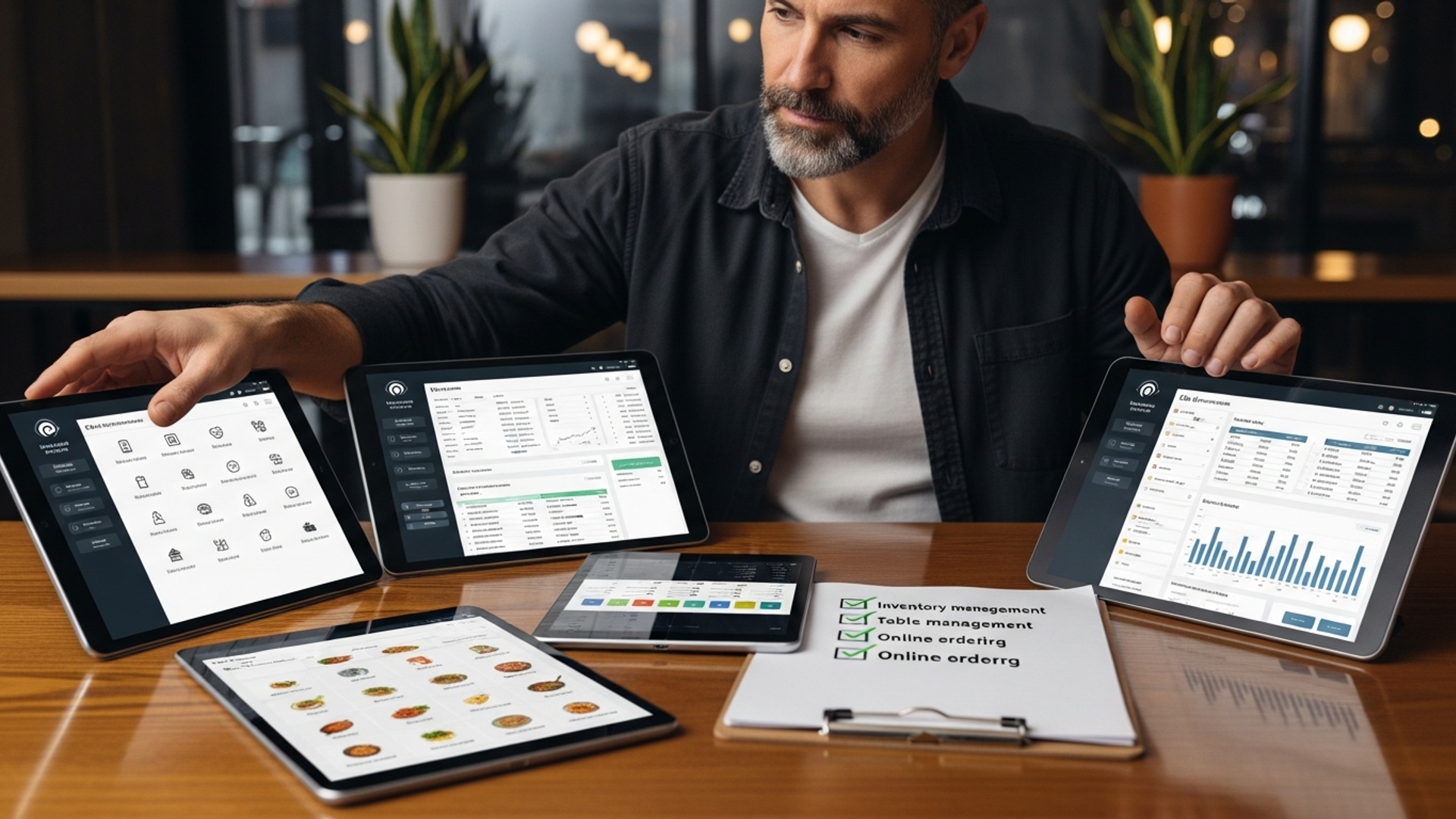
Before diving into the myriad of features offered by various Restaurant POS software solutions, the crucial first step is to conduct a thorough self-assessment of your own establishment. A Point-of-Sale (POS) system, at its core, is the hub where all your sales transactions are processed. But, for a restaurant, it’s far more than just a cash register; it’s an integrated system designed to streamline operations from order taking to inventory management.
Different restaurant types have vastly different operational flows and, consequently, different POS requirements. A bustling quick-service restaurant (QSR) focusing on speed and high transaction volume will prioritize fast order entry and robust online ordering integration. Conversely, a fine-dining establishment might lean towards sophisticated table management, reservation systems. handheld devices for a personalized guest experience. A coffee shop or cafe might need strong loyalty programs and integrated tipping functionalities, while a bar could benefit from detailed drink inventory and happy hour scheduling.
To effectively define your needs, ask yourself the following questions:
- What type of restaurant do you operate (e. g. , QSR, fine dining, cafe, bar, food truck)?
- What are your average daily transaction volumes?
- Do you offer dine-in, takeout, delivery, or a combination?
- How many tables or service areas do you manage?
- What is your current staff size. how do they interact with customers?
- What are your biggest operational pain points right now that a POS could solve? (e. g. , long wait times, inventory discrepancies, difficulty tracking sales).
By clearly articulating these aspects, you lay the groundwork for identifying a Restaurant POS software that truly aligns with your operational blueprint, rather than forcing your business to adapt to a generic system.
2. Core Features: Beyond Basic Transactions
A modern Restaurant POS software is a multifaceted tool, extending far beyond simply processing payments. Understanding the core features and how they integrate is vital for operational efficiency and customer satisfaction. Here are some fundamental functionalities you should expect and scrutinize:
- Order Management
- Payment Processing
- Inventory Management
- Employee Management
- Reporting and Analytics
This is the heart of any restaurant POS. It includes intuitive menu customization, modifiers (e. g. , “no onions,” “extra cheese”), split checks, table management. the ability to send orders directly to the kitchen display system (KDS) or printer. A robust system should allow for easy order editing and transfers.
Seamlessly integrated payment processing is non-negotiable. This involves accepting various payment types (credit/debit cards, mobile payments like Apple Pay/Google Pay, gift cards), EMV chip card compliance. secure transaction handling. Some Restaurant POS software systems offer in-house processing, while others allow you to integrate with third-party providers.
This feature helps you track ingredients and supplies in real-time. From raw ingredients to finished dishes, it monitors stock levels, alerts you to low stock. can even suggest reorder points. For instance, a restaurant that tracks its avocado inventory meticulously can predict when to order more, preventing stockouts during peak brunch hours and reducing waste from over-ordering. This proactive approach directly impacts your bottom line.
Efficiently manage staff schedules, track clock-ins/outs, calculate wages. monitor performance. Some systems even offer tip management and role-based access to ensure data security.
Comprehensive data collection on sales, labor, popular menu items. peak hours is invaluable. This data empowers you to make informed decisions, optimize staffing. refine your menu strategy. We’ll delve deeper into this in a later section.
When evaluating, consider how these features interoperate. A system where inventory updates automatically based on sales data. employee clock-ins feed directly into labor cost reports, provides a holistic view that standalone tools cannot match. The best Restaurant POS software acts as a central nervous system for your entire operation.
3. Scalability and Future-Proofing
Your restaurant business isn’t static; it will ideally grow and evolve. Therefore, choosing a Restaurant POS software that can scale with your ambitions is paramount. A system that works perfectly for a single location might buckle under the pressure of multiple branches or increased order volume.
A key consideration here is the deployment model:
| Feature | Cloud-Based (SaaS) POS | On-Premise POS |
|---|---|---|
| Data Storage | Securely stored on remote servers, accessible via internet. | Stored on local servers within your restaurant. |
| Accessibility | Access from anywhere with an internet connection (e. g. , phone, tablet, laptop). | Typically limited to the local network or specific devices. |
| Upfront Cost | Generally lower, often subscription-based. | Higher, involves purchasing software licenses and hardware. |
| Maintenance & Updates | Handled by the vendor, automatic updates. | Requires in-house IT expertise or third-party support; manual updates. |
| Security | Vendor responsible for security, often with robust measures. | Your responsibility to manage and secure local servers. |
| Scalability | Highly scalable, easy to add terminals or locations. | Can be complex and costly to scale. |
| Offline Mode | Many offer offline mode to continue operations during internet outages. | Generally unaffected by internet outages. may lack remote access. |
Cloud-based Restaurant POS software solutions generally offer superior scalability because they can easily accommodate additional terminals, users, or even new locations without significant hardware investments. They also benefit from continuous updates and new features pushed out by the vendor, keeping your system modern without extra effort on your part.
Moreover, consider the system’s integration capabilities. Can it seamlessly connect with other essential restaurant technologies you might adopt in the future? This includes online ordering platforms, third-party delivery services (e. g. , Uber Eats, DoorDash), accounting software (e. g. , QuickBooks), reservation systems. loyalty programs. A future-proof Restaurant POS software acts as a central hub, allowing you to expand your tech stack without creating disconnected silos of data.
4. User-Friendliness and Staff Training
The best Restaurant POS software in the world is useless if your staff can’t operate it efficiently. User-friendliness is not merely a convenience; it’s a critical factor influencing operational speed, accuracy. staff morale. An intuitive interface can drastically reduce training time for new employees and minimize errors during peak service hours.
Imagine a busy Friday night: orders are piling up, customers are waiting. a new server is struggling to find a menu item or split a check on a complex POS interface. This directly leads to slower service, frustrated staff. potentially unhappy customers. Conversely, a system with a logical layout, customizable buttons. clear prompts allows staff to process orders quickly and accurately, even under pressure.
During your evaluation, don’t just watch a demo; get hands-on. Ask for a trial period or a sandbox environment where your staff can actually use the system. Observe how quickly they pick it up, identify common points of confusion. gather their feedback. A system that mimics the natural flow of a restaurant’s operations will be easier to adopt. For instance, a system that allows for quick table transfers or easy modification of orders without multiple clicks can save precious seconds per transaction, cumulatively adding up to significant efficiency gains.
As industry expert Alex Smith, a restaurant operations consultant, often states, “The true cost of a POS system isn’t just its price tag; it’s also the time and frustration it causes your staff. Invest in a system that empowers your team, not one that hinders them.”
5. Payment Processing Integration
In today’s diverse payment landscape, your Restaurant POS software must be a versatile payment acceptance hub. The way you process payments directly impacts customer convenience, transaction speed. data security. A truly integrated payment processing solution is essential.
Key considerations include:
- EMV & Contactless Payments
- Mobile Payments
- Integrated vs. Separate Processing
- Integrated Processing
- Separate Processing
- PCI Compliance
Ensure the system supports EMV chip cards, which offer enhanced security against fraud. contactless payments (NFC) like Apple Pay, Google Pay. tap-to-pay credit cards. These are now standard expectations for customers.
Beyond NFC, consider if the system can integrate with QR code payments or allows customers to pay via their own devices.
Payments are processed directly through your Restaurant POS software. This means no manual entry, fewer errors, faster reconciliation. a single point of contact for support. Many modern POS providers offer their own integrated payment processing or partner closely with preferred processors.
You use one vendor for your POS and another for payment processing. While this can offer flexibility in choosing payment rates, it often leads to manual data entry, reconciliation headaches. difficulty troubleshooting issues between two different vendors.
The Payment Card Industry Data Security Standard (PCI DSS) is a set of security standards designed to ensure that all companies that accept, process, store, or transmit credit card insights maintain a secure environment. Your chosen Restaurant POS software and payment processor must be fully PCI compliant to protect your business and your customers from data breaches. Ask potential vendors about their PCI compliance certifications and how they handle sensitive cardholder data.
Choosing an integrated solution often streamlines operations, reduces human error. simplifies end-of-day reconciliation. It’s about creating a smooth, secure transaction experience for both your staff and your patrons.
6. Inventory Management and Supply Chain
For restaurants, food costs are often the largest variable expense. Effective inventory management through your Restaurant POS software is not just a feature; it’s a financial necessity. It transforms guesswork into data-driven decisions, directly impacting your profitability.
A comprehensive inventory module should offer:
- Real-time Tracking
- Recipe Management
- Vendor Management & Ordering
- Waste Tracking
- Cost of Goods Sold (COGS) Calculation
Automatically deduct ingredients from stock as dishes are sold. This provides an accurate, up-to-the-minute view of what you have on hand.
Define recipes with precise ingredient quantities. When a dish is sold, the system knows exactly which ingredients (and how much of each) to subtract from inventory. This is crucial for calculating actual food costs per menu item.
Maintain a database of your suppliers, their contact data. pricing. Some advanced systems can even generate purchase orders based on par levels and sales data, or integrate directly with vendor ordering systems.
Log spoiled food, dropped items, or over-portioned dishes. This data is invaluable for identifying areas of waste, training staff. adjusting purchasing strategies.
By tracking inventory movement and ingredient costs, the Restaurant POS software can provide accurate COGS data, which is essential for pricing menu items profitably and understanding your margins.
Consider “The Daily Grind” coffee shop. They noticed their most popular latte wasn’t as profitable as expected. By using their Restaurant POS software’s inventory management, they realized their espresso machine was calibrated to use slightly more coffee beans per shot than the recipe specified. Adjusting the calibration, guided by the POS data, immediately improved their margins without changing their menu price. This level of detail is impossible without robust inventory tracking.
When evaluating a Restaurant POS software, ask for a demonstration of its inventory capabilities. Can you easily input new ingredients? How does it handle composite items (e. g. , a burger made of patty, bun, cheese)? Can it track inventory across multiple storage locations (e. g. , dry storage, walk-in fridge)? The more granular control it offers, the better equipped you’ll be to manage your food costs.
7. Customer Relationship Management (CRM) & Marketing Tools
In today’s competitive restaurant landscape, customer loyalty is gold. A good Restaurant POS software can transform transactional data into powerful insights, allowing you to build stronger relationships with your patrons and drive repeat business. This is where integrated CRM and marketing tools come into play.
Look for features such as:
- Loyalty Programs
- Gift Card Management
- Customer Data Capture
- Email & SMS Marketing Integration
Create and manage points-based systems, tiered rewards, or punch cards directly through your POS. Customers can earn points with every purchase, which they can then redeem for discounts or free items. For example, “Pizza Palace” uses its POS to track customer purchases, automatically awarding a free appetizer after every 10 visits, directly boosting repeat business.
Sell and redeem digital or physical gift cards seamlessly. This not only provides a revenue stream but also introduces new customers to your establishment.
Collect customer data (with their consent) such as names, email addresses, birthdays. purchase history. This data is invaluable for personalized marketing.
Some Restaurant POS software systems have built-in tools or integrations that allow you to segment your customer list and send targeted promotions, birthday offers, or announcements about new menu items. Imagine sending a personalized email to customers who frequently order your vegan options, announcing a new plant-based dish – that’s effective marketing fueled by POS data.
The ability to leverage customer data for targeted marketing is a significant competitive advantage. It allows you to move beyond generic promotions and offer what your customers truly want, increasing engagement and fostering a sense of community around your brand.
8. Reporting and Analytics
Data is the new currency. your Restaurant POS software should be a goldmine of actionable insights. Robust reporting and analytics tools are essential for understanding your business’s performance, identifying trends. making informed strategic decisions. Without this, you’re essentially operating in the dark.
Key reports and analytical capabilities to look for include:
- Sales Reports
- Labor Cost Reports
- Inventory Reports
- Customer Reports
- Void/Discount Reports
- Peak Hour Analysis
Detailed breakdowns by day, week, month, or custom periods. assess sales by menu item, category, server, or payment type. Identify your best-selling dishes and those that might need removal or revision.
Compare labor hours against sales to calculate labor cost percentages. This helps optimize staffing levels during peak and off-peak hours, ensuring you’re not over or understaffed.
Track ingredient usage, identify waste, calculate food costs. monitor inventory turnover. As discussed earlier, this is critical for profitability.
interpret customer preferences, average spend, visit frequency. loyalty program participation.
Monitor voids, comps. discounts to identify potential issues like errors, theft, or excessive promotional use.
Pinpoint your busiest times to optimize staffing, prep work. marketing efforts.
A restaurant owner reviewing their Restaurant POS software’s sales data notices that a particular appetizer consistently sells well on weekends but barely moves during weekdays. Armed with this insight, they decide to offer a “Weekday Appetizer Special” at a slightly reduced price, boosting sales during slower periods without cannibalizing weekend revenue. This is a direct result of data-driven decision-making.
The best Restaurant POS software solutions offer customizable dashboards, allowing you to visualize key metrics at a glance. They should also allow you to export data for further analysis in other tools if needed. Don’t underestimate the power of data; it can reveal hidden opportunities and prevent costly mistakes.
9. Support and Reliability
When your Restaurant POS software goes down, your entire operation grinds to a halt. This isn’t just an inconvenience; it’s lost revenue, frustrated staff. potentially damaged customer relationships. Therefore, the reliability of the system and the quality of vendor support are non-negotiable.
Consider the following aspects:
- 24/7/365 Support
- Onboarding and Training
- Hardware Reliability
- System Uptime
Restaurants operate at all hours, including weekends and holidays. If your system encounters an issue at 8 PM on a Saturday, you need immediate assistance, not a callback on Monday morning. Prioritize vendors offering round-the-clock support via phone, chat, or email.
How thorough is the initial setup and training provided? A good vendor will offer comprehensive onboarding to ensure you and your staff are comfortable with the system from day one. This might include on-site training, online tutorials, or dedicated support specialists.
Even the best software needs reliable hardware. Inquire about the durability of the terminals, printers. handheld devices. Are they built for the demanding restaurant environment (e. g. , spill-resistant screens)? What is the warranty. how quickly can replacements be provided if hardware fails?
For cloud-based Restaurant POS software, ask about their guaranteed uptime and disaster recovery protocols. What happens if their servers go down? Do they offer an offline mode that allows you to continue taking orders and payments until connectivity is restored?
According to a survey by Restaurant Business Online, system downtime is one of the biggest frustrations for operators, costing an average of hundreds to thousands of dollars per hour depending on the restaurant’s size. A reliable system backed by responsive support is an investment in business continuity and peace of mind.
“When we first opened ‘The Urban Spoon,’ we chose a budget POS without checking their support hours,” shares owner Maria Rodriguez. “One Sunday morning, our system crashed. We couldn’t take orders. their support line was closed until Monday. We lost an entire brunch service, thousands of dollars. severely annoyed our customers. We quickly switched to a provider with 24/7 support. it was the best decision we made for our sanity and our bottom line.”
10. Cost and Return on Investment (ROI)
Finally, the financial aspect. While cost is a significant factor, it should not be the sole determinant. The cheapest Restaurant POS software might end up being the most expensive in the long run due to hidden fees, poor functionality, or inadequate support. Focus on the total cost of ownership (TCO) and the potential return on investment (ROI).
Break down the costs:
- Upfront Costs
- Subscription Fees
- Payment Processing Fees
- Hidden Costs
- Training
- Support
- Integrations
- Upgrades
- Consumables
This might include hardware (terminals, printers, cash drawers), initial software licensing fees (for on-premise systems). setup/installation fees.
Most cloud-based Restaurant POS software operates on a monthly or annual subscription model. These fees often vary based on the number of terminals, features, or locations.
grasp the rates and structures (e. g. , flat rate, interchange plus, tiered pricing). These can significantly impact your overall expenses.
Is staff training included, or is there an additional charge?
Is premium support an extra cost?
Are there fees for integrating with third-party apps?
Are software updates included in the subscription, or are major upgrades extra?
Don’t forget ongoing costs for printer paper, ink, etc.
Calculating ROI involves understanding how a new Restaurant POS software will save you money or generate new revenue. This could include:
- Increased Efficiency
- Reduced Waste
- Improved Sales
- Reduced Administrative Time
- Better Decision-Making
Faster order processing, reduced errors. streamlined workflows save labor costs and increase table turnover.
Better inventory management minimizes spoilage and theft.
Loyalty programs, targeted marketing. online ordering capabilities can boost revenue.
Automated reporting and reconciliation free up management time.
Actionable data from reports leads to smarter menu pricing, staffing. marketing strategies.
For example, if a Restaurant POS software costs $150/month but helps you reduce food waste by $100/month and increases average customer spend through loyalty programs by $75/month, your net gain is $25/month, plus all the intangible benefits of better operations. Always request a detailed quote that outlines all potential costs. don’t hesitate to negotiate. A well-chosen Restaurant POS software is not just an expense; it’s a strategic investment that pays dividends in efficiency, profitability. customer satisfaction.
Conclusion
Choosing the right restaurant POS system is not merely a purchase; it’s a strategic investment in your establishment’s future. Remember, the “best” system isn’t a universal benchmark. rather the one that seamlessly integrates with your unique operational flow, whether you run a bustling pizzeria with complex delivery logistics or a cozy cafe prioritizing quick, intuitive counter service. In today’s fast-evolving hospitality landscape, where contactless payments and integrated online ordering are paramount, your chosen solution must be adaptable and forward-thinking. My personal tip from years in the industry is to always prioritize a live demo and a trial period. Don’t just read spec sheets; put the system through its paces during a simulated rush, observing how effortlessly your team can manage split checks, inventory updates, or even loyalty program redemptions. This hands-on experience, a recent development in vendor offerings, provides invaluable insight beyond any feature list. Embrace this selection process with confidence, knowing that a well-researched POS is your most reliable operational co-pilot, driving efficiency and enhancing every customer interaction.
More Articles
How to Choose the Best Restaurant Software in Chennai 5 Key Tips
Learn How to Select Essential POS Software Features for Your Restaurant
Learn 10 Essential Features Every Restaurant POS System Must Have
Master Key Restaurant POS System Features to Boost Your Operations

FAQs
Where do I even begin when looking for a new restaurant POS system?
Start by taking a good look at your current operations. Figure out what kind of restaurant you run (fine dining, quick-service, bar, etc.) , what your current system lacks. what specific problems you need a new POS to solve. This initial assessment helps you narrow down the vast options out there.
What are the absolute must-have features for a restaurant POS?
At a minimum, you’ll want solid order management, reliable payment processing (including credit cards and mobile payments), table management. basic reporting. Beyond that, consider if features like inventory tracking, online ordering integration, or a kitchen display system (KDS) are critical for your specific business.
Is it better to go with a cloud-based or traditional (on-premise) POS?
Cloud-based systems are generally preferred these days. They store data online, offering flexibility to access it from anywhere, often with lower upfront costs. they usually get automatic updates. Traditional systems store data locally, giving you more control but requiring more in-house IT management and a higher initial investment.
How crucial is it for my staff to find the POS system easy to use?
It’s super essential! An intuitive system means less training time for new hires, fewer mistakes during busy rushes. overall happier staff. Look for clean interfaces and logical workflows that your team can pick up quickly to ensure smooth operations.
What kind of customer support should I expect from a good POS provider?
You definitely want reliable support since your POS is central to your daily business. Look for providers who offer 24/7 availability, multiple contact methods (phone, chat, email). a reputation for quick response times. Good support can be a lifesaver when an issue pops up during service.
My restaurant is growing rapidly. Can a POS system keep up with expansion?
This is where scalability comes into play. Make sure the system you choose can handle increased transaction volumes, additional locations if you plan to expand. new features as your business evolves. Look for flexible pricing tiers and modular add-ons that can grow alongside your success.
Should I try out a POS system before committing to buying it?
Absolutely, yes! Always request a demo or, even better, a free trial if one’s available. This hands-on experience allows you and your team to test features, see how it fits your specific workflow. ensure it’s the right fit before you make a significant investment.