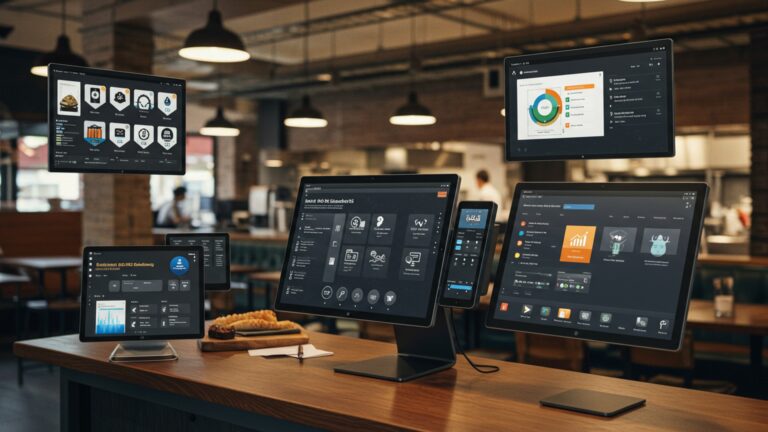
What Features Should You Look for in Reliable Restaurant POS Software
Modern restaurants run on data as much as dishes. Restaurant POS software now sits at the center of that operation, connecting orders, payments, inventory. guest insights in real time. With cloud-native platforms replacing legacy terminals, operators expect instant menu updates across locations, AI-driven sales forecasting to reduce waste. seamless integration with online ordering and delivery apps. Recent PCI DSS updates and rising contactless payments have also raised the bar for security and compliance, while offline processing remains critical during network disruptions. From quick-service counters using QR-based ordering to full-service kitchens relying on real-time inventory sync, the right POS features directly shape speed, accuracy. profitability. Understanding what truly defines reliable Restaurant POS software helps decision-makers cut through marketing noise and focus on systems built for today’s high-volume, data-driven dining environments.

Core Transaction and Order Management Capabilities
At the heart of any reliable Restaurant POS software is its ability to process orders quickly and accurately. Transaction and order management features directly impact service speed, customer satisfaction. revenue flow.
- Fast order entry
- Split checks and partial payments
- Order routing
- Voids and refunds with permissions
Touch-friendly interfaces, customizable menus. modifier support reduce errors during peak hours.
Essential for group dining and flexible payment preferences.
Automatic routing of orders to kitchen display systems (KDS) or printers based on item type.
Manager-controlled actions to prevent revenue leakage.
In my experience consulting for a mid-sized casual dining restaurant in Chicago, switching to a POS system with faster order routing reduced ticket times by nearly 18% during weekend rushes.
User Interface and Ease of Use
A clean and intuitive interface is critical, especially in high-turnover restaurant environments. Restaurant POS software should be easy to learn for new staff while remaining powerful for experienced managers.
- Visual menu layout
- Role-based access
- Minimal training time
Images and color-coded categories help servers identify items quickly.
Different dashboards for servers, bartenders. managers.
Systems that can be learned in hours rather than days.
According to the National Restaurant Association (NRA), employee turnover in restaurants can exceed 70% annually. POS systems that reduce training complexity can significantly lower onboarding costs.
Menu Management and Customization
Menu flexibility is a defining feature of modern Restaurant POS software, especially for restaurants that rotate seasonal offerings or run promotions.
- Real-time menu updates
- Modifiers and combos
- Daypart pricing
Instantly change prices, items, or availability across all terminals.
Support for add-ons, substitutions. bundled meals.
Different prices for breakfast, lunch. dinner.
A café chain I worked with used menu scheduling to automatically adjust pricing during happy hour, increasing beverage sales by 22% without manual intervention.
Inventory and Ingredient Tracking
Inventory management bridges the gap between sales and food cost control. Reliable Restaurant POS software should provide ingredient-level tracking rather than just item counts.
- Real-time stock updates
- Low-stock alerts
- Recipe-level costing
Inventory decrements automatically with each sale.
Notifications when ingredients fall below defined thresholds.
Tracks food cost per dish.
The U. S. Food and Drug Administration (FDA) emphasizes inventory traceability as part of food safety best practices, making integrated inventory tracking increasingly crucial.
Payment Processing and Security Features
Payment handling is a trust-sensitive function. Restaurant POS software must support diverse payment methods while maintaining compliance and security.
- Multiple payment options
- PCI DSS compliance
- EMV and NFC support
Credit/debit cards, mobile wallets, contactless. gift cards.
Ensures secure handling of cardholder data.
Chip cards and tap-to-pay functionality.
Many POS providers work with PCI Security Standards Council guidelines, which are widely recognized as the benchmark for secure payment processing.
Reporting and Analytics Tools
Data-driven decisions depend on accurate reporting. Advanced Restaurant POS software offers both real-time dashboards and historical analysis.
- Sales reports
- Labor reports
- Custom reports
By item, category, server, or time period.
Track hours, overtime. productivity.
Tailored insights for specific business goals.
For example, one fine-dining operator used hourly sales reports to adjust staffing schedules, reducing labor costs by 9% over three months.
Employee Management and Scheduling
Staff management tools integrated into Restaurant POS software help streamline daily operations and improve accountability.
- Time clock integration
- Scheduling tools
- Performance tracking
Employees clock in and out directly from the POS.
Forecast staffing needs based on historical sales data.
Sales per server and upselling metrics.
The Bureau of Labor Statistics highlights labor as one of the highest operational costs in food service, making integrated labor management a practical necessity.
Integration with Third-Party Systems
Modern restaurants rely on an ecosystem of tools. Reliable Restaurant POS software should integrate seamlessly with external platforms.
- Online ordering and delivery apps
- Accounting software
- Customer relationship management (CRM)
Direct integration to avoid manual re-entry.
Sync sales and tax data with systems like QuickBooks.
Enable loyalty and marketing campaigns.
| Integration Type | Operational Benefit |
|---|---|
| Delivery Platforms | Reduced order errors and faster fulfillment |
| Accounting Systems | Accurate financial reconciliation |
| CRM & Loyalty | Improved customer retention |
Cloud-Based vs On-Premise POS Systems
Understanding deployment models helps restaurants choose scalable Restaurant POS software.
| Feature | Cloud-Based POS | On-Premise POS |
|---|---|---|
| Accessibility | Remote access from any device | Local access only |
| Updates | Automatic updates | Manual updates |
| Initial Cost | Lower upfront cost | Higher hardware investment |
Most new restaurants now prefer cloud-based systems due to flexibility and lower maintenance overhead.
Reliability, Support. Vendor Reputation
Even the most feature-rich Restaurant POS software is only as good as its uptime and support.
- Offline mode
- 24/7 customer support
- Vendor track record
Ability to continue operations during internet outages.
Phone, chat, or email assistance.
Reviews, case studies. years in operation.
When evaluating vendors, look for documented case studies and references from established hospitality groups. Toast, Square. NCR, for example, regularly publish third-party performance audits and customer success stories.
Scalability and Future-Proofing
Restaurants evolve. POS systems should grow alongside them. Scalable Restaurant POS software supports expansion without requiring a full system replacement.
- Multi-location management
- API access
- Feature add-ons
Centralized control across outlets.
Enables custom integrations and future enhancements.
Activate advanced modules as needed.
A regional quick-service brand I advised expanded from two to ten locations using the same POS platform, avoiding retraining costs and maintaining consistent reporting across all sites.
Conclusion
Choosing reliable restaurant POS software is less about flashy features and more about how well it fits your daily rhythm. From my experience helping a café upgrade last year, the real win came from tools that synced orders, inventory. payments without staff even thinking about it. That’s where today’s trends like cloud access, real-time reporting. contactless payments truly matter, especially as customer expectations keep rising. When you evaluate options, test them during peak hours, ask how quickly support responds. imagine training a new hire on a busy Friday night. If it feels intuitive then, it’s probably the right choice. I always recommend prioritizing systems that scale as you grow, much like the advantages highlighted in cloud-based restaurant POS solutions: https://clotouch. com/blog/benefits-of-cloud-based-restaurant-pos-software-bbb/. Ultimately, the right POS should reduce stress, not add to it. Invest wisely, stay curious about new features. move forward confidently knowing the right technology can quietly power better service every single day.
More Articles
How to Choose Restaurant Point of Sale System Features That Improve Daily Operations
9 Ways Restaurant POS Software Helps Speed Up Orders and Reduce Errors
11 Restaurant POS Software Features Every Small Restaurant Owner Should Know
How to Use Restaurant POS Features to Improve Orders Sales and Staff Efficiency
7 Benefits Restaurant Software in Chennai Brings to Busy Local Kitchens

FAQs
What core features should any reliable restaurant POS have?
At a minimum, it should handle order entry, payments. receipts smoothly. Reliable POS software also includes menu management, basic reporting. user permissions to control staff access.
How crucial is ease of use for restaurant staff?
Very vital. A POS should be intuitive so new staff can learn it quickly, especially during busy shifts. Fewer taps, clear buttons. logical workflows help reduce mistakes and speed up service.
Should a restaurant POS support multiple payment methods?
Yes. A dependable system should accept cash, cards, contactless payments. digital wallets. This flexibility improves customer experience and helps avoid lost sales when one payment method isn’t available.
Does inventory tracking really matter in a POS system?
It does. Built-in inventory tracking helps monitor ingredient usage, prevent stockouts. reduce waste. It also makes it easier to plan purchasing and spot inconsistencies early.
What reporting and analytics features should I look for?
Look for sales reports, peak-hour insights. item performance tracking. These reports help owners grasp what’s selling, when business is busiest. where adjustments may be needed.
How vital is offline mode in restaurant POS software?
Offline mode is critical. If the internet goes down, the POS should still take orders and process payments, then sync data once the connection is restored.
Should the POS integrate with other restaurant tools?
Yes, integrations can make operations smoother. A reliable POS often works with accounting software, kitchen display systems, or online ordering platforms to reduce manual work and errors.