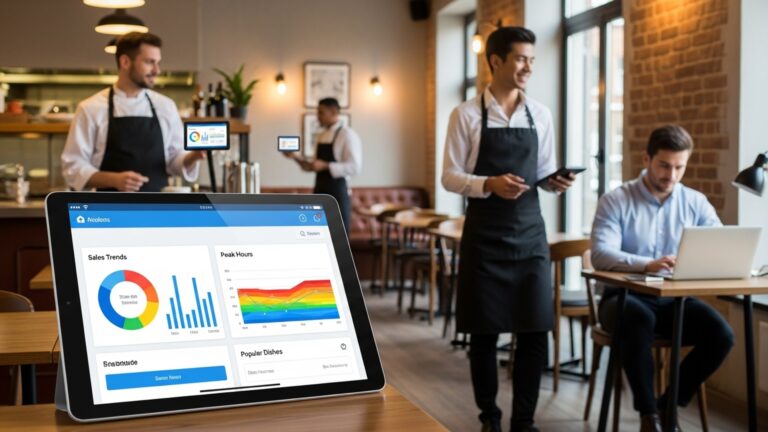
Discover Seven Essential Features Your Restaurant POS Software Must Offer Today
In today’s hyper-competitive dining scene, operational agility and an exceptional guest experience are non-negotiable. The right Restaurant POS software is no longer just for processing transactions; it’s the digital nervous system powering modern eateries, from quick-service to fine dining. With recent advancements in cloud-based solutions and AI-driven analytics, a truly effective POS system transcends basic order entry, offering critical insights into inventory, staff performance. customer preferences. Neglecting key functionalities means missing opportunities for streamlined service, enhanced data security. proactive decision-making in a landscape increasingly defined by contactless service and integrated third-party platforms.
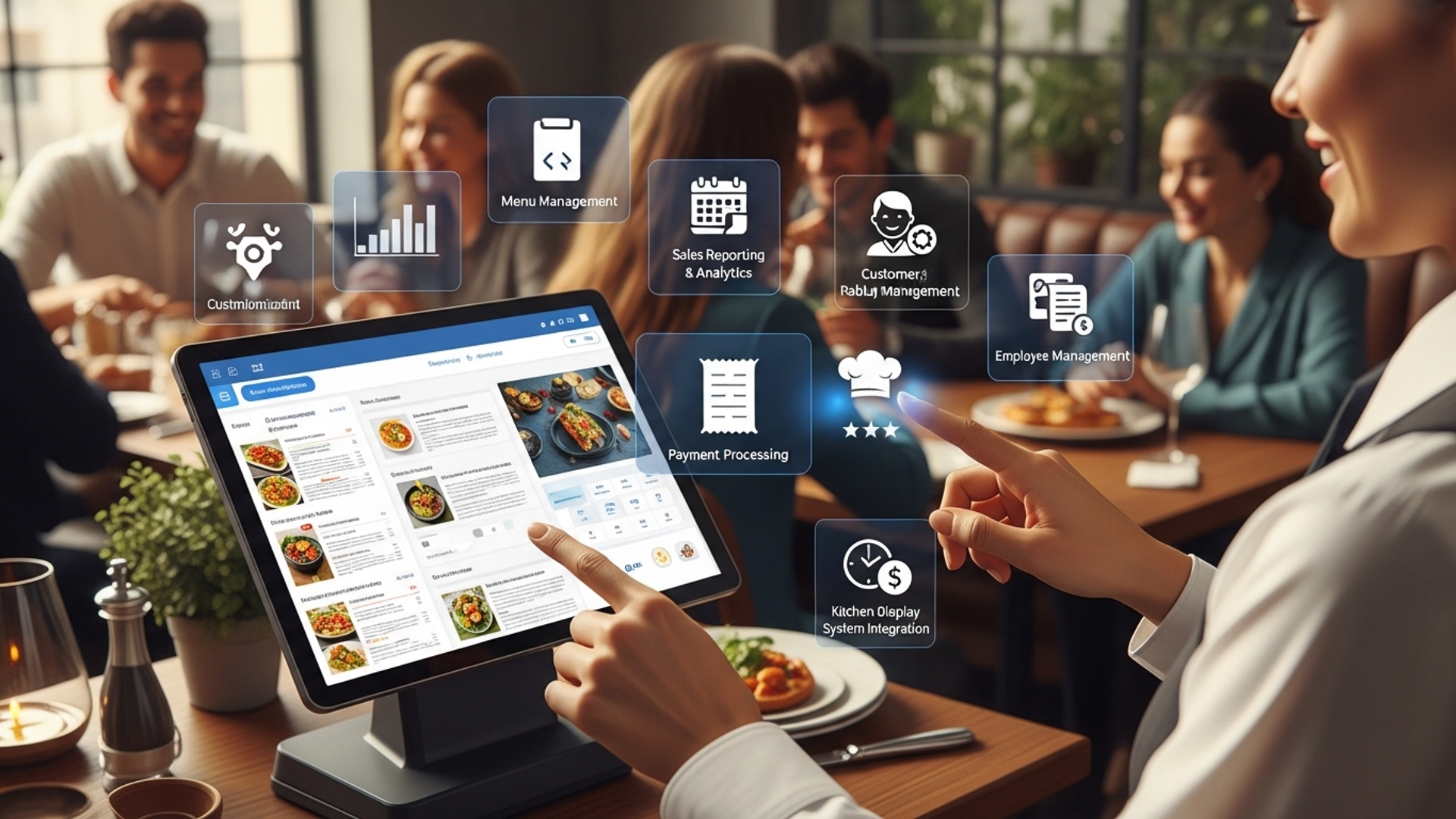
1. Intuitive Order Management and Table Layout for Seamless Service
In the fast-paced world of hospitality, an efficient order management system is the backbone of any successful establishment. Your Restaurant POS software must offer an intuitive interface that streamlines the entire ordering process, from taking customer requests to sending them to the kitchen. This isn’t just about speed; it’s about accuracy and reducing errors that can cost time and money. frustrate customers.
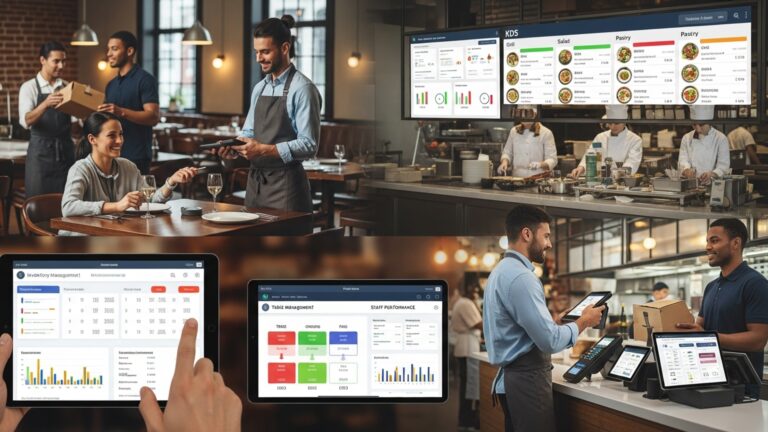
A top-tier POS system will feature a graphical table layout, allowing staff to visualize the restaurant floor plan, manage reservations. track table status (seated, ordered, eating, paid). This visual management prevents double-bookings, helps optimize table turnover. enables servers to focus on guest experience rather than fumbling with paper tickets.
- Visual Table Management
- Modifier and Customization Handling
- Kitchen Display System (KDS) Integration
Easily drag-and-drop orders between tables, split checks. manage reservations directly from a dynamic floor plan.
Accurately capture special requests (e. g. , “no onions,” “extra sauce”) to ensure kitchen staff prepare dishes exactly as ordered, reducing food waste and improving customer satisfaction.
Orders are instantly routed to the relevant kitchen stations. KDS helps kitchen staff prioritize tasks, track order timings. ensures all dishes for a single table are ready simultaneously. This significantly improves kitchen efficiency and speed of service.
Imagine a busy Friday night. A server takes an order on a handheld device. The order for “Steak, medium-rare, no garlic butter” appears instantly on the KDS in the grill station. The drink order goes to the bar KDS. This coordinated effort minimizes human error, speeds up service. keeps the kitchen running like a well-oiled machine.
When evaluating POS solutions, ask for a live demo focusing on order entry speed, customization options. KDS integration. Test it in a simulated busy environment to assess its real-world performance.
2. Robust Inventory Management to Control Costs
Managing inventory is one of the biggest challenges and opportunities for cost savings in the restaurant industry. An effective Restaurant POS software goes beyond just sales; it provides a comprehensive inventory management module that tracks every ingredient, dish. beverage from delivery to consumption. This feature is crucial for minimizing waste, preventing theft. optimizing purchasing.
A robust system will allow you to:
- Track Ingredient Levels
- Recipe Management
- Vendor Management & Purchase Orders
- Waste Tracking
Automatically deduct ingredients from inventory as dishes are sold. Set par levels and receive alerts when stock runs low, prompting timely reorders.
Define precise recipes with ingredient quantities. This ensures consistency in dish preparation and accurate cost calculation per plate. For example, if your burger uses 150g of beef, the system deducts that amount from your beef stock every time a burger is sold.
Streamline the ordering process with preferred vendors, track delivery schedules. manage invoices, all within the same system.
Log spoiled, dropped, or returned items to gain a clear picture of waste and identify areas for improvement in operations or training.
According to industry reports, food costs typically represent 28-35% of a restaurant’s total revenue. Without precise inventory control, this percentage can quickly escalate. A study by the National Restaurant Association highlighted that businesses utilizing advanced inventory systems reported up to a 5% reduction in food waste.
// Example Recipe Costing in POS Inventory Module
Dish: "Classic Burger"
Ingredients: - Beef Patty (150g): $1. 50 - Brioche Bun (1 unit): $0. 40 - Lettuce (20g): $0. 10 - Tomato (1 slice): $0. 15 - Cheese (1 slice): $0. 25 - Sauce (30ml): $0. 20
Total Ingredient Cost: $2. 60 Selling Price: $12. 00
Food Cost Percentage: ($2. 60 / $12. 00) 100 = 21. 67%
Prioritize a POS system that offers real-time inventory updates and detailed recipe costing. This transparency will empower you to make data-driven decisions on pricing, menu engineering. purchasing, directly impacting your bottom line.
3. Integrated Online Ordering and Delivery Management
In today’s digital age, online ordering and delivery are no longer optional – they are essential revenue streams. Your restaurant POS software needs to seamlessly integrate with your online presence, allowing customers to place orders directly from your website or a dedicated app. for those orders to flow straight into your kitchen.
This integration eliminates manual data entry, reducing errors and saving staff time. Key aspects include:
- Direct Website/App Integration
- Menu Synchronization
- Delivery Driver Management
- Third-Party Aggregator Integration
Customers order directly, avoiding third-party commission fees that eat into profits.
Your online menu automatically updates to reflect current stock levels and pricing from your POS inventory. If an item is out of stock, it’s removed from the online menu.
Track driver availability, assign orders. monitor delivery status in real-time, improving efficiency and customer communication.
While minimizing reliance on them, seamless integration with platforms like Uber Eats or DoorDash can consolidate all orders into a single POS interface, simplifying operations.
“The Local Pizzeria” saw a 30% increase in takeout sales after implementing a POS with integrated online ordering. They significantly reduced errors from phone orders and were able to manage their own delivery fleet more effectively, saving thousands in third-party commissions annually.
Look for a POS that offers white-label online ordering capabilities, allowing you to brand the experience. Ensure it provides robust reporting on online sales channels to grasp performance and customer behavior.
4. Advanced Reporting and Analytics for Strategic Insights
Data is the new currency for businesses. restaurants are no exception. A truly valuable Restaurant POS software isn’t just for transactions; it’s a powerful business intelligence tool. It should provide advanced reporting and analytics capabilities that transform raw sales data into actionable insights, helping you make informed strategic decisions.
Essential reports include:
- Sales Performance
- Labor Cost Analysis
- Inventory Variance
- Customer Insights
Track daily, weekly. monthly sales by item, category, server. time of day. Identify peak hours, best-selling dishes. underperforming menu items.
Monitor labor costs against sales, identify staffing inefficiencies. optimize schedules.
Compare theoretical inventory usage (based on sales) with actual inventory counts to identify discrepancies, potential waste, or theft.
comprehend purchasing habits, average check size. peak visiting times (especially when integrated with CRM).
Comparison: Basic vs. Advanced Reporting
| Feature | Basic POS Reporting | Advanced POS Reporting |
|---|---|---|
| Sales Data | Total sales, sales by item | Sales by item, category, server, time of day, profit margin, year-over-year comparison |
| Labor Metrics | Employee clock-in/out times | Labor cost percentage, overtime tracking, shift performance, labor vs. sales analysis |
| Inventory Insights | Current stock levels | Recipe costing, ingredient usage tracking, waste tracking, variance reporting, vendor performance |
| Customization | Limited predefined reports | Customizable report builders, drill-down capabilities, export options (CSV, PDF) |
Don’t settle for basic sales reports. Seek a POS that offers customizable dashboards, real-time data access (perhaps via a mobile app). the ability to export data for deeper analysis. These insights are critical for menu engineering, promotions. operational adjustments.
5. Seamless Payment Processing and EMV Compliance
Modern customers expect fast, secure. flexible payment options. Your Restaurant POS software must offer seamless integration with various payment processors and support the latest payment technologies. This ensures smooth transactions, reduces wait times. protects your business and customers from fraud.
- Integrated Payment Processing
- EMV Chip Card Support
- Contactless Payments (NFC)
- Gift Card and Loyalty Program Integration
- Split Payment Options
Payments are processed directly through the POS, eliminating the need for separate terminals and manual entry, reducing errors and speeding up checkout.
Essential for fraud prevention. EMV (Europay, MasterCard. Visa) chip cards create unique transaction codes for each purchase, making them incredibly difficult to counterfeit. Non-compliance can leave your business liable for fraudulent transactions.
Support for tap-to-pay options like Apple Pay, Google Pay. other Near Field Communication (NFC) methods is crucial for convenience and hygiene.
Process digital and physical gift cards. allow customers to redeem loyalty points directly at the point of sale.
Allow customers to split bills easily by item or by an amount, accommodating group dining.
According to Visa, EMV chip card adoption has led to a more than 80% decrease in counterfeit fraud at chip-enabled merchants since its introduction. Investing in compliant payment processing isn’t just about convenience; it’s about protecting your business from financial risk.
When choosing a POS, inquire about its integrated payment processor options, transaction fees. whether the hardware is fully EMV and NFC compliant. Prioritize a solution that offers competitive rates and robust security features.
6. Customer Relationship Management (CRM) and Loyalty Programs
Building a loyal customer base is paramount for long-term success. Your Restaurant POS software can be a powerful tool for fostering these relationships by incorporating CRM capabilities and robust loyalty programs. This allows you to grasp your customers better and reward them for their continued patronage.
- Customer Database
- Loyalty Programs
- Personalized Marketing
- Feedback Collection
Collect and store customer insights such as names, contact details, order history. preferences. This data can be invaluable for personalized marketing.
Implement points-based systems, tiered rewards, or special discounts for repeat customers. The POS should automatically track points accumulation and redemption.
Use customer data to send targeted promotions (e. g. , a birthday discount, a special offer on their favorite dish). This can be integrated with email marketing platforms.
Some advanced POS systems allow for integrated customer feedback collection, helping you identify areas for improvement in service or menu offerings.
“When I ran my café, implementing a simple points-based loyalty program through our POS was a game-changer. We saw a 15% increase in repeat visits within six months. Being able to greet regulars by name and offer them their usual coffee order before they even asked, thanks to the CRM features, created a truly personal experience that kept them coming back.”
Look for a POS that makes it easy to enroll customers in loyalty programs and track their activity. The ability to segment customers based on their purchasing habits will allow you to run highly effective, targeted marketing campaigns.
7. Employee Management and Scheduling
Your staff are your greatest asset. managing them effectively is key to operational success. A modern Restaurant POS software should include comprehensive employee management features that simplify scheduling, time tracking. performance monitoring.
- Time and Attendance Tracking
- Shift Scheduling
- Performance Tracking
- Role-Based Permissions
Employees can clock in and out directly from the POS terminal, ensuring accurate payroll data and reducing time theft.
Create and manage employee schedules, assign roles. communicate shifts directly through the system. Some advanced systems even allow employees to swap shifts or request time off.
Monitor individual server performance, including sales per hour, average check size. tip reporting. This data can inform training needs and reward programs.
Assign different access levels to staff based on their roles (e. g. , servers can’t access financial reports, managers can). This enhances security and control.
// Example of Employee Shift Schedule (simplified view)
Manager Dashboard > Employee Management > Schedules Date: 2024-10-26
--------------------------------------------------
| Employee Name | Role | Shift Start | Shift End |
--------------------------------------------------
| Alice Smith | Server | 10:00 AM | 3:00 PM |
| Bob Johnson | Cook | 9:00 AM | 5:00 PM |
| Carol White | Server | 3:00 PM | 10:00 PM |
| David Green | Bartender| 5:00 PM | 11:00 PM |
--------------------------------------------------
Opt for a POS system that simplifies employee management, reducing administrative burden and empowering your team. Features like integrated scheduling and performance tracking are invaluable for optimizing labor costs and ensuring your restaurant is always adequately staffed with the right people.
Conclusion
Choosing the right restaurant POS software is more than just selecting a system; it’s about strategically empowering your entire operation. The seven essential features we’ve explored—from seamless order management to robust inventory control and insightful reporting—are not isolated functionalities but interconnected pillars supporting efficiency and guest satisfaction. In today’s dynamic culinary landscape, where trends like QR code ordering and integrated online delivery are commonplace, a modern, cloud-based POS ensures you stay competitive. My personal tip? Don’t settle for “good enough.” Take the time to demo several systems, focusing on how they truly simplify your daily workflow, much like upgrading from a flip phone to a smartphone transforms communication. A well-chosen POS isn’t merely an expense; it’s an investment that pays dividends through reduced waste, faster service. happier customers. Embrace this technological leap; your restaurant’s future success hinges on making an informed decision today.
More Articles
Streamline Operations 6 Key Benefits of Restaurant POS Software for Owners
How to Optimize Restaurant Table Management with a Modern POS System
How Does Restaurant POS Software Improve Customer Experience 5 Ways
Optimize Your Operations Five Essential Tips for Using Restaurant POS Software Effectively

FAQs
Why is having a modern POS system so vital for my restaurant right now?
A modern POS isn’t just for taking orders anymore. It’s crucial for streamlining operations, improving customer service, managing inventory. getting insights to boost your bottom line in today’s competitive market. It essentially acts as the central hub for your entire business.
What’s the big deal about order and table management features?
These features are game-changers! They let your staff take orders faster, send them directly to the kitchen, track table statuses. even split bills easily. This means less confusion, quicker service. ultimately, happier customers who don’t have to wait.
Can a POS really help me keep better track of my ingredients and stock?
Absolutely! A good POS offers robust inventory management. It tracks what you’re using, alerts you when stock is low. helps reduce waste and theft. This saves you money, ensures you never run out of popular dishes. makes ordering supplies a breeze.
What kind of payment options should I look for in a modern restaurant POS?
Look for flexibility. Your POS should handle all types of payments: credit/debit cards, mobile payments, gift cards. even contactless options like Apple Pay or Google Pay. Secure, fast processing is key for a smooth and satisfying checkout experience for your guests.
How can a POS help me interpret my restaurant’s performance better?
Modern POS systems come with powerful reporting and analytics tools. You can see sales trends, best-selling items, peak hours. even staff performance. This data helps you make smarter, data-driven decisions about your menu, staffing levels. marketing promotions.
Is online ordering integration a must-have feature these days?
Definitely! With more people ordering takeout and delivery, seamless online ordering integration is vital. It lets customers order directly from your website or app, sends orders straight to your kitchen. helps you manage deliveries efficiently. It’s a huge revenue stream you don’t want to miss.
How can a POS help me build customer loyalty and keep people coming back?
Many POS systems now include CRM and loyalty program features. You can capture customer data, offer rewards for frequent visits. send personalized promotions or birthday offers. This personal touch keeps your customers feeling valued and encourages them to return often.
What about managing my team with the POS software?
Excellent point! Good POS software often includes staff management tools. You can track clock-ins/outs, manage shifts, monitor sales performance per employee. even handle payroll prep. This makes your HR and scheduling tasks much simpler and more accurate.