How to Master Restaurant Table Management Using Your POS System
The relentless ballet of a busy restaurant floor often descends into disarray, with staff scrambling to seat guests, manage waitlists. optimize table turns, directly impacting profitability and guest satisfaction. In an era where digital efficiency defines operational excellence, traditional pen-and-paper methods simply cannot keep pace with dynamic demand or the sophisticated expectations of today’s diners. Modern restaurateurs now leverage robust restaurant POS with table management systems to transform this chaos into seamless service. These advanced platforms, far beyond simple seating charts, integrate real-time reservation data with walk-in queues, offering predictive analytics to minimize wait times and maximize revenue per available seat. Mastering these digital tools means not only streamlining operations, preventing bottlenecks during peak dinner rushes. also enhancing the entire guest journey from arrival to departure, ensuring every table contributes optimally to your bottom line.
Understanding the Core: What is Restaurant Table Management?
In the bustling world of gastronomy, efficient restaurant table management is the silent orchestrator behind every seamless dining experience. At its heart, table management is the strategic process of organizing, assigning. turning over tables within a restaurant to maximize seating capacity, optimize server workflow. ultimately enhance guest satisfaction. Historically, this often involved a host or hostess juggling a paper reservation book, a physical floor plan. a mental tally of occupied tables, clean tables. waiting parties. This manual approach, while sometimes charmingly traditional, was prone to human error, slow updates. limited scalability, especially during peak hours.
Today, the landscape has dramatically shifted. Modern table management transcends simple seating arrangements; it’s about dynamic real-time control over your entire dining floor. It encompasses everything from handling reservations and managing waitlists to tracking table status, assigning servers. even analyzing performance metrics. The goal remains the same: to ensure every guest is seated efficiently, every server is optimally utilized. every table generates maximum revenue. This evolution is powered by technology, specifically integrated into a robust restaurant POS with table management system.
The Powerhouse: Your Restaurant POS with Table Management System
A Point of Sale (POS) system is the central nervous system of any modern restaurant operation, handling transactions, inventory. order processing. But, a truly advanced restaurant POS with table management extends far beyond these core functions. It integrates a comprehensive suite of tools specifically designed to streamline and automate your front-of-house operations, turning a potentially chaotic dining room into a well-oiled machine.
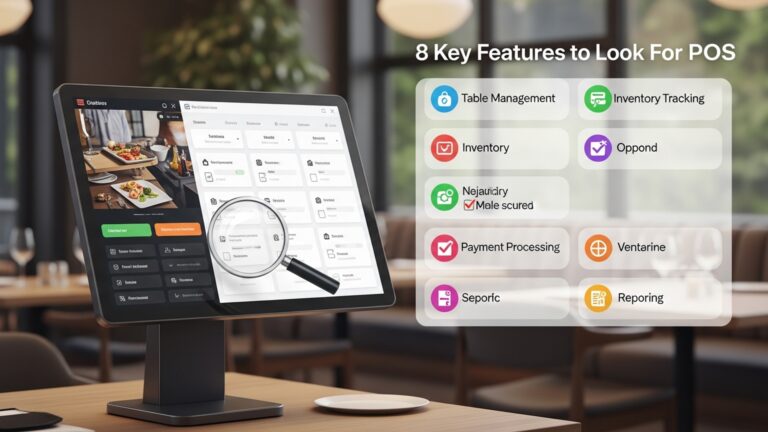
The table management features within a modern POS system offer a digital, interactive floor plan that mirrors your physical restaurant layout. This visual representation allows staff to see, at a glance, the status of every table: whether it’s occupied, waiting to be cleaned, ready for seating, or reserved. This real-time visibility is invaluable, eliminating guesswork and significantly speeding up the seating process. Key functionalities include:
- Table Status Tracking
- Reservation Management
- Waitlist Management
- Server Assignment & Rotation
- Guest Profiles
Instant updates on whether a table is occupied, available, dirty, or reserved.
Digital booking, tracking. confirmation capabilities, often integrated with online booking platforms.
Efficiently managing walk-in guests, estimating wait times. sending automated notifications.
Fairly distributing tables among staff, preventing server overload. optimizing service.
Storing valuable customer data, including preferences, dietary restrictions. past orders, to personalize service.
Consider a busy Friday night: without a sophisticated restaurant POS with table management, the host might struggle to remember who is next on the waitlist, which tables are about to pay. which server is free. With an integrated POS, all this data is at their fingertips, enabling swift decisions and a smooth flow of guests.
Key Features of an Advanced Restaurant POS with Table Management
To truly master table management, understanding the specific features offered by advanced POS systems is crucial. These functionalities are designed to address common pain points and unlock new levels of efficiency and customer satisfaction.
Interactive Floor Plans
The cornerstone of any effective table management system is an interactive, customizable digital floor plan. This isn’t just a static image; it’s a dynamic representation of your restaurant layout, allowing you to:
- Visualize Real-time Status
- Drag-and-Drop Functionality
- Customization
Tables change color or display icons to indicate their current state (e. g. , green for available, red for occupied, yellow for dirty).
Easily seat guests by dragging their party from a waitlist or reservation directly to an available table.
Recreate your exact floor plan, including different sections (bar, patio, main dining room), table shapes. capacities. You can even adapt it for special events.
For example, a host can quickly identify a deuce (two-person table) that’s about to open up, even while tracking a six-top (six-person table) that just sat down.
Reservation Management
Gone are the days of deciphering illegible handwriting in a paper reservation book. Modern restaurant POS with table management systems offer robust reservation tools:
- Online Booking Integration
- Capacity Management
- Special Request Tracking
- Automated Reminders
Seamlessly connect with popular online reservation platforms, allowing guests to book 24/7.
Prevent overbooking by setting availability limits based on table capacity and kitchen throughput.
Note dietary restrictions, special occasions, or preferred seating directly within the booking.
Send SMS or email confirmations and reminders to reduce no-shows.
A personal anecdote: I once worked at a bistro where a large party’s reservation was mistakenly written down for the wrong day. The resulting chaos was a nightmare. A digital system would have flagged the discrepancy immediately and sent automated confirmations, preventing the issue entirely.
Waitlist Management
For restaurants that don’t primarily take reservations or experience high walk-in traffic, efficient waitlist management is vital to retaining customers:
- Accurate Wait Time Estimates
- SMS Notifications
- Queue Prioritization
Leverage historical data and real-time table turnover rates to provide realistic wait times.
Text guests when their table is ready, freeing them to wait comfortably elsewhere (e. g. , at the bar or outside).
Easily reorder parties, merge tables, or accommodate special requests on the fly.
Table Status Tracking
This feature offers granular control and visibility, ensuring no table sits idle longer than necessary:
- Clear Indicators
- Time Tracking
- Busser Integration
Visual cues for “seated,” “ordering,” “food served,” “needs cleaning,” and “available.”
Monitor how long each table has been in a particular status, helping identify bottlenecks.
Some systems allow bussers to update table status (e. g. , from “dirty” to “clean”) directly from a mobile device, expediting turnover.
Server Assignment & Rotation
Fair and efficient server assignment is key to staff morale and optimal service delivery:
- Automatic Rotation
- Section Management
- Workload Balancing
Distribute new tables evenly among available servers, preventing specific servers from being overloaded while others are idle.
Assign servers to specific sections of the dining room.
Hosts can see each server’s current table count and status, making informed decisions when seating new guests.
Reporting & Analytics
The data generated by your restaurant POS with table management system is a goldmine for operational insights:
- Table Turnover Rates
- Peak Hour Analysis
- No-Show Rates
- Server Performance
grasp average dining times for different table sizes and times of day.
Identify busiest periods to optimize staffing and kitchen efficiency.
Track reservation no-shows to refine booking policies or overbooking strategies.
examine individual server efficiency and table management skills.
These reports provide actionable takeaways, allowing managers to make data-driven decisions that improve profitability and guest experience.
Implementing and Optimizing Your Restaurant POS with Table Management
Bringing a new restaurant POS with table management system online and maximizing its potential requires careful planning and execution. It’s not just about installing software; it’s about integrating it into your daily operations and culture.
Initial Setup: Tailoring the System to Your Restaurant
The first step is to configure the system to accurately reflect your restaurant’s unique environment:
- Customizing Floor Plans
- Setting Up Table Capacities and Types
- Integrating Online Reservation Platforms
- Configuring Waitlist Parameters
Work with your POS provider to create an exact digital replica of your dining room. This includes placing tables, defining sections. ensuring accurate capacity counts. Pay attention to details like table numbers, unique table names (e. g. , “Window Booth 1”). any outdoor seating areas.
Clearly define the maximum seating for each table and categorize them (e. g. , “2-top,” “4-top,” “Booths,” “High-tops”). This helps with efficient seating and reservation management.
Connect your POS with any third-party reservation services you use. Ensure seamless data flow so that online bookings automatically appear on your digital floor plan and vice versa.
Set up default wait times, notification templates (e. g. , “Your table at [Restaurant Name] is ready! Please check in with the host.”). any specific rules for managing your waitlist.
This initial setup phase is critical. A well-configured system acts as a true extension of your restaurant’s physical layout and operational flow.
Staff Training: Empowering Your Team
Even the most advanced restaurant POS with table management is only as good as the team using it. Comprehensive training is non-negotiable:
- Hands-on Practice
- Role-Specific Training
- Troubleshooting Common Issues
- “Why” Behind the “How”
Conduct multiple training sessions where staff can actively use the system. Create mock scenarios for seating guests, taking reservations, managing waitlists. assigning servers.
Tailor training for different roles. Hosts need to master floor plan navigation, reservations. waitlists. Servers should comprehend how their tables are assigned and how to update table status. Managers need to know how to access reports and troubleshoot.
Equip staff with basic troubleshooting steps. For example, what to do if a tablet loses connection or if a reservation needs to be quickly modified. Emphasize who to contact for technical support.
Explain the benefits of the new system – how it reduces stress, improves tips (for servers). enhances guest satisfaction. This helps foster buy-in and enthusiastic adoption.
A restaurant manager once told me that the biggest hurdle wasn’t the technology itself. getting his long-term staff to switch from their ingrained paper-based habits. He overcame this by hosting a “POS Olympics” with friendly competitions and rewards for the fastest and most accurate users, turning training into an engaging experience.
Workflow Integration: Seamless Operations
The goal is to integrate the POS system so smoothly that it becomes an intuitive part of daily operations:
- Host/Hostess Workflow
- Server Workflow
- Kitchen Communication
- Busser Workflow
The host’s station should be equipped with a dedicated terminal or tablet. Their workflow should start with checking reservations/waitlist on the POS, viewing the interactive floor plan for available tables, seating guests with a simple drag-and-drop. updating table status.
Servers should be trained to quickly update their tables (e. g. , “ordering,” “served,” “check requested”) using a handheld device or main terminal. This real-time feedback loop is essential for the host.
While primarily a front-of-house tool, the efficiency gained from table management indirectly benefits the kitchen by ensuring a steady, predictable flow of orders, preventing sudden rushes or lulls.
If applicable, integrate bussers into the system, allowing them to mark tables as “cleaned” when ready, significantly accelerating turnover.
Real-World Impact: Case Studies and Best Practices
The theoretical benefits of a restaurant POS with table management truly come alive when observed in action. These systems are not just about convenience; they drive tangible improvements in efficiency, profitability. guest experience.
Case Study 1: Increased Turnaround Time at “The Urban Bistro”
The Urban Bistro, a popular downtown eatery known for its quick lunch service, was struggling with long wait times and inconsistent table turnover. Their manual system led to hosts often losing track of which tables were about to finish or which were clean. After implementing a new restaurant POS with table management system with real-time table status updates and busser integration, they saw remarkable results. Within three months, their average table turnover time during peak lunch hours decreased by 18%. This meant they could seat more guests, generate more revenue. significantly reduce customer complaints about waiting. The data from the POS also highlighted that 2-top tables had the fastest turnover, leading them to reconfigure their floor plan to include more of these during lunch.
Case Study 2: Enhanced Customer Experience at “Gastronomy Haven”
Gastronomy Haven, a fine-dining restaurant, prided itself on impeccable service but faced challenges with managing its waitlist for walk-in guests during busy evenings. Guests often felt ignored or had to constantly check back with the host. By adopting a restaurant POS with table management system that included automated SMS waitlist notifications, they transformed the waiting experience. Guests could now relax in the lounge or take a short stroll, receiving a text when their table was ready. This subtle change led to a 25% increase in positive online reviews mentioning “efficient wait times” and “great communication,” directly impacting their reputation and repeat business.
Best Practices for Mastering Your System
To replicate such successes, consider these best practices:
- Regularly Update Floor Plans
- Leverage Data for Peak Hour Management
- Empower Hosts with Mobile POS Devices
- Integrate with CRM for Personalized Guest Experiences
- Encourage Staff Feedback
If you reconfigure your dining room for a special event or seasonal change, ensure your digital floor plan is immediately updated. Outdated layouts can lead to confusion.
Dive into your POS analytics. Identify your busiest times, average dining durations. popular table types. Use this data to optimize staffing levels and pre-assign reservations more effectively during high-demand periods.
Providing hosts with tablets or mobile POS terminals allows them to manage tables, reservations. waitlists from anywhere on the floor, improving responsiveness and guest interaction.
Link your table management data with customer relationship management (CRM) features. This allows you to remember guest preferences (e. g. , “prefers window seat,” “allergic to nuts”), making every visit feel personalized and special.
Regularly solicit input from your front-of-house team on how the system is working. They are on the front lines and can identify areas for improvement or additional training.
Troubleshooting Common Challenges and Maximizing ROI
While a restaurant POS with table management system offers tremendous advantages, implementing new technology always comes with potential hurdles. Anticipating and addressing these challenges proactively is key to maximizing your return on investment (ROI).
Challenge 1: System Adoption Resistance
Staff, especially those accustomed to manual methods, may resist adopting a new system due to fear of the unknown, perceived complexity, or an unwillingness to change established routines.
- Emphasize Benefits
- Provide Extensive Training
- Identify and Empower Champions
- Phased Rollout
Clearly communicate how the system will make their jobs easier, reduce stress, improve accuracy. potentially lead to better tips (for servers) due to increased efficiency.
As mentioned, hands-on, role-specific training is crucial. Offer refresher courses and create easily accessible cheat sheets or video tutorials.
Select tech-savvy staff members to be “super-users” or “champions.” They can help train peers, answer questions. provide positive reinforcement.
If possible, introduce features gradually rather than overwhelming staff with everything at once.
Challenge 2: Data Overload
Modern POS systems generate a vast amount of data. Managers might feel overwhelmed by the sheer volume of reports and struggle to extract actionable insights.
- Focus on Key Metrics
- Customize Reports
- Regular Review Schedule
- Seek Expert Guidance
Identify the 3-5 most vital KPIs (Key Performance Indicators) for your restaurant’s goals (e. g. , table turnover rate, average wait time, server utilization). Focus on these first.
Work with your POS provider to customize dashboards and reports that highlight the details most relevant to your decision-making.
Set a consistent schedule (e. g. , weekly or monthly) for reviewing key reports. This prevents data from piling up and ensures timely adjustments.
If available, consult with your POS provider’s support team or a restaurant consultant to help interpret data and identify trends.
Challenge 3: Technical Glitches and Downtime
Like any technology, POS systems can experience technical issues, internet outages, or software bugs, which can disrupt operations and create stress.
- Choose a Reliable Vendor
- Ensure Robust Internet Connectivity
- Implement Backup Procedures
- Regular Maintenance and Updates
Invest in a POS system from a reputable provider known for robust technology and excellent customer support. Check reviews and ask for references.
A stable and fast internet connection is paramount for cloud-based systems. Have a backup internet solution (e. g. , a cellular hotspot) ready.
grasp how your system operates offline (if applicable) and have manual backup plans for critical functions like taking orders or processing payments in case of a complete system failure.
Ensure your system is regularly updated and maintained according to the vendor’s recommendations to prevent bugs and ensure optimal performance.
Maximizing ROI from Your Restaurant POS with Table Management
The investment in a sophisticated restaurant POS with table management system can yield significant returns when fully utilized:
- Reduced Labor Costs
- Increased Revenue
- Improved Guest Satisfaction and Loyalty
- Data-Driven Decision Making
- Enhanced Operational Control
By automating tasks like reservation tracking and waitlist management, staff can focus on guest interaction rather than administrative duties, potentially reducing the need for additional host/hostess hours during peak times.
More efficient table turnover means seating more guests, especially during busy periods. Better waitlist management prevents lost customers. Optimized server assignments lead to faster service and potentially higher check averages.
Seamless seating, accurate wait times, personalized service. fewer errors all contribute to a superior dining experience, encouraging repeat visits and positive word-of-mouth.
The analytics provided by the system empower managers to make informed decisions about staffing, menu engineering. operational improvements, directly impacting the bottom line.
A clear, real-time overview of your dining room allows managers to quickly identify and address bottlenecks, optimize workflows. maintain a consistent level of service quality.
Mastering your restaurant POS with table management is an ongoing process of learning, optimizing. adapting. By embracing its features, training your team effectively. leveraging the data it provides, you can transform your restaurant’s operational efficiency and elevate the dining experience for every guest.
Conclusion
Mastering restaurant table management through your POS system isn’t merely about assigning seats; it’s about strategically optimizing your entire guest flow and operational efficiency. Leverage features like dynamic floor plans and real-time waitlist integration to not only minimize guest waiting times but also maximize table turnover, ensuring a seamless experience for every diner. My personal tip: dedicate fifteen minutes weekly to review your POS’s table analytics. This proactive approach allows you to interpret peak usage patterns, identify potential bottlenecks. fine-tune your seating strategy, transforming reactive problem-solving into predictive guest satisfaction. This is a clear trend in modern hospitality, moving far beyond traditional methods. Embrace your POS as the command center for an optimized dining experience, empowering your team and ultimately delighting every customer. For more insights on maximizing your POS, consider exploring Master 8 Ways Restaurant POS Software Improves Operational Efficiency Daily.
More Articles
How to Streamline Restaurant Table Management with a Powerful POS System
10 Smart Ways Restaurant POS Software Can Improve Your Customer Service Today
How To Choose The Best Restaurant POS System Essential Features Guide
Avoid 6 Common Restaurant POS Software Problems with These Simple Solutions
10 Smart Strategies to Optimize Your Restaurant POS System Guide
FAQs
What’s the biggest way my POS system can actually help me run my restaurant tables better?
Your POS system gives you a real-time, visual map of your entire floor plan. You can instantly see which tables are open, seated, ordering, eating, or ready for the bill. This makes communication super clear for your staff and helps avoid any seating mix-ups.
How does a POS help with managing waitlists and reservations effectively?
Many modern POS systems have integrated waitlist and reservation features. You can easily add guests to a digital waitlist, estimate wait times. even send SMS notifications when their table is ready. For reservations, it helps you track bookings, avoid double-booking. prepare for busy periods, all from one spot.
Can my POS help my servers work faster and avoid mistakes when seating guests?
Absolutely! Servers can quickly check the POS to see which tables are clean and available, preventing them from trying to seat guests at dirty tables or sending multiple parties to the same spot. It streamlines the whole seating process, making it much smoother and faster for everyone.
What about splitting large parties or merging tables? Is that easier with a POS?
Yes, definitely. Your POS system allows for easy table merging and splitting directly on the digital floor plan. This means you can quickly accommodate larger groups by combining tables or split a large table into multiple smaller ones if needed, all while keeping orders and bills perfectly organized.
How can a POS help me optimize table turnover and seat more people during peak hours?
By giving you a clear, instant view of every table’s status, your POS helps identify tables that are lingering or ready to be bussed. This allows your team to prioritize cleaning and resetting tables faster, reducing empty table time and maximizing your seating capacity during busy times, ultimately leading to more covers.
Does my POS system offer any insights or reports that can improve my table management long-term?
Many systems provide valuable reports on table turnover rates, average dining times. even which seating areas are most popular. Analyzing this data can help you make informed decisions about your floor plan layout, staffing levels. operational strategies to continuously improve efficiency and guest experience.
What if a guest needs to move tables after they’ve already ordered? Can my POS handle that smoothly?
Yes, moving orders from one table to another is usually a simple task within your POS. You can easily transfer an open check and all associated items to a new table number without having to re-enter anything, ensuring a seamless experience for both the guest and your staff, even in unexpected situations.