How to Choose the Right Restaurant POS with Table Management Features
In today’s fast-paced restaurant industry, selecting the right POS system with table management features is critical to streamlining operations and enhancing the customer experience. A robust restaurant POS with table management goes beyond basic billing by offering tools like real-time table tracking, optimized seating arrangements. detailed analytics to improve efficiency and reduce wait times. With the increasing demand for contactless dining and digital integrations, modern systems now support features like QR code ordering and seamless kitchen communication, making them indispensable for staying ahead in a competitive market. For instance, solutions like Toast and Square for Restaurants have recently introduced AI-driven capabilities that anticipate customer needs and maximize table turnover rates. By aligning your choice of POS system with your restaurant’s unique layout and service model, you can create a more organized, guest-focused atmosphere that drives revenue and elevates your brand’s reputation in an evolving dining landscape.

What Is a Restaurant POS with Table Management?
A Restaurant POS (Point of Sale) with table management is a modern software solution that combines traditional POS capabilities with additional features to organize and optimize table layouts, reservations. customer service workflows. This integration allows restaurants to streamline their operations, reduce wait times. enhance the overall dining experience.
Key features typically include table mapping, real-time updates on table statuses, reservation management. tools to track customer preferences and dining history. Advanced systems may also integrate with kitchen display screens, payment gateways. inventory management software to provide seamless functionality.
Why Do You Need a Restaurant POS with Table Management Features?
Choosing a POS system with table management functionality plays a pivotal role in improving both the customer experience and the restaurant’s operational efficiency. Here are some compelling reasons:
- Enhanced dining experience through accurate table assignment and quicker service.
- Optimized table turnover rates during peak hours to maximize revenue.
- Streamlined communication between the front-of-house and kitchen staff.
- Real-time tracking of table availability and reservation statuses.
- Data-driven insights into customer preferences and dining trends.
For restaurants with limited seating or high customer turnover, a restaurant POS with table management is indispensable.
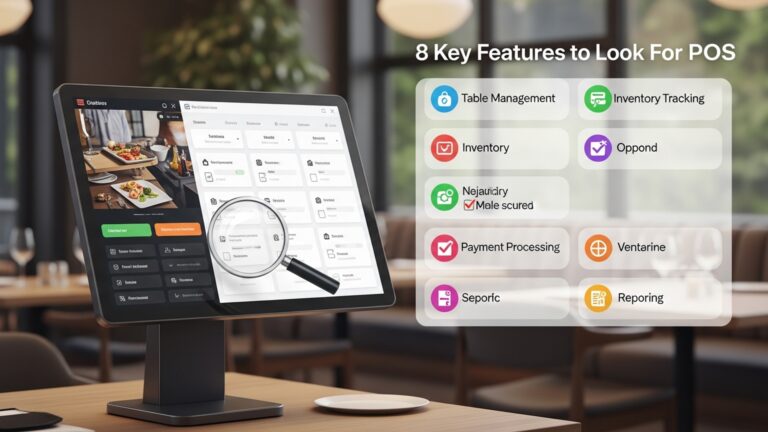
Key Features to Look for in a Restaurant POS with Table Management
When evaluating different POS systems, prioritize these critical features to ensure they meet your restaurant’s needs:
- Customizable Table Mapping
- Real-Time Table Status Updates
- Reservation Management
- Waitlist Management
- Integration with Kitchen Display Systems
- Split Billing and Payment Options
- Analytics and Reporting
Allows you to create a digital replica of your restaurant’s layout, distinguishing between tables, booths. bar seating for better visualization.
Provides instant insight into which tables are occupied, reserved, or available, helping staff make informed decisions quickly.
Integrates online booking tools for seamless tracking and management of reservations.
Helps you manage walk-ins by tracking who’s waiting and providing accurate wait time estimates.
Ensures accurate and efficient order communication from dining tables to the kitchen.
Simplifies the process for guests who wish to split bills or pay using different methods.
Provides insights into table turnover rates, customer preferences, peak hours. more for data-driven decision-making.
How to Evaluate a Restaurant POS with Table Management Features
To select the right restaurant POS with table management, follow these evaluation steps:
- Identify Your Needs
- Test User Friendliness
- Check for Scalability
- Verify Integration Capabilities
- Assess Customer Support
Consider factors like restaurant size, type (fast casual, fine dining, etc.) , average foot traffic. staff skills.
Ensure the system is intuitive to use for your staff, from front-of-house servers to the kitchen team.
Choose a system that can accommodate your future growth, whether through added features or higher data capacity.
Ensure the POS integrates seamlessly with other tools you use, such as online ordering platforms, payment processors, or accounting software.
A responsive and reliable support team is crucial for avoiding downtime during operational hours.
Real-World Use Cases of a Restaurant POS with Table Management
Here are some practical scenarios highlighting how a restaurant POS with table management can address common challenges:
- Fine Dining Restaurants
- Casual Dining Chains
- Restaurants with Reservations
A high-end restaurant with multiple seating zones can utilize table mapping to distinguish between indoor, outdoor. VIP seating areas. Real-time status updates ensure servers know which tables need attention, enhancing the guest experience.
For chains that handle a high volume of customers, features like waitlist management and split billing improve customer satisfaction and reduce wait times, leading to faster table turnovers.
With integrated reservation management, restaurants can minimize double bookings and ensure a smooth dining experience for guests who have made prior arrangements.
Comparing Popular Restaurant POS Systems with Table Management
| POS System | Main Features | Best For | Pricing |
|---|---|---|---|
| Square for Restaurants | Customizable floorplans, split checks, online ordering integration, analytics | Small to medium-sized restaurants | Starts at $60/month |
| Toast POS | Table management, kitchen display systems, flexible menu configurations | Full-service restaurants | Starts at $69/month |
| TouchBistro | Floor plan builder, employee management, offline mode | Restaurants and cafes | Starts at $69/month |
| Lightspeed Restaurant | Advanced reporting, multi-location support, inventory management | Large restaurants and chains | Starts at $59/month |
Questions to Ask POS Vendors
When communicating with POS vendors, ask the following questions to make an informed decision:
- Does the POS system support a customizable floor plan that matches my restaurant’s layout?
- Can the POS handle real-time table status updates and waitlist management?
- What integrations are available with other software like accounting tools, kitchen display systems. online ordering platforms?
- Is the system compatible with my existing hardware? If not, what new hardware will I need?
- What are the details of the subscription plan, including all additional costs like training, support, or transaction fees?
- What kind of support and training do you offer for onboarding new staff?
Best Practices for Implementing a Restaurant POS with Table Management
Once you’ve chosen your POS system, consider these implementation strategies for maximum impact:
- Train Staff Effectively
- Test Before Full Deployment
- Utilize Analytics
- Gather Customer Feedback
- Update Regularly
Provide comprehensive training to ensure staff can navigate the new system confidently and utilize all its features.
Run a soft launch to identify potential bugs or areas of improvement before fully committing.
Leverage data insights to refine operations, such as adjusting table arrangements or peak hour staffing.
Solicit feedback from staff and customers on how the system is impacting their experience and make adjustments accordingly.
Ensure your POS software is up-to-date to take advantage of the latest features and security improvements.
Conclusion
Choosing the right restaurant POS system with table management features is not just a technical decision—it’s a fundamental step toward enhancing customer satisfaction and operational efficiency. By evaluating your restaurant’s specific needs, you can pinpoint solutions that streamline table management, reduce wait times. empower your staff to deliver exceptional service. For example, leveraging systems with real-time table monitoring and intuitive reservation tools can create a seamless dining experience that matches current customer expectations for speed and convenience. Today’s trends in restaurant technology emphasize integration and adaptability. Modern POS systems offer features like mobile ordering and payment processing, which align with the growing demand for contactless and efficient solutions. During my own search for a POS system, I discovered how essential scalability was for handling peak hours without compromising service quality. The ability to track metrics such as turnover rates and customer preferences made a noticeable difference in optimizing my operations. As you make your choice, remember to look beyond the immediate features and prioritize platforms that provide ongoing support and updates. Innovation in POS technology is accelerating, so selecting a system that evolves with your business ensures long-term success. Stay motivated by focusing on the ultimate goal: delivering an unforgettable dining experience that turns first-time customers into loyal regulars.
More Articles
How to Master Table Management with the Right Restaurant POS System
How to Choose the Best Restaurant POS Features for Your Business
5 Ways Restaurant POS Software Can Boost Customer Satisfaction
5 Ways Restaurant POS Software Can Boost Profit and Cut Costs
5 Common Mistakes to Avoid When Choosing a Restaurant POS System

FAQs
Why is table management essential in a POS system?
Table management helps streamline operations, track seating arrangements. improves customer service by reducing wait times and confusion.
What features should I look for in a restaurant POS with table management?
Look for features like floor plan customization, table status tracking, reservation handling. integrations with kitchen and billing systems.
Can a table management POS work for small restaurants?
Yes, many POS systems with table management are scalable and designed to fit the needs of small and large restaurants alike.
How do I know if a POS is easy to use?
Check for user-friendly interfaces, customer reviews. whether the system offers training or support for staff.
Do I need software that supports online reservations?
If your restaurant takes bookings, a POS with online reservation integration will save time and simplify the process for both staff and customers.
Are cloud-based POS systems better for table management?
Cloud-based POS systems often offer flexibility, real-time updates. remote access, making them a popular choice for table management.
What should my budget be for a POS with table management?
The price varies widely. it’s crucial to balance your budget with the features you actually need for your restaurant.
How can a POS help reduce errors in table management?
A good POS minimizes errors by automating tasks like table tracking, order distribution. billing, ensuring smooth operations.