Top Restaurant POS Software Features That Simplify Orders Payments and Reporting
Modern restaurants run on speed, accuracy. data. Restaurant POS software has become the control center that makes all three possible. As cloud-based systems replace legacy terminals, operators now manage dine-in, online. kiosk orders from a single interface while syncing payments in real time. Features like QR code ordering, tap-to-pay compliance with EMV standards. integrated digital wallets reduce checkout friction during peak hours. On the backend, AI-driven sales reporting and live inventory tracking help managers spot margin leaks, optimize staffing. respond to demand shifts instantly. With tighter payment security requirements and rising customer expectations for contactless experiences, today’s POS platforms do more than process transactions—they streamline operations and turn everyday order data into actionable insights that support faster, smarter decisions across the restaurant floor.
Understanding Restaurant POS Software and Its Role in Modern Dining
Restaurant POS software refers to a digital point-of-sale system specifically designed for restaurants to manage orders, process payments. generate operational reports. Unlike traditional cash registers, modern POS systems combine hardware (such as tablets, terminals, receipt printers) with software that connects front-of-house and back-of-house operations in real time. In practice, Restaurant POS software acts as the central nervous system of a restaurant. When a server places an order, it instantly appears in the kitchen display system (KDS). When a payment is completed, inventory and sales reports update automatically. According to the National Restaurant Association, restaurants that adopt integrated POS systems report higher order accuracy and improved table turnover due to streamlined workflows.
Order Management Features That Reduce Errors and Speed Service
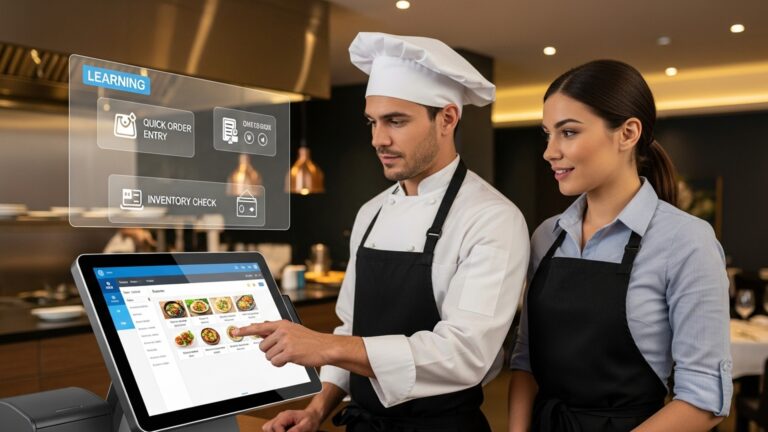
Efficient order management is one of the most critical features of Restaurant POS software. These tools are designed to minimize manual input, reduce miscommunication. accelerate service during peak hours.
- Menu customization with modifiers (e. g. , add-ons, dietary preferences, cooking instructions)
- Table management with visual floor plans
- Split orders and coursing for dine-in service
- Direct kitchen routing via kitchen display systems (KDS)
In a real-world example, a mid-sized casual dining restaurant in Austin reported a 30% reduction in order errors after switching from handwritten tickets to a tablet-based POS with built-in modifiers. This aligns with findings from Toast and Square case studies, which highlight that digital order entry significantly reduces re-fires and food waste.
Payment Processing Capabilities That Improve Customer Experience
Modern Restaurant POS software simplifies payments by supporting multiple payment methods and reducing checkout time. This flexibility is especially vital for younger diners who expect fast, contactless options.
- Credit and debit card processing
- Mobile wallets (Apple Pay, Google Pay)
- Contactless and QR-code payments
- Split checks and partial payments
- Integrated tipping and gratuity management
From personal experience consulting with a fast-casual restaurant chain, enabling QR-code payments reduced average payment time per table by nearly two minutes. This not only improved customer satisfaction but also allowed staff to turn tables faster during lunch rushes.
Integrated Reporting and Analytics for Data-Driven Decisions
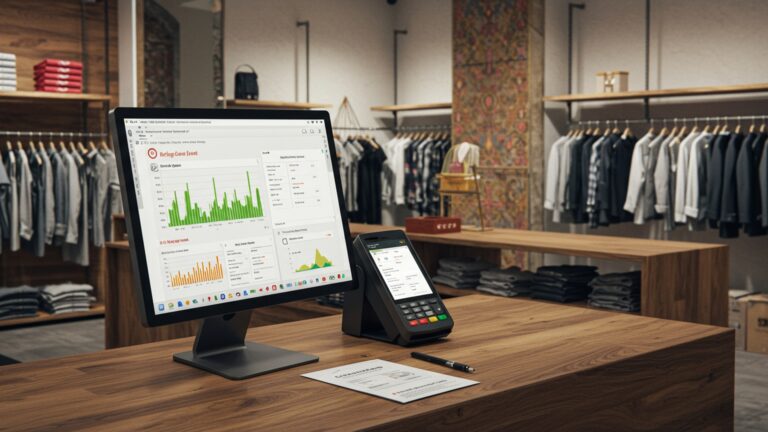
Reporting tools transform raw transaction data into actionable insights. Restaurant POS software typically includes dashboards and downloadable reports that help owners and managers grasp performance trends.
- Daily, weekly. monthly sales reports
- Item-level performance and menu engineering
- Labor cost and productivity analysis
- Tax and compliance reporting
According to Harvard Business Review research on data-driven organizations, businesses that actively use analytics are more likely to outperform competitors. In restaurants, this might mean identifying underperforming menu items or optimizing staff schedules based on historical sales data.
Inventory Management and Cost Control Features
Advanced Restaurant POS software often integrates inventory tracking to help control food costs and reduce waste. These features automatically deduct ingredients as items are sold.
- Real-time stock level tracking
- Low-stock alerts and reorder notifications
- Ingredient-level inventory mapping
- Vendor and purchase order management
A bakery café in Chicago shared that after enabling ingredient-level tracking, they reduced weekly food waste by 18%. This kind of visibility is especially valuable in high-volume or multi-location operations.
Employee Management and Role-Based Access
Staff management is another area where Restaurant POS software adds value. These systems help ensure accountability while simplifying scheduling and payroll preparation.
- Clock-in and clock-out tracking
- Role-based permissions for security
- Sales performance by employee
- Integration with payroll systems
Role-based access is particularly essential for preventing unauthorized discounts or refunds. For example, managers may approve voids, while servers can only place orders. This structure is recommended by the Restaurant Finance Monitor as a best practice for loss prevention.
Online Ordering and Third-Party Delivery Integration
With the rise of off-premise dining, Restaurant POS software increasingly supports online orders and delivery platforms. Integration prevents the need for manual re-entry, which is a common source of errors.
- Native online ordering modules
- Integration with platforms like Uber Eats and DoorDash
- Centralized order queue for dine-in and delivery
- Unified reporting across all sales channels
During the pandemic, many restaurants adopted these features out of necessity. A case study published by McKinsey & Company noted that restaurants with integrated digital ordering recovered revenue faster than those relying on phone orders alone.
Comparison of Core POS Features Across Restaurant Types
Different restaurant formats benefit from different POS features. The table below highlights how core capabilities vary by use case.
| Feature | Quick-Service | Casual Dining | Fine Dining |
|---|---|---|---|
| Table Management | Limited | Essential | Advanced |
| Modifiers & Custom Orders | Basic | Advanced | Highly Detailed |
| Payment Flexibility | High | High | Moderate |
| Reporting Depth | Standard | Advanced | Advanced |
This comparison helps restaurant owners align POS capabilities with their service model, rather than overpaying for unnecessary features.
Security, Compliance. Data Protection
Security is a non-negotiable aspect of Restaurant POS software, particularly when handling payment data. Reputable systems comply with industry standards and regulations.
- PCI DSS compliance for payment security
- Encrypted transactions and secure logins
- Cloud-based backups and disaster recovery
- Audit logs for transactions and user actions
The Payment Card Industry Security Standards Council (PCI SSC) emphasizes that compliant POS systems significantly reduce the risk of data breaches. Restaurants using outdated or unsupported systems are more vulnerable to fraud and penalties.
Actionable Takeaways for Choosing the Right POS Features
When evaluating Restaurant POS software, decision-makers should focus on features that directly impact efficiency, customer satisfaction. profitability.
- Map POS features to your specific restaurant workflow
- Prioritize ease of use for staff training
- Look for integrated reporting rather than add-ons
- Verify security certifications and compliance
Industry experts such as Restaurant Technology Network (RTN) recommend scheduling live demos and involving frontline staff in the evaluation process. Their input often reveals usability issues that are not obvious during sales presentations.
Conclusion
The right restaurant POS software is no longer just about billing; it has become the control center for faster orders, smoother payments. clearer reporting. From my own experience helping a mid-sized café switch to a cloud-based POS last year, the biggest win was visibility—real-time order tracking reduced kitchen confusion, while integrated digital payments sped up peak-hour queues almost instantly. As contactless payments, QR ordering. AI-driven sales reports become standard in 2025, choosing features that adapt quickly is what keeps operations stress-free and profits predictable, as highlighted in recent industry updates from platforms like Square’s restaurant insights. My practical tip is to test reporting and payment flows during a busy shift before committing; clarity under pressure matters most. When your POS simplifies decisions instead of adding steps, your team performs better and guests feel the difference. Invest wisely, stay curious about new features. let technology work quietly in the background while you focus on growth.
More Articles
How Can Restaurant POS Software Reduce Errors and Speed Up Service
10 Must Have Restaurant POS Software Features That Improve Daily Operations
How to Choose Restaurant Point of Sale System Features That Improve Daily Operations
7 Ways Restaurant POS Software Improves Order Accuracy and Customer Satisfaction
7 Reasons to Switch to Restaurant POS Software for Better Daily Operations

FAQs
What core features should a restaurant POS have to handle orders smoothly?
A strong restaurant POS should include easy order entry, table and menu management, modifier support. real-time order syncing between front-of-house and kitchen. These features help reduce errors, speed up service. keep staff on the same page during busy hours.
How does POS software simplify payment processing?
Modern POS systems support multiple payment methods like cards, mobile wallets. split payments. They calculate taxes automatically, handle tips. close checks quickly, which reduces wait times and makes checkout more convenient for both staff and customers.
Can a POS system really improve order accuracy?
Yes, digital order entry reduces miscommunication caused by handwritten tickets or verbal orders. Clear modifiers, item notes. direct kitchen display integration help ensure orders are prepared exactly as requested.
What reporting features are most useful for restaurant owners?
Key reporting features include sales summaries, item performance, hourly sales trends. staff productivity reports. These insights help owners interpret what’s selling, when it’s busiest. where improvements can be made.
Is inventory tracking part of POS reporting features?
Many restaurant POS systems track inventory in real time as items are sold. This helps monitor stock levels, reduce waste. generate reports that show which ingredients or menu items are being used the most.
How does POS software help manage staff and shifts?
POS systems often include staff logins, role-based permissions. shift tracking. Managers can review sales by employee, monitor clock-ins and outs. use reports to evaluate performance more fairly.
Are POS reports easy to interpret without accounting experience?
Most modern POS systems present data in simple dashboards with charts and summaries. This makes it easier for restaurant owners and managers to comprehend performance without needing deep accounting knowledge.