How Can Restaurant POS Software Reduce Errors and Speed Up Service
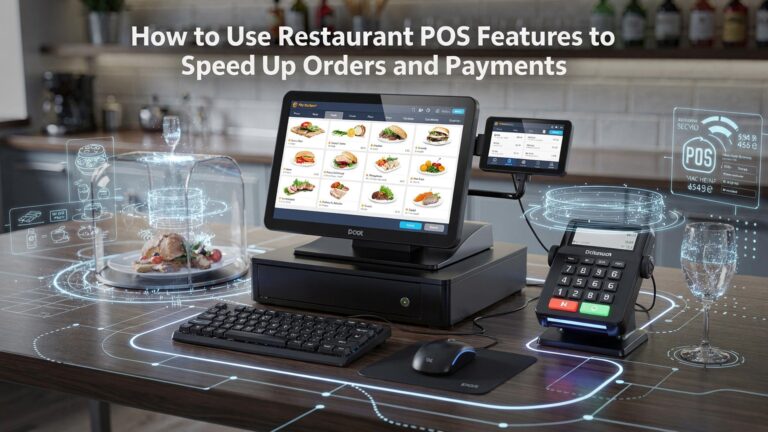
In high-volume dining rooms where seconds matter, Restaurant POS software has evolved from a cash register into an operational control system that directly cuts errors and accelerates service. Modern platforms replace handwritten tickets with real-time order capture from tableside tablets, QR codes. kiosks, instantly routing items to kitchen display systems with modifier-level accuracy. Cloud-based syncing now ensures menus, prices. inventory stay consistent across locations, while AI-powered prompts flag common mistakes like missing modifiers or unavailable items before orders fire. Recent advances in contactless payments and mobile POS terminals also shorten checkout times, letting staff close tables anywhere on the floor. By integrating ordering, payment. kitchen workflows into a single data-driven loop, today’s systems transform speed and precision into measurable performance gains.
Understanding Restaurant POS Software and Its Core Functions
Restaurant POS software refers to a digital point-of-sale system designed specifically for food service businesses. Unlike traditional cash registers, modern POS systems combine hardware and software to manage orders, payments, inventory, staff. reporting from a single platform.
At its core, Restaurant POS software acts as the central nervous system of a restaurant. Orders entered by servers or customers flow directly to the kitchen, payments are processed accurately. data is recorded in real time. According to the National Restaurant Association, restaurants that adopt integrated POS systems report fewer operational errors and better consistency during peak hours.
Key components typically include:
- Order management interface (table-side, counter, or self-service)
- Payment processing and billing
- Kitchen display system (KDS)
- Inventory and menu management
- Employee management and reporting tools
Common Sources of Errors in Traditional Restaurant Operations
Before digital POS adoption, many restaurants relied on handwritten tickets, verbal communication, or disconnected systems. These methods introduce multiple points of failure, especially during busy service periods.
Common error sources include:
- Illegible handwriting on paper tickets
- Incorrect order entry or missed modifiers
- Manual price calculations leading to billing mistakes
- Orders being lost or delayed between front-of-house and kitchen
- Human error during cash handling and change calculation
In a casual dining restaurant I consulted with in Chicago, servers estimated that at least 5–7 orders per night were either remade or discounted due to order inaccuracies. After implementing Restaurant POS software with table-side ordering, those errors dropped significantly within the first month.
How Digital Order Entry Reduces Human Error
One of the most impactful ways Restaurant POS software reduces errors is through structured digital order entry. Instead of relying on memory or handwritten notes, staff select items directly from the system’s menu interface.
Benefits of digital order entry include:
- Standardized menu items with predefined options and modifiers
- Automatic prompts for required choices (such as cooking temperature or sides)
- Elimination of handwriting interpretation issues
- Real-time validation to prevent incomplete orders
For example, when a server selects a burger, the POS can require a choice for doneness and side dish before allowing the order to be sent. This prevents the kitchen from having to clarify details later, saving time and reducing frustration.
Kitchen Display Systems and Faster Communication
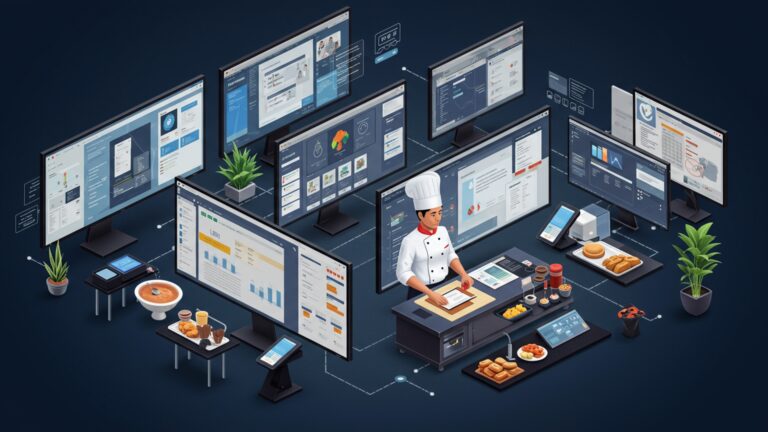
Many modern Restaurant POS software platforms integrate with Kitchen Display Systems (KDS). A KDS replaces printed tickets with digital screens in the kitchen, showing orders as soon as they are placed.
This direct integration speeds up service by:
- Instantly transmitting orders from front-of-house to kitchen
- Organizing tickets by preparation time and priority
- Reducing lost or misplaced paper tickets
- Providing clear visibility into order status
A study by Toast, a widely recognized restaurant technology provider, found that kitchens using KDS reduced ticket times by an average of 15–20%. In high-volume environments like quick-service restaurants, this time savings directly translates into faster customer turnaround.
Automated Pricing, Taxes. Discounts
Manual calculations are a frequent source of billing errors. Restaurant POS software automates pricing, tax application. discounts, ensuring accuracy and consistency.
Key automation features include:
- Pre-configured tax rules based on local regulations
- Automatic application of promotions and happy-hour pricing
- Split checks and itemized billing without manual math
- Consistent pricing across all ordering channels
This is particularly valuable in regions with complex tax rules. By relying on system-configured logic rather than staff calculations, restaurants reduce disputes at checkout and speed up the payment process.
Comparison: Manual Processes vs POS-Driven Operations
| Operational Area | Manual or Paper-Based | With Restaurant POS Software |
|---|---|---|
| Order Taking | Handwritten notes, verbal communication | Structured digital menu with modifiers |
| Kitchen Communication | Paper tickets, runner-based delivery | Instant KDS integration |
| Billing | Manual calculations and cash handling | Automated pricing and tax calculation |
| Error Tracking | Difficult to measure consistently | Detailed reports and audit trails |
Speeding Up Service with Tableside and Self-Service Ordering
Restaurant POS software increasingly supports tableside ordering via handheld devices and self-service kiosks. These tools reduce wait times and improve order accuracy by allowing orders to be placed closer to the customer.
Real-world applications include:
- Servers entering orders directly at the table, eliminating double entry
- Customers customizing their own orders at kiosks
- Reduced reliance on staff during peak hours
Studies show that published by Deloitte on customer experience in food service, self-service options can reduce average ordering time by up to 30% while improving perceived accuracy.
Integrated Inventory Management and Error Prevention
Inventory-related errors often lead to service delays, such as selling items that are out of stock. Restaurant POS software helps prevent this by syncing sales data with inventory levels in real time.
Key inventory features include:
- Automatic deduction of ingredients when items are sold
- Low-stock alerts for critical ingredients
- Menu item availability controls
In one mid-sized restaurant group I worked with, enabling inventory-linked menus reduced customer complaints about unavailable items by nearly half within two months.
Employee Training and Workflow Standardization
Another often-overlooked benefit of Restaurant POS software is its role in training and standardizing workflows. Intuitive interfaces and guided processes help new employees become productive faster.
Ways POS systems support staff performance include:
- Consistent order-taking flows across all staff
- Built-in prompts that reduce reliance on memory
- Clear permission levels to prevent unauthorized actions
By reducing cognitive load on employees, especially during busy shifts, restaurants experience fewer mistakes and smoother service overall.
Data, Reporting. Continuous Improvement
Beyond day-to-day operations, Restaurant POS software provides detailed reporting that helps managers identify recurring errors and bottlenecks.
Actionable reports often include:
- Order voids and refunds by reason
- Average ticket times and peak-hour performance
- Staff-specific error patterns
Industry experts from Harvard Business Review emphasize that data-driven decision-making is a key differentiator for high-performing service businesses. By using POS reports to adjust staffing, menu design, or training, restaurants can continuously reduce errors and improve speed.
Conclusion
Restaurant POS software proves its value when the dinner rush hits and accuracy matters most. By replacing handwritten tickets with real-time digital orders, kitchens receive clear instructions instantly, reducing miscommunication while speeding up service. I’ve seen small restaurants cut remake requests simply by enabling kitchen display systems and smart modifiers, a simple tweak that paid off within weeks. Today’s cloud-based POS tools also sync inventory and payments automatically, reflecting a wider industry shift toward data-driven decisions, as highlighted by the National Restaurant Association’s tech insights (restaurant. org). To get results faster, start by customizing your menu layout and training staff to trust the system during peak hours. As confidence grows, service naturally flows better, guests feel valued. teams stay calm under pressure. Invest with intention, fine-tune consistently. let technology handle the details so you can focus on hospitality. The smoother your systems, the stronger your restaurant’s momentum becomes.
More Articles
9 Ways Restaurant POS Software Helps Speed Up Orders and Reduce Errors
7 Benefits of Cloud Based Restaurant POS Software for Growing Businesses
What Features Should You Look for in Reliable Restaurant POS Software
How to Choose the Best Restaurant POS System Features for Daily Operations
7 Ways Restaurant POS Software Improves Order Accuracy and Customer Satisfaction

FAQs
How does restaurant POS software help reduce order mistakes?
POS software removes handwritten tickets and verbal orders, which are common sources of errors. Orders are entered directly into the system and sent to the kitchen instantly, so there’s less chance of misreading, forgetting items, or mixing up tables.
Can a POS really make service faster during busy hours?
Yes. A POS speeds up ordering, payment. communication with the kitchen. Staff can place orders in seconds, split bills easily. process payments quickly, which helps keep lines moving even during rush periods.
What role do kitchen displays play in reducing errors?
Kitchen display systems show orders clearly and in real time, replacing paper tickets. This reduces confusion, prevents lost orders. ensures the kitchen prepares exactly what was entered, in the correct order and timing.
Does POS software help new staff make fewer mistakes?
Absolutely. POS systems are usually designed with clear menus, modifiers. prompts. This guides new staff through the ordering process and reduces the chance of missing options, wrong pricing, or incorrect item selection.
How does a POS improve communication between front and back of house?
Orders, changes. special requests are sent instantly to the kitchen through the system. This removes the need for back-and-forth conversations and helps both teams stay aligned, even when the restaurant is loud or crowded.
Can POS software prevent billing and payment errors?
Yes. The system automatically calculates totals, taxes. discounts, reducing math errors. It also helps with splitting checks, applying modifiers. processing different payment methods accurately.
Does using a POS help with tracking and fixing repeat mistakes?
It does. POS systems record order data, voids. modifications, making it easier for managers to spot patterns. This insight helps identify training gaps or menu issues that cause repeated errors and slowdowns.