Optimize Your Operations Five Essential Tips for Using Restaurant POS Software Effectively
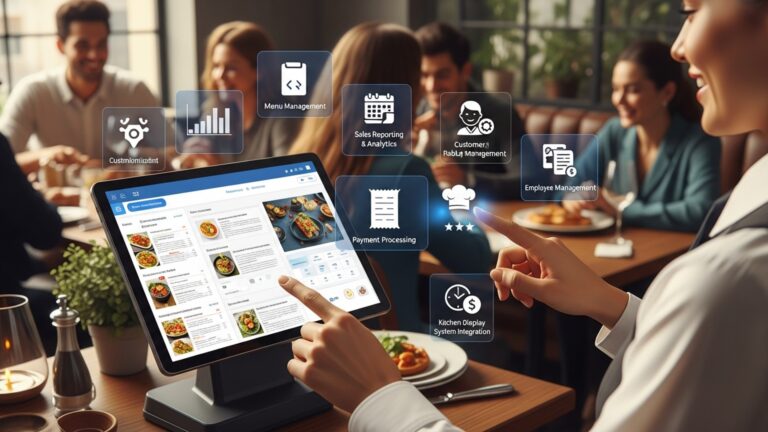
In today’s dynamic culinary landscape, optimizing every operational facet is critical for sustained profitability and exceptional guest satisfaction. At the core of this efficiency revolution sits advanced restaurant POS software, a system far more powerful than a simple cash register, acting as the operational backbone of your establishment. Modern POS technology now integrates real-time inventory management, seamless order customization. granular sales analytics, yet many restaurants only tap into a fraction of these capabilities. Mastering these sophisticated functionalities unlocks unprecedented control, transforming daily challenges into strategic advantages and elevating overall business performance.

Streamlining Order Management and Customer Flow
In the fast-paced world of hospitality, efficient order management is the backbone of a successful restaurant. Modern Restaurant POS software is designed to transform this critical process, moving beyond simple transaction processing to become a comprehensive operational hub. Effective utilization of your point-of-sale system means optimizing every touchpoint from the moment a customer places an order to when they receive their meal.
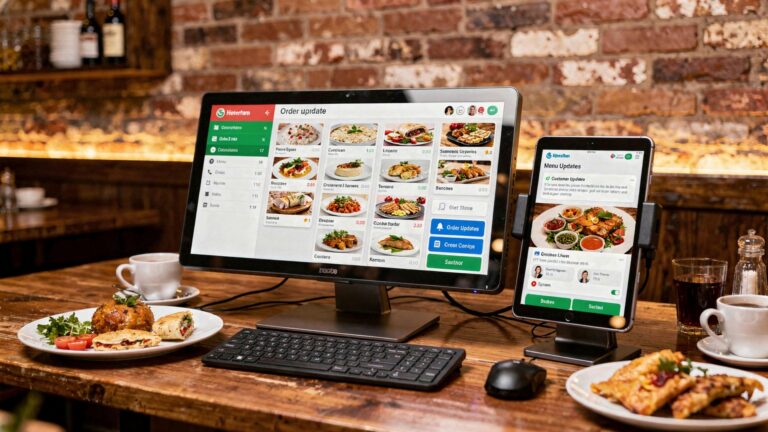
One of the most immediate benefits of leveraging your POS system is the dramatic improvement in order accuracy and speed. Consider a bustling Friday night service: without a robust system, handwritten orders can lead to miscommunications between front-of-house and kitchen staff, resulting in frustrated customers and wasted food. With a well-implemented POS, orders are instantly transmitted to the kitchen display system (KDS) or printers, minimizing errors and expediting preparation times.
- Digitalize Order Taking
- Customize Your Menu
- Implement a Kitchen Display System (KDS)
Train staff thoroughly on taking orders directly on handheld devices or stationary terminals. This eliminates handwriting errors and speeds up the entire process.
Ensure your POS menu accurately reflects all current offerings, modifiers. special requests. This reduces confusion and ensures accurate pricing.
A KDS integrates seamlessly with your POS, displaying orders clearly to kitchen staff, prioritizing dishes. tracking preparation times. This significantly enhances kitchen efficiency and communication.
For instance, a coffee shop owner recently shared how their new Restaurant POS software helped them reduce order errors by 30% within the first month. “Before, baristas would sometimes mishear complex coffee orders,” she explained. “Now, with orders punched directly into the POS, the kitchen display shows exactly what’s needed, even for intricate customizations like ‘oat milk, extra shot, no foam latte.'” This not only saved on remakes but also significantly improved customer satisfaction during peak hours.
Mastering Inventory and Waste Reduction
Controlling costs is paramount in the restaurant industry. inventory management is often where significant savings or losses occur. Your Restaurant POS software is an invaluable tool for precise inventory tracking, helping you minimize waste, prevent theft. optimize purchasing decisions. Many traditional restaurants struggle with manual inventory counts, which are prone to human error and can be incredibly time-consuming, leading to inaccurate stock levels and unexpected shortages or overstocking.
A sophisticated POS system provides real-time insights into your stock levels. When an item is sold through the POS, the system automatically deducts the ingredients used from your inventory. This automated process, when set up correctly, gives you an accurate picture of what you have on hand at any given moment.
- Recipe Management Integration
- Set Up Vendor Management
- Conduct Regular Audits
Input detailed recipes into your POS system, linking each menu item to its specific ingredients and quantities. This ensures accurate deduction from inventory with every sale.
Use your POS to track vendor data, order history. pricing. Some systems even offer automated reordering based on predefined par levels, streamlining your supply chain.
While the system automates deductions, regular physical inventory counts (e. g. , weekly or bi-weekly) are crucial to reconcile against the digital records and identify discrepancies due to waste, spoilage, or theft.
Consider the case of “Mama Mia’s Pizzeria,” a local eatery that struggled with inconsistent food costs. By integrating their POS system’s inventory module, they discovered they were over-ordering certain expensive cheeses and under-ordering popular vegetables. After implementing detailed recipe tracking and automated stock deductions via their Restaurant POS software, they reduced food waste by 15% and saw a 5% increase in their profit margins within six months, simply by having a clearer picture of their ingredient usage.
Leveraging Data for Strategic Decision-Making
Beyond transactions and inventory, your POS system is a goldmine of operational data. Effectively utilizing this data allows you to move from reactive management to proactive strategic planning. Many restaurant owners overlook the powerful reporting capabilities embedded within their POS software, missing out on crucial insights that can drive growth and efficiency.
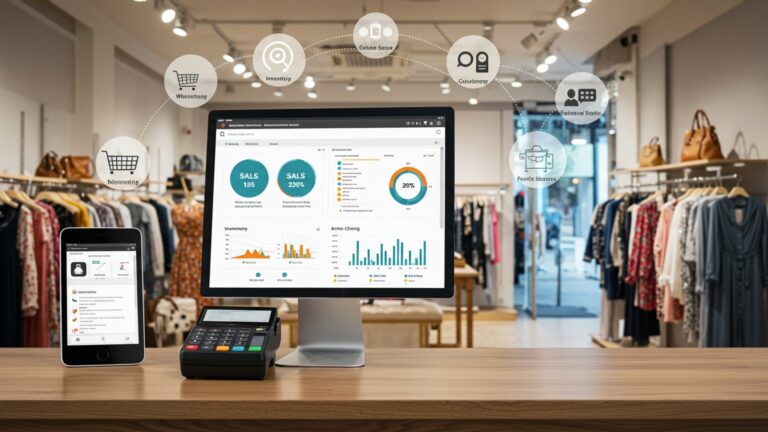
Your POS collects data on sales trends, peak hours, popular menu items, staff performance. more. Analyzing these reports can reveal patterns that inform menu engineering, staffing schedules, marketing campaigns. even future expansion plans.
- Regular Sales Analysis
- comprehend Staff Performance
- Identify Menu Opportunities
Schedule daily, weekly. monthly reviews of sales reports. Identify your top-performing dishes, slowest movers. peak revenue times.
Utilize reports that track individual staff sales, tips. shift performance. This can inform training needs, incentive programs. scheduling adjustments.
Use sales data to identify items that are popular but have low-profit margins, or items that are high-profit but rarely sell. This data is critical for effective menu engineering.
For example, a casual dining establishment noticed through their POS reports that their dessert sales consistently dipped on weekdays but surged on weekends. By analyzing this, they decided to introduce a weekday “lunch special” that included a complimentary small dessert, boosting weekday dessert sales by 20% and increasing overall lunch traffic. This kind of data-driven decision-making is only possible when you actively engage with your POS system’s reporting features.
Enhancing Customer Relationships and Loyalty Programs
In today’s competitive market, customer loyalty is more valuable than ever. Your POS software isn’t just for processing payments; it’s a powerful tool for building and nurturing customer relationships. Many restaurants focus solely on transactional aspects, missing the opportunity to capture valuable customer data and foster repeat business.
Modern POS systems often include integrated customer relationship management (CRM) features. These allow you to collect customer contact insights, track their purchase history, note preferences. manage loyalty programs. This data enables personalized marketing efforts and ensures a more tailored dining experience.
- Build a Customer Database
- Implement a Loyalty Program
- Personalize Marketing
Encourage staff to collect customer names, email addresses. birthdays during the checkout process. Ensure your POS system facilitates easy data entry and storage.
Utilize your POS system’s loyalty features to reward repeat customers. This could be a points-based system, tiered rewards, or special discounts after a certain number of visits.
Use the collected data to send targeted promotions (e. g. , a birthday discount, special offers on a customer’s favorite dish, or updates on events they might be interested in).
A family-owned Italian restaurant struggled to retain new customers despite excellent food. By integrating a loyalty program through their Restaurant POS software, they started offering a free appetizer after five visits. Within three months, they saw a 10% increase in repeat customers and were able to send personalized emails about new menu items based on past orders, strengthening their community connection.
Optimizing Staff Management and Performance
Your team is your greatest asset. effective staff management is crucial for operational excellence. Your POS software can significantly streamline scheduling, time tracking. performance monitoring, reducing administrative overhead and improving overall team efficiency. Many restaurants still rely on manual time cards and spreadsheets for scheduling, which are prone to errors and consume valuable management time.
Integrated employee management modules within your POS system can track clock-ins and clock-outs, calculate wages, manage breaks. even provide insights into individual staff performance based on sales data. This not only ensures accurate payroll but also helps identify top performers and areas where additional training might be needed.
- Utilize Time Clock Features
- Integrate Scheduling Tools
- Monitor Performance Metrics
Implement the POS system’s time clock functionality for accurate tracking of employee hours, eliminating manual time cards and reducing payroll discrepancies.
Many POS systems offer or integrate with scheduling tools that allow you to create and distribute schedules digitally, manage shift swaps. track labor costs in real-time.
Regularly review staff performance reports (e. g. , average table turn time, sales per hour, upselling rates) to provide targeted feedback and identify training opportunities.
A popular bistro used to spend hours each week manually calculating employee hours and tips. After switching to a POS system with integrated staff management, they reduced payroll processing time by 75%. The manager noted, “We now have real-time data on who’s clocked in and out. the system automatically calculates tips. This frees up so much time for me to focus on guest experience and staff training, rather than administrative tasks.” This demonstrates how a well-utilized Restaurant POS software can be a cornerstone of efficient human resource management.
Conclusion
Effectively leveraging your restaurant POS software transcends mere transaction processing; it transforms into your operations’ digital pulse. The true value emerges when you move beyond basic input and actively engage with its capabilities, using it as a strategic tool for growth. Dedicate a weekly slot to dive into those analytics, identifying your busiest hours for optimal staffing, or spotting menu items that fly off the digital shelves. From my experience, the real magic happens when you see your POS not just as a billing machine. as a robust data engine that offers real-time insights into every facet of your business, from inventory turns to customer preferences. Embrace continuous staff training, ensuring everyone understands how to maximize features like integrated online ordering or loyalty programs, crucial in today’s competitive landscape. By consistently optimizing your POS utilization, you’re not just streamlining daily tasks; you’re actively working to improve staff and customer experience, fostering efficiency and profitability. Your restaurant’s future isn’t just about delicious food; it’s about smart operations and the powerful technology supporting every dish served.
More Articles
How Can Restaurant POS Software Improve Staff and Customer Experience
10 Smart Ways Restaurant POS Software Can Streamline Your Daily Operations
How to Leverage POS Software Features to Boost Restaurant Efficiency
Choose Wisely 7 Essential Features for Your Restaurant POS Software
Unlock Efficiency 10 Ways Your Restaurant POS Software Boosts Profits

FAQs
How essential is it to really train my staff on the POS system?
Super crucial! A well-trained team can process orders faster, reduce errors. give customers a smoother experience. It’s not just about knowing how to punch in an order. understanding its full capabilities to truly optimize your service.
My POS collects a lot of data; how can I actually use it to help my restaurant?
That data is gold! You can track popular dishes, peak hours, staff performance. inventory levels. Use these insights to optimize your menu, fine-tune staffing schedules, manage stock more efficiently. even shape your marketing efforts. It helps you make smarter business decisions.
Should my POS talk to other systems, like kitchen displays or inventory?
Absolutely! Integrating your POS with other systems like a Kitchen Display System (KDS) or inventory management streamlines your whole operation. Orders go straight to the kitchen, inventory updates automatically, reducing manual errors and improving speed and accuracy across the board.
Can I make the POS system fit my restaurant’s unique needs?
Definitely! Most modern POS systems are highly customizable. You can set up menus, apply various discounts, design table layouts. even define staff roles and permissions exactly how you need them. Tailoring it to your specific workflow makes it much more efficient for your team.
What’s the best way to handle menu changes and special offers in the POS?
Keep it updated regularly! Your POS should make it easy to add new items, modify prices, or schedule daily specials and promotions. An accurate and current menu in your system prevents confusion for both staff and customers, ensuring smooth order taking and billing.
What kind of reports should I be looking at from my POS?
Dive into your sales reports, labor costs, inventory usage. void/discount reports regularly. These show you where you’re making money, where you might be losing it. help you identify key trends. They’re crucial for understanding your restaurant’s financial health and making informed operational adjustments.
Do I really need to bother with software updates for my POS?
Yes, absolutely! Regular updates often bring new features, critical security enhancements. bug fixes that improve overall performance and protect your valuable data. Staying current ensures your system runs smoothly, securely. you get the most out of your investment.