How to Maximize Your Restaurant’s Efficiency With Key POS Features
- restaurant POS features
- POS software
Understanding the Power of Restaurant POS Features for Modern Operations
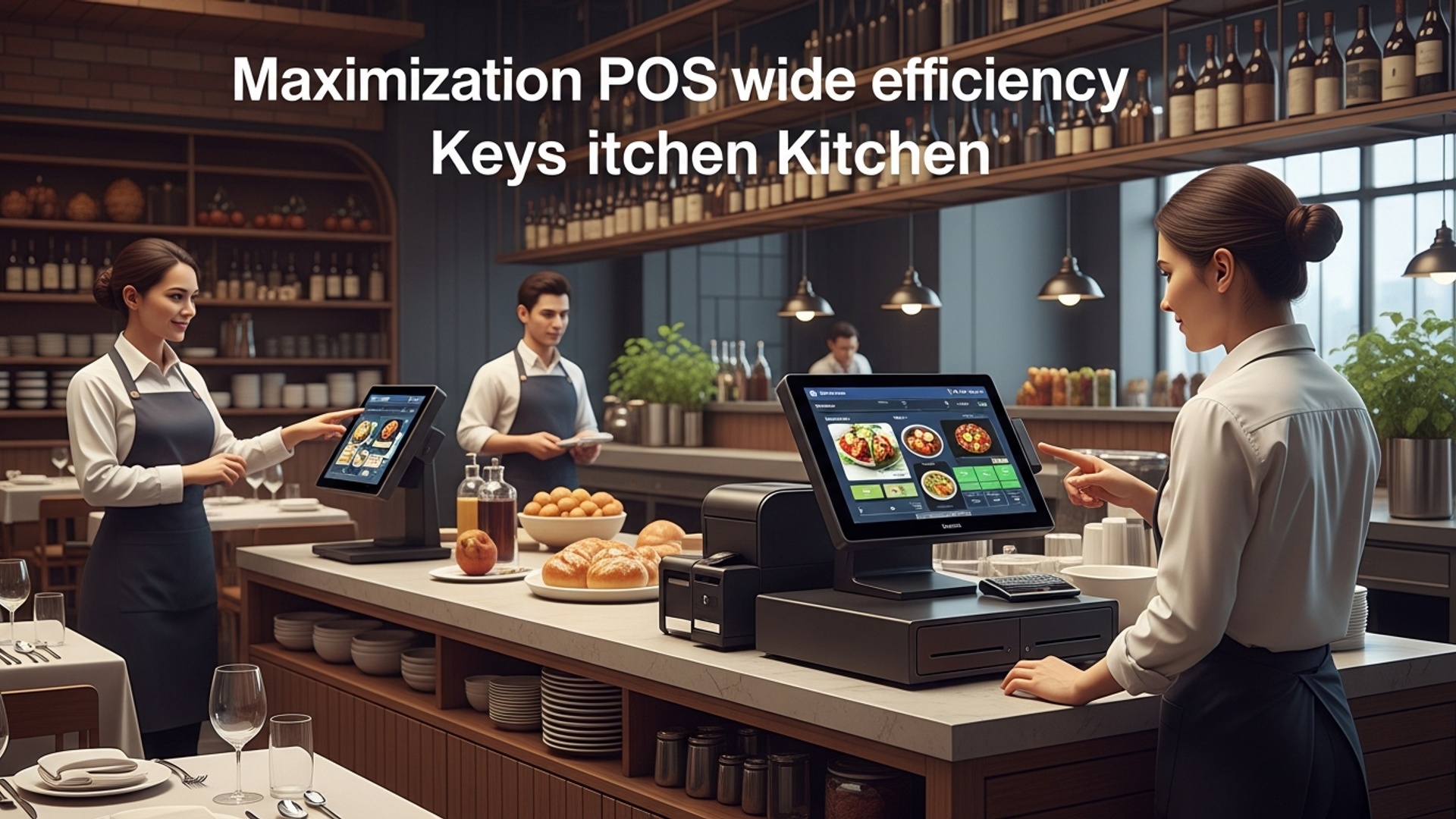
In today’s fast-paced culinary landscape, efficiency isn’t just a buzzword; it’s the backbone of a successful restaurant. At the heart of this operational streamlining lies a robust Point of Sale (POS) system. Far more than just a cash register, modern POS software is a comprehensive management hub designed to optimize every facet of your restaurant’s operations. Understanding and leveraging key Restaurant POS features is paramount for owners and managers looking to boost productivity, reduce waste. enhance the customer experience. From managing orders to tracking inventory, these systems offer an integrated solution that transforms challenges into opportunities for growth and profitability.
Streamlining Order Management and Front-of-House Operations
One of the most immediate impacts of advanced POS software is felt in order management. Gone are the days of handwritten tickets, miscommunications. slow service. A modern POS system centralizes the ordering process, ensuring accuracy and speed.
- Intuitive Order Entry
- Table Management
- Kitchen Display Systems (KDS)
Servers can quickly input orders via tablets or fixed terminals, customizing items, adding modifiers (e. g. , “no onions,” “extra cheese”). sending them directly to the kitchen or bar. This drastically reduces errors and speeds up service times.
Advanced POS features include interactive floor plans, allowing staff to manage tables, track order status, split checks. reassign tables with ease. This visual overview helps optimize table turnover and guest flow.
Integrating a KDS with your POS eliminates paper tickets entirely. Orders appear instantly on kitchen screens, categorized, timed. prioritized. This improves communication between front and back of house, reduces food waste from incorrect orders. allows chefs to manage multiple orders efficiently.
Consider a busy Friday night. A server takes an order on a handheld device, which instantly appears on the KDS. The chef sees “Table 14 – Steak Medium-Rare” immediately, along with other orders in sequence. The bar staff simultaneously receive “Table 14 – Martini, Dry.” This seamless flow prevents delays and ensures customers receive their food and drinks promptly, even during peak hours.
Mastering Inventory and Supply Chain with POS Software
Inventory management is often a major headache for restaurant owners, directly impacting food costs and profitability. Comprehensive Restaurant POS features turn this challenge into a controlled process.
- Real-time Inventory Tracking
- Recipe Management
- Vendor Management and Purchase Orders
- Waste Tracking
Every sale automatically deducts ingredients from your inventory counts. This provides an accurate, up-to-the-minute view of what you have in stock, preventing stockouts of popular items or over-ordering perishables.
Input your recipes into the POS, specifying exact ingredient quantities for each dish. The system can then calculate theoretical food costs per dish and track ingredient usage against sales.
Generate purchase orders directly from the POS based on current inventory levels and sales forecasts. Integrate with suppliers to streamline ordering and receive notifications for price changes.
Easily log spoiled items, dropped dishes, or incorrect orders. This data provides insights into areas where waste can be reduced, helping you refine processes and train staff more effectively.
According to a study by Toast POS, restaurants lose between 7-10% of their annual revenue due to poor inventory management. A robust POS system can significantly mitigate these losses by providing granular control and data-driven insights.
Enhancing Staff Management and Productivity
Your team is your greatest asset. a good POS system can empower them while simplifying management tasks. Key Restaurant POS features in this area focus on efficiency, accountability. fair compensation.
- Employee Time Clock & Scheduling
- Performance Tracking
- Role-Based Permissions
Staff can clock in and out directly through the POS, providing accurate timekeeping for payroll. Some systems offer integrated scheduling tools, allowing managers to create and distribute schedules, track shift swaps. monitor labor costs in real-time.
Monitor individual server performance, including average check size, sales per hour. tip earnings. This data can inform training, incentive programs. staffing decisions.
Grant different levels of access to the POS based on staff roles. For instance, only managers might have access to inventory adjustments, refunds, or sensitive sales reports, ensuring operational security and accountability.
By accurately tracking labor hours and sales performance, you can optimize staffing levels during peak and off-peak hours, ensuring adequate coverage without overspending on wages.
Unlocking Data-Driven Decisions with Advanced Reporting
The true power of modern POS software lies in its ability to collect vast amounts of data and transform it into actionable insights. Robust reporting tools are crucial for making informed business decisions.
- Sales Reports
- Cost of Goods Sold (COGS) Reports
- Labor Cost Reports
- Customer Reports
examine sales by day, week, month, or even hour. Break down sales by menu item, category, server, or payment type. Identify your most popular dishes, peak selling times. top-performing staff members.
interpret your true food and beverage costs, allowing you to adjust pricing, negotiate better supplier deals, or modify menus to improve profit margins.
Compare labor costs against sales to ensure you’re maintaining healthy labor percentages. Identify opportunities to optimize scheduling.
If integrated with CRM features, track customer spending habits, visit frequency. loyalty program engagement.
Example of a simple sales query concept (internal system logic): SELECT DATE_TRUNC('day', sale_timestamp) AS sale_date, menu_item_name, SUM(quantity) AS total_sold, SUM(total_price) AS total_revenue
FROM sales_transactions
WHERE sale_timestamp BETWEEN '2023-01-01' AND '2023-01-31'
GROUP BY sale_date, menu_item_name
ORDER BY sale_date, total_revenue DESC;
This kind of data, processed by your POS, helps you interpret trends, identify opportunities. proactively address challenges.
Beyond the Basics: Advanced Restaurant POS Features for Competitive Advantage
While core functionalities are essential, advanced POS capabilities can provide a significant competitive edge, particularly in customer engagement and operational reach.
- Customer Relationship Management (CRM) & Loyalty Programs
- Online Ordering & Delivery Integration
- Multi-Location Management
- Payment Processing Flexibility
Collect customer data (with consent), track their preferences, offer personalized promotions. manage loyalty points or gift cards directly through the POS. This fosters repeat business and builds a loyal customer base.
Seamlessly integrate online orders from your website or third-party delivery platforms directly into your POS and KDS. This centralizes order management, reduces manual entry errors. expands your reach beyond your physical dining room.
For restaurants with multiple branches, a cloud-based POS system allows centralized management of menus, pricing, inventory. reporting across all locations from a single dashboard.
Support for various payment methods, including EMV chip cards, contactless payments (NFC), mobile payments. even cryptocurrency in some advanced systems. Fast and secure payment processing is crucial for customer satisfaction.
A local pizzeria implemented a POS system with integrated online ordering and a loyalty program. Within six months, they saw a 20% increase in online sales and a 15% rise in repeat customers due to personalized offers and easy reordering through their online portal, all managed effortlessly through their central POS.
Choosing and Implementing the Right POS System
Selecting the ideal POS system is a critical decision. It’s not just about the upfront cost but the long-term value and efficiency it brings. Consider the following factors:
| Feature Category | Consideration Points | Why it Matters for Efficiency |
|---|---|---|
| Core Functionality | Order management, inventory, reporting, payment processing. | These are non-negotiable for basic operational efficiency. |
| Scalability | Can the system grow with your business (e. g. , add locations, features)? | Avoid costly migrations later; ensure long-term viability. |
| Ease of Use | Intuitive interface for staff training and daily operations. | Reduces training time and errors, increases staff adoption. |
| Integrations | Compatibility with existing software (accounting, payroll, delivery apps). | Creates a unified ecosystem, avoids data silos, streamlines workflows. |
| Support & Reliability | 24/7 technical support, system uptime, cloud-based vs. on-premise. | Minimizes downtime, ensures smooth operations, provides peace of mind. |
| Cost | Hardware, software subscriptions, processing fees, installation. | Balance features with budget; evaluate ROI over time. |
Once chosen, successful implementation involves thorough staff training and a phased rollout if necessary. Ensure your team understands how to utilize each feature to its fullest potential, reinforcing the benefits of the new system for both their work and the business’s success.
Conclusion
Embracing the full potential of your restaurant’s POS system is more than just an upgrade; it’s a strategic overhaul for peak efficiency. By actively leveraging features like real-time inventory tracking, staff performance analytics. integrated online ordering, you gain unprecedented control. For instance, instead of merely logging sales, use the data to pinpoint your slowest moving items or identify peak service hours for optimized staffing. I’ve personally witnessed how a proactive approach, rather than passive acceptance, transforms operational bottlenecks into seamless workflows, freeing up valuable time for front-of-house teams to focus on guest experience. The true magic isn’t solely in the software itself. in your team’s consistent engagement with its capabilities. My personal tip? Dedicate weekly time to review sales trends and stock levels, using this insight to refine your menu and purchasing, much like fine-tuning a recipe. As the industry continues to evolve with trends like mobile ordering and QR code payments, a robust POS keeps you agile and competitive. Unlock its power. watch your restaurant not just run. truly thrive. Discover how these systems can further elevate your business by exploring how restaurant POS software boosts profits and streamlines daily operations.
More Articles
Discover Seven Essential Features Your Restaurant POS Software Must Offer Today
How to Simplify Restaurant Billing and Order Management with a Smart POS System
Optimize Your Operations Five Essential Tips for Using Restaurant POS Software Effectively
How Does Restaurant POS Software Improve Customer Experience 5 Ways
Streamline Restaurant Operations How to Master Table Management with Your POS

FAQs
What key POS features can really speed up my restaurant’s operations?
To quickly boost efficiency, focus on features like rapid order entry, Kitchen Display Systems (KDS) for seamless communication with the kitchen. integrated payment processing. These tools reduce manual errors, cut down on wait times. ensure a smoother flow from order placement to payment completion.
How does a POS help me keep track of ingredients and reduce waste?
A robust POS offers excellent inventory management. It tracks ingredient usage per dish, monitors stock levels in real-time, alerts you when supplies are low. can even help identify popular versus slow-moving items. This prevents over-ordering, minimizes spoilage. gives you a clear picture of your food costs.
Can POS features improve customer satisfaction and encourage repeat visits?
Absolutely! Look for customer relationship management (CRM) features within your POS. This includes building customer profiles, managing loyalty programs. offering personalized promotions. Knowing your customers’ preferences allows you to tailor experiences, making them feel valued and more likely to return.
My kitchen often gets swamped. How can a POS help streamline things back there?
A Kitchen Display System (KDS) integrated with your POS is a game-changer. Orders go straight from the server’s terminal to a digital screen in the kitchen, eliminating handwritten ticket errors. A KDS also helps prioritize orders, track prep times. ensures better communication between your front and back-of-house staff, leading to faster, more accurate service.
What about managing my staff more effectively with a POS?
Many POS systems include powerful employee management tools. You can track clock-ins and outs, manage shifts, monitor individual server performance. even set up specific access permissions. This not only streamlines payroll but also helps you identify top performers and areas where training might be needed.
I want to make smarter business decisions. How can POS data help with that?
Your POS system is a treasure trove of business intelligence! It generates detailed reports on sales trends, peak hours, popular menu items, labor costs. much more. Analyzing this data empowers you to make informed decisions about staffing levels, menu optimization, pricing strategies. identifying new growth opportunities.
Are there POS features that make payment processing faster and easier for customers?
Definitely! Modern POS systems support a wide range of payment methods, including EMV chip cards, contactless payments (like Apple Pay or Google Pay). mobile wallets. They also make splitting bills simple and integrate directly with payment processors, which speeds up transactions, reduces errors. offers a smoother checkout experience for your guests.