How to Integrate POS Software with a KDS for Restaurant Efficiency
In the fast-paced restaurant environment, operational bottlenecks often stem from inefficient order communication, directly impacting service speed and accuracy. Modern establishments are increasingly turning to the seamless integration of POS software with a kitchen display system (KDS) to revolutionize this workflow. This powerful synergy transforms traditional paper-based systems into dynamic, digital hubs, routing orders instantly from the POS terminal to specific KDS stations. Such an advanced setup, leveraging real-time data, minimizes errors, optimizes prep times. provides chefs with crucial order sequencing, especially during peak service. Embracing this smart POS technology is no longer just an upgrade; it’s a strategic imperative for enhancing efficiency, reducing food waste. elevating the overall customer dining experience in today’s competitive market.
The Synergy of Speed and Accuracy: Understanding POS Software and KDS
In today’s fiercely competitive restaurant landscape, achieving operational excellence hinges on seamless technology integration. One of the most impactful pairings for any modern eatery is the integration of POS software with a kitchen display system (KDS). This powerful combination transforms the traditional kitchen workflow, moving beyond paper tickets to a dynamic, digital ecosystem that enhances efficiency, reduces errors. ultimately improves the customer experience. For restaurant owners and managers, understanding the core components and their interplay is the first step towards unlocking significant operational advantages.
What is POS Software? Your Restaurant’s Central Command
At its heart, Point of Sale (POS) software is the central nervous system of a restaurant’s operations. It’s the system where orders are taken, payments are processed. crucial data about sales, inventory. customer preferences are collected. Modern POS systems go far beyond simple transaction processing; they encompass a suite of functionalities designed to manage nearly every aspect of a restaurant business.
- Order Management
- Payment Processing
- Inventory Management
- Employee Management
- Reporting and Analytics
- Customer Relationship Management (CRM)
Taking orders from dine-in, takeout, delivery. online channels.
Handling various payment methods, including credit cards, mobile payments. gift cards.
Tracking ingredients, monitoring stock levels. generating purchase orders.
Scheduling staff, tracking hours. managing tips.
Providing insights into sales trends, popular items. peak hours.
Building customer profiles, managing loyalty programs. personalizing experiences.
A robust POS system is the primary data source for kitchen operations, making its integration with a KDS not just beneficial. essential for real-time communication.
Decoding the KDS: Your Digital Kitchen Maestro
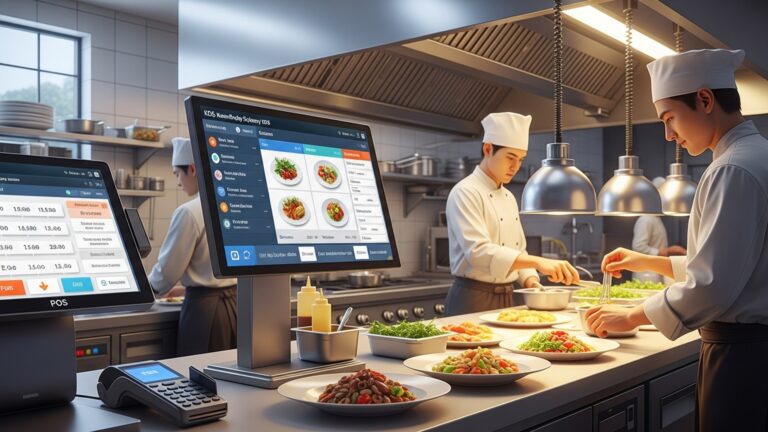
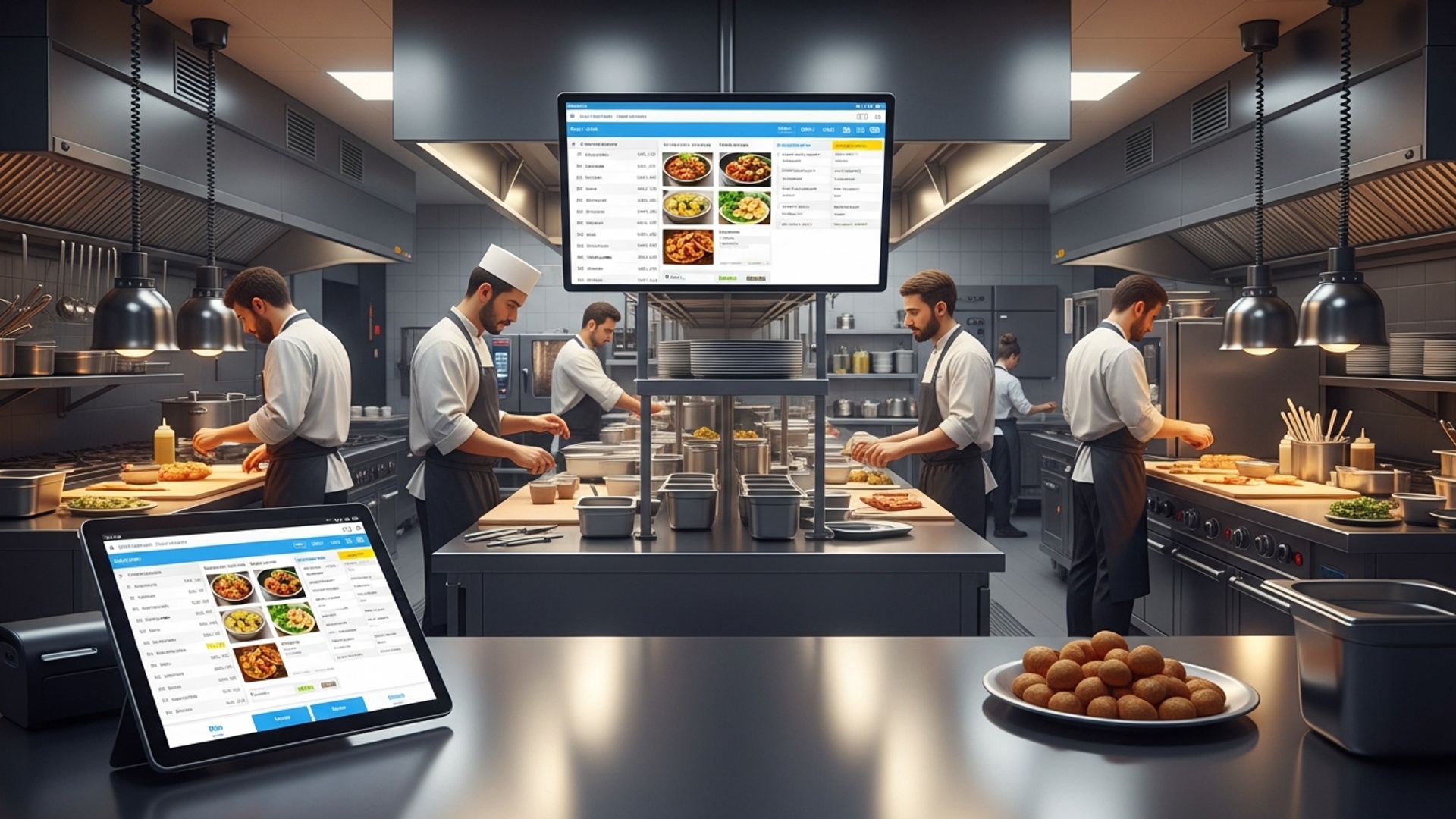
A Kitchen Display System (KDS) is a digital screen-based system used in restaurant kitchens to display incoming orders, manage food preparation. track order progress. It replaces traditional paper tickets, offering a more efficient and error-resistant way to handle kitchen workflow. Imagine a chef no longer having to decipher handwritten notes or sift through a stack of tickets. rather seeing all orders clearly displayed on a monitor, color-coded by urgency or type.
- Order Display
- Order Routing
- Timers
- Bumping/Expediting
- Reporting
Clearly shows new orders, often with customizable layouts, colors. font sizes.
Directs specific items to relevant kitchen stations (e. g. , grill, fryer, prep).
Tracks prep and cook times for each order, alerting staff to potential delays.
Allows chefs to mark items or orders as complete, moving them through the workflow.
Gathers data on kitchen performance, such as average cook times and station efficiency.
The KDS acts as the kitchen’s digital expediter, ensuring that every dish is prepared accurately and promptly, contributing significantly to an optimized workflow when paired with efficient POS software.
Why Integrate POS Software with a Kitchen Display System? The Pillars of Efficiency
The decision to integrate your POS software with a kitchen display system isn’t merely about adopting new technology; it’s a strategic move to fundamentally enhance your restaurant’s operational efficiency and profitability. This integration addresses several pain points common in traditional kitchen environments and introduces a host of benefits.
- Reduced Errors and Improved Accuracy
- Faster Service and Table Turnover
- Enhanced Communication and Workflow
- Real-time Data and Performance Insights
- Better Customer Experience
- Cost Savings
Paper tickets are prone to misreading, smudging, or getting lost. A KDS receives digital orders directly from the POS, eliminating transcription errors and ensuring that the kitchen sees exactly what the customer ordered. This accuracy directly translates to fewer remakes and less food waste.
With orders instantly appearing on kitchen screens, preparation can begin immediately. Timers on the KDS help staff prioritize and manage cooking times, leading to quicker dish preparation and delivery. This speed is crucial for high-volume establishments, allowing for faster table turnover and increased revenue.
The KDS acts as a central communication hub for the kitchen. Different stations can see incoming orders, items ready for expediting. overall order status. This visual management minimizes verbal communication errors, reduces shouting. creates a more organized, less chaotic kitchen environment.
Integrated systems collect valuable data on order times, prep times per station. item popularity. This data can be analyzed to identify bottlenecks, optimize staffing. refine menu offerings. For instance, if the KDS reports consistently long cook times for a specific dish, management can investigate whether it’s a recipe issue, a staffing challenge, or equipment limitation.
Accurate orders, faster service. consistent quality all contribute to a superior dining experience. Customers are happier when their food arrives as ordered and without undue delay, leading to repeat business and positive reviews.
While there’s an initial investment, the long-term savings are substantial. Reduced food waste from fewer errors, optimized staffing. increased sales from faster service contribute directly to the bottom line. Moreover, eliminating paper tickets saves on printing costs.
Implementing Your POS Software with Kitchen Display System Integration: A Step-by-Step Guide
Integrating your POS and KDS requires careful planning and execution. Here’s a practical guide to ensure a smooth transition and maximize benefits.
- Existing POS
- Kitchen Layout
- Workflow
Is your current POS system capable of integrating with a KDS? Many modern cloud-based POS systems offer native KDS integration or robust API access. Older, legacy systems might require significant upgrades or even replacement.
Consider the physical layout of your kitchen. How many screens will you need? Where should they be placed for optimal visibility by each station (e. g. , hot line, cold prep, pastry)?
Document your current kitchen workflow. Which items go to which stations? How are orders currently expedited? This will inform how you configure your KDS routing.
- Native Integration
- Third-Party Integration
The simplest route is often to choose a POS system that offers its own integrated KDS solution. This ensures seamless compatibility and a single vendor for support. Popular POS providers like Toast, Square for Restaurants. Lightspeed offer excellent in-house KDS options.
If you love your current POS but need a separate KDS, look for systems that offer robust third-party integrations. This typically involves using Application Programming Interfaces (APIs). Ensure the KDS you choose is known for stable integrations with various POS platforms.
There are generally two primary ways POS and KDS systems communicate:
| Integration Method | Description | Pros | Cons |
|---|---|---|---|
| Native/Built-in | Both POS and KDS are part of the same software suite from a single vendor. | Seamless compatibility, single point of contact for support, often easier setup. | Less flexibility if you prefer a specialized KDS from another vendor. |
| API-Based (Third-Party) | The POS and KDS are separate systems that communicate via APIs (Application Programming Interfaces). | Greater flexibility to choose best-of-breed systems, allows customization. | Requires technical expertise, potential for integration challenges, multiple vendors for support. |
For API-based integrations, data is typically exchanged in formats like JSON or XML. Here’s a simplified example of how an order might be sent from a POS to a KDS via an API:
{ "orderId": "RST12345", "tableNumber": 7, "serverName": "Jane Doe", "orderType": "Dine-In", "timestamp": "2023-10-27T14:30:00Z", "items": [ { "itemId": "SKU001", "itemName": "Classic Burger", "quantity": 1, "modifiers": ["No Onions", "Add Bacon"], "station": "Grill" }, { "itemId": "SKU005", "itemName": "Caesar Salad", "quantity": 1, "modifiers": ["Dressing on Side"], "station": "Cold Prep" }, { "itemId": "SKU010", "itemName": "French Fries", "quantity": 1, "station": "Fryer" } ], "notes": "Allergy: Gluten (for salad)"
}
This structured data ensures the KDS receives all necessary insights clearly and can route individual items to the correct kitchen stations.
- Menu Mapping
- Display Settings
- Routing Rules
Ensure every menu item in your POS is correctly mapped to its corresponding preparation station(s) in the KDS.
Customize screen layouts, font sizes, color-coding (e. g. , new orders in red, urgent in yellow, completed in green). timer settings to suit your kitchen’s specific needs.
Set up rules for how items are routed. A pizza oven might only receive pizza orders, while a prep station gets salads and appetizers.
This is a critical step. Your kitchen staff, front-of-house. management all need to be thoroughly trained on the new system. Conduct multiple training sessions, provide quick-reference guides. be present during the initial rollout to address questions and resolve issues. A well-trained team is the key to successful adoption.
Consider a soft launch during off-peak hours or in a single section of your kitchen before a full rollout. This allows you to identify and resolve any unforeseen issues without impacting your peak service. Gather feedback from your staff and make necessary adjustments.
Real-World Impact: A Case Study in Pizzeria Efficiency
Consider “Slice & Dice,” a popular pizzeria known for its fast service and custom pies. Before integrating their POS software with a kitchen display system, they struggled with order accuracy during peak dinner rushes. Waitstaff would hand paper tickets to the kitchen, leading to occasional misread toppings, forgotten modifications. delayed orders. This resulted in frustrated customers and costly remakes.
After implementing a cloud-based POS that natively integrated with a KDS, Slice & Dice saw immediate improvements. Orders taken at the counter or online instantly appeared on multiple KDS screens: one at the pizza prep station, another by the oven. a third at the cutting/expediting station. Color-coded timers alerted staff to pies nearing their target cook time. modifications were clearly displayed.
Within three months, Slice & Dice reported a 25% reduction in order errors, a 15% decrease in average order fulfillment time. a noticeable improvement in kitchen morale due to reduced stress and better organization. This led to higher customer satisfaction scores and a significant boost in repeat business, proving the tangible benefits of a well-executed integration.
Overcoming Challenges and Best Practices
While the benefits are clear, integrating new technology can present challenges. Here’s how to navigate them:
- Compatibility Issues
- Network Infrastructure
- Change Management
- Ongoing Support
- Data Security
Always verify compatibility between your chosen POS and KDS. Don’t assume. Ask vendors for detailed integration specifications and references.
A reliable, high-speed Wi-Fi or wired network is paramount. KDS screens need constant, stable connectivity to the POS to receive real-time updates. Invest in robust networking hardware.
Staff can be resistant to new technology. Emphasize the benefits for them – less stress, fewer errors, smoother workflow. Involve them in the planning process to foster ownership.
Choose vendors that offer excellent technical support. You’ll need reliable assistance for setup, troubleshooting. future updates.
Ensure both your POS and KDS systems adhere to industry-standard data security protocols to protect sensitive customer and business data.
By carefully planning and executing the integration of your POS software with a kitchen display system, restaurants can achieve a level of operational efficiency that was once aspirational, leading to better service, happier customers. a healthier bottom line.
Conclusion
Integrating your POS software with a KDS isn’t merely a technological upgrade; it’s a strategic move to redefine your restaurant’s operational flow. This synergy eradicates manual errors, significantly reduces ticket times – I’ve personally seen kitchens cut average prep-to-serve times by 20% during peak hours – and fosters unparalleled communication between your front-of-house and kitchen teams. Embracing cloud-native solutions, a prominent current trend, ensures real-time data synchronization, allowing for immediate adjustments and more accurate inventory management. My personal tip for success: don’t just focus on features; prioritize a system that offers robust, open APIs for seamless integration and scalability. This foresight will future-proof your investment, adapting as your business grows. Consider this integration an investment in a smoother, more profitable tomorrow, where every order flows effortlessly, delighting both your staff and, most importantly, your diners. Empower your restaurant to thrive in the modern culinary landscape. For more insights on optimizing your POS system, explore these essential tips.
More Articles
How to Choose Essential POS System Functions for Restaurant Success
What Key Features Should Your Restaurant POS Software Absolutely Have
Unlock Business Growth with 8 Essential Restaurant POS Software Features
How to Select Essential POS Features for Your Restaurant’s Success
Boost Profits and Efficiency With These 5 Restaurant POS Tips

FAQs
Why bother connecting my POS to a KDS anyway?
Linking your Point of Sale (POS) system with a Kitchen Display System (KDS) is a game-changer for speed and accuracy. It zaps orders straight from the front of house to the kitchen screens, eliminating handwritten tickets, confusion. lost orders. This means faster service, fewer mistakes. happier customers.
How does an order actually flow from the customer to the kitchen with this setup?
It’s super smooth! Once a server takes an order on the POS (or a customer orders online), it immediately pops up on the relevant KDS screens in the kitchen. For example, a burger order might show on the ‘Grill’ station KDS, while a drink order goes to the ‘Bar’ KDS. Kitchen staff can then see, prepare. mark items as complete, often routing to an expediter screen before serving.
What kind of hardware do I need for a KDS in my kitchen?
Typically, you’ll need durable touch screen monitors or tablets designed for kitchen environments – they’re usually splash-proof and tough. You’ll also need a reliable network connection. Some setups might include bump bars for non-touch screens or small printers for backup tickets. the core is usually the display itself.
Is linking my POS and KDS a huge headache to set up?
Not usually a huge headache, especially with modern systems. Many POS and KDS providers offer seamless integrations. their support teams can guide you through the process. It largely depends on the compatibility between your chosen POS and KDS. most popular systems are designed to play nicely together. Plan for some initial setup and staff training, though.
Can a KDS handle different kitchen stations like grill, prep. expediting?
Absolutely! That’s one of its biggest strengths. A good KDS allows you to configure different stations. So, when an order comes in, the system automatically routes specific items to the ‘Grill,’ ‘Fryer,’ or ‘Salad Prep’ screens. There’s often a main ‘Expediter’ screen that shows all items for an order, letting the expeditor coordinate and ensure everything is ready at the same time.
How does this integration actually make my restaurant run smoother and save cash?
It improves efficiency big time! Orders get to the kitchen faster, reducing ticket times and increasing table turnover. Fewer errors mean less food waste and happier customers who don’t have to wait for corrections. Plus, the digital tracking helps managers monitor kitchen performance and identify bottlenecks, leading to better staff allocation and potentially lower labor costs.
What are some potential hiccups or things to watch out for when integrating these systems?
A few things: ensure your POS and KDS are truly compatible to avoid technical glitches. A robust Wi-Fi or wired network is crucial, as any downtime affects your whole operation. Also, don’t skimp on staff training; everyone needs to grasp the new workflow. Lastly, choose vendors with good support, as you’ll want quick help if an issue arises.