How to Streamline Restaurant Operations Using POS and Kitchen Display Systems
In the demanding world of modern hospitality, operational inefficiencies can quickly undermine a restaurant’s success. Leveraging advanced POS software with a kitchen display system is now essential for transforming chaotic service into a seamless, profitable operation. This integrated solution revolutionizes workflow, ensuring every order from the front-of-house seamlessly reaches the kitchen, minimizing errors and drastically reducing ticket times. By providing real-time order management, precise inventory tracking. invaluable sales analytics, these systems empower operators to optimize table turnover, manage staff efficiently. make data-driven decisions that directly impact profitability. Embracing this technological synergy transforms operational friction into a symphony of efficiency, elevating the customer experience and securing a competitive edge.
Revolutionizing Restaurant Operations with Integrated Technology
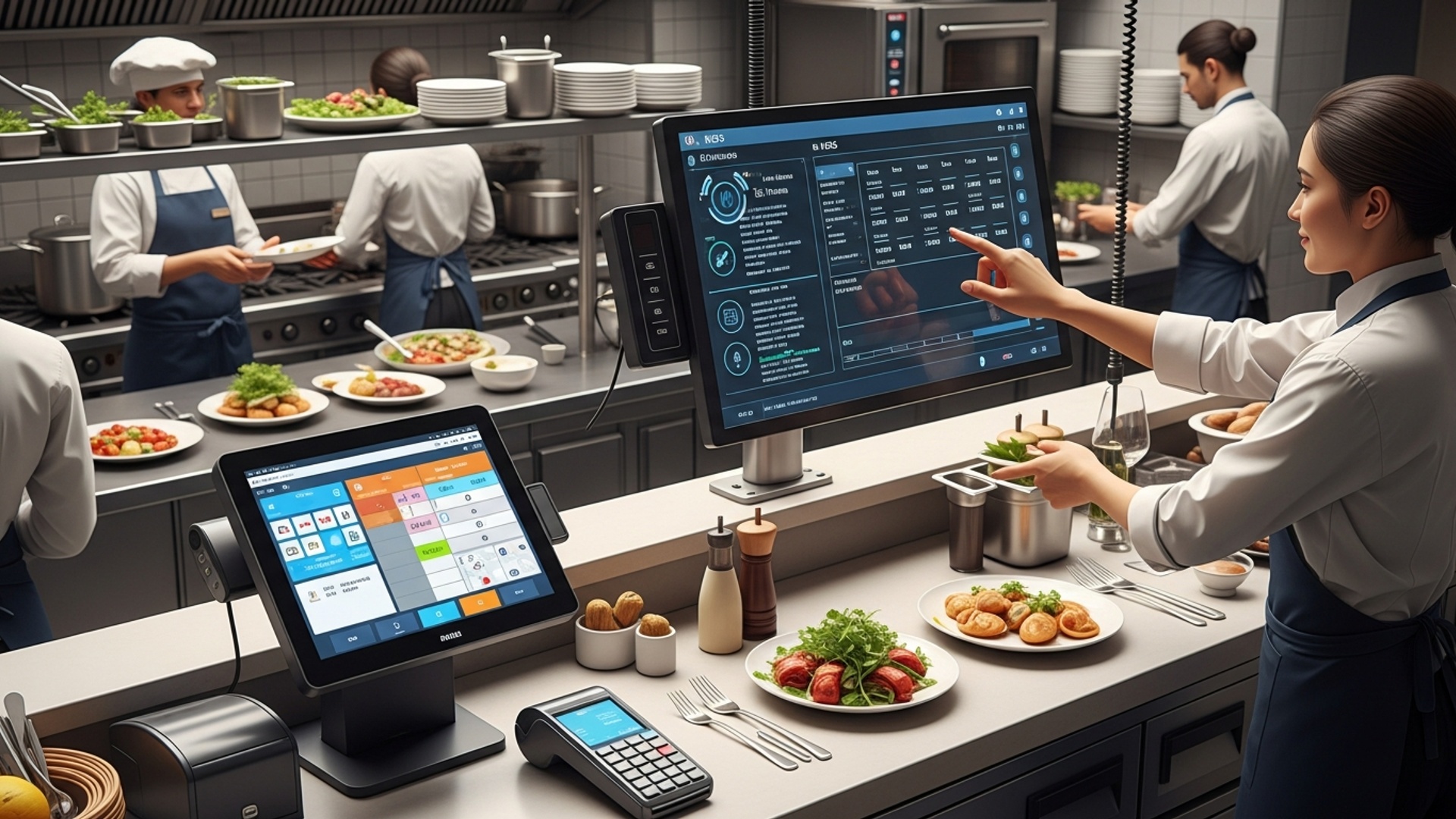
In today’s fast-paced culinary world, the seamless integration of technology is no longer a luxury but a necessity for restaurant success. Central to this technological transformation is the powerful combination of a robust POS software with kitchen display system (KDS). This dynamic duo acts as the digital backbone of modern eateries, from bustling cafes to fine dining establishments, streamlining everything from order taking to food preparation and delivery. Understanding how these systems work together is crucial for any restaurant owner looking to enhance efficiency, reduce errors. ultimately boost profitability.
Understanding the Core Components: POS Software and KDS
Before diving into the integration benefits, let’s define the two primary components:
Point-of-Sale (POS) Software
A Point-of-Sale (POS) system is the central hub for all customer-facing transactions and restaurant management tasks. It’s where orders are taken, payments are processed. crucial operational data is captured. Modern restaurant POS systems go far beyond simple cash registers, offering a suite of features designed to manage the entire front-of-house (FOH) and increasingly, back-of-house (BOH) operations.
- Order Management
- Payment Processing
- Inventory Management
- Customer Relationship Management (CRM)
- Reporting and Analytics
- Employee Management
- Table Management
Taking orders, customizing items, applying discounts.
Handling various payment types (cash, credit cards, mobile payments, gift cards).
Tracking ingredients, managing stock levels, reducing waste.
Storing customer data, managing loyalty programs.
Providing insights into sales trends, peak hours, popular dishes. staff performance.
Time clock, shift scheduling, payroll integration.
Visual layouts, reservation tracking, server assignments.
Kitchen Display System (KDS)
A Kitchen Display System (KDS) is a digital screen-based system used in the kitchen to display food orders. It replaces traditional paper tickets, providing a clear, real-time view of incoming orders, preparation status. timing. KDS units are typically rugged, splash-proof tablets or monitors placed at various kitchen stations (e. g. , grill, fry, prep, expo).
- Digital Order Display
- Workflow Management
- Timers and Alerts
- Bump Screen Functionality
- Recipe Display
- Communication Hub
Orders from the POS appear instantly on kitchen screens.
Orders can be routed to specific stations based on menu items.
Tracks preparation times, flags overdue orders.
Allows kitchen staff to “bump” or mark items/orders as complete, moving them through the workflow.
Some advanced KDS can display recipes or instructions for complex dishes.
Facilitates communication between kitchen staff and expeditors.
The Synergistic Power of POS Software with Kitchen Display System
The true magic happens when your POS software is seamlessly integrated with a KDS. This integration creates a unified ecosystem where data flows effortlessly from the front-of-house to the back-of-house, virtually eliminating common operational bottlenecks. Industry experts, including those at leading hospitality technology firms, consistently highlight this integration as a cornerstone for operational excellence.
How the Integration Works: A Real-World Application
Consider a typical scenario in a bustling restaurant. A server takes an order at the table using a handheld POS device. As soon as the order is confirmed on the POS, it’s instantly transmitted to the relevant KDS screens in the kitchen. For instance, the burger order goes to the grill station, the salad to the cold prep station. the fries to the fry station. As each component is prepared, the chef at that station “bumps” it off their screen. Once all components of an order are ready, the expeditor’s screen shows the complete order, ready for pickup and delivery to the customer. This entire process, which once relied on handwritten tickets and shouted instructions, is now digital, precise. trackable.
Here’s a simplified workflow representation:
Customer Places Order (Table/Online/Counter) | V POS System (Server enters order) | (Instantaneous Digital Transmission) V Kitchen Display System (KDS) |-----> Grill Station Screen (Burger) |-----> Prep Station Screen (Salad) |-----> Fryer Station Screen (Fries) | (Each station "bumps" completed items) V Expeditor Screen (Order Ready for Pickup) | V Food Delivered to Customer
Key Benefits of Integrating POS Software with Kitchen Display System
The advantages of this integrated approach are numerous and impactful, touching every aspect of restaurant operations.
- Enhanced Order Accuracy
- Eliminates miscommunications from handwritten tickets.
- Customizations (e. g. , “no onions,” “extra sauce”) are clearly displayed.
- Reduces food waste caused by incorrect orders.
- Increased Speed and Efficiency
- Orders appear instantly in the kitchen, cutting down on lag time.
- Kitchen staff can prioritize and manage multiple orders more effectively.
- Reduces average ticket times, allowing for higher table turnover.
- Improved Customer Experience
- Faster service leads to happier customers.
- Accurate orders mean fewer complaints and better reviews.
- Staff can focus more on hospitality rather than order logistics.
- Better Kitchen Workflow and Communication
- Clear visualization of pending and in-progress orders.
- Orders can be routed to specific stations, optimizing prep flow.
- Reduced noise and chaos compared to shouting orders.
- Valuable Data and Analytics
- Tracks prep times for different dishes and stations.
- Identifies bottlenecks in the kitchen process.
- Provides insights for staff training, menu optimization. resource allocation.
- Cost Savings
- Reduced food waste from errors.
- Improved staff productivity.
- Potential for lower labor costs through optimized staffing.
Comparing Standalone vs. Integrated Systems
While some restaurants might consider standalone POS and KDS solutions, the benefits of an integrated approach far outweigh the perceived simplicity of separate systems.
| Feature/Aspect | Standalone POS + Standalone KDS | Integrated POS Software with Kitchen Display System |
|---|---|---|
| Data Flow | Manual transfer or limited, often delayed, sync. | Real-time, automatic, seamless data transfer. |
| Order Accuracy | Higher risk of human error in transcription. | Significantly reduced errors, clear digital display. |
| Efficiency | Potential for delays and bottlenecks. | Optimized workflow, faster ticket times. |
| Complexity | Managing two separate systems, potential compatibility issues. | Single ecosystem, easier management and troubleshooting. |
| Reporting | Data silos, difficult to correlate FOH and BOH performance. | Comprehensive reports linking sales to kitchen efficiency. |
| Cost (Long-term) | Potentially higher due to inefficiencies, errors. manual work. | Lower operational costs, improved profitability. |
| Scalability | More complex to scale and add new features. | Easier to add new stations, features, or locations. |
Choosing the Right POS Software with Kitchen Display System for Your Restaurant
Selecting the ideal system requires careful consideration of your specific restaurant type, operational flow. budget. Here are actionable tips for making an informed decision:
- Assess Your Needs
- What kind of restaurant do you operate (quick-service, full-service, bar, cafe)?
- What are your average order volumes during peak hours?
- Do you have multiple kitchen stations that require specific routing?
- What are your current pain points (e. g. , slow service, order errors, inventory issues)?
- Look for Comprehensive Features
- Ensure the POS offers robust inventory, employee. reporting tools.
- The KDS should have customizable routing, bump screen functionality. clear display options.
- Consider features like online ordering integration, delivery platform integration. loyalty programs.
- Ease of Use
- The interface should be intuitive for both FOH and BOH staff.
- Training time should be minimal.
- Reliability and Support
- Look for systems with strong uptime and reliable hardware.
- 24/7 customer support is crucial for any restaurant operation.
- Read reviews and ask for references from other restaurant owners.
- Scalability
- Choose a system that can grow with your business, whether you plan to expand your menu, add more locations, or incorporate new technologies.
- Security
- Ensure the system is PCI compliant for secure payment processing and offers robust data security features.
Implementing Your Integrated System: Best Practices
Once you’ve chosen your POS software with kitchen display system, proper implementation is key to maximizing its benefits.
- Thorough Staff Training
- Invest time in comprehensive training for all staff – FOH on POS, BOH on KDS.
- Conduct mock service runs to familiarize everyone with the new workflow.
- Customize Your KDS
- Set up routing rules to direct specific menu items to the correct kitchen stations.
- Configure display options for optimal visibility (e. g. , color-coding for priority orders, timers).
- Phased Rollout (If Applicable)
- For larger establishments, consider a phased rollout to minimize disruption.
- Start with a limited menu or specific shifts before full implementation.
- Monitor and Optimize
- Regularly review the data and analytics provided by the system.
- Identify bottlenecks, optimize kitchen layout or staffing based on insights.
- Gather feedback from staff and make adjustments as needed.
- Regular Maintenance and Updates
- Keep software updated to leverage new features and security enhancements.
- Ensure hardware (screens, handhelds) is well-maintained.
Conclusion
Embracing the synergy between a robust POS system and a dynamic Kitchen Display System isn’t merely an upgrade; it’s a strategic imperative for modern restaurants. We’ve seen how this integration transforms chaos into choreographed efficiency, from precise order routing to real-time status updates that drastically cut down ticket times. For instance, I recently observed a bustling cafe implement this very setup, reducing their average customer wait by nearly 25% during peak lunch rushes simply by eliminating paper tickets and miscommunications. My personal tip for success is to prioritize thorough staff training. The technology is only as good as the team wielding it. Once your front-of-house effortlessly inputs orders and your kitchen staff confidently navigates the KDS, the entire operation flows seamlessly, leading to happier customers and a less stressed team. This data-driven approach also allows for quick adjustments, a crucial advantage in today’s fast-paced culinary landscape where menu changes or staffing tweaks can be informed by immediate performance metrics. Don’t just implement; integrate, educate. watch your restaurant thrive with unparalleled operational excellence.
More Articles
How to Leverage POS Software Features to Boost Restaurant Efficiency
How to Choose the Best Restaurant POS Software for Your Kitchen
How to Maximize Kitchen Efficiency Using POS Software and a KDS
Unlock Efficiency 7 Powerful Restaurant POS Software Benefits

FAQs
What’s the big deal with POS and KDS for my restaurant operations?
They essentially supercharge your entire workflow! A Point-of-Sale (POS) system handles everything from taking orders and processing payments to tracking sales and inventory. A Kitchen Display System (KDS) then beams those orders directly to the kitchen screens. This combo drastically reduces manual errors, speeds up service times. frees up your staff to focus more on customers rather than paper tickets.
How do these systems actually make things faster in the kitchen?
The KDS is a game-changer for speed. It eliminates handwritten tickets, so there’s no more deciphering messy notes or lost orders. Orders appear instantly on screens, often color-coded by how long they’ve been waiting, allowing chefs to prioritize dishes and manage cooking times much more efficiently. It streamlines communication and workflow in a busy kitchen environment.
Can a POS system help me manage my inventory better?
Absolutely! A robust POS system tracks every single item sold, giving you real-time data on your stock levels. It can alert you when ingredients are running low, help with reordering. even highlight your most popular or least popular menu items. This leads to less food waste, smarter purchasing decisions. ensures you’re never caught off guard by a depleted ingredient.
My staff are used to pen and paper. Is it hard to switch to POS and KDS?
While there’s always a brief adjustment period with new technology, modern POS and KDS systems are designed to be very user-friendly and intuitive. Many feature touch-screen interfaces similar to tablets, making them easy for staff to pick up quickly. Most systems offer straightforward training. the boost in efficiency usually makes the transition worthwhile very quickly.
What about the customer experience? How do these systems improve that?
A streamlined operation directly translates to a better customer experience. Faster order processing means customers get their food quicker. Fewer errors mean they get exactly what they ordered. Plus, when your back-end runs smoothly, your front-of-house staff are less stressed and have more time to provide attentive, personalized service, making diners feel more valued and improving their overall visit.
Do these systems help reduce food waste or order mistakes?
They definitely do! POS systems ensure accurate order entry right from the start, minimizing errors at the point of sale. The KDS then clearly displays these precise orders to kitchen staff, including any special modifications. This precision significantly reduces the chances of dishes being made incorrectly and having to be thrown away, directly impacting your bottom line and sustainability efforts.
Can I see reports or data from these systems to help my business?
That’s one of their biggest benefits! Both POS and KDS collect a wealth of valuable data. Your POS can generate reports on sales trends, peak hours, most profitable menu items. labor costs. A KDS can offer insights into kitchen performance, average prep times. order fulfillment accuracy. This data is invaluable for making informed business decisions, optimizing staffing. fine-tuning your menu.