How to Choose the Best Restaurant POS Software for Your Kitchen
In today’s hyper-competitive culinary landscape, selecting the right restaurant POS software is no longer merely a choice but a critical strategic decision that dictates operational efficiency and profitability. Modern restaurant POS software acts as the indispensable backbone for your kitchen, seamlessly integrating everything from dynamic inventory management and real-time order routing via kitchen display systems (KDS) to crucial labor scheduling and integrated third-party delivery services. The current market offers a spectrum of sophisticated solutions, from cloud-native platforms emphasizing robust API integrations to AI-driven systems offering predictive analytics for ingredient forecasting and waste reduction. Identifying a system that truly aligns with your kitchen’s unique workflow and scalability needs is paramount to optimizing performance and securing a competitive edge.
Understanding Your Kitchen’s Unique Needs
Choosing the right Restaurant POS software for your kitchen is not a one-size-fits-all endeavor. Before diving into features and pricing, the absolute first step is to conduct a thorough self-assessment of your current kitchen operations, pain points. future aspirations. This foundational understanding will guide your entire selection process, ensuring you invest in a solution that genuinely enhances efficiency and profitability rather than adding complexity.
Start by mapping out your kitchen workflow from order receipt to dish delivery. Consider:
- Order Volume & Peak Hours
- Kitchen Layout & Stations
- Menu Complexity
- Staff Skills & Turnover
- Current Communication Methods
How many orders do you process during a typical shift. what are your busiest periods? High-volume kitchens require robust systems that can handle rapid order flow without lag.
Do you have multiple prep stations (e. g. , grill, fry, salad, pastry)? Your POS needs to effectively route orders to the correct stations.
Do you have highly customizable dishes, modifiers (e. g. , “no onions,” “extra sauce”), or specific allergy alerts? The system must be able to capture and communicate these details clearly.
How tech-savvy is your kitchen staff? A user-friendly interface is crucial for quick adoption and reduced training time, especially in environments with high turnover.
Are you still relying on paper tickets, shouting, or manual communication? Identify where communication breakdowns occur.
For example, a small cafe might prioritize simplicity and basic order routing, while a bustling fine-dining establishment needs advanced features like course timing, ingredient tracking. intricate modifier handling. A fast-casual restaurant, on the other hand, will focus on speed and accuracy for high-volume takeout and delivery orders.
Key Features of Restaurant POS Software for Kitchen Efficiency
Once you have a clear picture of your operational needs, you can begin to evaluate the specific features that make Restaurant POS software truly shine in the kitchen environment. These features are designed to streamline operations, reduce errors. improve communication between the front-of-house (FOH) and back-of-house (BOH).
- Kitchen Display Systems (KDS)
- How it works
- Benefits
- Order Routing & Management
- Advanced Routing
- Hold & Fire Functions
- Inventory Management & Recipe Costing
- Real-time Tracking
- Recipe Management
- Reporting & Analytics
- Sales Trends
- Waste Analysis
- Prep Time Tracking
- Integrations
- Online Ordering Platforms
- Delivery Services
- Employee Scheduling Software
- Payment Processors
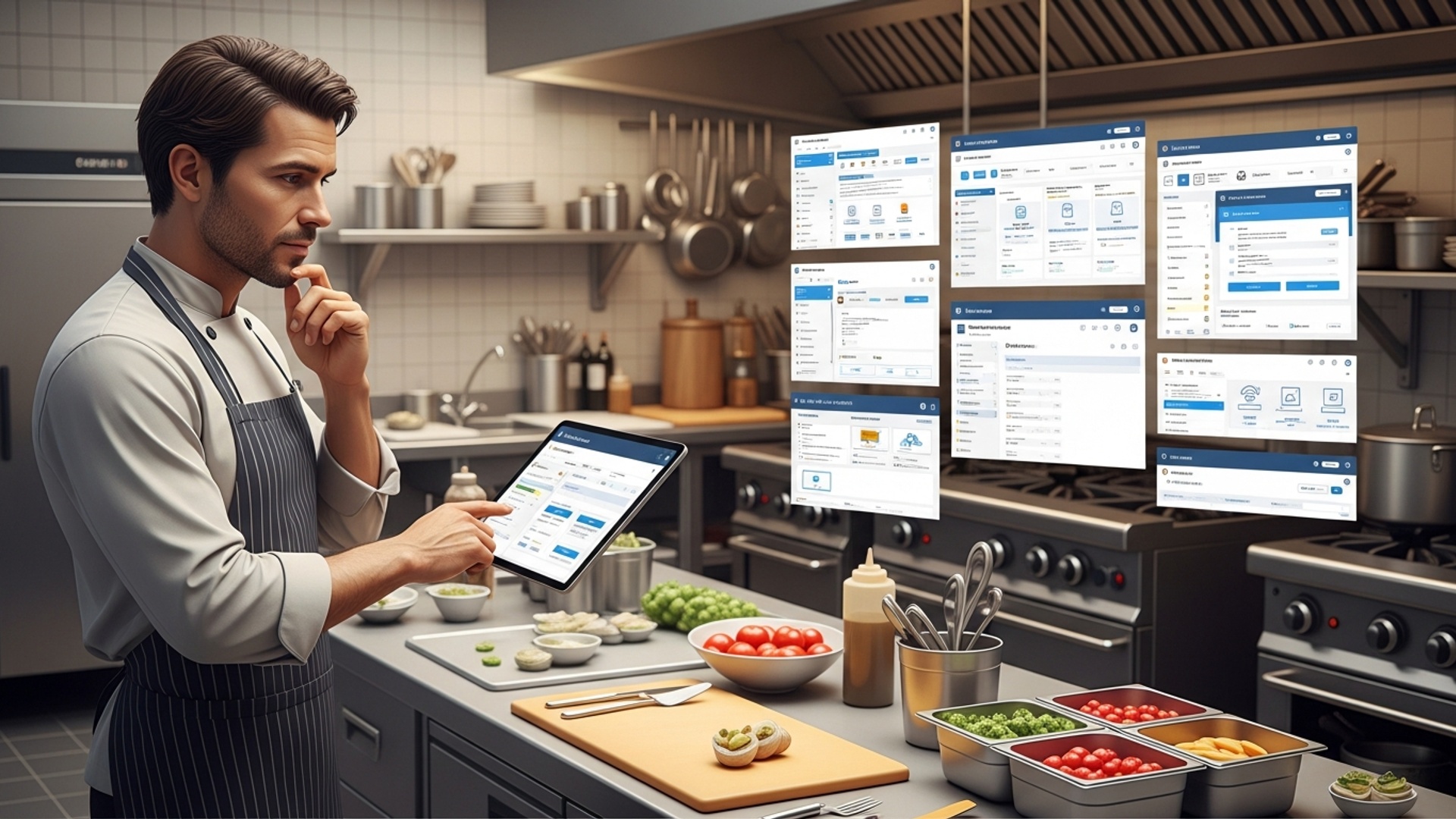
A KDS replaces traditional paper tickets with digital screens in the kitchen. Orders from the FOH POS are instantly displayed, often color-coded by time or status. This dramatically improves order accuracy and speed.
When a server places an order on the FOH POS, it’s immediately sent to the KDS. Kitchen staff see the order on a screen, mark items as prepared. “bump” completed orders off the screen.
Reduces paper waste, improves legibility, allows for real-time order tracking. enhances communication.
This feature automatically sends specific items or courses to the relevant kitchen stations. For instance, a “steak” goes to the grill station, while a “Caesar salad” goes to the cold prep station.
Some systems allow for complex routing based on dish components or preparation steps, ensuring synchronized dish delivery.
Essential for fine dining, allowing FOH to hold courses and “fire” them to the kitchen when the diner is ready.
While often seen as a back-office function, robust inventory management directly impacts the kitchen. It tracks ingredient usage, alerts you when stock is low. helps prevent waste.
Every time an item is sold, the system deducts the ingredients from your inventory.
Input recipes to calculate exact food costs per dish, crucial for pricing and profitability.
Data is power. A good POS system provides insights into peak sales times, popular dishes, ingredient waste. staff performance.
Identify best-selling items to optimize prep and ingredient ordering.
Pinpoint areas of food waste and adjust purchasing or portioning.
Some advanced systems can even track average prep times per dish or station.
Your POS shouldn’t operate in a vacuum. It needs to seamlessly connect with other essential restaurant technologies.
Direct integration means online orders flow straight to your KDS without manual re-entry.
Similarly, orders from DoorDash, Uber Eats, etc. , should integrate smoothly.
Some systems offer this natively or integrate to help manage kitchen shifts.
Secure and reliable payment processing is a given for any modern POS.
Comparing Traditional vs. Cloud-Based Restaurant POS Software
The architecture of your Restaurant POS software solution significantly impacts its flexibility, cost. accessibility. Understanding the differences between traditional (on-premise) and cloud-based systems is crucial for making an informed decision for your kitchen operations.
Here’s a comparison to help illustrate the pros and cons of each:
| Feature/Aspect | Traditional (On-Premise) POS | Cloud-Based POS |
|---|---|---|
| Data Storage | Stored locally on your restaurant’s servers. | Stored on remote servers accessible via the internet. |
| Upfront Cost | Higher due to hardware, software licenses. installation. | Lower, often subscription-based (SaaS model). |
| Ongoing Costs | Maintenance, IT support, manual software updates. | Monthly/annual subscription fees, automatic updates. |
| Accessibility | Limited to your restaurant’s network; remote access often requires VPN. | Accessible from anywhere with an internet connection (via browser or app). |
| Updates & Maintenance | Manual updates, potential downtime, requires IT staff. | Automatic updates, usually seamless and non-disruptive. |
| Scalability | Can be challenging and costly to scale (requires new hardware). | Highly scalable; easily add or remove terminals/features as needed. |
| Data Security | Your responsibility; dependent on your local security measures. | Managed by the provider; typically robust, enterprise-grade security. |
| Offline Capability | Generally operates fully offline as data is local. | Many offer offline modes to continue processing, syncing when online. |
For most modern restaurants, especially those prioritizing flexibility, remote management (e. g. , checking sales from home). lower upfront costs, cloud-based POS systems are increasingly the preferred choice. They offer superior integration capabilities with third-party apps like online ordering and delivery services, which are critical for today’s diverse revenue streams.
Implementation, Training. Support: Crucial Considerations
Even the most feature-rich Restaurant POS software is only as good as its implementation and the support behind it. Overlooking these aspects can lead to frustration, errors. ultimately, a failed investment. Think of the transition as a recipe: the ingredients are vital. the execution and ongoing care are what make it successful.
- Implementation Process:
Ask potential vendors about their implementation roadmap. A good vendor will offer a structured approach, including:
- Data Migration
- Hardware Setup
- Menu Configuration
How will your existing menu, customer data. inventory be transferred?
Assistance with installing terminals, KDS screens, printers, etc.
Help setting up your menu items, modifiers, pricing. kitchen routing rules. This is particularly vital for kitchen efficiency.
Real-world example: “When we switched to our new POS, the vendor sent a technician who not only installed the KDS screens but also stayed for an entire day to help us configure every dish with its specific modifiers and routing. It saved us weeks of trial and error in the kitchen.” – Chef Maria, Bistro 22.
- Training:
Your kitchen staff will be interacting with the KDS daily. Comprehensive training is non-negotiable.
- On-site vs. Remote
- Training Materials
- Refresher Training
Does the vendor offer on-site training, or is it exclusively remote?
Are there user manuals, video tutorials, or online knowledge bases?
Consider how new hires will be trained in the future.
A simple, intuitive interface reduces training time significantly. Look for systems that mimic familiar actions or are graphically driven, especially for kitchen staff who need to quickly glance and comprehend.
- Customer Support:
When something goes wrong during a busy dinner rush, you need immediate help. Evaluate the vendor’s support structure:
- Availability
- Channels
- Expertise
Is support 24/7? What are their typical response times?
Do they offer phone, email, chat, or an online portal?
Are support staff knowledgeable about restaurant operations, not just generic IT issues?
Before committing, try calling their support line during peak hours to gauge their responsiveness and helpfulness. This can be a telling indicator of future service quality.
- API and Integration Capabilities:
Modern restaurant operations often rely on a suite of specialized tools. An open API (Application Programming Interface) allows your POS to communicate seamlessly with other software.
- What is an API? Think of it as a set of rules and protocols that allows different software applications to talk to each other.
- Why it matters for your kitchen
If your POS has an open API, you can integrate it with third-party inventory management systems, online ordering platforms, labor scheduling tools. even advanced kitchen automation systems. This ensures data flows smoothly, reducing manual entry and errors. For example, an order placed on your website could directly trigger ingredient depletion in your inventory system and appear on the KDS simultaneously.
// Example of how an API might conceptually work for an order // (This is a simplified representation, not actual code for a specific POS) function processOnlineOrder(orderData) { // 1. Send order to POS system via API sendToPOS(orderData); // 2. Update inventory system via API updateInventory(orderData. items); // 3. Send order to KDS via API sendToKDS(orderData); // ... other integrations }This level of integration is a hallmark of truly advanced and future-proof POS solutions.
Conclusion
Choosing the right restaurant POS software for your kitchen isn’t merely a transaction; it’s a strategic investment in the heart of your operation. You’ve learned that understanding your unique workflow, from order receipt to dish preparation across various stations, is paramount. Don’t just settle for a system that looks good on paper; truly evaluate its ability to handle your specific menu items, ingredient tracking. the dynamic pace of a busy kitchen. My personal tip? Insist on a real-world demo that simulates your busiest service. See how a complex order, perhaps with multiple modifications and split tickets, flows through the Kitchen Display System (KDS). Does it reduce confusion for your line cooks and ensure accurate, timely dishes? Modern systems, leveraging cloud technology, now offer unparalleled real-time insights into ingredient levels and prep times, allowing for agile adjustments that were impossible just a few years ago. By making an informed choice, you empower your culinary team, minimize errors. pave the way for a more efficient, profitable. ultimately, a more enjoyable dining experience for your patrons. Invest wisely. watch your kitchen truly thrive.
More Articles
How to Choose the Best Restaurant POS System with Essential Functionalities
Streamline Your Restaurant Operations with POS Software and Kitchen Display System
How to Maximize Kitchen Efficiency Using POS Software and a KDS
Choosing Your System 5 Key Features for the Best Restaurant POS
7 Essential Features Your Restaurant POS Software Must Have for Success

FAQs
Where do I even start when looking for POS software for my kitchen?
Begin by assessing your kitchen’s unique needs. Think about your current pain points – slow order processing, inaccurate orders, or difficulty tracking inventory. The best POS should solve these problems, so prioritize features that directly address your operational challenges and improve efficiency in the back-of-house.
How crucial is a Kitchen Display System (KDS) integration?
Extremely crucial! A good KDS is a game-changer for the kitchen. It replaces paper tickets, streamlines communication from front-of-house, ensures order accuracy, helps manage cook times. can even display orders by course or preparation station. It’s vital for a smooth, efficient kitchen workflow.
Should the POS help me manage my ingredients and stock?
Absolutely! Look for robust inventory management features. This means the software can track ingredients as they’re used, alert you when stock is low. even help with supplier ordering. Proper inventory control minimizes waste, reduces food costs. ensures you always have what you need for your menu.
How well does it handle special requests and menu modifications?
It needs to handle them flawlessly. Your kitchen staff should easily see modifications like “no onions,” “extra sauce,” or “allergy alert.” The POS should clearly communicate these details to avoid errors and ensure customer satisfaction, especially with complex or allergy-sensitive orders.
Will my kitchen staff find it easy to use?
User-friendliness is key. A complex system will slow down your team and lead to frustration. Look for an intuitive interface that requires minimal training. Your staff should be able to quickly comprehend how to view orders, mark items as complete. navigate the system without extensive instruction.
What kind of reporting features are crucial for the kitchen side?
Beyond basic sales, you’ll want reports that show menu item popularity, peak order times, ingredient usage. even staff performance metrics. These insights help you optimize your menu, schedule staff more effectively. identify areas for improvement in kitchen operations.
What if the system goes down or I need help after hours?
Reliability and strong customer support are non-negotiable. Your kitchen can’t afford downtime. Look for a provider with 24/7 support, quick response times. a reputation for stable software. Ask about their backup systems and how they handle technical issues to ensure your operations never grind to a halt.