How to Choose Essential Restaurant POS Features for Your Business Success
The contemporary restaurant landscape has transformed the Point of Sale system from a simple transaction tool into the operational backbone of any successful establishment. Owners now critically evaluate Restaurant POS features that extend far beyond basic payment processing, demanding sophisticated capabilities like real-time inventory management, integrated online ordering platforms. dynamic table management. The rise of contactless payments and QR code ordering, alongside the necessity for robust staff management and kitchen display systems (KDS), underscores how a strategically chosen POS empowers businesses to optimize workflows, enhance customer experiences. leverage actionable data analytics for growth. Selecting the right feature set is paramount, dictating efficiency from ingredient tracking to personalized guest interactions in today’s fast-evolving culinary world.
Understanding the Core of a Modern Restaurant POS System
In today’s fast-paced culinary landscape, a Point of Sale (POS) system is far more than just a glorified cash register. It’s the central nervous system of your restaurant, integrating various operations from order taking to inventory management and customer relationship building. For restaurateurs, understanding the breadth of modern Restaurant POS features is crucial for operational efficiency and sustained growth. A robust POS system processes transactions. it also collects invaluable data, streamlines workflows. enhances the overall customer experience.
At its heart, a POS system consists of both hardware and software components. The hardware typically includes devices like touchscreens, card readers, receipt printers. cash drawers. The software, But, is where the magic truly happens, providing the functionalities that define a system’s capabilities. Choosing the right software, with its specific set of Restaurant POS features, is paramount to aligning technology with your business goals.
Key Front-of-House Restaurant POS Features for Seamless Service
The guest experience often begins and ends with the front-of-house operations, making these Restaurant POS features critical for satisfaction and efficiency. A well-chosen system empowers your staff and delights your customers.
- Intuitive Order Management
- Table and Tab Management
- Customizable Modifiers
- Split Checks and Payments
- Flexible Payment Processing
- EMV and Contactless Payments
- Mobile and Pay-at-Table Options
- Gift Card and Loyalty Program Integration
- Menu Management
- Real-time Menu Updates
- Visual Menu Interface
This is the backbone of front-of-house operations.
Easily assign orders to tables, split checks, transfer tabs. manage guest counts. For a bustling bistro, the ability to quickly see which tables are occupied, waiting, or have pending orders can significantly improve table turnover.
Essential for handling special requests (e. g. , “no onions,” “extra sauce,” “gluten-free bun”). A system that allows staff to input these accurately ensures the kitchen gets precise instructions, reducing errors and food waste.
Diners frequently request to split bills. A good POS system handles this effortlessly, by item, by seat, or by custom amount, preventing awkward manual calculations.
In an increasingly cashless world, diverse payment options are non-negotiable.
Support for chip cards (EMV) and tap-to-pay (NFC) via mobile wallets (Apple Pay, Google Pay) is standard for security and convenience.
Handheld POS devices allow servers to take orders and process payments tableside, speeding up service and enhancing guest convenience, especially in high-volume settings or on patios.
Seamlessly manage digital and physical gift cards and track loyalty points, encouraging repeat business.
Dynamic and easily updateable menus are vital.
Change prices, mark items out of stock, or add daily specials across all terminals instantly. This prevents servers from taking orders for unavailable items, improving accuracy and reducing customer frustration.
A graphical interface with pictures of menu items can help new staff quickly learn the menu and improve order accuracy.
Back-of-House Restaurant POS Features for Operational Efficiency
While the front-of-house features ensure smooth customer interactions, the back-of-house Restaurant POS features are the engine that drives profitability and operational excellence. These functionalities are often overlooked but are critical for long-term success.
- Robust Inventory Management
- Ingredient-Level Tracking
- Vendor Management
- Waste Tracking
- Comprehensive Employee Management
- Time Clock and Scheduling
- Performance Tracking
- Role-Based Permissions
- Powerful Reporting and Analytics
- Sales Reports
- Labor Cost Reports
- Menu Item Performance
- Kitchen Display Systems (KDS) Integration
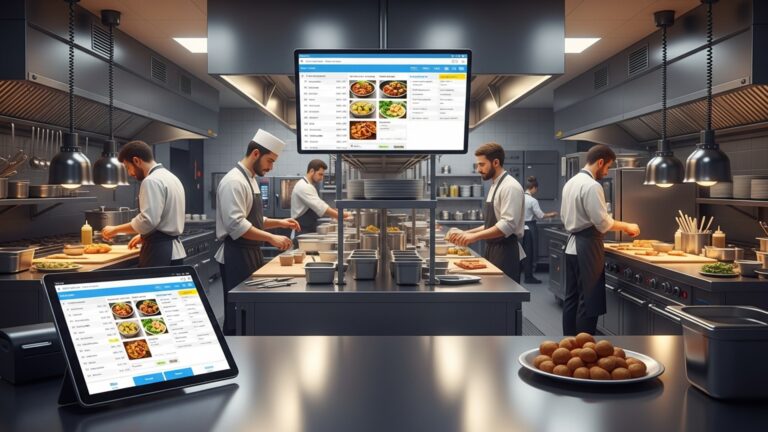
- Orders are sent directly from the POS to a screen in the kitchen, improving accuracy, reducing ticket times. allowing chefs to manage multiple orders more efficiently. It can also color-code orders by wait time or special requests.
- Online Ordering and Reservation System Integration
- A POS that seamlessly integrates with your online ordering platform or a third-party reservation system (like OpenTable or Resy) centralizes all orders and bookings, preventing double entries and errors. This is a critical set of Restaurant POS features for modern establishments.
This is where many restaurants find significant cost savings.
Track raw ingredients and finished goods. When a dish is sold, the system automatically deducts the associated ingredients from inventory. This is indispensable for managing food costs and preventing waste. For instance, if you sell a burger, the system should deduct one bun, a patty, a slice of cheese. specific amounts of lettuce and tomato.
Track supplier insights, order histories. delivery schedules to streamline procurement.
Monitor spoilage, spills. returns to identify areas for improvement and reduce shrink.
Simplify staffing and payroll.
Employees can clock in and out directly through the POS. Advanced systems allow for scheduling, managing breaks. tracking labor costs in real-time.
Monitor individual server sales, tips. order accuracy, providing valuable data for performance reviews and training.
Grant different levels of access to the POS system based on an employee’s role (e. g. , server, manager, owner) to maintain security and control.
Data-driven decisions are key to growth.
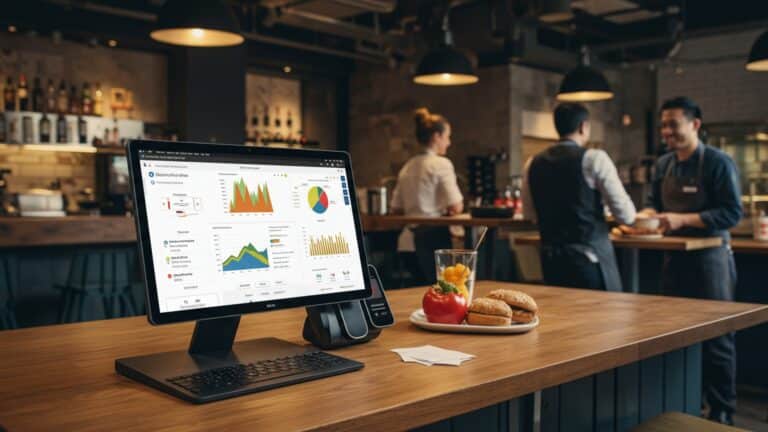
Detailed insights into daily, weekly. monthly sales, identifying peak hours, best-selling items. slowest periods. This data can inform staffing, marketing. menu adjustments.
comprehend labor expenditure in relation to sales, helping to optimize staffing levels.
Identify which dishes are most profitable and which might need to be re-evaluated or removed from the menu.
A digital upgrade from paper tickets.
In today’s digital world, these are essential.
Specialized Restaurant POS Features for Different Business Models
Not all restaurants are created equal. neither are their POS needs. The ideal Restaurant POS features will vary significantly depending on your specific business model.
- Quick Service Restaurants (QSRs) vs. Full Service vs. Bars
- QSRs
- Full Service Restaurants
- Bars
- Delivery and Takeout Management
- With the rise of food delivery, a POS system capable of managing in-house delivery drivers, integrating with third-party delivery platforms (e. g. , DoorDash, Uber Eats). optimizing delivery routes is invaluable. This includes tracking order status from kitchen to customer.
- Multi-location Management
- For growing restaurant groups, a POS that offers centralized management of menus, pricing, inventory. reporting across multiple locations is crucial. This provides a holistic view of the business and ensures consistency.
- Third-Party Integrations
- Accounting Software
- Marketing Tools
- HR Software
Prioritize speed, self-ordering kiosks, drive-thru management. integrated loyalty programs. Features like combo meal customization and quick cash transactions are vital.
Focus on table management, advanced order routing to different kitchen stations, server performance tracking. robust reservation integration.
Require features like pre-authorization for tabs, quick drink ordering, inventory management for liquor. detailed tracking of happy hour specials.
The true power of a modern POS lies in its ability to connect with other essential business tools.
Seamlessly integrate with platforms like QuickBooks or Xero to automate bookkeeping, payroll. financial reporting.
Connect with email marketing platforms or CRM systems to segment customers and run targeted promotions.
Streamline employee onboarding, benefits. compliance.
The Importance of Scalability, Security. Support in Your POS Choice
Beyond the core functionalities, certain overarching considerations are vital when evaluating Restaurant POS features. These foundational elements ensure your investment remains valuable long-term.
- Scalability
- Data Security
- PCI Compliance
- Data Encryption
- User Access Controls
- Customer Support and Training
- Look for vendors offering 24/7 technical support, comprehensive training resources for your staff. dedicated account managers. A system with excellent support minimizes downtime and ensures your team can fully leverage all Restaurant POS features.
Your POS system should grow with your business. If you plan to expand, open new locations, or introduce new services, the system should be able to adapt without requiring a complete overhaul. This often means opting for cloud-based solutions that can easily add new terminals or locations.
Protecting sensitive customer and business data is paramount.
Ensure the POS system adheres to Payment Card Industry Data Security Standard (PCI DSS) requirements to protect cardholder data.
All transactions and sensitive details should be encrypted, both in transit and at rest.
Implement robust role-based permissions to prevent unauthorized access to critical functions or data.
Even the best system is only as good as the support behind it.
Here’s a quick comparison of cloud-based versus on-premise POS systems, which impacts several of these considerations:
| Feature | Cloud-Based POS | On-Premise POS |
|---|---|---|
| Data Storage | Remote servers (internet required) | Local servers (on-site) |
| Accessibility | Anywhere, any device with internet | Limited to local network, typically on-site |
| Cost Model | Subscription (monthly/annual) | Upfront purchase, ongoing maintenance |
| Updates/Maintenance | Automatic, managed by vendor | Manual, often requires IT staff or vendor visits |
| Scalability | Highly scalable, easy to add terminals/locations | More complex and costly to scale |
| Security | Managed by vendor, often robust data centers | Managed by restaurant, requires internal expertise |
Making the Right Choice: Actionable Steps and Considerations
Choosing the right POS system is a significant investment that will impact every facet of your restaurant. Approach this decision strategically to ensure you select the best Restaurant POS features for your unique business.
- Assess Your Specific Needs
- Are you a high-volume coffee shop needing speed and mobile ordering? Or a fine dining establishment prioritizing table management and reservation integration?
- Consider your current pain points. Is inventory a mess? Are labor costs out of control? Let these guide your feature priorities.
- Set a Realistic Budget
- Schedule Demos with Top Contenders
- Read Reviews and Seek Recommendations
- Prioritize Essential Features Over “Nice-to-Haves”
Before you even look at systems, make a detailed list of your restaurant’s specific requirements.
Factor in not just the upfront cost (if any). also monthly subscription fees, hardware costs, installation, training. ongoing support. Remember, a cheaper system lacking essential Restaurant POS features could cost you more in inefficiencies and lost revenue down the line.
Don’t just read brochures. Get hands-on with a few systems. Have your staff participate in the demos and ask specific questions relevant to their daily tasks. Test out key scenarios like splitting checks or modifying orders.
Consult industry reviews, forums, and, most importantly, talk to other restaurateurs in your area or business type. Their real-world experiences can provide invaluable insights into the pros and cons of various systems and their Restaurant POS features.
While a system with every conceivable feature might seem appealing, focus on the core functionalities that will directly address your operational needs and improve your bottom line. You can always add integrations or upgrade later if a system is scalable.
Conclusion
Choosing the right POS features isn’t merely about ticking boxes; it’s about strategically empowering your restaurant’s future. My personal tip: don’t just compare feature checklists. Instead, visualize your daily operations a year from now and ask if the system truly scales. For instance, consider how seamlessly it integrates online ordering with table service management, a critical trend since the recent surge in delivery services. I once observed a small bistro dramatically reduce food waste by leveraging a POS with real-time inventory tracking and AI-driven forecasting, directly impacting their bottom line. Therefore, your actionable next step is to conduct a thorough demo focusing on these interconnected workflows, not isolated features. Look for systems that offer robust analytics, predicting peak hours or popular dishes, which is vital for efficient staffing and menu engineering. By selecting a POS that grows with your evolving needs and embraces modern demands like contactless payments and advanced customer relationship management, you’re not just buying software; you’re investing in operational excellence. Embrace this decision as a cornerstone for sustained success and watch your business thrive.
More Articles
How to Choose the Right Restaurant POS 6 Crucial Steps for Success
Avoid These 6 Common Mistakes When Implementing New Restaurant POS Software Solutions
10 Essential Restaurant POS Features Every Owner Needs to Master
Learn 8 Best Practices for Maximizing Your Restaurant POS System Investment Today
How to Identify the Best Restaurant POS System Features for Success

FAQs
Why is picking the right POS system so crucial for my restaurant’s success?
A good POS isn’t just for taking orders; it’s the operational heart of your restaurant. It streamlines everything from order taking and kitchen communication to inventory management and sales reporting. Choosing wisely means boosting efficiency, cutting costs, making smarter business decisions. ultimately, directly impacting your bottom line and customer satisfaction.
What are the absolute must-have features I should prioritize in a restaurant POS?
Definitely prioritize core functions like intuitive order management (taking, modifying, splitting bills), kitchen display system (KDS) integration for smooth communication, robust inventory tracking to prevent waste. comprehensive sales reporting for actionable insights. Seamless payment processing integration is also non-negotiable for smooth transactions.
How do I figure out which features are best for my specific type of restaurant?
Think about your restaurant’s unique flow and operational needs. A fine-dining spot might need advanced table management and reservation features, while a quick-service cafe would benefit more from speedy order entry, customer-facing displays. mobile ordering capabilities. Consider your menu complexity, service style (table service, counter service, delivery). future growth plans. List your daily operational pain points – a good POS should solve them.
Should I worry about hidden costs beyond the initial price tag for a POS?
Absolutely! Always dig into potential ongoing fees. This could include monthly software subscriptions, payment processing rates, hardware maintenance, support plans. costs for additional modules or integrations. Get a clear breakdown of all potential expenses, including installation and training, to avoid any surprises down the road.
How essential is it for the POS to be easy for my staff to learn and use?
It’s super vital! A complex system can lead to errors, slow service. frustrated staff. Look for a user-friendly interface that’s easy to navigate, even for new hires with minimal training. Good, responsive customer support and clear training resources are also key to ensuring smooth adoption and minimizing downtime.
Can a modern POS really help me manage inventory and reduce food waste effectively?
Yes, definitely! A strong POS system with integrated inventory management can track ingredients as they’re used, alert you when stock is low. even help automate vendor ordering based on sales data. By knowing exactly what you have and what you’re selling, you can significantly minimize waste, control food costs. optimize your purchasing decisions.
What about customer loyalty programs and marketing – can the POS help with that?
Many modern POS systems offer built-in loyalty programs or integrate seamlessly with third-party CRM and marketing tools. This lets you track customer preferences, offer personalized discounts, manage gift cards. even run targeted email or SMS marketing campaigns. It’s a fantastic way to build repeat business, enhance customer relationships. keep your clientele engaged.