6 Common Restaurant POS Software Mistakes and How to Avoid Them
In today’s fiercely competitive culinary landscape, a sophisticated restaurant POS software transcends its traditional role as a simple transaction processing system, becoming the operational core for everything from streamlined order management to real-time inventory tracking. But, even with advanced cloud-based platforms, many establishments inadvertently encounter common pitfalls that significantly impede efficiency and erode profitability. Overlooking crucial integrations with popular third-party delivery aggregators, for instance, often leads to manual data reconciliation errors, while inadequate staff training on new features can severely bottleneck service during peak hours. Recognizing these prevalent oversights, especially as contactless dining and dynamic menu pricing become standard, is paramount for optimizing system performance and ensuring a resilient, future-ready restaurant operation.
Choosing the Wrong Restaurant POS Software
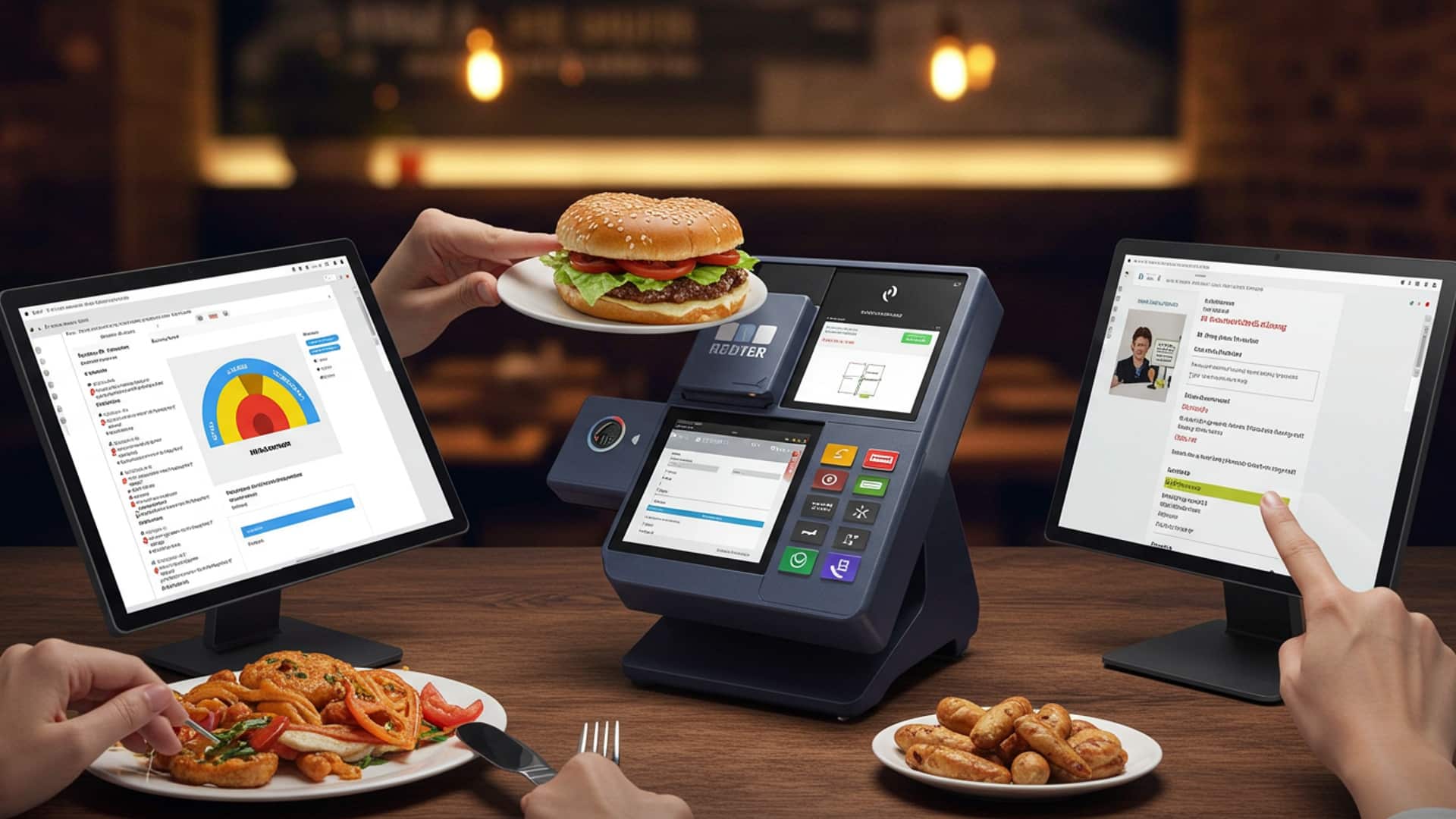
One of the most foundational mistakes a restaurant owner can make is selecting a Restaurant POS software that doesn’t align with their business’s unique operational needs. Many get swayed by flashy features or aggressive sales pitches without a thorough understanding of what their specific establishment truly requires. This misstep can lead to a system that’s either over-engineered and costly, or under-equipped and inefficient, ultimately hindering daily operations rather than streamlining them.
Understanding Your Needs Before You Buy
Before even looking at specific Restaurant POS software options, conduct a comprehensive needs assessment. Consider:
- Restaurant Type
- Volume and Complexity
- Budget
- Future Growth
Is it a quick-service cafe, a fine-dining establishment, a food truck, or a multi-location chain? Each has distinct requirements for order flow, table management. inventory.
How many transactions do you process daily? Do you need complex modifiers for menu items, split checks, or integrated delivery services?
Not just for the initial purchase. also for ongoing subscriptions, hardware. potential upgrades.
Can the system scale with your business? Will it support additional locations, new service models (e. g. , online ordering, catering), or expanded menu offerings?
A common point of confusion lies between cloud-based and on-premise Restaurant POS software solutions. Understanding the distinctions is crucial:
| Feature | Cloud-Based Restaurant POS Software | On-Premise Restaurant POS Software |
|---|---|---|
| Hosting | Data stored on remote servers, accessed via internet. | Data stored on local servers within the restaurant. |
| Cost Structure | Typically subscription-based (SaaS), lower upfront cost. | Higher upfront cost for software license and hardware. |
| Accessibility | Access from anywhere with internet (e. g. , manage from home). | Access typically limited to local network. |
| Maintenance | Vendor handles updates, backups. security. | Restaurant is responsible for maintenance, updates, backups. |
| Scalability | Easily scalable, add terminals/locations as needed. | Can be more complex and costly to scale. |
| Internet Dependency | Requires stable internet connection (though many offer offline modes). | Less reliant on internet for core functions. |
Actionable Takeaways:
- Define your restaurant’s specific operational workflow and list essential features.
- Request demos from at least 3-5 different Restaurant POS software providers, ensuring they address your unique needs.
- Speak to other restaurant owners in similar niches about their experiences with various systems.
- Read reviews and case studies from reputable industry sources.
Insufficient Staff Training and Adoption
Even the most advanced Restaurant POS software is only as good as the people operating it. A significant mistake many restaurateurs make is underestimating the importance of comprehensive staff training. A quick, one-off session during implementation is rarely sufficient. When staff aren’t confident or proficient in using the POS system, it leads to a cascade of problems: slow service, order errors, customer frustration, inaccurate reporting. ultimately, lost revenue.
The Ripple Effect of Poor Training
Imagine a bustling Friday night. A new server, “Maria,” is trying to input a complex order with multiple modifications and split checks. She fumbles through the screens, unsure how to apply a discount or send a specific item to the bar. Customers at her table grow impatient, leading to a negative dining experience. This isn’t Maria’s fault; it’s a systemic failure in training. Such incidents not only impact customer satisfaction but also stress out other staff members, leading to a less harmonious work environment.
Developing an Effective Training Program
Effective training for your Restaurant POS software should be an ongoing process, not a one-time event:
- Initial Intensive Training
- Role-Specific Training
- Create a “POS Champion”
- Resource Creation
- Refresher Courses
- Practice Mode
Dedicate sufficient time during implementation for all staff (servers, bartenders, kitchen staff, managers) to get hands-on experience.
Tailor training to each role. Kitchen staff might only need to grasp the KDS (Kitchen Display System) interface, while servers need to master order entry, modifications. payment processing.
Designate a tech-savvy staff member or manager to become the in-house expert. They can provide quick support and ongoing training.
Develop simple, visual cheat sheets or a step-by-step guide for common tasks. This can be invaluable for new hires or when staff need a quick reminder.
Periodically offer brief refresher sessions, especially when new features are rolled out or when staff turnover is high.
Utilize any “training mode” or sandbox environment your Restaurant POS software offers, allowing staff to practice without affecting live orders.
Actionable Takeaways:
- Integrate POS training into your standard onboarding process for all new hires.
- Encourage veteran staff to mentor new employees on POS usage.
- Gather feedback from staff on training effectiveness and areas where they struggle.
- Regularly review POS error logs to identify common mistakes that might indicate training gaps.
Ignoring the Power of Data Analytics and Reporting
Modern Restaurant POS software systems are far more than just cash registers; they are powerful data collection machines. A significant oversight is when restaurateurs fail to leverage the rich data analytics and reporting features these systems provide. This data offers invaluable insights into sales trends, inventory usage, staff performance. customer behavior, yet many businesses leave these goldmines untapped, relying instead on gut feelings or outdated manual tracking methods.
What is Data Analytics in Restaurant POS?
In the context of Restaurant POS software, data analytics refers to the process of examining raw data (e. g. , sales transactions, inventory movements, staff clock-ins) to uncover patterns, correlations. insights. These insights can then be used to make informed business decisions. Your POS system can track a myriad of data points:
- Sales Data
- Inventory Data
- Labor Data
- Customer Data
Bestselling items, slow-moving items, peak hours, average check size, sales by server.
Waste percentages, ingredient costs, popular ingredient pairings.
Employee clock-in/out times, sales per labor hour, overtime costs.
Repeat customers, loyalty program usage, popular dishes among specific customer segments.
Real-World Applications of POS Data
Consider a scenario where a restaurant owner, “David,” consistently reviews his Restaurant POS software reports. He notices that his salmon dish is a top seller on Fridays and Saturdays but barely moves on Tuesdays. He also sees that his prime rib special has a high food cost but a significant profit margin when sold. Based on this, David decides to:
- Run a “Taco Tuesday” special instead of pushing salmon, leveraging higher demand for a different item.
- Feature the prime rib special more prominently on his menu during peak days, optimizing its profitability.
- Adjust staffing levels based on daily and hourly sales trends to reduce unnecessary labor costs during slow periods.
Without leveraging his POS data, David might have continued to guess, potentially losing out on revenue and incurring avoidable costs.
Actionable Takeaways:
- Schedule dedicated time weekly or monthly to review key performance indicators (KPIs) through your POS reports.
- Identify your top 5 bestselling items and your 5 slowest-moving items. interpret why.
- review labor costs as a percentage of sales to optimize staffing schedules.
- Use inventory reports to minimize waste and ensure proper stock levels, especially for high-volume items.
- Consider integrating your POS data with other business intelligence tools if your system offers advanced APIs or integrations.
Neglecting Security Updates and Data Backup Protocols
In an increasingly digital world, neglecting the security of your Restaurant POS software and the data it handles is a critical error. Restaurants process sensitive customer financial insights (credit card details) and vital business data (sales records, inventory, employee insights). Failure to maintain security updates and robust backup protocols can lead to devastating consequences, including data breaches, operational downtime, financial losses. severe reputational damage.
The Importance of PCI Compliance
A key aspect of POS security is adherence to the Payment Card Industry Data Security Standard (PCI DSS). This is a set of security standards designed to ensure that all companies that accept, process, store, or transmit credit card data maintain a secure environment. Non-compliance can result in hefty fines and even the inability to process credit card payments.
PCI DSS Requirements broadly cover: - Building and maintaining a secure network - Protecting cardholder data - Maintaining a vulnerability management program - Implementing strong access control measures - Regularly monitoring and testing networks - Maintaining an insights security policy
Regular software updates often include security patches that address newly discovered vulnerabilities. Running outdated software is like leaving your front door unlocked in a busy city.
Robust Data Backup Strategies
Beyond security, data loss is another significant threat. A hardware failure, a natural disaster, or even human error can wipe out years of sales data, customer insights. inventory records. Implementing a reliable data backup strategy is non-negotiable.
- Automated Cloud Backups
- Local and Offsite Backups
- Test Backups
For cloud-based Restaurant POS software, backups are typically handled by the vendor, often with redundant servers. Verify their backup frequency and recovery protocols.
For on-premise systems, implement regular automated backups to both an external hard drive (local) and an offsite location (e. g. , a secure cloud storage service like Google Drive, Dropbox, or a dedicated backup service).
Periodically test your backup recovery process to ensure data can be restored effectively. There’s nothing worse than needing a backup only to find it’s corrupt or incomplete.
Actionable Takeaways:
- Ensure your Restaurant POS software and all associated hardware (payment terminals) are PCI compliant.
- Always install software updates and security patches promptly. Many cloud-based systems do this automatically. for on-premise, it’s your responsibility.
- Use strong, unique passwords for all POS access points and implement multi-factor authentication (MFA) where available.
- Educate staff on security best practices, such as never sharing login credentials and being wary of suspicious emails.
- Verify your data backup strategy is robust, redundant. regularly tested.
Poor Integration with Essential Restaurant Systems
A modern restaurant operates with a suite of digital tools: online ordering platforms, accounting software, loyalty programs, staff scheduling applications. inventory management systems. A common, yet critical, mistake is choosing a Restaurant POS software that doesn’t seamlessly integrate with these other essential components. This lack of integration creates “data silos,” forcing manual data entry, increasing the risk of errors, wasting valuable staff time. ultimately hindering overall operational efficiency.
The Cost of Disconnected Systems
Consider a restaurant, “The Urban Spoon,” that uses one system for online orders, another for its POS. a third for accounting. Every night, a manager has to manually transfer online order sales data from the online platform into the POS for consolidated reporting. then again into the accounting software. This process is time-consuming, prone to typos. delays financial reconciliation. If their Restaurant POS software integrated directly, these transfers would happen automatically, saving hours of labor and ensuring accuracy.
What Does Good Integration Look Like?
Effective integration means that data flows smoothly and automatically between different software systems. Key areas of integration include:
- Online Ordering Platforms
- Accounting Software (e. g. , QuickBooks, Xero)
- Inventory Management Systems
- Loyalty and CRM Programs
- Staff Scheduling and Payroll
Orders placed online automatically appear on the KDS and are recorded in the POS sales data.
Sales data, labor costs. inventory expenses automatically sync, simplifying bookkeeping.
Sales automatically deduct items from inventory, providing real-time stock levels and triggering reorder alerts.
Customer purchases automatically accrue points or reflect in their purchase history.
Employee clock-in/out data from the POS feeds directly into payroll. scheduling data can be cross-referenced with sales forecasts.
Many modern Restaurant POS software systems offer APIs (Application Programming Interfaces) which are sets of rules and protocols for building and interacting with software applications. A robust API allows different software programs to “talk” to each other, facilitating seamless data exchange.
Example of API functionality: - An online order POST request to the POS API to create a new order. - A GET request to the inventory API to check stock levels before an order is placed.
Actionable Takeaways:
- During the Restaurant POS software selection process, explicitly ask about integration capabilities with your existing or planned third-party systems.
- Prioritize POS systems that offer a wide range of native integrations or a robust, open API.
- Evaluate the cost of integration – some may be included, while others might be premium add-ons.
- Consider a modular POS system where you can add integrated features (e. g. , built-in online ordering, native loyalty programs) from the same vendor ecosystem.
Underestimating the Importance of Vendor Support
When your Restaurant POS software goes down during peak dinner rush, every minute of downtime directly translates to lost sales and frustrated customers. A critical mistake many restaurateurs make is underestimating the importance of reliable vendor support. They might choose a system based solely on features or price, without thoroughly vetting the support infrastructure behind it. This can leave them stranded when technical issues inevitably arise.
The Real-World Impact of Poor Support
Consider “Chef Elena,” who runs a popular bistro. One busy Saturday night, her Restaurant POS software suddenly freezes, unable to process credit card payments. She calls her POS vendor’s support line, only to be met with an automated message saying they are closed until Monday morning. With no immediate solution, Elena is forced to turn away customers, losing hundreds, if not thousands, of dollars in revenue. severely damaging her restaurant’s reputation for that evening. A reliable support team could have guided her through a quick fix or offered an immediate workaround.
What to Look for in POS Vendor Support
When evaluating Restaurant POS software, go beyond the features list and delve deep into their support offerings:
- Availability
- Support Channels
- Service Level Agreements (SLAs)
- Reputation and Reviews
- On-Site vs. Remote Support
- Training and Resources
Restaurants operate during evenings, weekends. holidays. Does the vendor offer 24/7/365 support? What are their guaranteed response times?
Do they offer phone, email, live chat, or an online knowledge base? The more options, the better.
interpret the vendor’s commitment to uptime and issue resolution. An SLA outlines the level of service you can expect and any penalties if they fail to meet it.
Check independent review sites (e. g. , Capterra, G2, Trustpilot) specifically for comments on customer support. Look for trends in positive or negative experiences.
While most issues can be resolved remotely, inquire if on-site support is available for critical hardware failures. what the associated costs might be.
Do they provide comprehensive training materials, video tutorials, or regular webinars to help you and your staff utilize the system effectively?
A reliable support team acts as an extension of your own operations, ensuring minimal disruption and quick recovery from unforeseen technical glitches.
Actionable Takeaways:
- During your Restaurant POS software demo, ask pointed questions about their support structure, hours. average response times.
- Read recent customer reviews with a specific focus on their support experiences.
- Clarify what’s included in your support package and what services might incur additional fees.
- Ensure you have a designated point of contact or a clear escalation path for critical issues.
- Test their support before committing – send a non-urgent inquiry via email or chat to gauge response time and quality.
Conclusion
Avoiding common POS software mistakes isn’t just about troubleshooting; it’s about cultivating a proactive approach to your restaurant’s technology. From my experience, the key lies in continuous education and treating your POS not as a static tool. as a dynamic operational partner. Regularly scheduled training, especially for new hires and during software updates, ensures everyone from the front-of-house to kitchen staff understands features like split payments or inventory deductions, preventing costly errors that impact both your bottom line and customer satisfaction. My personal tip: dedicate fifteen minutes each week to reviewing your POS reports and any logged system errors. This habit, combined with embracing current trends like cloud-based POS and integrated online ordering, allows you to catch minor issues before they escalate, ensuring seamless service even during peak hours. Remember how crucial real-time data is for managing a busy Friday night; a well-maintained system provides exactly that. By actively managing and optimizing your restaurant POS, you’re not merely preventing mistakes; you’re investing in efficiency, accuracy. ultimately, a more profitable and resilient business. Take control of your technology. watch your operations flourish. For more insights into maximizing your system, explore essential restaurant POS features.
More Articles
Learn 7 Essential Restaurant POS Features to Improve Your Operations
Master 10 Smart Ways Your Restaurant POS Can Boost Sales and Efficiency
5 Essential Tips to Choose the Best Restaurant POS Software System
How to Solve 6 Common Restaurant Problems with Smart POS Technology
How to Choose and Implement Android POS for Restaurants in India Effectively

FAQs
Why is it a big deal if my staff isn’t fully trained on our new POS system?
Untrained staff can really slow things down during busy shifts, leading to order mistakes, unhappy customers. frustration for everyone. Proper training ensures smooth operations, faster service. happier employees who feel confident using the tools.
What’s the point of all those reports if I’m not looking at them?
You’re missing out on valuable insights! Your POS generates data on sales trends, popular dishes, inventory levels. even staff performance. Reviewing these reports helps you make smarter decisions about menus, staffing. promotions, ultimately boosting your bottom line.
Do I really need to bother with POS software updates?
Absolutely! Updates aren’t just about new features; they often include critical security patches and bug fixes. Skipping them can leave your system vulnerable to security threats and cause performance issues, which nobody wants.
How can I tell if I picked the wrong POS system for my restaurant?
If your POS isn’t meeting your specific needs – maybe it’s too complex, lacks essential features like table management or online ordering, or isn’t scalable as you grow – it’s probably not the right fit. It should simplify, not complicate, your operations.
Is it really that bad if I don’t regularly back up my POS data?
It’s a huge risk! Imagine losing all your sales history, customer details. inventory data due to a system crash or power outage. Regular backups are your safety net, ensuring you can quickly recover and keep your business running without a major headache.
My POS has security settings. I usually just ignore them. Is that bad?
Yes, it’s definitely a mistake! Ignoring security features can leave your business vulnerable to credit card fraud, data breaches. unauthorized access. Make sure to set up strong passwords, user permissions. any other security protocols your system offers to protect your sensitive insights.
Why should I bother integrating my POS with other restaurant tools?
Integrating your POS with things like your inventory management, accounting software, or online ordering platform creates a seamless flow of insights. This eliminates manual data entry, reduces errors. gives you a holistic view of your business, saving you time and improving efficiency across the board.