8 Clever Ways Restaurant POS Software Boosts Your Profits
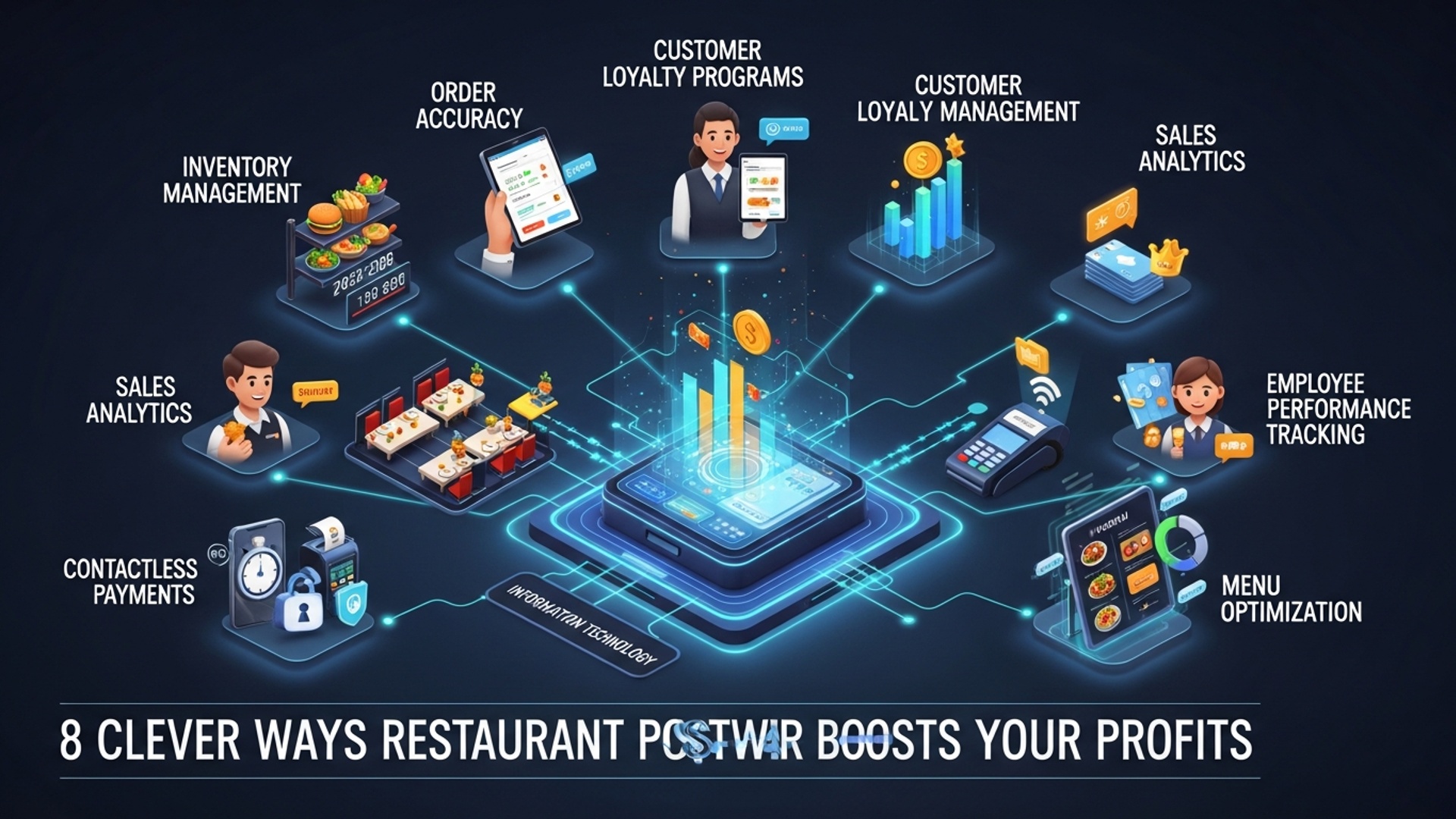
In today’s hyper-competitive culinary landscape, merely taking orders is no longer enough; savvy operators recognize the transformative power of modern restaurant POS software. This sophisticated platform transcends basic transaction processing, evolving into a pivotal profit-driving engine that optimizes every facet of operations. Contemporary POS systems, integrating AI-driven inventory forecasting and real-time sales analytics, empower establishments to significantly reduce food waste, dynamically adjust staffing for peak efficiency. personalize customer experiences, thereby boosting average check values. Beyond streamlining front-of-house, these solutions provide deep insights into menu performance and labor costs, enabling data-backed decisions that directly enhance the bottom line and adapt to current trends like contactless ordering and integrated delivery management.
Streamlining Order Management for Unprecedented Efficiency
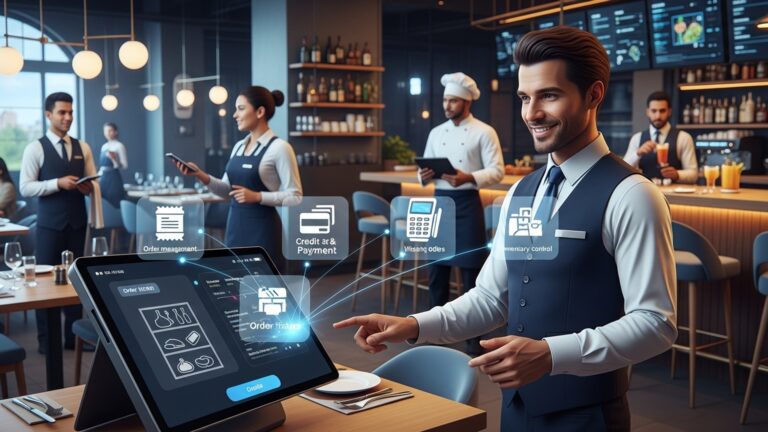
In the fast-paced world of hospitality, every second counts. Efficient order management is not just about speed; it’s about accuracy, customer satisfaction. ultimately, your bottom line. Modern Restaurant POS software revolutionizes this core operation, transforming chaotic order taking into a seamless, error-free process.
Consider a busy Friday night: orders are flying in from tables, online platforms. delivery apps. Without a robust POS system, human error is inevitable – misplaced tickets, incorrect modifications, or forgotten upsells. A sophisticated point-of-sale solution integrates all these channels, ensuring every order, whether placed by a server on a handheld device or directly by a customer online, lands instantly and accurately in the kitchen display system (KDS). This direct communication eliminates handwritten errors, reduces food waste from incorrect orders. significantly speeds up service times. Faster table turns mean more customers served, directly translating to higher revenue.
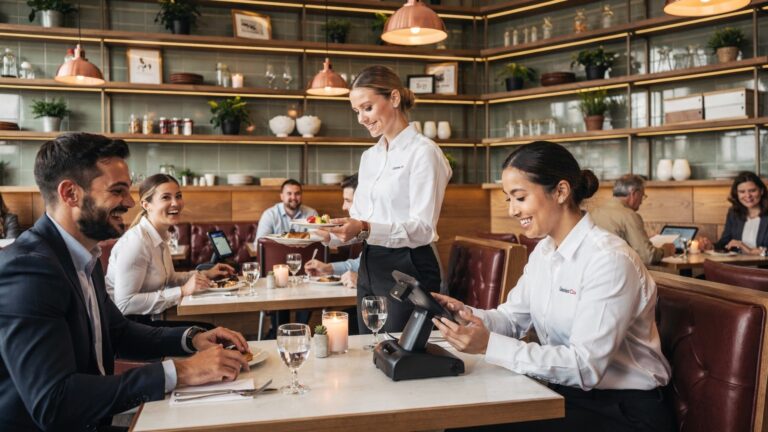
- Digital Order Taking: Servers use tablets or mobile devices to input orders directly at the table, sending them instantly to the kitchen or bar. This reduces walking time and improves order accuracy.
- Kitchen Display Systems (KDS): Replaces paper tickets with digital screens in the kitchen, organizing orders by preparation station, managing cook times. signaling when dishes are ready. This reduces miscommunications and expedites food delivery.
- Integrated Online Ordering: Seamlessly pulls orders from your website or third-party delivery platforms directly into the POS, centralizing all order streams and preventing missed orders.
For instance, ‘The Urban Spoon’ bistro, a bustling downtown eatery, implemented a new Restaurant POS software. Before, they struggled with a 10% error rate on manual orders during peak hours, leading to food waste and frustrated customers. After integrating the POS system with KDS, their error rate dropped to less than 1%. average table turn time decreased by 15 minutes, allowing them to serve an additional 20-30 covers per evening. This direct impact on operational efficiency is a clear profit booster.
Mastering Inventory Control to Minimize Waste and Maximize Savings
Food costs are typically the largest variable expense for any restaurant, making efficient inventory management absolutely critical for profitability. Outdated methods, like manual stock counts and spreadsheets, are prone to errors and provide little real-time insight. This is where advanced Restaurant POS software shines, offering powerful tools to track, manage. optimize your inventory.
By integrating inventory management directly into your POS system, every sale automatically deducts the corresponding ingredients from your stock levels. This provides a real-time, accurate picture of what you have on hand. Beyond simple tracking, the software can alert you when items are running low, generate purchase orders based on historical sales data. even identify popular or slow-moving dishes. This level of detail helps prevent over-ordering perishables that might spoil, reduces stockouts of popular items. allows you to negotiate better deals with suppliers based on precise usage data.
- Real-time Stock Tracking: Automatically updates inventory levels with every sale, purchase. waste entry.
- Recipe Management: Accurately tracks the cost of each dish by linking recipes to ingredient costs, helping you price menus strategically.
- Supplier Management: Streamlines ordering by generating purchase orders, managing vendor relationships. tracking delivery schedules.
- Waste Tracking: Records spoilage and waste, identifying areas for improvement and reducing unaccounted losses.
Imagine a small pizza parlor, ‘Crust & Co.’ , that previously struggled with inconsistent ingredient costs and frequent waste of specialty cheeses. By implementing a POS system with robust inventory features, they were able to precisely track ingredient usage for each pizza, identify their most profitable menu items. reduce their weekly food waste by 20%. This direct control over their largest operational expense translated into thousands of dollars in annual savings, significantly boosting their profit margins.
Optimizing Menu Engineering for Higher Profit Margins
Your menu is more than just a list of dishes; it’s a strategic tool that, when engineered correctly, can significantly influence customer choices and boost your profitability. Without the right data, But, menu engineering is largely guesswork. This is where modern Restaurant POS software provides an invaluable advantage.
A sophisticated POS system collects granular sales data on every single item sold. It can tell you which dishes are your best sellers, which have the highest profit margins. which are simply taking up valuable menu space without contributing much to your bottom line. By analyzing this data, you can identify “stars” (high popularity, high profit), “plows” (high popularity, low profit), “puzzles” (low popularity, high profit). “dogs” (low popularity, low profit). With these insights, you can strategically adjust pricing, promote high-margin items through placement or server suggestions, or even remove underperforming dishes altogether.
- Sales Performance Reports: Detailed breakdowns of every menu item’s sales volume, revenue generated. profit contribution over customizable periods.
- Profitability Analysis: Calculates the gross profit of each dish based on ingredient costs (linked to inventory) and selling price.
- Dynamic Pricing Capabilities: Some advanced systems allow for real-time price adjustments based on demand or time of day, although this is more common in specific restaurant models.
A classic example is ‘The Gourmet Grill’, a steakhouse that used its POS data to identify that while their premium Wagyu steak was popular, a lesser-known but equally delicious ribeye had a significantly higher profit margin. By strategically placing the ribeye more prominently on the menu, training servers to recommend it. slightly adjusting its price, they saw a 15% increase in its sales, leading to a substantial boost in overall food profitability without alienating their loyal Wagyu customers.
Enhancing Customer Relationship Management (CRM) for Repeat Business
In today’s competitive restaurant landscape, attracting new customers is essential. retaining existing ones is often more cost-effective and profitable. Loyal customers not only return more frequently but also tend to spend more and act as valuable brand advocates. This is where the CRM capabilities embedded within many Restaurant POS software systems become a game-changer.
A robust POS can capture valuable customer data at the point of sale, such as order history, dining preferences, average spend. visit frequency. This data, when utilized effectively, allows you to personalize marketing efforts, offer targeted promotions. create loyalty programs that genuinely resonate with your clientele. Knowing that a particular customer always orders the vegan special or prefers a certain wine allows you to tailor future offers, making them feel valued and encouraging repeat visits.
- Customer Profiles: Create detailed profiles for each customer, including contact data, order history, dietary preferences. special occasions.
- Loyalty Programs: Easily manage points-based systems, tiered rewards, or personalized discounts directly through the POS.
- Targeted Marketing: Segment customers based on their preferences or spending habits to send out relevant promotions (e. g. , a birthday discount, a special offer on their favorite dish).
Consider ‘Café Bloom’, a local coffee shop. Before implementing a POS with integrated CRM, their loyalty program was a punch card system that offered little insight. After switching, their new POS tracked every coffee purchase. They could now identify their most frequent customers, segment them based on their drink preferences. send out personalized promotions. For example, customers who frequently bought lattes received an email about a new seasonal latte. This led to a 25% increase in loyalty program engagement and a noticeable uptick in repeat business and average check size, proving that personalized engagement drives profits.
Boosting Sales with Seamless Upselling and Cross-selling Features
One of the quickest ways to increase your average check size. therefore your profits, is through effective upselling and cross-selling. But, relying solely on servers to remember every possible combination and suggestion can be inconsistent. This is where advanced Restaurant POS software provides a powerful, automated assistant for your staff.
When a server inputs an order into the POS terminal, the system can be configured to automatically prompt them with relevant upsell and cross-sell suggestions. For instance, if a customer orders a burger, the POS might suggest adding cheese, bacon, or a side of loaded fries. If they order an entree, it could prompt for a wine pairing or a specific dessert. This consistent, data-driven prompting ensures that no opportunity to increase the check is missed. it empowers servers to be more confident and effective in their recommendations. It’s like having a sales expert embedded in every transaction.
- Automated Prompts: Configurable pop-ups or suggestions for servers based on the items already ordered.
- Combo and Modifier Management: Easily manage and price various combinations, add-ons. modifications, ensuring accurate pricing for every customized order.
- Training Support: Provides servers with a consistent framework for making recommendations, reducing reliance on individual memory or sales acumen.
For example, ‘Pasta Palace’, a popular Italian eatery, observed that while their servers were good, upselling was inconsistent. After implementing a new POS system that provided automated prompts for drink pairings, appetizer specials. dessert suggestions whenever an entree was entered, their average check size increased by 8%. This seemingly small increase, multiplied across hundreds of customers daily, resulted in a significant boost in monthly revenue and overall profitability without adding extra staff or increasing marketing spend.
Gaining Actionable Insights Through Robust Reporting and Analytics
Running a successful restaurant requires more than just good food and service; it demands smart decision-making based on solid data. Without comprehensive insights, you’re essentially flying blind, making crucial business choices based on intuition rather than evidence. This is where the robust reporting and analytics capabilities of modern Restaurant POS software become indispensable.
A high-quality POS system collects vast amounts of operational data – from sales trends and peak hours to employee performance and inventory turnover. It then transforms this raw data into easily digestible reports and dashboards, providing a clear, real-time picture of your restaurant’s performance. You can identify your busiest times to optimize staffing, grasp which marketing campaigns are truly driving sales, pinpoint inefficient processes. even track the performance of individual servers. These actionable insights empower you to make informed decisions that directly impact efficiency and profitability.
- Sales Reports: Detailed breakdowns by hour, day, week, month, menu item. payment type.
- Labor Reports: Track employee hours, sales performance. tips, helping optimize staffing schedules and manage labor costs.
- Inventory Reports: Monitor stock levels, identify waste. review ingredient usage to optimize purchasing.
- Customer Reports: comprehend customer demographics, preferences. loyalty program engagement.
- Customizable Dashboards: Visualize key performance indicators (KPIs) at a glance, allowing for quick, data-driven decisions.
Let’s consider ‘The Daily Grind’, a bustling coffee shop. Their manager used the POS software’s analytics to discover that despite Saturday mornings being their busiest, Friday afternoons actually had a higher average check size due to office workers buying larger orders. By shifting more staff to Friday afternoons and launching a targeted ‘Friday Fuel’ promotion, they increased Friday afternoon revenue by 20%, demonstrating the power of data-driven scheduling and marketing.
Here’s a simplified look at the kind of data a POS system can present for decision-making:
{ "report_date": "2023-10-27", "period_start": "08:00", "period_end": "12:00", "total_sales": 1250. 75, "average_check": 15. 25, "transactions": 82, "top_selling_items": [ {"item": "Latte", "quantity": 45, "revenue": 225. 00}, {"item": "Croissant", "quantity": 30, "revenue": 90. 00}, {"item": "Cappuccino", "quantity": 28, "revenue": 140. 00} ], "employee_performance": [ {"employee_id": "EMP001", "sales_total": 550. 50, "transactions": 35}, {"employee_id": "EMP002", "sales_total": 400. 25, "transactions": 28} ], "payment_types": { "credit_card": 850. 50, "cash": 300. 25, "mobile_pay": 100. 00 }
}
This kind of structured data, presented through intuitive dashboards, allows managers to quickly assess performance and identify opportunities.
Streamlining Staff Management and Reducing Labor Costs
Labor costs are another significant expense for restaurants. managing staff efficiently can directly impact your profitability. From scheduling to timekeeping and performance tracking, traditional manual methods are often cumbersome, error-prone. time-consuming. Modern Restaurant POS software offers integrated solutions that significantly streamline these critical HR functions.
By automating time tracking, your POS system ensures accurate payroll data, eliminating discrepancies and reducing administrative overhead. Moreover, some advanced POS solutions include integrated scheduling tools that allow you to create optimal staff rotas based on forecasted demand (derived from sales data). This means you can avoid overstaffing during slow periods and ensure adequate coverage during peak times, directly impacting labor efficiency. Moreover, tracking individual server performance through sales data can help identify training needs or reward top performers, fostering a more productive team.
- Time and Attendance: Employees clock in and out directly through the POS, ensuring accurate timekeeping for payroll.
- Labor Scheduling: Create and manage staff schedules, often with features to forecast demand based on historical sales data, preventing over or under-staffing.
- Performance Tracking: Monitor individual server sales, average check size. tips, providing data for performance reviews and incentive programs.
For example, ‘The Diner’, a 24/7 establishment, struggled with managing rotating shifts and overtime. After implementing a POS with integrated timekeeping and scheduling features, they were able to reduce unnecessary overtime by 10% and optimize their shift coverage, saving thousands of dollars annually on labor costs. The ability to see real-time labor costs against sales also helped them make on-the-fly adjustments during slower periods.
Enhancing Payment Processing and Security
In the digital age, secure and efficient payment processing is non-negotiable for any restaurant. Customers expect a variety of payment options and a smooth checkout experience. Beyond convenience, integrated payment processing through your Restaurant POS software offers significant advantages in terms of speed, accuracy. security, directly impacting your operational efficiency and reducing potential losses.
An integrated POS system directly communicates with your payment processor, eliminating the need for separate terminals and reducing manual entry errors. This speeds up transactions, shortens lines. improves customer satisfaction. Moreover, modern POS systems are built with robust security features, including end-to-end encryption and compliance with industry standards like PCI DSS, protecting your customers’ sensitive data and safeguarding your business from costly data breaches. Many systems also support EMV chip cards, contactless payments (NFC). mobile payment apps, catering to diverse customer preferences and enhancing the overall dining experience.
- Integrated Payments: Streamlined processing of credit cards, debit cards, mobile payments. gift cards directly through the POS, reducing errors and speeding up transactions.
- Enhanced Security: PCI DSS compliance, tokenization. end-to-end encryption protect sensitive customer data, minimizing fraud risk.
- Diverse Payment Options: Support for EMV chip cards, contactless payments (Apple Pay, Google Pay). split tender functionality caters to all customer preferences.
- Reduced Chargebacks: Accurate transaction records and robust security features help dispute fraudulent chargebacks more effectively.
Consider ‘Flavor Fusion’, a popular fusion restaurant that experienced occasional payment processing errors and concerns over data security. By upgrading to a modern POS system with integrated, PCI-compliant payment processing, they not only reduced their transaction processing time by 20 seconds per order but also eliminated payment discrepancies. This boosted customer confidence and saved them countless hours previously spent reconciling payment issues, contributing directly to a smoother operation and improved financial integrity.
Conclusion
It’s abundantly clear that restaurant POS software transcends its traditional role as a simple transaction tool. We’ve explored eight clever strategies, from optimizing table turnover to precise inventory management, that directly translate into healthier profit margins for your establishment. This isn’t just about efficiency; it’s about strategic growth. My personal tip for any restaurateur is to not just install a system. to truly leverage its full potential. Embrace advanced features like integrated customer loyalty programs and real-time sales analytics. I’ve seen firsthand how adopting current trends like contactless ordering, a recent development, significantly enhances both customer experience and operational flow. For guidance on selecting the perfect fit, refer to resources like How to Choose the Best Restaurant POS System with Essential Functionalities. The time for manual processes and guesswork is swiftly passing. Embrace this intelligent technology to not only boost your profits but also carve out a more efficient, customer-centric future for your restaurant. Your success story starts with smart software choices.
More Articles
10 Surprising Ways Restaurant POS Software Boosts Your Business Profits
Unlocking Efficiency 7 Smart Ways Restaurant POS Software Boosts Your Business
Five Ways Restaurant POS Software Improves Customer Experience
Streamline Your Restaurant Operations with POS Software and Kitchen Display System
Solve Common Problems 6 Smart Ways Restaurant POS Software Helps You

FAQs
How exactly does restaurant POS software help make more money?
It helps in several ways! By speeding up orders, managing inventory better to reduce waste, giving you insights into what sells best. even making your staff more efficient. All these things combined lead to higher revenue and lower costs, directly boosting your profits.
Can a POS system really cut down on food waste?
Absolutely! Modern POS software includes powerful inventory tracking features. It helps you monitor ingredients in real-time, predict demand based on sales data. even suggest optimal ordering quantities. This means less food spoiling in storage and more accurate purchasing, saving you a lot of money.
What about keeping customers coming back? Can a POS help with that?
Definitely. Many POS systems have built-in customer relationship management (CRM) features or integrate with loyalty programs. You can track customer preferences, offer personalized deals. run loyalty points programs, all of which encourage repeat visits and build a stronger, more profitable customer base.
How does POS software make daily operations smoother and faster?
It streamlines everything from taking orders at the table or online to sending them directly to the kitchen display system (KDS). This reduces manual errors, speeds up order fulfillment. helps staff manage multiple tasks more efficiently, leading to quicker table turns, less stress. happier customers.
I’m not great with numbers. How does a POS give me useful business insights?
You don’t need to be a math wizard! POS software automatically collects sales data, staff performance. inventory movement. It then presents this insights in easy-to-grasp reports and dashboards. You can quickly see your best-selling dishes, busiest times. even identify staff training needs, helping you make smarter, profit-driving decisions.
Is POS software helpful if I want to offer online ordering or delivery?
Yes, it’s crucial! Many modern POS systems seamlessly integrate with online ordering platforms and third-party delivery services. This allows you to manage all orders – in-house, takeout. delivery – from a single system, expanding your reach and revenue potential without added hassle or confusion.
Besides boosting sales, does POS software actually help save money?
It certainly does. By reducing errors in order taking and billing, minimizing food waste through precise inventory, optimizing staff scheduling to prevent overstaffing. preventing potential theft with better transaction tracking, a good POS system can significantly cut down on operational costs and prevent revenue leaks, directly improving your bottom line.