Choosing Restaurant POS Software 10 Questions to Ask Before You Buy
- restaurant POS software
- restaurant POS software
The Crucial Role of Restaurant POS Software in Modern Operations
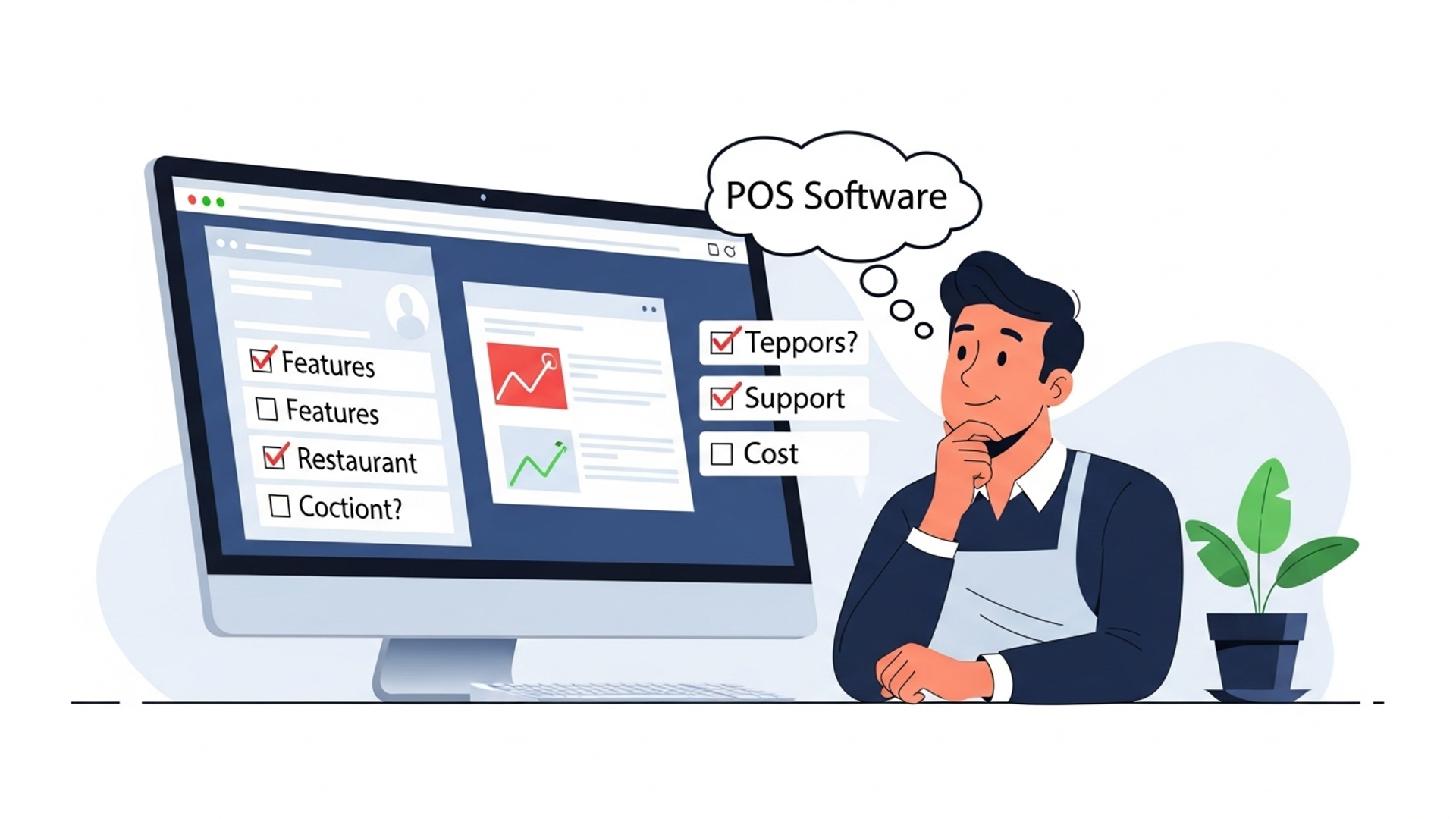
In today’s fast-paced culinary world, the right technology can make or break a restaurant’s success. At the heart of a thriving eatery lies efficient operations. a robust restaurant POS software system is the central nervous system that orchestrates everything from order taking to inventory management. This indispensable tool goes far beyond simple transaction processing; it’s a comprehensive restaurant management solution designed to streamline workflows, enhance customer experience. provide invaluable insights into your business performance. Choosing the correct point-of-sale system is one of the most significant decisions a restaurant owner will make, impacting daily efficiency, profitability. future growth. To ensure you invest wisely, it’s essential to ask the right questions before committing to a particular system. Let’s explore the ten critical questions that will guide you to the perfect fit.
Question 1: Is the POS System Cloud-Based or On-Premise?
Understanding the fundamental architecture of the POS system is your first step. Traditionally, many restaurants relied on on-premise POS systems, where all software and data resided on local servers within the restaurant itself. While this offered a sense of control and offline functionality, it came with significant upfront costs for hardware, complex installation. the burden of ongoing maintenance and security. In contrast, modern cloud-based POS solutions store data on remote servers, accessible via the internet from any device. This model typically involves a subscription fee but offers unparalleled flexibility, automatic updates, lower upfront costs. remote access to your business data.
- Cloud-Based Advantages
- On-Premise Advantages
Lower upfront costs, remote access, automatic updates, enhanced data security (handled by provider), scalability, ease of integration.
Full control over data, potentially better performance in areas with poor internet, no recurring subscription fees (after initial purchase).
For most contemporary restaurants, especially those looking for scalability and remote management capabilities, a cloud-based point-of-sale system offers significant advantages. For instance, a multi-location restaurant chain can manage all its outlets from a single dashboard with a cloud POS, a feat that would be incredibly complex and costly with on-premise systems.
Question 2: What Features Does the POS Offer for Order Management?
The core function of any restaurant POS software is efficient order processing. Beyond simply ringing up sales, a truly effective system should offer a suite of features that enhance the entire order workflow. Consider the following:
- Table Management
- Menu Customization
- Kitchen Display System (KDS) Integration
- Online Ordering & Delivery Integration
- Order Splitting & Merging
Can you easily manage table layouts, split tables, transfer orders between tables. track table status (e. g. , seated, ordered, eating, paid)?
How flexible is the menu setup? Can you easily add/remove items, apply modifiers (e. g. , “no onions,” “extra cheese”), create combo deals. manage daily specials?
Does it seamlessly connect to a KDS? This digital system replaces paper tickets, improving kitchen efficiency, reducing errors. speeding up order delivery.
Is there native support or robust integration with popular online ordering platforms and delivery services? This is crucial for expanding your reach and revenue streams.
Can guests easily split checks by item or by an even amount? Can multiple orders be merged?
A real-world example: A busy pizzeria uses its POS to manage online orders through its website, which automatically feeds into the KDS. When a customer calls for pickup, staff can quickly enter the order, apply discounts. assign it to a specific pickup time slot, all tracked within the system.
Question 3: How Robust Are the Inventory Management Capabilities?
Effective inventory management is paramount for controlling food costs and minimizing waste. A good restaurant POS solution should provide detailed inventory tracking features.
- Ingredient-Level Tracking
- Supplier Management
- Waste Tracking
- Recipe Management
- Reporting
Does it track ingredients as they’re used in recipes? For example, when a burger is sold, does the system deduct the bun, patty, lettuce. tomato from your stock?
Can you manage supplier insights, place orders directly through the system. track deliveries?
Is there a feature to log wasted items, helping you identify trends and areas for improvement?
Can you input and manage recipes, linking them to menu items for accurate cost analysis and inventory deduction?
Does it provide reports on inventory levels, usage. cost of goods sold (COGS)?
According to industry experts, poor inventory management can lead to significant profit loss. A comprehensive POS system that offers granular control over your ingredients can dramatically improve your bottom line.
Question 4: What Payment Processing Options Are Available. What Are the Fees?
Payment processing is a critical component of any POS system. You need to grasp the flexibility and cost implications.
- Integrated vs. Non-Integrated
- Payment Types
- EMV Compliance
- PCI Compliance
- Transaction Fees
Does the POS come with its own payment processor, or can you choose your own? Integrated solutions offer seamless transactions, reducing errors and speeding up service.
Does it accept all major credit/debit cards, contactless payments (NFC), mobile payments (Apple Pay, Google Pay). gift cards?
Is the hardware EMV compliant to protect against fraud?
How does the system ensure Payment Card Industry (PCI) compliance to protect customer data?
What are the processing fees? Are they flat rates, tiered, or interchange-plus? Request a clear breakdown of all charges. Beware of hidden fees.
A comparison of payment fee structures:
| Fee Structure | Description | Pros | Cons |
|---|---|---|---|
| Flat Rate | A fixed percentage and/or small per-transaction fee (e. g. , 2. 9% + $0. 30) regardless of card type. | Simple, predictable costs. | Can be more expensive for high-volume, low-value transactions. |
| Tiered Pricing | Transactions are grouped into “qualified,” “mid-qualified,” and “non-qualified” tiers, each with different rates. | May appear cheaper initially. | Opaque, difficult to predict costs, many transactions fall into higher tiers. |
| Interchange-Plus | You pay the direct interchange rate (set by card networks) plus a small markup from the processor. | Most transparent, typically lowest overall cost for businesses with high volume. | More complex to interpret. |
Always negotiate and compare multiple quotes for payment processing.
Question 5: How User-Friendly Is the Interface for Staff?
A powerful POS system is only effective if your staff can use it efficiently. A clunky, complicated interface will slow down service, lead to errors. frustrate employees.
- Intuitive Design
- Customizable Layouts
- Speed of Service
- Offline Mode
Is the layout clean, logical. easy to navigate? Can new staff members learn it quickly with minimal training?
Can you customize the order screen for different roles (e. g. , cashier, server)?
How many taps or clicks does it take to complete common tasks like placing an order, applying a discount, or processing a payment?
Does it have an offline mode in case of internet outages, allowing operations to continue seamlessly?
Consider a scenario where a server needs to quickly add a special request for a customer during peak hours. If the POS requires navigating through multiple sub-menus, it slows down service and impacts the customer experience. A well-designed system allows for quick, intuitive actions.
Question 6: What Reporting and Analytics Does the System Provide?
Beyond daily transactions, a sophisticated restaurant POS software should be a treasure trove of data, offering deep insights into your business performance. This is where you gain actionable takeaways to improve profitability.
- Sales Reports
- Labor Reports
- Inventory Reports
- Customer Data
- Customizable Reports
- Accessibility
Daily, weekly, monthly. yearly sales, sales by item, sales by employee, peak hours.
Track employee hours, labor costs. even tip distribution.
COGS, inventory valuation, waste reports, vendor performance.
For CRM purposes, track loyal customers, popular items, average spend.
Can you create custom reports tailored to your specific needs?
Can you access these reports remotely from a mobile device or home office?
For example, by analyzing sales data, a restaurant owner might discover that a particular dish consistently underperforms or that happy hour promotions significantly boost sales on certain days, allowing them to adjust menus and promotions accordingly. Data-driven decisions are key to sustainable growth.
Question 7: What Are the Hardware Requirements and Costs?
The software is only one part of the equation; you also need compatible hardware. This can significantly impact your upfront investment.
- Proprietary vs. Off-the-Shelf
- Hardware Components
- Durability
- Cost
Does the POS require specific, proprietary hardware that can only be purchased from the vendor, or is it compatible with standard off-the-shelf devices (e. g. , iPads, Android tablets)?
What specific hardware do you need (touchscreen terminals, cash drawers, receipt printers, barcode scanners, kitchen printers, customer-facing displays)?
Is the hardware designed for a demanding restaurant environment (e. g. , spill-proof, robust)?
Get a clear breakdown of hardware costs. Sometimes, a “free” POS software comes with expensive proprietary hardware.
// Example of a basic POS hardware setup
{ "main_terminal": "Touchscreen POS Monitor", "peripherals": [ "Cash Drawer", "Thermal Receipt Printer", "Kitchen Printer (Impact Printer)", "Barcode Scanner (for retail items/gift cards)", "Customer-Facing Display", "Credit Card Reader (EMV/NFC enabled)" ], "network_requirements": "Stable Wi-Fi or Ethernet connection"
}
Choosing a system compatible with generic hardware, such as an iPad-based POS, can offer greater flexibility and often lower initial costs.
Question 8: What Kind of Customer Support and Training Is Provided?
Even the most intuitive POS system will require support at some point. Downtime means lost revenue, so reliable support is crucial.
- Availability
- Response Time
- Training
- Cost of Support
- Onboarding Process
Is support available 24/7, or only during business hours? What channels are available (phone, email, chat)?
What are the guaranteed response times for critical issues?
Does the vendor offer initial training for your staff? Is it in-person, online, or through video tutorials? Are there ongoing training resources?
Is support included in the subscription fee, or is it an additional cost?
How does the vendor help you set up your menu, inventory. staff accounts?
A restaurant owner once shared an anecdote about their previous POS system failing during a busy Saturday night service. Their vendor’s support line was only open Monday-Friday, 9-5. This catastrophic experience led them to switch to a provider with 24/7 live support, emphasizing the importance of this question.
Question 9: What Integrations Are Available?
A truly modern restaurant POS solution doesn’t operate in a silo. Its ability to integrate with other essential business tools can significantly enhance overall efficiency.
- Accounting Software
- Loyalty Programs & CRM
- Employee Scheduling
- Third-Party Delivery Platforms
- API Availability
Does it integrate with popular accounting platforms like QuickBooks or Xero to streamline financial reconciliation?
Can it connect with customer relationship management (CRM) tools or loyalty programs to track customer preferences and reward regular patrons?
Does it integrate with employee scheduling software to manage shifts and payroll?
Beyond native online ordering, does it integrate with DoorDash, Uber Eats, Grubhub, etc. , to consolidate orders?
Does the vendor offer an open API (Application Programming Interface) for custom integrations if needed?
Seamless integrations reduce manual data entry, minimize errors. ensure that all your business systems are communicating effectively, creating a cohesive operational ecosystem. For example, automatic syncing of sales data to your accounting software saves hours of manual reconciliation each month.
Question 10: What is the Total Cost of Ownership (TCO)?
When evaluating pricing, look beyond the monthly subscription fee. The Total Cost of Ownership (TCO) gives you a complete picture of your investment.
- Subscription Fees
- Hardware Costs
- Installation Fees
- Training Fees
- Payment Processing Fees
- Support Fees
- Upgrade/Maintenance Fees
- Hidden Fees
Monthly or annual costs for the software.
Upfront purchase or lease costs for terminals, printers, etc.
Charges for initial setup and configuration.
If not included in the package.
As discussed in Question 4.
Ongoing costs for technical support.
Any costs associated with future software upgrades or hardware maintenance.
Always ask for a detailed breakdown and clarify any ambiguous charges.
Don’t be swayed by low initial prices. A system with a low monthly fee but expensive proprietary hardware, high processing rates. limited support could end up costing you more in the long run than a slightly more expensive but all-inclusive package. Request a transparent, itemized quote that covers all potential costs for at least a three-year period.
Conclusion
Selecting your restaurant POS system is more than just picking software; it’s about choosing a strategic partner for your operational success. Having diligently explored the ten critical questions, remember that the “best” system isn’t universal but the one perfectly tailored to your unique establishment, whether it’s a bustling bistro or a quiet cafe. A personal tip: always envision the future. Consider how a system handles emerging trends like AI-driven inventory predictions or seamless integration with third-party delivery platforms, a crucial aspect in today’s digital dining landscape. Don’t settle for the bare minimum. Actively test features like tableside ordering or real-time sales analytics. I’ve observed firsthand how a well-chosen system, like one offering robust loyalty programs, can significantly boost repeat business and customer engagement. Your choice today will empower your staff, delight your customers. ultimately drive sustainable growth, transforming daily challenges into streamlined successes. Embrace this decision as an investment in your restaurant’s vibrant future.
More Articles
How to Maximize Your Restaurant’s Efficiency With Key POS Features
Choosing Restaurant POS Software 5 Critical Features You Must Consider
Choosing The Best Restaurant POS System Five Key Factors To Consider
Discover Seven Essential Features Your Restaurant POS Software Must Offer Today
How Restaurant POS Software Can Boost Profits And Streamline Daily Operations

FAQs
What are the common hidden costs when choosing restaurant POS software?
It’s not just the initial price! Look out for monthly or annual subscription fees, credit card processing rates, costs for hardware (like terminals or printers), installation charges, training fees. ongoing customer support plans. Always get a full breakdown of all potential expenses before committing.
My restaurant isn’t ‘standard’ – maybe it’s a food truck, or fine dining, or has multiple locations. Can a typical POS handle that?
Definitely ask if the system can handle your specific operational needs. A good POS should be adaptable, offering features like advanced table management for fine dining, robust inventory tracking across multiple locations, or streamlined mobile ordering for food trucks. Don’t settle for a one-size-fits-all if it doesn’t fit you.
How easy is it for my staff to learn this new POS system?
This is super essential! You want a system that’s intuitive and doesn’t require a steep learning curve. Ask about training resources provided by the vendor – like video tutorials, user manuals, or even on-site training – to ensure your team gets up to speed quickly and without too much hassle during busy shifts.
What kind of help can I expect if the system glitches during a busy dinner rush?
Reliable support is crucial. Find out if they offer 24/7 support, how you can reach them (phone, chat, email). what their typical response times are. Make sure the support plan fits your operating hours – you don’t want to be stuck without help on a Saturday night.
Will this POS integrate smoothly with other tools I already use, like accounting software or my online ordering platforms?
Absolutely critical for efficiency! Check for integrations with your accounting software (like QuickBooks), popular online delivery services (DoorDash, Uber Eats). any loyalty programs you run. Seamless integration saves you tons of manual data entry and helps keep everything aligned.
Do I have to buy all new hardware, or can I use some of my existing equipment?
It depends on the system. Some POS solutions are ‘hardware-agnostic’ and might work with your current tablets or printers, which can save you money. Others are proprietary and require specific hardware that you’ll need to purchase. Always clarify this upfront to avoid unexpected expenses.
What kind of useful insights can I actually get from the POS data?
A lot! A good POS should offer robust reporting on sales trends, popular menu items, staff performance, peak hours. even inventory levels. This data helps you make smarter decisions about staffing, menu changes, promotions. overall business strategy.