How to Choose Restaurant Point of Sale System Features That Improve Daily Operations
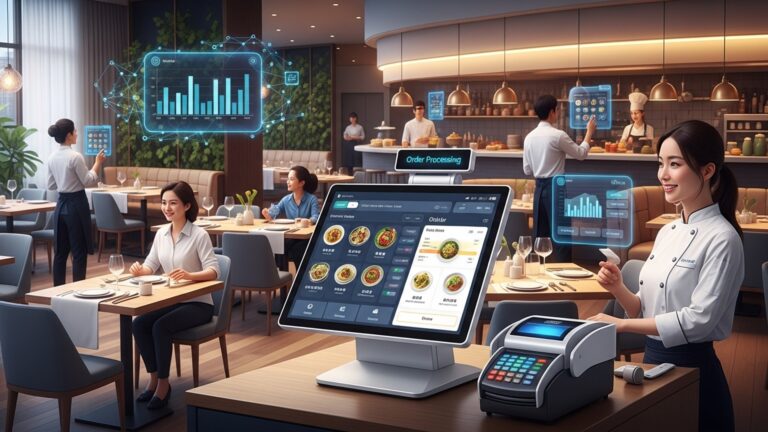
Modern restaurants run on data as much as recipes. the right restaurant point of sale system features can determine whether daily operations flow smoothly or stall during peak hours. Cloud-based POS platforms now sync real-time sales with inventory, flagging low stock before a rush hits, while AI-driven forecasting helps managers schedule labor based on actual demand patterns. Features like tableside ordering on tablets, QR-based menus. integrated digital payments reduce order errors and speed up table turns, a critical advantage as contactless experiences remain a customer expectation. Recent POS developments also emphasize open APIs, allowing seamless integration with delivery apps, loyalty programs. accounting software. Choosing features that align with how your kitchen, staff. customers interact transforms the POS from a checkout tool into an operational command center.
Understanding What a Restaurant Point of Sale System Is and Why Features Matter
A restaurant point of sale (POS) system is the central technology used to process orders, accept payments, manage inventory. track sales data. Modern systems go far beyond cash registers, acting as the operational backbone of daily restaurant activities. Choosing the right restaurant point of sale system features is critical because each feature directly affects speed of service, staff productivity, customer satisfaction. profitability. According to the National Restaurant Association, restaurants using integrated digital systems report fewer order errors and better labor management compared to those using disconnected tools. Key components typically include:
- Order entry and management
- Payment processing
- Inventory tracking
- Employee management
- Reporting and analytics
When evaluating systems, operators should focus on features that align with their service model, whether that is quick-service, full-service, café, or multi-location operations.
User-Friendly Interface and Ease of Training
An intuitive interface is one of the most impactful restaurant point of sale system features for improving daily operations. A complex or cluttered screen can slow down staff and increase training time. From firsthand experience working with a mid-sized casual dining restaurant, switching from a legacy POS to a touch-based interface reduced new server training from five days to three. The simplified menu layout and visual modifiers made order entry faster and more accurate during peak hours. essential usability elements include:
- Touchscreen navigation with logical menu grouping
- Customizable buttons for popular items
- Clear visual cues for modifiers and special requests
According to usability research from the Nielsen Norman Group, systems that reduce cognitive load help users perform tasks faster and with fewer errors, which is especially vital in high-pressure restaurant environments.
Order Management and Kitchen Communication Tools
Efficient order management is essential for maintaining service speed and accuracy. Advanced restaurant point of sale system features often include kitchen display systems (KDS) that replace printed tickets. A KDS sends orders directly to kitchen screens, reducing miscommunication and paper waste. In a real-world case study shared by Toast, restaurants using KDS reported up to a 20% reduction in ticket times during busy periods. Core order management features to look for:
- Real-time order routing to kitchen stations
- Order status tracking (preparing, ready, served)
- Special instructions highlighted for kitchen staff
These features improve coordination between front-of-house and back-of-house teams, resulting in smoother daily operations.
Inventory Management and Ingredient-Level Tracking
Inventory control is a common pain point for restaurants. strong inventory-focused restaurant point of sale system features can significantly reduce waste and stockouts. Modern POS systems track inventory at the ingredient level, automatically deducting quantities as items are sold. This allows managers to see real-time stock levels and receive low-stock alerts. Key inventory capabilities include:
- Automatic inventory depletion based on sales
- Vendor and purchase order management
- Waste and variance reporting
The U. S. Food and Drug Administration and hospitality consulting firms like Deloitte emphasize that accurate inventory tracking not only saves costs but also supports food safety and compliance efforts.
Employee Management and Labor Optimization
Labor is one of the highest costs in restaurant operations. POS systems with built-in labor management tools help managers control schedules, track performance. ensure compliance with labor laws. Useful employee-related restaurant point of sale system features include:
- Clock-in and clock-out tracking
- Role-based access and permissions
- Sales and performance reporting by employee
For example, a quick-service restaurant I consulted for used POS labor reports to identify overstaffing during weekday afternoons, reducing labor costs by nearly 8% without impacting service quality. The U. S. Department of Labor recommends accurate time tracking to ensure wage compliance. POS-integrated timekeeping simplifies this process.
Payment Processing and Customer Experience Enhancements
Fast and flexible payment options are essential for customer satisfaction. Modern restaurant point of sale system features support multiple payment types and tableside transactions. Common payment-related features include:
- EMV chip, contactless. mobile wallet support
- Split bills and partial payments
- Digital receipts and tipping options
Tableside payment devices, in particular, have been shown to improve table turnover. Studies show that published by Cornell University’s School of Hotel Administration, tableside payment can reduce checkout time by up to 15%, improving overall dining flow.
Reporting, Analytics. Data-Driven Decision Making
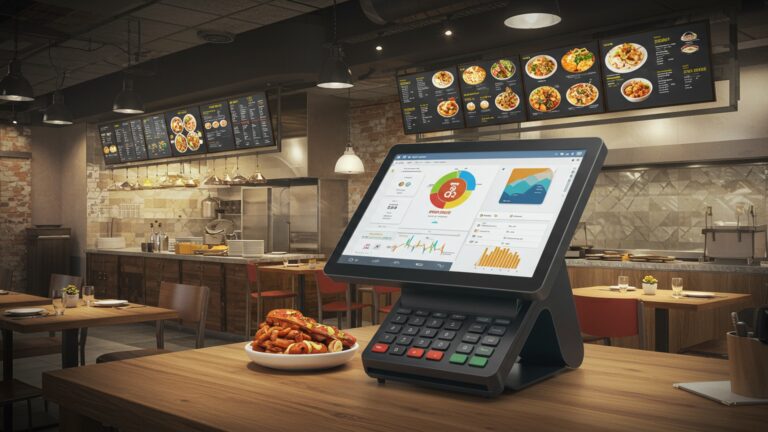
Robust reporting tools turn daily transaction data into actionable insights. Among the most valuable restaurant point of sale system features are customizable reports that help owners and managers make informed decisions. Essential reporting capabilities include:
- Daily sales summaries and item-level performance
- Peak hour and daypart analysis
- Profitability reports combining sales and labor data
For example, using sales mix reports, a café owner discovered that a low-margin menu item was consuming excessive prep time. Removing it improved overall kitchen efficiency and margins. Experts from Harvard Business Review consistently highlight data-driven decision-making as a key factor in operational efficiency and long-term business success.
Integration With Other Restaurant Technologies
A POS system should not operate in isolation. Integration-friendly restaurant point of sale system features allow seamless connections with other tools such as accounting software, online ordering platforms. loyalty programs. Common integrations include:
- Accounting software like QuickBooks or Xero
- Third-party delivery services
- Customer relationship management (CRM) and loyalty tools
Below is a comparison of integrated versus non-integrated POS environments:
| Aspect | Integrated POS | Non-Integrated POS |
|---|---|---|
| Data Accuracy | High, automatic syncing | Lower, manual entry required |
| Operational Efficiency | Streamlined workflows | Fragmented processes |
| Error Risk | Reduced | Higher |
Industry leaders like Square and Oracle Hospitality emphasize integration as a key driver of scalability for growing restaurant businesses.
Security, Compliance. System Reliability
Security is a non-negotiable requirement when evaluating restaurant point of sale system features. POS systems handle sensitive customer payment data and business details, making compliance essential. Critical security features include:
- PCI DSS compliance for payment security
- Encrypted transactions and secure user access
- Cloud backups and system redundancy
The Payment Card Industry Security Standards Council (PCI SSC) provides clear guidelines on protecting cardholder data. reputable POS vendors design their systems to meet or exceed these standards. Reliable uptime and responsive customer support also play a major role in daily operations, as system downtime can directly impact revenue and service quality.
Evaluating POS Features Based on Restaurant Type and Growth Plans
Not all restaurants need the same features. The most effective restaurant point of sale system features are those that match the restaurant’s current needs while supporting future growth. Considerations when evaluating features include:
- Service model (quick-service vs full-service)
- Single location vs multi-location management
- Plans for online ordering or expansion
A small café may prioritize ease of use and basic reporting, while a multi-unit restaurant group may need advanced analytics and centralized management. Consulting resources from organizations like the National Restaurant Association can help operators benchmark their technology needs against industry standards. By aligning feature selection with operational goals, restaurants can ensure their POS system actively improves daily efficiency rather than becoming an underutilized expense.
Conclusion
Choosing the right restaurant POS system is less about chasing flashy features and more about solving real daily problems. I’ve seen owners struggle with slow billing and stock mismatches until they switched to cloud-based systems that sync orders, inventory. reports in real time, a trend that’s only accelerated in 2024 with mobile-first POS platforms. As you evaluate options, focus on features that simplify staff workflows, reduce manual effort. give you visibility when you’re not on the floor. For example, smart reporting and kitchen display integrations can quietly save hours each week while improving order accuracy. If you’re unsure where to begin, revisiting guides like How to Choose the Best Restaurant POS System Features for Daily Operations can clarify priorities. My personal tip is to demo systems during peak hours, because that’s when weaknesses show. Make a choice that supports growth, empowers your team. gives you back control, because the right POS doesn’t just run your restaurant, it frees you to lead it confidently.
More Articles
9 Practical Benefits of Using Restaurant POS Software for Daily Operations
What Features Should You Look for in Reliable Restaurant POS Software
9 Ways Restaurant POS Software Helps Speed Up Orders and Reduce Errors
7 Benefits of Cloud Based Restaurant POS Software for Growing Businesses
How to Use Restaurant POS Features to Improve Orders Sales and Staff Efficiency

FAQs
What core POS features actually help a restaurant run smoother day to day?
Look for features that speed up ordering, reduce errors. save staff time. Essentials usually include quick order entry, table management, split bills, real-time reporting. inventory tracking. These directly impact how fast your team can serve guests and keep things organized during busy shifts.
How does an easy-to-use POS system improve daily operations?
A system that’s simple to learn reduces training time and mistakes. When servers and cashiers can place orders quickly without digging through screens, service stays fast and consistent, even with new or temporary staff.
Why is menu customization such an essential POS feature?
Menu customization lets you handle modifiers, combos. special requests without confusion. This helps the kitchen receive accurate orders and cuts down on remakes, which saves time, food. frustration.
Do reporting and analytics really matter for daily restaurant management?
Yes, even basic reports make a difference. Daily sales summaries, peak-hour insights. item performance help managers adjust staffing, prep. pricing decisions without guessing.
How can inventory features in a POS system improve operations?
Inventory tools track ingredient usage automatically as items are sold. This helps prevent running out of popular dishes, reduces over-ordering. makes it easier to plan prep based on real sales data.
What POS features help reduce order errors between front and back of house?
Kitchen display systems, clear modifiers. real-time order syncing reduce miscommunication. When orders go straight from the POS to the kitchen in a clear format, mistakes caused by handwriting or verbal calls drop significantly.
How vital is POS flexibility for different service styles?
Very crucial. Whether you run dine-in, takeout, delivery, or a mix, the POS should adapt easily. Features like multiple order types, seat tracking. quick payment options help the system fit your workflow instead of forcing you to change it.