How to Choose the Best Restaurant POS System 5 Essential Tips
In today’s fiercely competitive culinary landscape, restaurants navigate heightened guest expectations for seamless experiences, from instant QR code ordering to secure tableside payments. Selecting the optimal Restaurant POS software has transcended basic transaction processing; it now dictates operational agility, optimizes inventory management. empowers your team amidst persistent labor shortages. An advanced POS system functions as the critical digital backbone, integrating crucial aspects like online reservations, loyalty programs. real-time sales analytics. This strategic technological investment directly shapes your profitability and customer satisfaction, making a well-informed choice paramount for thriving in the modern dining era.
Understanding Your Restaurant’s Unique Operational Needs
Before diving into the myriad of options available, the foundational step in choosing the ideal Restaurant POS software is to deeply comprehend the unique operational heartbeat of your own establishment. Every restaurant, from a bustling quick-service cafe to an elegant fine-dining experience or a multi-location chain, has distinct workflows, challenges. guest interaction points that a POS system must support, not hinder.
Consider the following aspects during your internal audit:
- Restaurant Type and Service Model
- Menu Complexity
- Transaction Volume
- Staffing Structure
- Customer Experience Goals
Are you a quick-service restaurant (QSR), fine dining, casual dining, bar, food truck, or ghost kitchen? A QSR might prioritize speed and order accuracy, while fine dining needs robust table management, reservation integration. customizable order flows. A bar requires advanced tab management and quick reordering.
Do you have a simple, static menu or a highly customizable one with many modifiers, daily specials. ingredient tracking needs? Your Restaurant POS software must handle your menu structure with ease.
How many orders do you process daily during peak hours? High-volume establishments require a system that can handle rapid transactions without lag, ensuring queues move quickly and staff aren’t bogged down by slow technology.
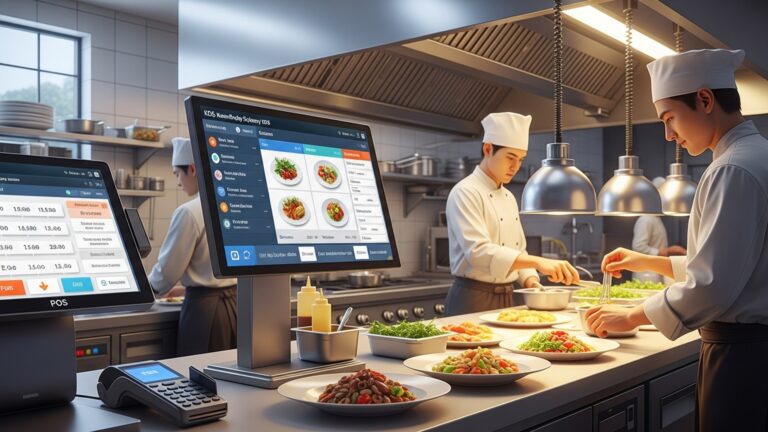
How do your staff interact with the system? Do servers take orders tableside using handheld devices, or do customers order at a counter? Will kitchen staff rely on printed tickets or a Kitchen Display System (KDS)? The user interface and workflow within the Restaurant POS software must be intuitive for your team.
Are you aiming for contactless ordering, loyalty programs, online reservations, or personalized marketing? The chosen system should align with your desired customer journey.
For instance, a vibrant coffee shop known for its custom drinks needs a Restaurant POS software capable of intricate modifier options (e. g. , “extra shot,” “almond milk,” “no foam”) and quick payment processing. Conversely, a high-end steakhouse might prioritize seamless integration with their reservation system, detailed table mapping. the ability for servers to manage multiple courses per table, all while maintaining a sophisticated, unobtrusive customer experience. By clearly defining these needs upfront, you create a precise benchmark against which to evaluate potential Restaurant POS software solutions.
Cloud-Based vs. On-Premise: The Infrastructure Decision
Once you interpret your operational needs, the next critical decision involves the underlying infrastructure of your Restaurant POS software: will it be cloud-based or an on-premise system? This choice impacts everything from initial costs and ongoing maintenance to accessibility and data security.
Let’s define these two primary models:
- Cloud-Based POS
- On-Premise POS
This system operates entirely online, with the software and data hosted on remote servers managed by the POS provider. You access the system via a web browser or an app on internet-connected devices (tablets, smartphones, traditional terminals). It typically involves a monthly or annual subscription fee.
Also known as a “legacy” or “server-based” system, this involves installing the software directly onto your restaurant’s own hardware servers. Your data is stored locally within your establishment. It usually requires a significant upfront software license purchase, along with costs for hardware and ongoing maintenance.
Here’s a comparison to help you weigh the pros and cons:
| Feature | Cloud-Based Restaurant POS Software | On-Premise Restaurant POS Software |
|---|---|---|
| Cost Structure | Monthly/Annual subscription fees. Lower upfront cost. | Significant upfront software license cost, plus hardware. |
| Accessibility | Access from anywhere with internet (e. g. , managing reports from home, multi-location oversight). | Primarily accessed from within the restaurant network; remote access often requires complex setup. |
| Maintenance & Updates | Managed by the provider; automatic updates and security patches. | Requires internal IT staff or external vendor for updates, troubleshooting. maintenance. |
| Data Storage | Encrypted on remote servers; often with robust backup and disaster recovery. | Stored on local servers; security and backups are your responsibility. |
| Scalability | Easily scalable; add terminals, locations, or features with a few clicks. | Scaling often requires additional hardware and significant configuration. |
| Reliability | Dependent on internet connection; robust offline mode is crucial. | Less dependent on internet for core functions; susceptible to local hardware failures. |
| Initial Setup | Quicker to set up, often plug-and-play with minimal hardware. | More complex installation, requiring server setup and network configuration. |
For many modern restaurants, especially those with multiple locations or a desire for remote management, cloud-based Restaurant POS software offers unparalleled flexibility and cost-effectiveness. But, establishments with extremely sensitive data requirements or unreliable internet infrastructure might still find on-premise solutions appealing, provided they have the IT resources to manage them effectively.
Key Features and Integrations You Can’t Live Without
Beyond the infrastructure, the core functionality and ability to integrate with other essential tools are paramount when selecting Restaurant POS software. A truly effective system acts as the central nervous system of your operation, streamlining tasks and providing valuable insights.
Consider these essential features and integrations:
- Order Management & Customization
- Payment Processing
- Table & Floor Management
- Employee Management
- Inventory Management
- Reporting & Analytics
- Customer Relationship Management (CRM) & Loyalty Programs
- Online Ordering & Delivery Integration
- Kitchen Display System (KDS)
- Accounting Software Integration
- Reservation System Integration
The ability to easily take, modify. send orders to the kitchen or bar. This includes split tickets, table transfers, course management. comprehensive modifier options.
Seamless integration with various payment types (credit/debit cards, mobile payments, gift cards) and compliance with PCI Data Security Standards (PCI DSS) to protect customer data.
For full-service restaurants, an intuitive visual layout of your dining room for managing reservations, seating. server assignments.
Features like time clocks, shift scheduling, performance tracking. permission settings to control access levels for different staff roles.
A critical feature that tracks ingredients, monitors stock levels, alerts you to low stock. helps reduce waste. This directly impacts your bottom line. For example, a bakery might use its Restaurant POS software to track flour, sugar. butter consumption to predict ordering needs and minimize spoilage.
Comprehensive sales reports, labor cost analysis, inventory reports. peak hour data. This data is invaluable for making informed business decisions, identifying trends. optimizing operations.
Tools to capture customer data, track preferences. manage loyalty programs to encourage repeat business. Imagine a system that automatically applies a discount for a customer’s tenth visit or sends them a personalized birthday offer.
As online sales grow, your Restaurant POS software must integrate directly with your website’s online ordering platform and potentially third-party delivery services (e. g. , DoorDash, Uber Eats). This consolidates orders into one system, preventing manual re-entry and reducing errors.
Replaces paper tickets with digital screens in the kitchen, improving communication, order accuracy. speed. Different stations can see relevant orders, mark items as complete. track ticket times.
Seamless integration with popular accounting platforms like QuickBooks or Xero drastically reduces manual data entry, saving hours of administrative work and minimizing accounting errors.
For fine dining or busy establishments, integration with reservation platforms like OpenTable or Resy ensures front-of-house operations run smoothly.
When evaluating, create a checklist of “must-have” versus “nice-to-have” features based on your initial needs assessment. Prioritize a Restaurant POS software that offers robust core features and the flexibility to integrate with the specific third-party tools your restaurant relies on.
Scalability, Support. Security
Beyond the immediate features, the long-term viability of your Restaurant POS software hinges on three crucial factors: its ability to grow with your business (scalability), the quality of support you’ll receive. the robustness of its security measures.
- Scalability
- Multi-Location Management
- Feature Expansion
- Hardware Flexibility
- Customer Support
- Availability
- Contact Methods
- Response Time & Quality
- Training & Resources
- Security
- PCI Compliance
- Data Encryption
- User Access Controls
- Data Backup & Disaster Recovery
- Initial Costs
- Hardware
- Software Licenses
- Setup & Installation Fees
- Training Fees
- Ongoing Costs
- Subscription Fees
- Maintenance & Support Plans
- Payment Processing Fees
- Hardware Upgrades/Replacement
- Integration Fees
- Increased Efficiency
- Reduced Errors & Waste
- Improved Customer Experience
- Better Inventory Control
- Data-Driven Decisions
- Time Savings
Your restaurant isn’t static; it will ideally grow and evolve. Your Restaurant POS software should be able to keep pace without requiring a complete overhaul. Consider:
If you plan to open more branches, can the system easily link all locations, consolidate reports. manage shared menus or inventory centrally?
Can you easily add new modules or functionalities as your business needs change (e. g. , adding a loyalty program, online ordering, or a KDS)?
Does the system support a range of hardware options, from traditional terminals to handheld devices, allowing you to adapt as technology evolves?
A Restaurant POS software that forces you into a rigid structure will limit your growth potential. Look for a system that offers modularity and a clear upgrade path.
When issues arise—and they inevitably will, often during peak service hours—reliable and responsive customer support is invaluable. Evaluate:
Is support offered 24/7, or only during business hours? For restaurants, which operate outside typical 9-5, 24/7 support is often critical.
Can you reach support via phone, email, live chat, or a dedicated portal?
What are the guaranteed response times (Service Level Agreements – SLAs)? Are support agents knowledgeable and capable of resolving issues efficiently?
Does the provider offer comprehensive training materials, video tutorials, a robust knowledge base, or even on-site training during setup?
A real-world example: A restaurant manager once told me how a critical payment processing error during a busy Friday night was resolved within minutes thanks to their POS provider’s 24/7 phone support, preventing significant revenue loss and customer frustration. Without that support, the evening could have been disastrous.
Protecting sensitive customer payment data and your proprietary business insights is non-negotiable. Your Restaurant POS software must adhere to the highest security standards:
Ensure the system is fully compliant with the Payment Card Industry Data Security Standard (PCI DSS). This is mandatory for any business that accepts credit card payments.
All data, especially payment and personal customer data, should be encrypted both in transit and at rest.
The system should allow you to set granular permissions for different staff roles, ensuring employees only access the data and functions necessary for their job.
For cloud-based systems, inquire about their backup protocols and disaster recovery plans. For on-premise, interpret what tools are available for you to manage your own backups effectively.
Prioritizing security not only protects your business from costly breaches but also builds trust with your customers.
Cost-Benefit Analysis and Return on Investment (ROI)
The final, yet equally essential, tip is to conduct a thorough cost-benefit analysis and project the potential Return on Investment (ROI) for any Restaurant POS software you consider. The cheapest option upfront is rarely the most cost-effective in the long run. a higher-priced system can often deliver significant savings and revenue generation.
When evaluating costs, look beyond the sticker price and consider the Total Cost of Ownership (TCO):
Terminals, printers, cash drawers, KDS screens, handheld devices.
For on-premise systems, this is a significant upfront cost.
Often charged for initial configuration and deployment.
If not included, consider the cost of staff training.
For cloud-based systems, these are typically monthly or annual.
Even on-premise systems require ongoing support.
grasp the transaction fees, interchange rates. any hidden charges.
Budget for eventual replacement of physical devices.
Some third-party integrations may have their own subscription costs.
Now, weigh these costs against the quantifiable and qualitative benefits:
Faster order taking, quicker table turns, streamlined kitchen operations. This translates to serving more customers and reducing labor costs.
Accurate order entry, precise inventory tracking. better portion control lead to less food waste and fewer costly mistakes.
Faster service, personalized loyalty programs. convenient online ordering can lead to higher customer satisfaction, repeat business. larger average checks.
Real-time tracking helps prevent stockouts, reduces over-ordering. identifies popular/unpopular items, optimizing your purchasing.
Robust reporting allows you to identify peak hours, best-selling items, labor costs. marketing effectiveness, empowering you to make strategic decisions that boost profitability. For instance, analyzing sales data from your Restaurant POS software might reveal that a particular dish consistently underperforms, prompting you to remove it or re-engineer it.
Automating tasks like payroll integration, inventory counts. reporting frees up management time that can be reinvested in growing the business.
To calculate ROI, estimate the annual savings and revenue increases attributable to the new Restaurant POS software and compare them to the TCO over a projected period (e. g. , 3-5 years). Many providers can help you with these projections. it’s crucial to validate their claims with your own realistic figures.
Choosing the best Restaurant POS software is an investment in your restaurant’s future. By taking a methodical approach, understanding your needs, evaluating options thoroughly. considering the long-term impact, you can select a system that not only meets your current demands but also propels your business forward.
Conclusion
Choosing the ideal restaurant POS system transcends merely comparing feature lists; it’s about deeply understanding your unique operational pulse and future aspirations. I’ve personally witnessed how a poorly chosen system, perhaps one that struggles with complex split checks or lacks real-time inventory updates, can cripple even the most efficient kitchen. Therefore, go beyond the superficial; prioritize systems offering seamless integrations with online ordering platforms, a non-negotiable in today’s digital landscape. robust cloud capabilities for accessible data insights. My personal tip? Never underestimate the power of reliable customer support. It’s not just a perk; it’s your safety net when the unexpected happens, ensuring your operations remain uninterrupted. Test drive potential systems with your actual staff, simulating peak service hours to gauge true ease of use. Remember, the goal isn’t just to find a POS. to select a strategic partner that empowers your team, streamlines service. ultimately, boosts your bottom line. Take this decision seriously. you’ll lay a formidable foundation for sustainable growth and unparalleled customer experiences.
More Articles
How to Choose the Right Restaurant POS 6 Crucial Steps for Success
How to Identify the Best Restaurant POS System Features for Success
Learn 8 Best Practices for Maximizing Your Restaurant POS System Investment Today
10 Essential Restaurant POS Features Every Owner Needs to Master
Avoid These 6 Common Mistakes When Implementing New Restaurant POS Software Solutions

FAQs
What’s the absolute first thing I should think about when picking a restaurant POS?
Start by figuring out what your restaurant really needs. Are you a quick-service cafe, a bustling bar, or a sit-down bistro? Your unique operations will dictate the essential features you can’t live without.
How crucial is it that a POS system is easy for my staff to use?
It’s super vital! An intuitive, user-friendly system means less training time for your team, fewer mistakes. smoother service. Look for clean interfaces and simple workflows.
What kind of hidden costs should I watch out for beyond the monthly subscription?
Always dig for the total cost of ownership. This includes hardware expenses, installation fees, payment processing rates, potential charges for specific features. even customer support tiers. Get a full breakdown upfront.
My restaurant is growing. Can a POS system keep up, or will I need to switch later?
Choose a system that’s built to scale. It should be able to handle more transactions, additional terminals, new locations. integrate new features as your business expands without needing a complete overhaul.
What level of customer support should I expect from a good POS provider?
Look for reliable, preferably 24/7 support with multiple contact options (phone, chat, email). Quick and helpful responses are crucial, because any downtime means lost sales for your business.
Should I worry about whether the POS integrates with other software I already use, like accounting or inventory?
Absolutely! Good integrations with your existing accounting, inventory, or loyalty programs can save you a ton of time and prevent manual data entry errors, streamlining your entire back-office operation.
How can I really tell if a system is right for my restaurant before committing?
Always ask for a thorough demo, ideally a hands-on trial. Talk to other restaurateurs who use the system. read independent reviews. This helps you see it in action and get real-world feedback on its performance.