Avoid 6 Common Restaurant POS Software Problems with These Simple Solutions
Running a restaurant demands flawless operations, yet outdated or poorly implemented restaurant POS software often introduces frustrating bottlenecks, from slow transaction processing that irks customers to inventory discrepancies costing significant revenue. In an era where digital menus and online ordering demand seamless integration, a malfunctioning system can quickly erode profit margins and tarnish reputation, hindering growth. Modern cloud-based restaurant POS software promises efficiency. even cutting-edge platforms can present common pitfalls like data synchronization errors or complex staff training challenges if not properly managed. Overcoming these pervasive issues is crucial for maintaining operational fluidity and ensuring a superior guest experience in today’s fast-paced culinary environment.
The Critical Role of Robust Restaurant POS Software
In the fast-paced world of hospitality, efficient operations are the backbone of success. At the heart of these operations lies your Restaurant POS software, a system far more complex than a simple cash register. It’s the central nervous system that manages orders, processes payments, tracks inventory. even provides crucial business insights. But, when this vital system falters, it can lead to a cascade of problems, from customer dissatisfaction and revenue loss to operational bottlenecks and staff frustration. Understanding and proactively addressing common issues is paramount for any restaurant aiming for seamless service and sustainable growth. Let’s delve into six prevalent problems associated with Restaurant POS software and explore practical, actionable solutions.
Problem 1: Frequent Software Glitches and System Crashes
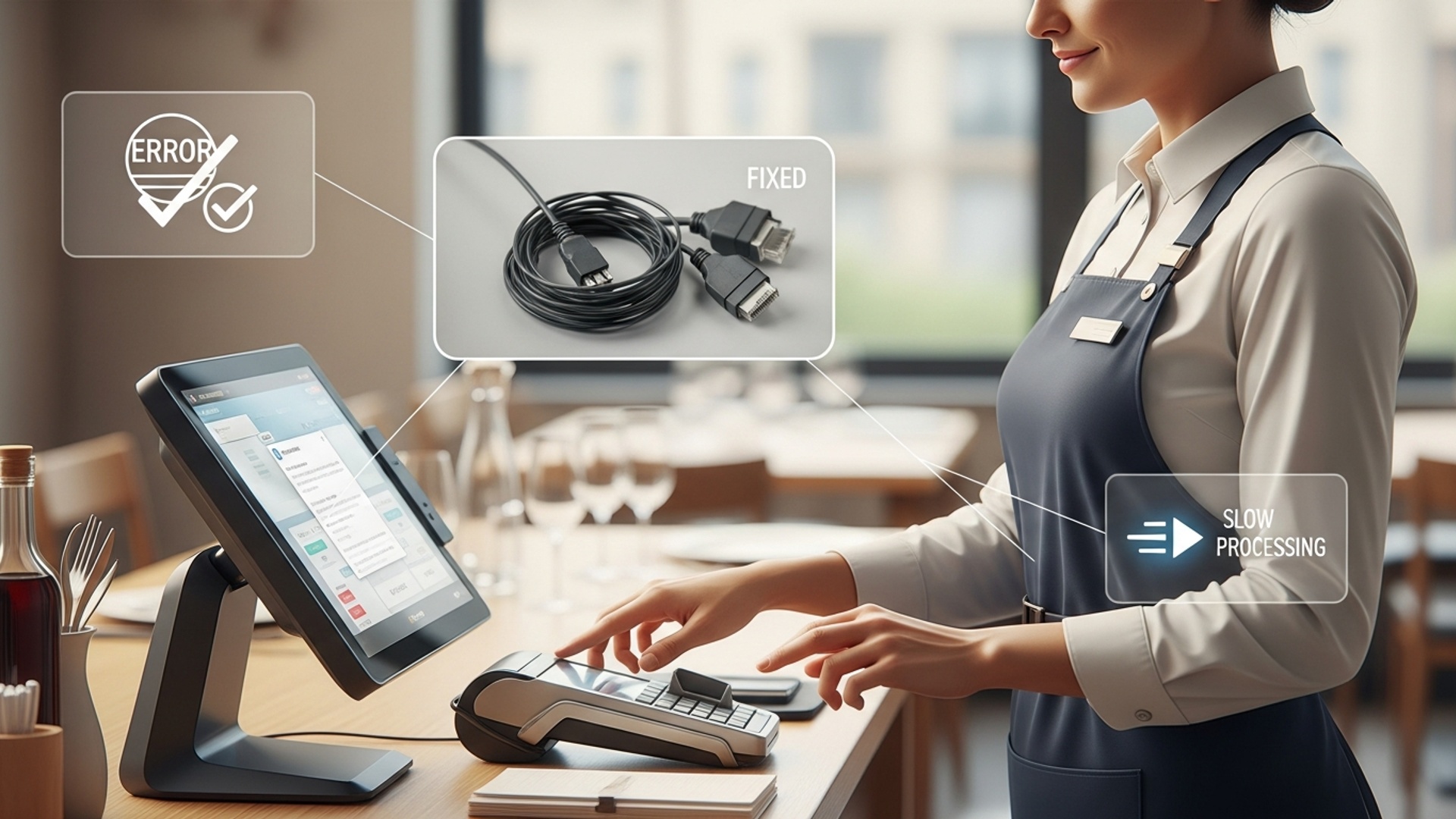
Imagine the dinner rush: orders are flying in, tables are turning. suddenly, your Restaurant POS software freezes or crashes. This isn’t just an inconvenience; it’s a critical operational failure that can bring your entire service to a grinding halt. Frequent glitches lead to lost orders, delayed transactions, frustrated customers. stressed staff. The underlying causes often range from outdated software versions and insufficient hardware to poor network connectivity or even incompatible peripheral devices.
Solution: Prioritize Regular Updates, Robust Hardware. Cloud-Based Systems
- Regular Software Updates
- Invest in Robust Hardware
- Embrace Cloud-Based POS
Much like your smartphone, Restaurant POS software requires routine updates. These updates often include bug fixes, performance enhancements. crucial security patches. Neglecting updates leaves your system vulnerable to known issues and can degrade performance over time. Always schedule updates during off-peak hours to minimize disruption.
Your POS software is only as good as the hardware it runs on. Using outdated or underpowered terminals, printers. network equipment can lead to slow response times and crashes. Ensure your hardware meets or exceeds the recommended specifications for your chosen Restaurant POS software. For example, a restaurant that handles high transaction volumes might need industrial-grade touchscreens and dedicated network switches.
Cloud-based Restaurant POS software offers significant advantages in terms of stability and resilience. Data is stored remotely on secure servers, meaning that even if your local hardware fails, your data remains safe and accessible from another device. Cloud systems also often benefit from automatic updates and remote troubleshooting by the vendor, reducing the burden on your in-house IT. A real-world example is a busy café that switched from an on-premise system prone to freezing to a cloud-based solution. They reported a significant reduction in downtime, with the system handling peak periods without a hitch, allowing staff to focus on customer service rather than troubleshooting.
Problem 2: Seamless Integration Challenges with Other Systems
Modern restaurant operations rely on a suite of interconnected technologies: inventory management, accounting, online ordering platforms, loyalty programs. more. A common problem arises when your Restaurant POS software operates in a silo, unable to “talk” to these other essential systems. This lack of integration necessitates manual data entry, leading to errors, inefficiencies. a fragmented view of your business.
Solution: Opt for Open APIs and Comprehensive Compatibility Checks
- Understanding APIs
- Comprehensive Compatibility Checks
An Application Programming Interface (API) is a set of rules and protocols that allows different software applications to communicate with each other. When choosing Restaurant POS software, look for systems with an open API. This points to the software is designed to integrate easily with a wide range of third-party applications.
Before committing to a POS system, thoroughly vet its integration capabilities. Ask potential vendors specific questions about their compatibility with your existing inventory management, accounting software (e. g. , QuickBooks, Xero), or online ordering platforms (e. g. , DoorDash, Uber Eats).
// Example of API call for order submission (conceptual) POST /api/v1/orders { "order_id": "ORD12345", "items": [ {"product_id": "P001", "quantity": 2}, {"product_id": "P005", "quantity": 1} ], "customer_id": "CUST987" }
This conceptual code snippet illustrates how an online ordering platform might use an API to send a new order directly to your Restaurant POS software.
If direct integration isn’t possible, consider middleware solutions. These are software applications that act as a bridge, translating data between disparate systems to ensure they can communicate effectively. While adding a layer of complexity, they can be invaluable for legacy systems or highly specialized applications. According to a report by Accenture, businesses with integrated systems can see up to a 15-20% improvement in operational efficiency.
Problem 3: Data Security Vulnerabilities
Your Restaurant POS software handles sensitive details daily, from customer credit card details to proprietary sales data and employee records. A data breach can have catastrophic consequences, leading to financial penalties, legal liabilities, irreparable damage to your reputation. erosion of customer trust. In an era of increasing cyber threats, inadequate security measures are a critical concern.
Solution: Implement PCI Compliance, Encryption. Multi-Factor Authentication
- PCI DSS Compliance
- End-to-End Encryption
- Multi-Factor Authentication (MFA)
- Regular Security Audits
The Payment Card Industry Data Security Standard (PCI DSS) is a set of security standards designed to ensure that all companies that process, store, or transmit credit card insights maintain a secure environment. Your Restaurant POS software and its associated processes must be PCI compliant. Work with your POS vendor to ensure they meet these standards and grasp your own responsibilities for maintaining compliance.
Ensure that all sensitive data, especially payment data, is encrypted from the moment it’s entered until it’s processed and stored. End-to-end encryption scrambles data into an unreadable format, making it useless to unauthorized parties even if intercepted.
Implement MFA for all administrative access to your Restaurant POS software. This adds an extra layer of security by requiring users to provide two or more verification factors (e. g. , a password and a code from a mobile app) to gain access.
Periodically conduct security audits and penetration testing to identify and address potential vulnerabilities. Many POS providers offer security features as part of their service; always inquire about these. For example, a major restaurant chain faced a phishing attack that targeted their POS credentials. Their robust MFA system prevented unauthorized access, saving them from a significant data breach.
Problem 4: Lack of Staff Training and User-Friendliness
A sophisticated Restaurant POS software system is only effective if your staff can use it efficiently. A common problem is a lack of adequate training combined with a non-intuitive user interface. This leads to slow order taking, frequent mistakes, frustration among employees. ultimately, a poor customer experience. High staff turnover in the restaurant industry exacerbates this issue, as new hires constantly need to be brought up to speed.
Solution: Prioritize Intuitive UI, Comprehensive Training. Ongoing Support
- Intuitive User Interface (UI)
- Comprehensive Training Programs
- Hands-on Practice
- Visual Aids
- Role-Specific Training
- Ongoing Support and Feedback
When selecting Restaurant POS software, prioritize systems with a clean, logical. easy-to-navigate UI. A good UI mimics real-world workflows and minimizes the number of clicks required to complete a task. This reduces the learning curve significantly.
Develop and implement structured training programs for all new hires and provide refresher courses for existing staff. This shouldn’t be a one-time event.
Allow staff to practice on a training mode or dummy system before going live.
Use screenshots, videos. step-by-step guides.
Tailor training to different roles (e. g. , servers, bartenders, kitchen staff).
A restaurant manager once shared how they created laminated ‘cheat sheets’ for common tasks next to each POS terminal, which dramatically reduced errors and improved order accuracy, especially during peak hours.
Establish an internal support system where staff can quickly get answers to their questions. Encourage feedback on the POS system’s usability and regularly review common errors to identify areas for additional training or potential software adjustments. A responsive vendor support team is also crucial for addressing deeper technical issues quickly.
Problem 5: Inaccurate Inventory Management
For restaurants, managing inventory is crucial for profitability. A significant problem with many Restaurant POS software setups is inaccurate inventory tracking. This can lead to a host of issues: stockouts of popular items, excessive waste due to over-ordering, inaccurate food cost calculations. even potential theft. Without precise inventory data, making informed purchasing decisions becomes nearly impossible.
Solution: Implement Real-Time Tracking, Recipe Management. Regular Counts
- Real-Time Inventory Tracking
- Recipe Management Integration
- Regular Stock Counts and Variance Reporting
- Supplier Integration
Choose Restaurant POS software that offers real-time inventory updates. Every time an item is sold, the system should automatically deduct it from your stock count. This provides an up-to-the-minute view of your inventory levels.
Advanced Restaurant POS software can integrate with recipe management modules. This means that when a dish is sold, the system not only deducts the finished product but also the individual ingredients used to prepare it. For example, if a “Beef Burger” is sold, the system might deduct 6 oz of beef, 1 bun, 0. 5 oz of cheese, etc. This level of granularity is vital for accurate food costing and waste reduction.
While automated tracking is powerful, physical inventory counts are still necessary to reconcile discrepancies. Your Restaurant POS software should allow for easy input of physical counts and generate variance reports, highlighting differences between theoretical and actual stock. Investigating these variances can uncover issues like portion control problems, spoilage, or theft. A restaurant owner discovered a significant variance in their liquor inventory, which, after investigation, led to identifying and correcting an issue with over-pouring by certain bartenders.
Some advanced Restaurant POS software can even integrate with supplier systems, allowing for automated reordering when stock levels hit a predefined minimum, further streamlining the inventory process.
| Feature | Basic POS Inventory | Advanced POS Inventory |
|---|---|---|
| Sales Deduction | Yes (finished goods) | Yes (finished goods & ingredients) |
| Real-Time Updates | Limited / Manual | Yes |
| Recipe Costing | No | Yes |
| Vendor Management | Basic (contact info) | Advanced (ordering, pricing, lead times) |
| Variance Reporting | Manual calculation | Automated, detailed |
| Waste Tracking | Manual logs | Integrated, data-driven |
Problem 6: Poor Reporting and Analytics Capabilities
Many restaurants invest in Restaurant POS software for its transactional capabilities but overlook its potential as a powerful business intelligence tool. A common problem is that the system either lacks robust reporting features or the available reports are difficult to interpret and act upon. Without clear, actionable data on sales trends, peak hours, menu item performance. staff efficiency, restaurant owners are essentially operating blind, hindering strategic decision-making and growth.
Solution: Demand Robust Reporting Features and Data Interpretation Training
- Comprehensive Reporting Suite
- Sales Reports
- Labor Reports
- Inventory Reports
- Customer Reports
- Customizable Dashboards
- Data Interpretation Training
- Leveraging AI and Machine Learning
When evaluating Restaurant POS software, scrutinize its reporting capabilities. Look for systems that offer a wide array of customizable reports, including:
Daily, weekly, monthly, by menu item, category, server, or payment type.
Track staff hours, sales per labor hour. tip distribution.
Food cost percentages, waste tracking, stock levels.
Loyalty program performance, average spend.
The ability to filter, sort. export data in various formats (e. g. , CSV, PDF) is also crucial.
Modern Restaurant POS software often includes customizable dashboards that provide a high-level, real-time overview of key performance indicators (KPIs). This allows managers to quickly identify trends, spot issues. make immediate adjustments. For instance, seeing a sudden dip in sales for a specific menu item might prompt a promotional offer or a re-evaluation of its ingredients.
Simply having reports isn’t enough; staff and management need to comprehend how to interpret the data to make informed decisions. Provide training on how to read reports, identify trends. translate insights into actionable strategies. For example, understanding that Tuesdays are consistently slow might lead to running a “Two-for-Tuesday” special to boost traffic.
Some cutting-edge Restaurant POS software is beginning to incorporate AI and machine learning to predict future sales trends, optimize staffing schedules. even suggest menu item pricing based on demand, offering a significant competitive edge. A restaurant chain used their POS analytics to identify their least profitable menu items and replaced them with new, higher-margin dishes, leading to a 10% increase in overall food profit margin.
Conclusion
The journey to a seamless restaurant operation often hinges on a well-managed POS system. Rather than waiting for system glitches to disrupt service, as I learned during a particularly chaotic dinner rush when our old, outdated system crashed mid-order, proactive prevention is your greatest ally. Regularly auditing your software for updates, ensuring staff are thoroughly trained. actively leveraging features like real-time inventory tracking, which can prevent those embarrassing “sorry, we’re out of that” moments, are not just best practices—they are necessities in today’s fast-paced environment. My personal tip? Treat your POS system like a valued team member; invest in its training and maintenance. With the rise of cloud-based solutions and integrated payment gateways, staying current with technology, perhaps even exploring AI-driven analytics to predict busy periods, can transform potential headaches into powerful operational advantages. Embrace these simple solutions to not only avoid common pitfalls but to empower your restaurant, creating a smoother experience for both your team and, most importantly, your cherished customers.
More Articles
How to Select the Best Restaurant POS System 7 Essential Features Guide
10 Smart Strategies to Optimize Your Restaurant POS System Guide
Learn How to Unlock Top Restaurant POS System Features for Seamless Operations
10 Smart Strategies to Master Your Restaurant POS for Better Service
Master 5 Smart Strategies to Boost Restaurant Efficiency with POS Systems

FAQs
Why is my restaurant’s POS system always so slow, especially during busy hours?
A sluggish POS often points to outdated hardware, insufficient network bandwidth, or a system bogged down with old data. Simple solutions include upgrading to newer, faster hardware, ensuring you have a robust Wi-Fi network. regularly clearing out unnecessary historical data to keep things running smoothly.
My POS keeps crashing in the middle of service! How do I stop this from happening?
Frequent crashes are a huge headache. This usually indicates unreliable software or incompatible hardware. Look for a reputable POS vendor known for stability, ensure your hardware meets the software’s requirements. always keep your software updated to the latest stable version. Also, ensure regular data backups are in place to prevent loss.
What if my current POS doesn’t have the features I really need for my restaurant, like inventory or online ordering integration?
If your POS lacks critical features, it’s time to re-evaluate. Before committing, identify your must-have features (inventory management, table management, online ordering, loyalty programs, etc.). Many modern POS systems offer modular features or seamless integrations with third-party tools, so choose one that can grow with your needs.
It’s a nightmare training new staff on our complicated POS system. Is there an easier way?
A complex POS system can slow down onboarding and lead to errors. Look for systems with intuitive, user-friendly interfaces that mimic common apps. Many vendors offer comprehensive training resources, video tutorials, or even in-person training. Prioritize ease of use during selection to cut down on training time and reduce staff frustration.
What happens if I have a problem with my POS and can’t get help from customer support?
Poor customer support can be crippling. When choosing a POS, thoroughly vet their support options. Look for vendors offering 24/7 support through multiple channels (phone, email, chat), with quick response times and knowledgeable staff. Read reviews to see what other users say about their support experience.
How can I protect my restaurant’s data and customer credit card info from POS security threats?
Data security is paramount. Ensure your POS system is PCI compliant and uses strong encryption for all transactions. Implement robust password policies, restrict user access based on roles. regularly update your software to patch any security vulnerabilities. Always be cautious about suspicious emails or downloads.
My POS doesn’t ‘talk’ to my inventory system or online ordering platforms. Can I fix this lack of integration?
Lack of integration leads to manual data entry and errors. When choosing a POS, prioritize systems that offer open APIs or built-in integrations with popular inventory management, accounting. online ordering platforms. This creates a more streamlined workflow, saves time. improves data accuracy across your operations.