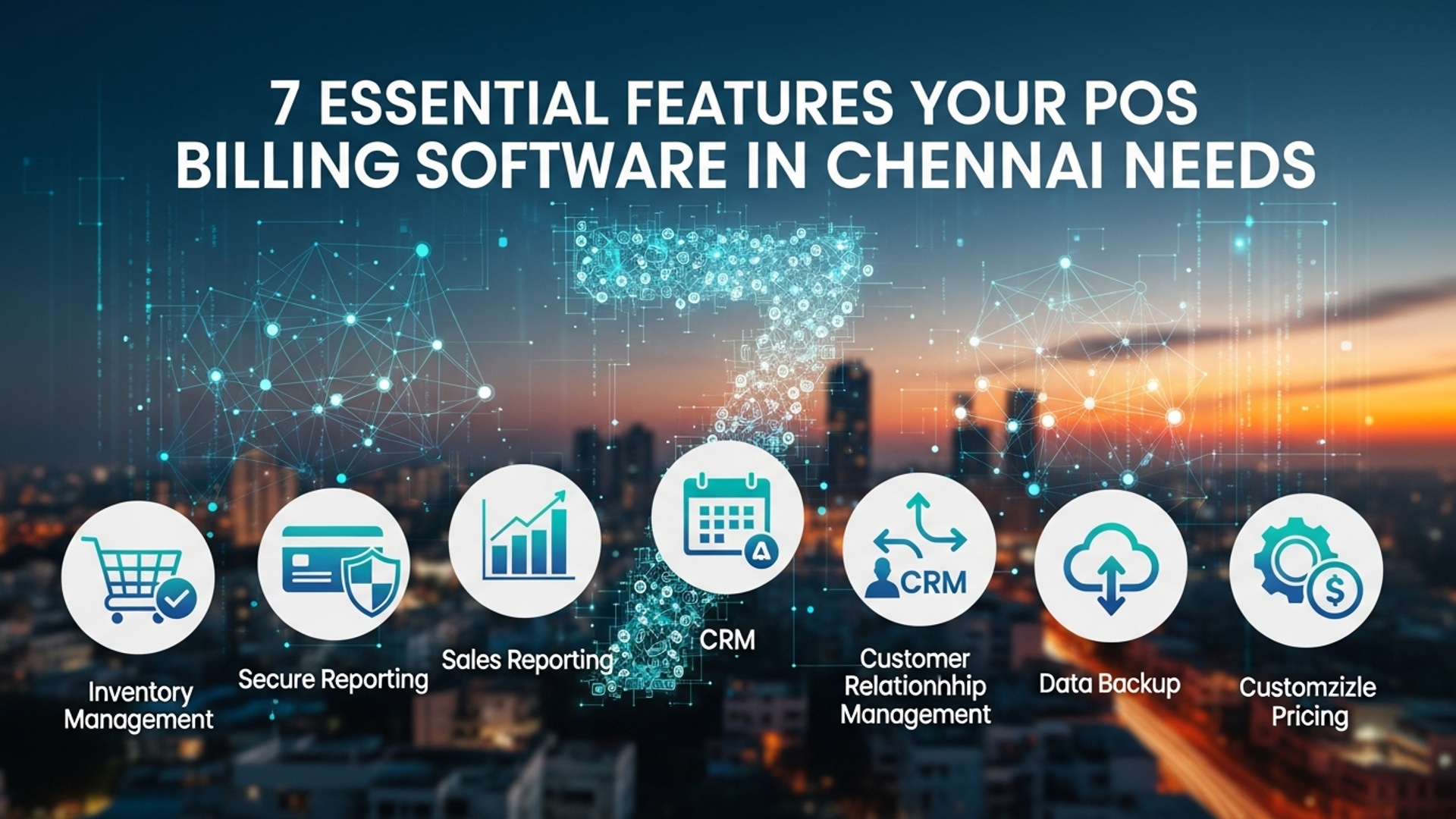
7 Essential Features Your POS Billing Software in Chennai Needs
In Chennai’s dynamic retail and hospitality sectors, merely processing transactions is no longer sufficient; businesses require intelligent operational tools. Selecting the right pos billing software in Chennai is paramount for navigating this competitive landscape, serving as the digital backbone for efficiency and customer satisfaction. Modern businesses demand systems that go beyond basic sales, integrating advanced features like real-time inventory tracking, robust CRM capabilities. comprehensive sales analytics to streamline operations and enhance the overall customer experience. A truly effective POS solution empowers owners to make data-driven decisions, reduce operational friction. adapt swiftly to market changes, ensuring sustained growth and a strong competitive edge in the bustling Chennai market.
1. Intuitive User Interface (UI) and Ease of Use
When selecting a pos billing software in chennai, the first and perhaps most critical feature to evaluate is its user interface (UI) and overall ease of use. A complex system, no matter how powerful, can lead to frustration, errors. significant training overhead for your staff. For businesses operating in Chennai’s fast-paced retail and hospitality sectors, speed and efficiency at the point of sale are paramount. An intuitive UI ensures quick transaction processing, reduces checkout times. minimizes the learning curve for new employees.
What makes a UI intuitive?
- Clear Layout
- Minimal Clicks
- Customizable Screens
- Visual Cues
Easily identifiable buttons, categories. product listings.
Transactions should be completable with the fewest possible steps.
Ability to arrange frequently used items or functions for specific business needs, e. g. , a restaurant might prioritize table management while a retail store focuses on product scanning.
Color-coding, icons. clear prompts guide users through processes without extensive memorization.
Imagine a busy coffee shop in Mylapore during peak hours. A barista needs to quickly take an order, apply a discount, process payment. move to the next customer. If their POS system requires navigating through multiple menus or entering complex codes, it slows down the entire operation, leading to longer queues and potentially lost sales. An easy-to-use POS means faster service and happier customers.
During your evaluation, request a demo and have several different staff members, including those with varying tech proficiencies, test the software. Observe their interactions and identify any points of confusion. User feedback is invaluable here.
2. Robust Inventory Management
Effective inventory management is the backbone of any successful retail or restaurant business. your POS billing software in Chennai must excel in this area. It’s not just about tracking what you sell; it’s about optimizing stock levels, minimizing waste. preventing stockouts that can cripple sales. A robust inventory module provides real-time visibility into your stock, helping you make informed purchasing decisions.
- Real-time Tracking
- SKU Management
- Automated Reordering
- Supplier Management
- Multi-Location Support
- Batch & Expiry Tracking
Updates stock levels instantly with every sale, return, or transfer.
Supports detailed product insights including SKUs, barcodes, variants (size, color). multiple pricing tiers.
Sets par levels and automatically generates purchase orders when stock hits predefined minimums.
Tracks supplier data, purchase history. lead times.
Essential for businesses with more than one outlet, allowing centralized inventory oversight.
Crucial for perishable goods (e. g. , food items in restaurants) to manage freshness and reduce spoilage.
A popular electronics store chain across Chennai struggled with inconsistent stock levels between its T. Nagar and Anna Nagar branches. Implementing a POS system with centralized, real-time inventory management allowed them to transfer stock efficiently, identify fast-moving items. reduce instances of customers being turned away due to out-of-stock items at a specific location. This led to a 15% reduction in dead stock and a significant improvement in customer satisfaction.
Modern POS systems often leverage cloud technology for inventory management. This means data is stored remotely and accessible from anywhere, ensuring all sales points and management dashboards reflect the most current stock levels. This eliminates manual reconciliation and reduces human error.
3. Integrated Payment Processing
In today’s digital economy, offering diverse payment options is non-negotiable. Your pos billing software in chennai needs seamless integration with various payment processing solutions. This goes beyond simply accepting cards; it encompasses mobile wallets, UPI. future payment technologies. Integrated payment processing streamlines the checkout process, reduces errors. enhances security.
- Faster Transactions
- Reduced Errors
- Enhanced Security
- Simplified Reconciliation
- Supports Multiple Payment Types
No need to manually enter amounts into a separate card machine, reducing transaction time.
Eliminates human error from miskeying amounts, ensuring accurate billing.
Many integrated solutions are EMV compliant and use tokenization/encryption to protect sensitive customer data, crucial for maintaining trust.
All payment data flows directly into your POS and accounting systems, making end-of-day reconciliation much easier and more accurate.
Ability to accept credit/debit cards, UPI, mobile wallets (e. g. , Google Pay, PhonePe), net banking. even gift cards.
| Feature | Integrated Payment Processing | Standalone Payment Processing |
|---|---|---|
| Speed | Faster, single step | Slower, two-step process (POS entry, then terminal entry) |
| Error Rate | Very low (automated amount transfer) | Higher (manual entry prone to errors) |
| Security | Often higher (EMV, tokenization, PCI compliance) | Varies by terminal, data handling can be less secure |
| Reconciliation | Automated, simplified reporting | Manual, time-consuming, prone to discrepancies |
| Customer Experience | Smooth, professional | Can feel disjointed, slower |
Inquire about the payment gateways and processors the POS software integrates with. Ensure they support popular local Chennai payment methods and offer competitive transaction fees. Look for PCI DSS compliant solutions to protect your business and customers.
4. Comprehensive Sales Reporting & Analytics
Beyond simply processing transactions, your POS software should act as a powerful business intelligence tool. Comprehensive sales reporting and analytics provide deep insights into your business performance, helping you identify trends, interpret customer behavior. make data-driven decisions. This feature is vital for optimizing operations and driving growth for any business using a POS system in Chennai.
- Sales by Product/Category
- Sales by Employee
- Sales by Time Period
- Customer Purchase History
- Returns & Voids Analysis
- Discount & Promotion Effectiveness
Identifies best-selling items and underperforming products.
Tracks individual staff performance and identifies training needs.
Pinpoints peak hours, days, or seasons to optimize staffing and promotions.
Understands individual customer preferences and buying patterns.
Helps identify potential issues or training gaps.
Measures the ROI of your marketing campaigns.
A retail apparel boutique in Nungambakkam uses its POS analytics to discover that denim sales spike significantly on weekends, while formal wear sells better on weekdays. They also notice a particular brand of accessories consistently performs well when paired with specific dress types. Armed with this data, they adjust their weekend staffing, optimize store displays. create targeted bundles, leading to a noticeable increase in average transaction value.
SELECT product_name, SUM(quantity_sold) AS total_quantity, SUM(total_price) AS total_revenue
FROM sales_transactions
WHERE transaction_date BETWEEN '2023-01-01' AND '2023-03-31'
GROUP BY product_name
ORDER BY total_revenue DESC;
While you won’t be writing SQL queries directly, a good POS system will provide dashboards and predefined reports that give you these insights with a few clicks. The ability to customize reports or export data for further analysis in tools like Excel is also a significant plus.
5. Customer Relationship Management (CRM) & Loyalty Programs
In a competitive market like Chennai, fostering customer loyalty is key to sustainable growth. A POS system that integrates CRM functionalities and supports loyalty programs allows you to build stronger relationships with your customers, encourage repeat business. personalize their shopping experience.
- Customer Database
- Loyalty Points System
- Membership Tiers
- Targeted Marketing
- Gift Card Management
- Feedback Collection
Stores contact details, purchase history, preferences. special notes.
Awards points for purchases that can be redeemed for discounts or free items.
Offers tiered benefits for different loyalty levels (e. g. , silver, gold, platinum).
Uses customer data to send personalized promotions, birthday discounts, or new product announcements via SMS or email.
Allows the creation, sale. redemption of gift cards.
Integrates with tools to gather customer feedback post-purchase.
According to a study by Forrester Research, companies with strong loyalty programs grow revenues 2. 5 times faster than their competitors. For a restaurant in Besant Nagar or a boutique in Adyar, knowing your regular customers, their preferred orders, or styles can significantly enhance their experience and ensure they return.
A popular bookstore in Royapettah implemented a loyalty program through its POS. Customers earned points for every purchase, which could be redeemed for discounts on future books or exclusive access to author events. The POS system automatically tracked points, applied discounts. even sent personalized recommendations based on past purchases, leading to a 20% increase in repeat customer visits within six months.
6. Multi-Store/Multi-Terminal Capability & Scalability
As your business grows, whether by adding more billing counters in a single store or opening new branches across Chennai, your POS billing software needs to scale with you. Multi-store and multi-terminal capabilities are essential for centralized management, consistent operations. accurate reporting across all your business units.
- Centralized Management
- Real-time Data Sync
- User Permissions
- Hardware Agnostic
- Cloud-Based Architecture
- API Integrations
Manage products, prices, inventory. staff from a single dashboard for all locations.
Ensures all terminals and locations have up-to-date data on stock, sales. customer data.
Define granular access levels for different staff roles across various locations.
Compatibility with various POS hardware (scanners, printers, cash drawers) allows flexibility as you expand.
Facilitates easy expansion without significant on-premise infrastructure changes.
The ability to integrate with other business tools (e. g. , accounting software, e-commerce platforms) as your needs evolve.
Choosing the Right POS Billing Software in Chennai for Scalability:
When evaluating solutions, consider if the vendor offers flexible plans that accommodate additional terminals or stores without a complete system overhaul. Look for evidence of their software being used by businesses similar in growth trajectory to yours. A cloud-based solution is often more inherently scalable than an on-premise one, as it leverages external infrastructure that can handle increased load.
“Investing in a scalable POS system from the outset saves you immense headaches and costs down the line,” advises a leading retail technology consultant. “Migrating data and training staff on an entirely new system when you outgrow your current one can be a significant business disruption.”
7. Offline Mode & Data Security
Reliability and security are non-negotiable for any business, especially when dealing with financial transactions and sensitive customer data. Your POS billing software in Chennai must offer an offline mode to ensure business continuity even during internet outages. robust data security features to protect against breaches.
An offline mode allows your POS system to continue processing sales, printing receipts. managing basic operations even when the internet connection is lost. All transactions are temporarily stored locally and then automatically synced to the cloud once connectivity is restored. This prevents lost sales and maintains operational flow, a critical feature given occasional internet fluctuations.
- Encryption
- User Access Controls
- PCI DSS Compliance
- Regular Backups
- Firewalls & Intrusion Detection
- SSL Certificates
All sensitive data (payment insights, customer details) should be encrypted both in transit and at rest.
Granular permissions ensure only authorized personnel can access specific functions or data.
For businesses handling credit card insights, adherence to the Payment Card Industry Data Security Standard (PCI DSS) is mandatory.
Automatic and frequent data backups to secure, offsite locations to prevent data loss.
Robust network security measures to protect against unauthorized access.
For cloud-based POS, ensures secure communication between your browser and the server.
A grocery store in Velachery experienced an internet outage for several hours due to local infrastructure work. Thanks to its POS system’s offline mode, they continued to process customer purchases without interruption. Once the internet was restored, all the day’s transactions automatically uploaded, preventing any data loss or reconciliation issues. Without this feature, they would have faced significant revenue loss and customer frustration.
When evaluating POS solutions, ask specific questions about their offline capabilities and security protocols. Request documentation on their data encryption methods, PCI compliance status. backup strategies. Your data’s integrity and your business’s continuity depend on these crucial features.
Conclusion
Navigating the bustling markets of Chennai, your POS billing software isn’t merely a transaction tool; it’s the strategic engine driving your operational efficiency and customer satisfaction. We’ve explored the seven critical features that elevate a basic system to an indispensable business asset. My personal observation, consulting with various enterprises from T. Nagar boutiques to Velachery eateries, confirms that integrating real-time inventory, robust reporting. adaptable payment gateways is no longer a luxury. a necessity. In today’s fast-evolving digital landscape, where customers expect instant service and seamless omnichannel experiences, a smart POS system becomes your competitive edge. Consider these features as your blueprint for growth. Don’t just settle for functionality; demand a solution that offers scalability and insightful analytics, mirroring recent trends in data-driven retail management. Take action now: evaluate your current setup or prospective software against this checklist. Embracing the right technology empowers your team, delights your customers. ultimately fuels your business success in Chennai’s dynamic commercial environment. For more insights on maximizing your software’s potential, explore the essential benefits of modern POS billing software.
More Articles
7 Essential Benefits of POS Billing Software for Chennai Businesses
Unlock Success 5 Ways With a Smart POS System in Chennai
Boost Your Business 10 Must-Have Features for a POS System in Chennai
Choosing Restaurant POS Software 10 Questions to Ask Before You Buy
How to Select the Right Restaurant POS System Features for Your Business

FAQs
Why is inventory management so essential for a Chennai business using POS software?
Good inventory management in your POS software helps you keep track of every item. You’ll know what’s in stock, what’s selling fast. what needs reordering, preventing lost sales and reducing waste. It’s crucial for efficiency and profitability.
What happens if the internet connection drops in my Chennai store? Will my POS still work?
Absolutely! A truly essential POS for Chennai needs an offline mode. Your billing and basic operations should continue seamlessly. all data will sync up automatically once the connection is restored. No sales lost due to connectivity issues!
Can I customize the invoices or bills to fit my business’s brand?
Yes, the best POS software allows for significant customization of your bills. You can add your logo, business details, specific offers. even tailor the layout to perfectly represent your brand to customers, enhancing your professional image.
How can POS software help me grasp my sales performance better?
A robust POS system comes with powerful reporting and analytics tools. You can get detailed insights into daily sales, popular products, peak hours, employee performance. much more, helping you make smarter business decisions and identify growth opportunities.
I want to run loyalty programs for my customers. Can the POS software handle that?
Definitely! An essential feature is customer relationship management (CRM) built-in. It lets you capture customer details, track their purchase history. easily implement loyalty programs, discounts, or special offers to keep them coming back and build customer loyalty.
Does the software support different payment methods like UPI, cards. cash?
Yes, modern POS software in Chennai should offer seamless integration with various payment gateways. This means you can accept cash, debit/credit cards, UPI, mobile wallets. other popular digital payment options, giving your customers maximum flexibility and convenience.
Is it complicated for my staff to learn how to use this POS software?
Not at all, if you choose the right one! A key feature is an intuitive, user-friendly interface. It should be easy for your staff to quickly learn and operate, minimizing training time and reducing errors, even for those not particularly tech-savvy.