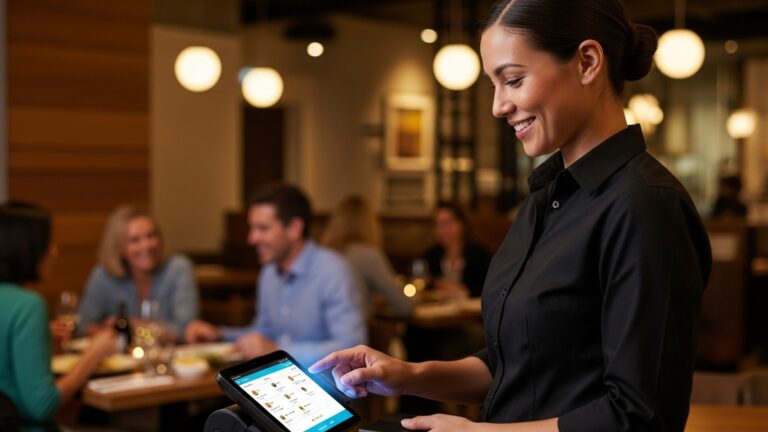
Learn 10 Proven Ways to Maximize Your Restaurant POS Software Benefits Now
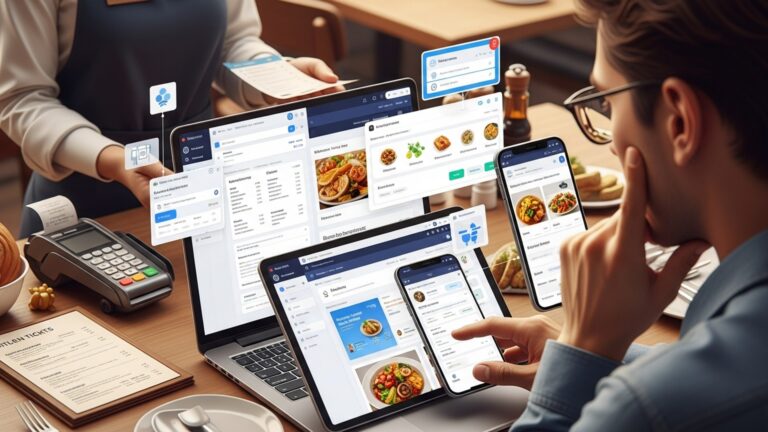
In today’s hyper-competitive restaurant landscape, your restaurant POS software is no longer a simple transaction terminal but the central nervous system driving profitability and guest satisfaction. Modern cloud-based systems now seamlessly integrate real-time inventory management, precisely tracking ingredient usage to minimize waste and optimize ordering, a critical capability as supply chains fluctuate. Beyond just processing orders, advanced POS platforms power dynamic loyalty programs, personalize guest experiences through data analytics. facilitate efficient table-side ordering with integrated handheld devices. Leveraging these comprehensive digital tools allows operators to transform raw sales data into actionable insights for menu engineering, staff scheduling. strategic growth, moving beyond intuition to data-driven decision-making in an increasingly digital-first market.
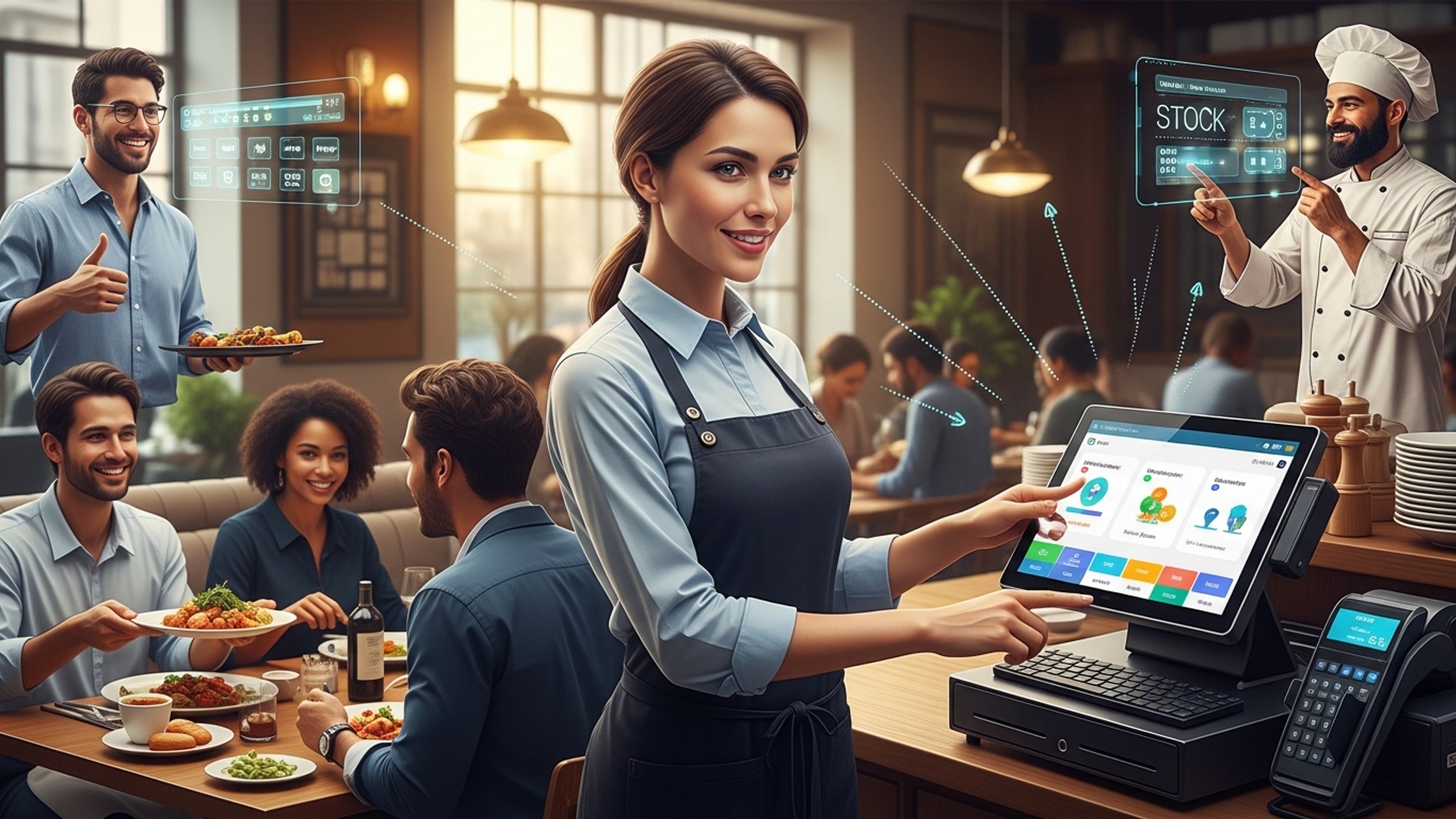
Mastering the Core: Comprehensive Staff Training
At the heart of maximizing your Restaurant POS software benefits lies one critical factor: your team’s proficiency. A powerful POS system is only as effective as the people using it. Comprehensive training ensures that every staff member, from servers and bartenders to kitchen staff and managers, understands how to leverage the system’s full capabilities.
What is Restaurant POS Software?
Before diving deeper, let’s clarify. Restaurant POS software (Point of Sale) is a comprehensive system designed to manage all aspects of a restaurant’s operations. Beyond just processing transactions, it handles orders, inventory, staff management, customer data. sales reporting, among other functions. It’s the central nervous system of a modern restaurant.
- Reduced Errors
- Increased Efficiency
- Enhanced Customer Service
- Maximized Feature Utilization
Well-trained staff make fewer mistakes in order entry, billing. payment processing, leading to higher accuracy and customer satisfaction.
When staff are comfortable with the system, they can process orders faster, manage tables more effectively. handle payments seamlessly, reducing wait times.
Confident staff can focus more on interacting with customers rather than fumbling with the POS, leading to a more pleasant dining experience.
Many powerful features of Restaurant POS software go unused simply because staff aren’t aware of them or how to implement them. Training unlocks these benefits.
- Phased Training Approach
- Role-Specific Modules
- Hands-On Practice
- Ongoing Education
- Create a Knowledge Base
Don’t overwhelm staff with everything at once. Start with core functionalities (order entry, payment) and gradually introduce advanced features (modifications, voids, split checks).
Tailor training to each role. Servers need to know table management and order taking, while kitchen staff might need training on kitchen display systems (KDS) and ingredient prep.
Provide a sandbox environment or a dedicated training terminal for staff to practice without impacting live operations. This builds muscle memory and confidence.
The restaurant industry has high turnover. Implement a continuous training program for new hires and offer refreshers for existing staff, especially after software updates.
Develop internal guides, FAQs, or short video tutorials for quick reference. This empowers staff to find answers independently.
For instance, a bustling pizzeria noticed significant delays during peak hours due to order entry errors and slow payment processing. After implementing a structured training program for their new Restaurant POS software, they saw a 15% reduction in average transaction time and a 10% decrease in voided orders within the first month. This directly translated to faster table turnover and happier customers.
Streamlining Operations with Integrated Inventory Management
One of the most powerful capabilities of modern Restaurant POS software is its ability to integrate robust inventory management. This isn’t just about counting bottles of ketchup; it’s about precise control over your ingredients, reducing waste. optimizing purchasing decisions.
- Waste Reduction
- Cost Control
- Recipe Management
- Automated Reordering
- Theft Deterrence
By tracking ingredient usage in real-time as orders are placed, the POS can provide accurate data on what’s being consumed. This helps identify over-portioning or spoilage issues.
Knowing your exact inventory levels and usage helps prevent over-ordering expensive ingredients that might expire. It also enables better negotiation with suppliers.
Advanced Restaurant POS software allows you to input recipes, deducting specific quantities of ingredients from inventory each time a dish is sold. This provides an accurate cost-per-dish analysis.
Set minimum stock levels for ingredients. When inventory drops below this threshold, the system can automatically generate purchase orders or alert management, ensuring you never run out of crucial items.
Accurate inventory records make it harder for internal theft to go unnoticed, as discrepancies between sales and stock levels become apparent.
Comparison: Manual vs. POS-Integrated Inventory
| Feature | Manual Inventory Management | POS-Integrated Inventory Management |
|---|---|---|
| Data Entry | Time-consuming, error-prone manual counts and spreadsheet entries. | Automated deduction of ingredients upon sale, digital receiving of goods. |
| Real-time Visibility | Limited, often outdated data. Requires physical checks. | Instantaneous updates on stock levels, accessible from anywhere. |
| Recipe Costing | Complex, manual calculations; prone to inaccuracies. | Automated calculation of dish costs based on ingredient prices and usage. |
| Reordering | Relies on memory, periodic checks; risk of stockouts or overstocking. | Automated alerts or purchase order generation based on par levels. |
| Reporting | Basic, often historical data; difficult to generate actionable insights. | Detailed reports on usage, waste, supplier performance. cost of goods sold. |
A popular bistro specializing in fresh seafood integrated their inventory with their Restaurant POS software. They were able to track the exact usage of their high-cost items like scallops and lobsters. By setting par levels and monitoring waste reports, they reduced spoilage by 20% and negotiated better prices with their seafood supplier based on precise demand forecasting, saving thousands monthly.
Building Loyalty: Harnessing Restaurant POS for CRM
Customer Relationship Management (CRM) isn’t just for large corporations; it’s a vital component for restaurants seeking to foster loyalty and drive repeat business. Your Restaurant POS software can be a powerful tool for gathering valuable customer data and personalizing their experience.
- Customer Profiles
- Loyalty Programs
- Personalized Marketing
- Feedback Collection
- Enhanced Service
When customers pay, their transaction history, contact insights. even preferences (e. g. , “always orders the vegan pasta”) can be stored. This allows for a deeper understanding of your clientele.
Implement points-based systems, tiered rewards, or birthday discounts directly through your POS. The system can track points, issue rewards. manage redemptions seamlessly.
Use collected data to segment customers and send targeted promotions. For example, email a special offer on wine to customers who frequently purchase bottles with their meal.
Some Restaurant POS software integrates with feedback tools, allowing customers to provide reviews directly after their visit, helping you address concerns and improve service.
Imagine a server greeting a regular by name and remembering their favorite drink. This level of personalized service, enabled by quick access to customer notes via the POS, creates memorable experiences.
- Opt-in for Data Collection
- Segment Your Audience
- Automate Birthday/Anniversary Offers
- Track Preferences
Always ask customers if they’d like to join your loyalty program or receive updates, capturing their email or phone number through the POS at checkout.
Use the POS data to identify high-value customers, frequent visitors, or those who haven’t visited in a while. tailor communications accordingly.
Set up automated emails or SMS messages through your integrated marketing tools to send personalized offers on special occasions.
Encourage staff to discreetly note customer preferences or special requests in their POS profile for future visits.
Consider “The Daily Grind,” a coffee shop that implemented a loyalty program through their Restaurant POS software. Customers earned points for every purchase, redeemable for free drinks or pastry upgrades. They also collected email addresses. Within six months, they saw a 25% increase in repeat customers and a significant boost in sales during targeted email campaigns offering double points on new menu items.
Data-Driven Decisions: Leveraging Analytics and Reporting
In today’s competitive restaurant landscape, relying on gut feelings is no longer sufficient. Modern Restaurant POS software transforms raw transactional data into actionable insights through robust analytics and reporting features. This empowers owners and managers to make informed decisions that impact profitability and operational efficiency.
What Kind of Data Can Your POS Provide?
- Sales Reports
- Labor Reports
- Inventory Reports
- Customer Reports
- Void and Discount Reports
Daily, weekly, monthly. annual sales breakdowns by item, category, server, or time of day. Identify peak hours, best-selling dishes. underperforming menu items.
Track employee clock-ins/outs, breaks. wages against sales performance. Optimize staffing levels to match demand and control labor costs.
As discussed, detailed insights into ingredient usage, waste, cost of goods sold (COGS). supplier performance.
Data on repeat customers, average spend, popular items among loyalty members. peak visiting times for specific segments.
Monitor trends in voids, comps. discounts to identify potential training needs or prevent fraud.
- Menu Engineering
- Staff Scheduling Optimization
- Promotional Effectiveness
- Supplier Negotiations
- Marketing Strategy Refinement
Use sales data to identify “stars” (high popularity, high profit) and “dogs” (low popularity, low profit) on your menu. Adjust pricing, ingredients, or remove items.
Labor reports can show you when your busiest periods are and which days are slowest. Schedule staff accordingly to avoid overstaffing during slow times and understaffing during rushes.
Track sales during specific promotions to see if they are genuinely driving revenue or just eating into margins.
Inventory and purchasing reports give you leverage to negotiate better deals with suppliers based on accurate volume data.
grasp which dishes are most popular and at what times, helping you tailor future marketing campaigns.
A fine-dining restaurant used their Restaurant POS software’s analytics to identify that their dessert sales significantly dropped after 9 PM, despite being a high-margin category. By cross-referencing this with server performance reports, they discovered that late-shift staff were less proactive in offering desserts. After targeted training and a small incentive program, dessert sales saw a 18% increase during those hours, proving the power of data-driven insights.
Expanding Reach: Seamless Online Ordering and Delivery
In the modern dining landscape, a restaurant’s presence extends far beyond its physical doors. Integrating online ordering and delivery capabilities directly with your Restaurant POS software is no longer a luxury but a necessity for expanding reach, convenience. revenue streams.
Historically, restaurants relied on third-party delivery apps, which often came with hefty commission fees and a loss of direct customer data. Modern Restaurant POS software offers either built-in online ordering modules or seamless integrations with popular third-party platforms, allowing restaurants to manage all orders from a single system.
- Centralized Order Management
- Real-time Menu Sync
- Data Ownership
- Reduced Errors
- Streamlined Kitchen Workflow
- Cost Savings
All orders – dine-in, takeout. delivery – flow directly into your POS system, simplifying kitchen operations and reducing the need for multiple tablets or manual entry.
Menu updates, price changes. item availability (e. g. , “sold out”) are automatically reflected across all channels, preventing customer frustration.
When customers order directly through your website (powered by your POS), you retain valuable customer data for future marketing and loyalty programs, unlike with many third-party aggregators.
Eliminates manual re-entry of orders from third-party platforms into your POS, minimizing mistakes and improving order accuracy.
Orders from all sources can be sent directly to your Kitchen Display System (KDS), ensuring efficient preparation and timely dispatch.
While third-party integrations still carry fees, having your own direct online ordering system often means lower commissions and greater control over your profit margins.
“Burger Haven,” a local diner, struggled with managing phone orders alongside walk-ins and integrating with two different delivery apps. Their new Restaurant POS software offered an integrated online ordering platform and a unified dashboard for all third-party delivery services. This consolidated all orders into their KDS, reduced order errors by 30%. allowed them to manage delivery drivers more efficiently. They also saw a 20% increase in direct online orders, significantly boosting their profit margins by reducing third-party commissions.
Optimizing the Dining Experience: Table Management and Reservations
Efficient table management and a streamlined reservation system are crucial for providing a smooth dining experience, especially during peak hours. Your Restaurant POS software can elevate this aspect of your operations, reducing wait times, maximizing seating capacity. enhancing customer satisfaction.
- Interactive Floor Plan
- Reservation System Integration
- Waitlist Management
- Table Status Tracking
- Guest Preferences & Notes
- Turnover Time Analysis
A visual representation of your restaurant layout on the POS screen, showing occupied, vacant. reserved tables. This allows hosts to quickly assign tables and manage flow.
Allow customers to book tables online directly through your website (powered by the POS) or integrate with popular third-party reservation platforms. The POS automatically updates availability.
For walk-ins during busy periods, the POS can manage a digital waitlist, estimate wait times. even send SMS notifications to guests when their table is ready.
Track the status of each table – seated, ordered, eating, payment requested, paid, cleaned – providing a clear overview for staff and management.
Attach notes to reservations or customer profiles (e. g. , “prefers window seat,” “celebrating anniversary”) to personalize the dining experience.
The POS can track how long tables are occupied, helping you optimize seating strategies and identify bottlenecks.
- Reduced Wait Times
- Maximized Seating Capacity
- Improved Staff Coordination
- Enhanced Customer Experience
- “No-Show” Reduction
Efficient seating and faster table turnover mean customers spend less time waiting.
Prevent situations where tables sit empty while guests wait, ensuring you’re always operating at optimal capacity.
Servers, hosts. kitchen staff have a clear understanding of table status, leading to better service flow.
Personalized service and efficient seating contribute to a more positive overall dining experience.
Integrated reservation systems can send automated reminders to guests, significantly reducing the impact of no-shows.
For example, “The Ivy Bistro,” a popular brunch spot, often struggled with long queues and managing reservations manually. By implementing Restaurant POS software with an integrated table management and reservation system, they were able to reduce average wait times by 25%. The visual floor plan allowed hosts to seat guests more strategically. automated SMS reminders for reservations cut their no-show rate by 15%, leading to a significant increase in daily covers.
Accelerating Transactions: Advanced Payment Processing
The checkout experience is the final impression a customer has of your restaurant. slow or complicated payment processing can quickly sour an otherwise great meal. Modern Restaurant POS software integrates advanced payment processing capabilities that are fast, secure. offer flexibility to customers.
Gone are the days of cash-only or single-card terminals. Today’s diners expect a variety of payment options, from EMV chip cards to contactless payments and mobile wallets. Integrated POS systems streamline this process significantly.
- Speed and Efficiency
- Enhanced Security (EMV & PCI Compliance)
- Reduced Errors
- Multiple Payment Options
- Simplified Reconciliation
- Pay-at-Table Options
Payments are processed much faster, reducing checkout times and increasing table turnover.
Integrated systems are designed to be EMV (Europay, MasterCard. Visa) compliant, processing chip cards securely. They also adhere to PCI DSS (Payment Card Industry Data Security Standard) regulations, protecting customer data and reducing your liability.
Eliminates manual entry of payment amounts, which can lead to mistakes and reconciliation issues. The POS automatically sends the correct amount to the payment terminal.
Support for credit/debit cards, contactless payments (NFC like Apple Pay, Google Pay), mobile wallets, gift cards. even split payments.
All transactions are automatically recorded and reconciled within the POS, making end-of-day closing and accounting much easier.
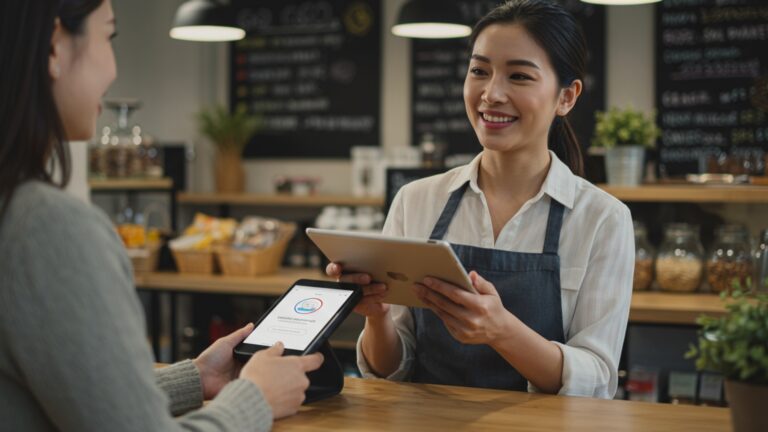
Many modern Restaurant POS software solutions offer portable payment terminals, allowing servers to process payments tableside, enhancing convenience and security.
Comparison: Integrated vs. Standalone Payment Terminals
| Feature | Standalone Terminal | POS-Integrated Terminal |
|---|---|---|
| Transaction Speed | Slower; requires manual entry of amount into terminal. | Faster; amount automatically sent from POS. |
| Error Rate | Higher; risk of human error in amount entry. | Lower; automated amount transfer minimizes errors. |
| Security | May or may not be EMV/PCI compliant, depending on model. | Designed for EMV/PCI compliance, enhanced data security. |
| Reconciliation | Requires manual comparison of terminal reports with POS sales. | Automatic reconciliation; all data in one system. |
| Customer Experience | Can be clunky; less options, slower. | Seamless, fast, offers diverse payment methods. |
A bustling downtown cafe upgraded their Restaurant POS software to include integrated, portable payment terminals. This allowed servers to take payments directly at the customer’s table, reducing the queue at the main counter by 40% during lunch rush. Customers appreciated the convenience and security. the cafe saw a significant improvement in overall efficiency and customer satisfaction scores.
Boosting Productivity: Employee Performance Tracking
Optimizing staff performance is paramount for any successful restaurant. Your Restaurant POS software isn’t just a sales tool; it’s a powerful platform for tracking employee productivity, identifying top performers. pinpointing areas that require additional training or support.
What Employee Data Can Your POS Track?
- Sales Performance
- Tip Reporting
- Shift Management
- Void and Discount Usage
- Table Turnover Rates
Track individual server sales, average check size, upsells. item-specific sales.
Accurate tracking and reporting of tips, essential for payroll and compliance.
Clock-in/out times, breaks. actual hours worked for precise labor cost calculation.
Monitor who is processing voids or applying discounts, helping identify training needs or potential misuse.
For servers, tracking how quickly they turn tables can be an indicator of efficiency and service speed.
- Fair Performance Reviews
- Targeted Training
- Optimal Scheduling
- Incentive Programs
- Labor Cost Control
Provide objective data to support performance reviews and identify high-performing employees for recognition or advancement.
If certain servers consistently have lower average check sizes or higher void rates, it signals a need for specific sales training or POS usage refreshers.
Use sales data by server to schedule your strongest team members during peak hours to maximize revenue.
Implement sales contests or bonus structures based on measurable POS data, motivating staff to upsell and provide excellent service.
Compare labor hours against sales performance to ensure you’re not overspending on staff during slow periods.
A popular diner used their Restaurant POS software to track server sales and average check sizes. They noticed that one server consistently had a 15% higher average check than their peers, primarily through effective upselling of appetizers and desserts. By having this server share their techniques during a staff meeting. offering a small commission for high-performing upsellers, the diner saw an overall 8% increase in average check size across the entire team within a quarter. This demonstrates how data can foster a culture of excellence.
Agile Menus: Dynamic Menu Management and Customization
The ability to quickly adapt your menu is a competitive advantage in the fast-paced restaurant industry. Your Restaurant POS software provides robust tools for dynamic menu management and customization, allowing you to respond to trends, manage ingredient availability. optimize pricing instantly.
- Easy Item Creation & Editing
- Modifier Management
- Pricing Flexibility
- Ingredient Linking
- Menu Boards & Online Sync
- Seasonal & Special Menus
Add new dishes, modify descriptions, update prices. change categories with just a few clicks.
Define modifiers (e. g. , “add cheese,” “no onions,” “gluten-free bun”) and link them to specific menu items, ensuring accurate order taking and kitchen communication.
Implement different prices for various times (e. g. , happy hour discounts) or different sales channels (e. g. , higher prices for delivery to cover fees) automatically.
As discussed in inventory, link menu items to specific ingredients for automatic deduction and cost tracking.
Changes made in the POS can instantly update digital menu boards, self-ordering kiosks. your online ordering platform, ensuring consistency across all customer touchpoints.
Easily activate or deactivate entire menus or specific items for seasonal offerings, daily specials, or limited-time promotions.
- Responsiveness to Trends
- Waste Reduction
- Pricing Optimization
- Improved Order Accuracy
- Enhanced Customer Experience
Quickly introduce new dishes based on customer demand or culinary trends without cumbersome manual updates.
If an ingredient runs out, you can immediately mark the associated dish as “unavailable” on all menus, preventing orders that can’t be fulfilled.
Easily test different price points for items or implement dynamic pricing strategies based on demand or time of day.
Clear modifiers and options reduce miscommunication between front-of-house and back-of-house.
Up-to-date menus and consistent pricing across all channels build trust and improve satisfaction.
Consider a farm-to-table restaurant whose menu changes daily based on seasonal ingredient availability. Before their integrated Restaurant POS software, updating physical menus and communicating changes to staff was a time-consuming chore prone to errors. Now, they can update their menu in the POS in minutes. These changes automatically sync to their online ordering platform and kitchen display systems, ensuring that customers always see the most current offerings and kitchen staff are immediately aware of new dishes or unavailable items, virtually eliminating order errors due to outdated menus.
Future-Proofing Your Investment: Regular Updates and Maintenance
Your Restaurant POS software is a living system. Like any critical technology, it requires ongoing attention to remain secure, efficient. equipped with the latest features. Regular software updates and proactive maintenance are essential for future-proofing your investment and maximizing its long-term benefits.
- Security Enhancements
- New Features and Functionality
- Performance Improvements
- Compliance
- Bug Fixes
- Compatibility
Software updates frequently include patches for newly discovered security vulnerabilities. This protects your business and customer data from cyber threats.
POS vendors continually develop new features (e. g. , AI-driven insights, enhanced reporting, new payment integrations). Updates ensure you have access to these innovations.
Updates can include optimizations that make your system run faster, smoother. more reliably, reducing crashes and downtime.
The payment industry (PCI DSS) and local regulations (e. g. , tax changes) evolve. Updates ensure your Restaurant POS software remains compliant, avoiding penalties.
Like any software, POS systems can have bugs. Updates address these issues, improving stability and user experience.
Updates ensure your POS remains compatible with new operating systems, hardware. third-party integrations as they evolve.
- Schedule Regular Updates
- Backup Your Data
- Hardware Maintenance
- Staff Awareness
- Review Support Agreements
Work with your POS provider to schedule updates during off-peak hours to minimize disruption.
Regularly back up your sales, inventory. customer data. While many cloud-based POS systems do this automatically, it’s good practice to comprehend their backup protocols.
Keep your POS terminals, printers. payment devices clean and in good working order. Address any hardware issues promptly.
Inform staff about upcoming updates and any new features they need to learn. Provide quick training refreshers if necessary.
grasp what your support and maintenance agreement covers. Ensure you have access to technical assistance when needed.
A small chain of cafes initially neglected to regularly update their older Restaurant POS software, fearing downtime. This led to several issues: their system became incompatible with new payment types, they missed out on valuable inventory management features. eventually, they experienced a security breach due to outdated software. After migrating to a modern, cloud-based POS that offered automatic, scheduled updates and robust support, they not only enhanced their security posture but also gained access to features that improved their operational efficiency by 10%, highlighting the critical importance of ongoing maintenance.
Conclusion
You’ve now explored ten transformative ways to elevate your restaurant operations, moving beyond simply processing transactions to truly leveraging your POS software as a strategic asset. From my experience, the real magic happens when you stop viewing your system as a mere tool and start treating it as the analytical engine of your business. For instance, analyzing sales data isn’t just about knowing what sold; it’s about understanding why a particular special flew off the menu or when staffing adjustments are crucial, allowing you to fine-tune everything from inventory to server schedules. Take immediate action by revisiting your daily reports with a critical eye, perhaps identifying underperforming items or peak service times you could optimize. Empower your team by training them on features they might overlook, like integrating a customer loyalty program or streamlining online orders directly through the system—a critical trend given today’s digital-first diners. Remember, your POS is capable of so much more than basic order entry; it can be the central nervous system that enhances every aspect of your restaurant, driving both efficiency and an unforgettable guest experience. Embrace these strategies. watch your restaurant thrive. For more insights into optimizing your restaurant technology, consider exploring a comprehensive guide to restaurant technology trends here.
More Articles
How to Choose Essential POS Features for Your Restaurant Success Guide
How to Boost Restaurant Sales with 6 Powerful POS Features
Master Essential Restaurant POS Functionalities a Guide to Boosting Operations
7 Ways Restaurant POS Software Boosts Your Customer Service
A Guide to Choosing the Best Restaurant POS Software for Your Business

FAQs
What’s the main takeaway from learning these proven POS strategies?
It’s all about getting the absolute most out of your restaurant POS system, turning it from a simple transaction tool into a powerful engine for efficiency, better customer service. increased profits. You’re unlocking its full potential.
My POS just takes orders; how can it actually help my restaurant grow?
Your POS is capable of so much more! It can help with detailed sales analytics, inventory management, staff scheduling, loyalty programs, table management. even identifying peak times and best-selling items, all of which contribute directly to growth and smarter business decisions.
Sounds great. is it complicated to start using these ‘proven ways’?
Not at all! Many of these strategies involve simply tapping into features your POS already has or making small tweaks to your operational flow. It might require some initial setup and staff training. the long-term benefits in saved time and money make it well worth the effort.
What kind of improvements can I realistically expect from optimizing my POS?
You can expect significant improvements like faster service, reduced food waste and inventory costs, more accurate order taking, better staff management, deeper insights into your business performance. ultimately, a healthier bottom line.
Are there any common mistakes restaurant owners make with their POS software?
A big one is underutilization – only using it for basic transactions and ignoring its powerful reporting or management features. Another common pitfall is insufficient staff training, leading to errors and slower service. Not regularly reviewing the data it provides is also a huge missed opportunity.
How does my POS system impact my customers’ experience?
A well-optimized POS can dramatically improve customer experience through faster order taking and processing, accurate billing, personalized loyalty rewards. quicker table turns. This leads to happier guests, fewer complaints. encourages repeat business.
Can using my POS more effectively actually save me money?
Absolutely! By tracking inventory precisely, you reduce waste and prevent theft. Analyzing sales data helps you optimize staffing levels during busy and slow periods. adjust menu pricing for maximum profit. Streamlined operations also mean fewer errors and less time spent on manual tasks, saving both time and money.