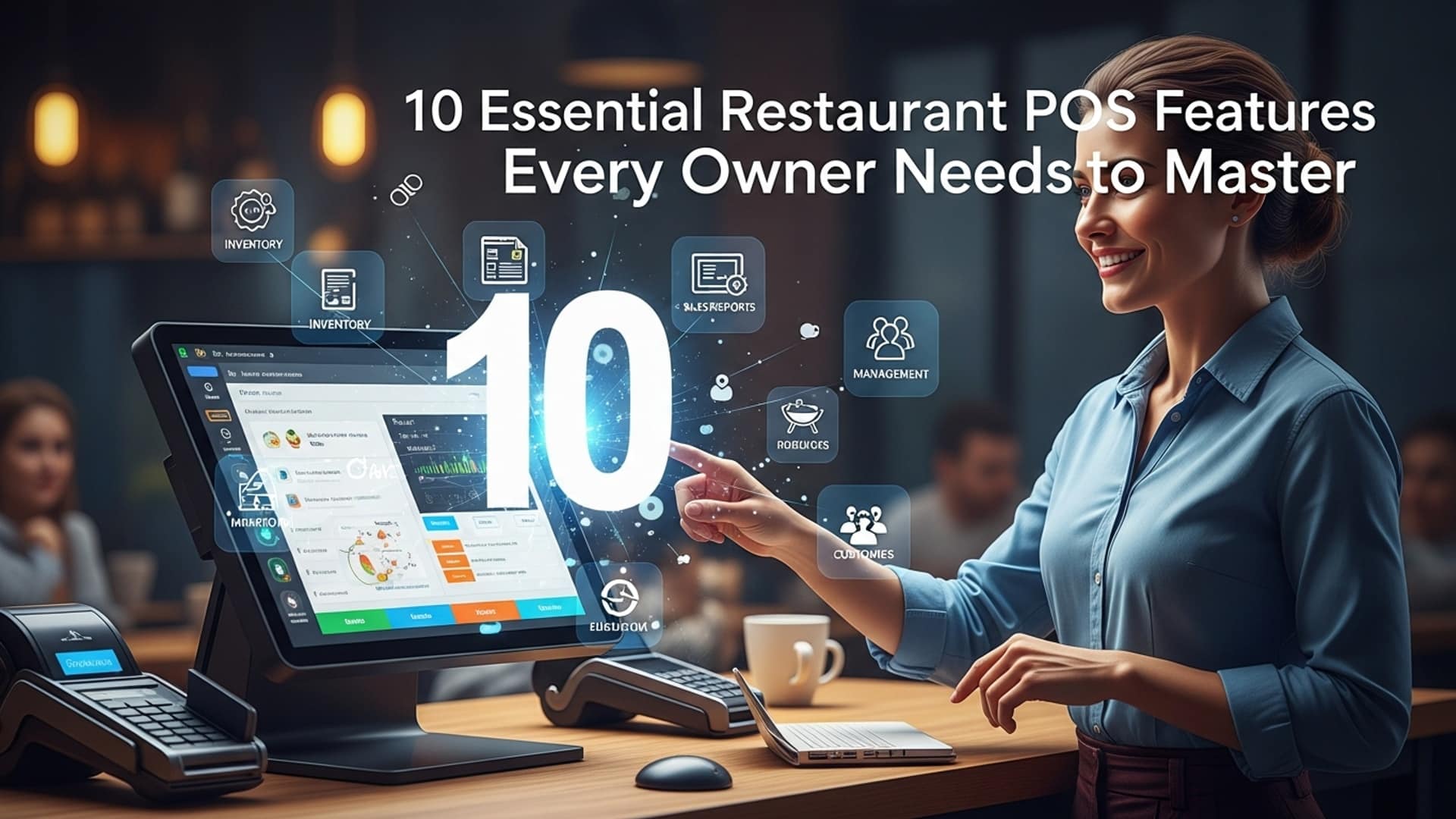
10 Essential Restaurant POS Features Every Owner Needs to Master
The contemporary restaurant landscape demands more than just a simple cash register; it requires sophisticated restaurant POS software to transform operations from a cost center into a profit engine. Owners who master advanced features like integrated online ordering, AI-driven inventory management. robust CRM tools gain an undeniable competitive edge by enabling data-driven decisions previously unattainable for independent establishments. The shift towards cloud-based systems and mobile POS terminals facilitates real-time analytics for menu engineering and staff performance, directly impacting profitability. Embracing these technological advancements, from contactless payment processing to seamless third-party delivery platform integration, is no longer merely advantageous but absolutely essential for sustained success and growth in today’s rapidly evolving market.
Order Management & Table Management
At the heart of every successful dining experience lies efficient order and table management. This foundational feature within your Restaurant POS software ensures that from the moment a customer walks in to the final bill payment, every step is seamless. Essentially, it allows your staff to take orders, send them directly to the kitchen or bar, manage table assignments, split checks. handle special requests with unparalleled accuracy.
What it is: Order management encompasses the digital capture and transmission of food and beverage requests. Table management, on the other hand, provides a visual representation of your dining area, allowing hosts to assign tables, track their status (e. g. , seated, ordering, eating, paid, dirty). manage waitlists efficiently.
Why it’s vital: Without robust order and table management, restaurants risk common pitfalls like incorrect orders, delayed service. chaotic floor operations. A well-implemented system reduces errors, speeds up service, enhances communication between front and back-of-house. ultimately improves customer satisfaction. Imagine a busy Friday night: a server takes an order on their handheld device. it instantly appears on the kitchen display system (KDS). No more handwritten tickets getting lost or misinterpreted. When a customer needs to split a bill three ways, the POS software handles it instantly, preventing awkward delays.
Actionable Takeaway: When evaluating Restaurant POS software, prioritize systems with intuitive interfaces for order entry and customizable table layouts that mirror your restaurant’s physical setup. Look for features like drag-and-drop table assignments, graphical table status updates. flexible check-splitting options.
Inventory Management
For any restaurant, controlling costs and minimizing waste are paramount. An integrated inventory management feature within your Restaurant POS software is your secret weapon for achieving this. It tracks every ingredient, from fresh produce to spirits, helping you comprehend exactly what you have, what you need. what’s being used.
What it is: Inventory management involves monitoring the stock levels of all ingredients and supplies. It includes setting up recipes (bill of materials), tracking supplier data, managing purchase orders. conducting stocktakes. Crucially, when an item is sold through the POS, the system automatically deducts the corresponding ingredients from your inventory.
Why it’s crucial: A prime example of its critical role comes from a chef I know who runs a popular bistro. They noticed their food costs were consistently higher than expected for a particular signature dish. By meticulously tracking ingredient usage through their Restaurant POS software’s inventory module, they discovered that a specific, expensive ingredient was being overused in preparation. Adjusting the recipe and providing clear portioning guidelines, informed by the POS data, significantly reduced waste and brought their food costs back in line. This feature helps prevent stockouts of popular items, identifies slow-moving ingredients. allows for precise recipe costing, which is essential for menu engineering and profitability.
Comparison: Manual vs. POS Integrated Inventory
| Feature | Manual Inventory | POS Integrated Inventory |
|---|---|---|
| Accuracy | Prone to human error, delays | High accuracy, real-time updates |
| Time Savings | Time-consuming, requires physical counts | Automated deductions, faster stocktakes |
| Cost Control | Difficult to pinpoint waste/overstocking | Identifies waste, optimizes purchasing |
| Recipe Costing | Calculated manually, often outdated | Automatic, dynamic costing based on ingredient prices |
| Reporting | Basic, often incomplete | Detailed reports on usage, waste, profitability |
Actionable Takeaway: Invest time in accurately setting up your recipes within the POS. Regularly conduct stocktakes and reconcile them with the system’s data. Consider integrating your Restaurant POS software with supplier systems for automated ordering when stock levels hit predefined reorder points.
Payment Processing
In today’s diverse payment landscape, your Restaurant POS software must offer flexible, secure. efficient payment processing. Customers expect to pay with their preferred method, whether it’s credit card, mobile wallet, or gift card.
What it is: Payment processing in a POS system refers to the capability to accept various forms of payment, securely transmit transaction data. integrate with payment gateways and merchant accounts. This includes support for EMV chip cards, Near Field Communication (NFC) for contactless payments (e. g. , Apple Pay, Google Pay), magnetic stripe cards, gift cards. even digital wallets.
Why it’s crucial: Security and convenience are the twin pillars of modern payment processing. For instance, EMV (Europay, MasterCard. Visa) chip technology, identifiable by the metallic chip on cards, significantly reduces card-present fraud compared to traditional magnetic stripe cards. When a diner wants to pay with their smartphone using Apple Pay, a robust Restaurant POS software easily processes the contactless transaction, enhancing their experience and demonstrating your establishment’s modernity. Beyond customer satisfaction, integrated payment processing streamlines end-of-day reconciliation, reduces manual errors. ensures compliance with Payment Card Industry Data Security Standard (PCI DSS) regulations.
Actionable Takeaway: Ensure your chosen Restaurant POS software supports integrated payment processing, which means the POS terminal directly communicates with the payment processor, eliminating the need for separate, stand-alone terminals. This reduces errors, speeds up service. simplifies reporting. Compare transaction fees and hardware costs from different payment processors to find the most cost-effective solution for your business.
Reporting & Analytics
Data is the new currency. for restaurant owners, understanding your business’s performance through comprehensive reporting and analytics is invaluable. Your Restaurant POS software should act as a powerful business intelligence tool.
What it is: This feature collects, organizes. presents critical operational and financial data in digestible reports and dashboards. Common reports include sales by item, sales by server, peak hours, labor costs, average check size. inventory turnover. Advanced systems might even offer predictive analytics.
Why it’s vital: A real-world application of robust reporting comes from a cafe owner I advised. Their Restaurant POS software provided detailed “sales by hour” reports. By analyzing these reports, they identified a consistent dip in sales between 2 PM and 4 PM. Armed with this data, they introduced a “Happy Hour” special during those specific hours, offering discounted pastries and coffee. The result? A significant increase in afternoon traffic and revenue, proving that data-driven decisions, informed by precise POS reporting, can directly impact profitability. This feature allows owners to identify trends, optimize staffing, fine-tune menus. make informed marketing decisions, moving beyond guesswork to strategic planning.
Common Reports to Monitor:
- Sales Reports: Breakdown by menu item, category, time of day, server. payment method.
- Labor Reports: Track employee hours, overtime. labor costs as a percentage of sales.
- Inventory Reports: Usage, waste, current stock levels. cost of goods sold (COGS).
- Customer Reports: Purchase history, loyalty program activity (if applicable).
Actionable Takeaway: Don’t just generate reports; actively assess them. Schedule weekly or monthly sessions to review key performance indicators (KPIs) and discuss findings with your management team. Use this data to make continuous improvements to your operations, menu. marketing strategies.
Customer Relationship Management (CRM) / Loyalty Programs
Building a loyal customer base is crucial for long-term restaurant success. Integrated CRM and loyalty features in your Restaurant POS software allow you to grasp your customers better and reward them for their patronage.
What it is: CRM functionality within a POS system enables you to capture customer insights (e. g. , name, email, birthdate), track their purchase history. note preferences. Loyalty programs utilize this data to offer rewards, discounts, or special promotions based on predefined criteria, encouraging repeat visits.
Why it’s crucial: I recall a local coffee shop that struggled with retaining customers. They implemented a simple loyalty program through their Restaurant POS software: every 10th coffee was free. The POS system automatically tracked purchases and alerted staff when a customer earned a reward. This seemingly small initiative led to a noticeable increase in repeat business and customer engagement. By understanding who your best customers are and what they like, you can create personalized experiences and targeted marketing campaigns that foster a sense of belonging and appreciation. This goes beyond just discounts; it’s about building a community around your brand.
Actionable Takeaway: Start with a straightforward loyalty program that’s easy for both customers and staff to grasp. Encourage staff to collect customer emails at the point of sale (with consent, of course) to build a database for future marketing. Use the data to send personalized birthday offers or promotions based on past purchases.
Employee Management
Your staff are the backbone of your restaurant. Effective employee management features within your Restaurant POS software streamline HR tasks, ensure accurate payroll. help optimize labor costs.
What it is: This module typically includes a time clock for clocking in and out, scheduling tools, performance tracking. tip management functionalities. It can help managers create schedules, track employee hours, calculate wages. ensure fair and transparent tip distribution.
Why it’s essential: Managing staff schedules and tracking hours manually can be a significant time sink and prone to errors. Consider a restaurant manager who previously spent hours each week creating schedules on a spreadsheet and calculating tips by hand. Implementing a Restaurant POS software with robust employee management features allowed them to create optimized schedules in minutes, factoring in projected sales and employee availability. The integrated time clock ensured accurate payroll. the automated tip pooling feature eliminated disputes among staff. This not only saved countless administrative hours but also boosted employee morale through transparent and fair practices. Moreover, by linking employee performance data (e. g. , average check size, sales per hour) to the POS, managers can identify top performers and areas where staff might need additional training.
Actionable Takeaway: Utilize the scheduling features to optimize staffing levels, preventing overstaffing during slow periods and ensuring adequate coverage during peak times. Ensure your POS’s time clock feature is user-friendly and consider biometric authentication if security is a high priority. Regularly review labor cost reports to maintain healthy profit margins.
Menu Management
A restaurant’s menu is its most dynamic asset. The ability to quickly and easily update items, prices. specials is a non-negotiable feature for any modern Restaurant POS software.
What it is: Menu management allows you to create, edit. categorize menu items, apply pricing, add modifiers (e. g. , “extra cheese,” “no onions”). designate items for specific service areas (e. g. , dine-in, takeout, online ordering). It also includes the ability to apply discounts, promotions. daily specials with ease.
Why it’s vital: Imagine a restaurant introducing a new seasonal menu. Without digital menu management, this would involve reprinting dozens, if not hundreds, of physical menus – a costly and time-consuming process. With a modern Restaurant POS software, updates can be made across all POS terminals, online ordering platforms. even digital menu boards in minutes, ensuring consistency and preventing errors. This flexibility is crucial for adapting to ingredient availability, market prices. changing customer preferences. It also empowers servers to accurately input complex orders with modifiers, reducing kitchen errors and food waste.
Actionable Takeaway: Regularly review and update your digital menu to reflect seasonal changes, popular items. new offerings. Make full use of modifiers to ensure precise order customization. Leverage the ability to schedule price changes or promotions in advance, saving time and ensuring accuracy.
Online Ordering & Delivery Integration
The digital age has transformed how customers interact with restaurants. Online ordering and seamless delivery integration are no longer luxuries but essential components of a competitive Restaurant POS software solution.
What it is: This feature allows customers to place orders directly through your website or a dedicated app, which then seamlessly feeds into your POS system and kitchen. Delivery integration means the POS can manage dispatching orders, tracking delivery drivers, or connecting with third-party delivery platforms (e. g. , DoorDash, Uber Eats).
Why it’s vital: The pandemic undeniably accelerated the adoption of online ordering. Many restaurants that initially relied solely on dine-in services pivoted rapidly. those with integrated Restaurant POS software were able to adapt much quicker. For example, a small pizzeria in a bustling city integrated online ordering directly into their existing POS. This allowed them to manage incoming web orders alongside dine-in orders from a single system, preventing order duplication and streamlining kitchen workflow. They could also easily offer curbside pickup and manage their own delivery drivers directly through the POS. This expands your reach beyond your physical location, offers unparalleled convenience to customers. opens up significant new revenue streams.
Comparison: In-house Online Ordering vs. Third-Party Aggregators
| Aspect | In-house Online Ordering (via POS) | Third-Party Aggregators (e. g. , Uber Eats) |
|---|---|---|
| Commission Fees | Typically lower or none (monthly software fee) | High commission fees (often 15-30%) |
| Customer Data | Full access to customer data for marketing | Limited or no access to customer data |
| Brand Control | Full control over branding and customer experience | Shared branding, less control over experience |
| Integration | Seamlessly integrated with POS and kitchen | Often requires separate tablets, manual entry into POS |
| Reach | Requires own marketing to drive traffic | Access to large existing customer base |
Actionable Takeaway: Prioritize Restaurant POS software that offers robust, built-in online ordering capabilities. If you use third-party delivery services, look for POS systems that offer direct integrations to avoid manual order entry and potential errors.
Kitchen Display System (KDS) Integration
Gone are the days of greasy paper tickets cluttering the kitchen. A Kitchen Display System (KDS) is a digital screen-based system that replaces paper tickets, integrating directly with your Restaurant POS software to streamline back-of-house operations.
What it is: A KDS displays incoming orders digitally on screens in the kitchen, often separated by station (e. g. , grill, prep, expediter). It shows order details, modifications. cooking times. Chefs can mark items as prepared, entire orders as complete. manage the flow of food efficiently.
Why it’s essential: Consider a high-volume diner during peak breakfast hours. Orders are flying in from multiple servers. With a KDS integrated into their Restaurant POS software, orders appear instantly on screens at each station. The grill cook sees all incoming egg orders, the prep station handles sides. the expediter has a clear overview of what’s ready and what’s still cooking. This drastically improves communication, reduces errors (no more misreading handwriting!). significantly speeds up ticket times. A KDS ensures that dishes are prepared in the correct sequence, minimizing wait times and ensuring food quality. It also virtually eliminates paper waste in the kitchen.
// Example KDS Workflow (Conceptual)
Server takes order on POS ->
Order sent to KDS -> - Grill station sees "Steak Medium Rare" - Fry station sees "Fries" - Expediter sees entire order
Chef taps item on screen to mark "Cooking" ->
Chef taps item to mark "Done" ->
Expediter sees all items for an order "Done" ->
Expediter taps order to mark "Served" ->
Order cleared from KDS.
Actionable Takeaway: Evaluate KDS options that offer customizable views for different kitchen stations and robust bump bar functionality (physical buttons to interact with the screen). Ensure seamless, real-time integration with your Restaurant POS software for optimal efficiency.
Multi-Location Management
For growing restaurant businesses or those with multiple branches, centralized multi-location management within a Restaurant POS software is absolutely critical for maintaining consistency and efficiency across all operations.
What it is: This feature allows owners and managers to control and monitor multiple restaurant locations from a single, centralized platform. This includes managing menus, pricing, promotions, inventory, employee schedules. reporting across all branches simultaneously.
Why it’s crucial: Take the example of a successful local cafe that decided to expand to three new locations within a year. Initially, they managed each location independently, leading to inconsistencies in menu pricing, stock levels. promotions. It became a logistical nightmare. By upgrading to a Restaurant POS software with robust multi-location management, they were able to:
- Push menu updates and pricing changes to all locations instantly.
- Monitor inventory levels across all branches, allowing for inter-store transfers to prevent waste.
- Generate consolidated sales reports for the entire business, providing a holistic view of performance.
- Standardize employee roles and access permissions across the chain.
This centralization ensured brand consistency, reduced administrative overhead. provided invaluable insights into the overall health of their expanding enterprise. It’s about maintaining control and visibility as your business scales.
Actionable Takeaway: If you have plans to open more than one location, prioritize Restaurant POS software that offers comprehensive multi-location management from the outset. This forward-thinking approach will save significant headaches and costs down the line, ensuring smooth scalability and consistent brand experience across all your establishments.
Conclusion
Mastering the 10 essential POS features isn’t merely about operational efficiency; it’s about strategically positioning your restaurant for sustained success in a competitive market. Consider how real-time inventory tracking, for instance, prevents costly overstocking of specialty ingredients or ensures you never run out of your most popular craft beer during a busy Friday night. Integrating online ordering and contactless payment options, which are now standard expectations for customers, directly enhances your reach and revenue, allowing for seamless transactions that cater to modern dining habits. My personal insight is to view your POS as more than a transaction processor; it’s your ultimate business intelligence hub. Regularly delve into the sales analytics and labor reports it provides, rather than just glance at them. This data empowers you to make informed decisions, whether it’s optimizing staff schedules for weekend brunch or refining your menu based on recent customer preferences and ingredient costs. By truly embracing and leveraging these powerful tools, you’re not just managing your restaurant; you’re actively shaping its future, transforming challenges into opportunities for growth and innovation.
More Articles
10 Essential Restaurant POS Features Your Business Needs to Thrive
Implement Restaurant POS Like a Pro 5 Essential Strategies for Smooth Rollout
How to Choose the Best Restaurant POS System 5 Essential Features Guide
7 Ways Restaurant POS Software Boosts Your Business Profits
Master Your Restaurant Operations 9 Essential POS Features You Need Today

FAQs
Why is having a super capable restaurant POS system such a big deal for owners these days?
A strong POS system is your restaurant’s brain! It streamlines everything from taking orders and managing tables to tracking inventory and processing payments. It helps you save time, reduce errors, make smarter business decisions based on data. ultimately, boost your profits.
What’s one key way a good POS makes daily order taking and kitchen communication smoother?
Definitely through features like digital order management and Kitchen Display Systems (KDS). Orders go directly from the server’s handheld to the kitchen screen, minimizing mistakes, speeding up service. ensuring everyone’s on the same page without shouting.
Can a POS really help me stop wasting food and keep track of my ingredients better?
Absolutely! Top POS systems come with robust inventory management. They track ingredients as they’re used, alert you when stock is low, help manage recipes. give you insights into food costs. This prevents over-ordering, reduces spoilage. helps you pinpoint where waste might be happening.
I hear POS systems give great reports. What kind of info can I actually get to improve my business?
Oh, you can get tons of valuable insights! Think detailed sales reports by hour, day, or item, showing your most popular dishes, peak service times. even individual staff performance. This data helps you optimize staffing, menu pricing. marketing efforts.
How can a POS system actually help me build customer loyalty and get people to return?
Many modern POS systems include CRM features. You can set up loyalty programs, track customer preferences, store contact info. even send personalized offers. Knowing your regulars helps you provide better service and encourages them to come back.
Managing staff schedules and tips is a headache. Can a POS make that easier?
For sure! A good POS often includes employee management tools like integrated time clocks, scheduling features. automated tip distribution. This takes a lot of the administrative burden off your plate, ensuring accurate payroll and smoother shift management.
What if I need to quickly update my menu or change prices? Is it a big hassle with a good POS?
Not at all! One of the best features is easy menu management. You can quickly add new items, modify existing ones, change prices, or even add modifiers (like ‘extra cheese’ or ‘no onions’) in real-time across all your terminals. No more reprinting menus or confusing staff with handwritten notes.