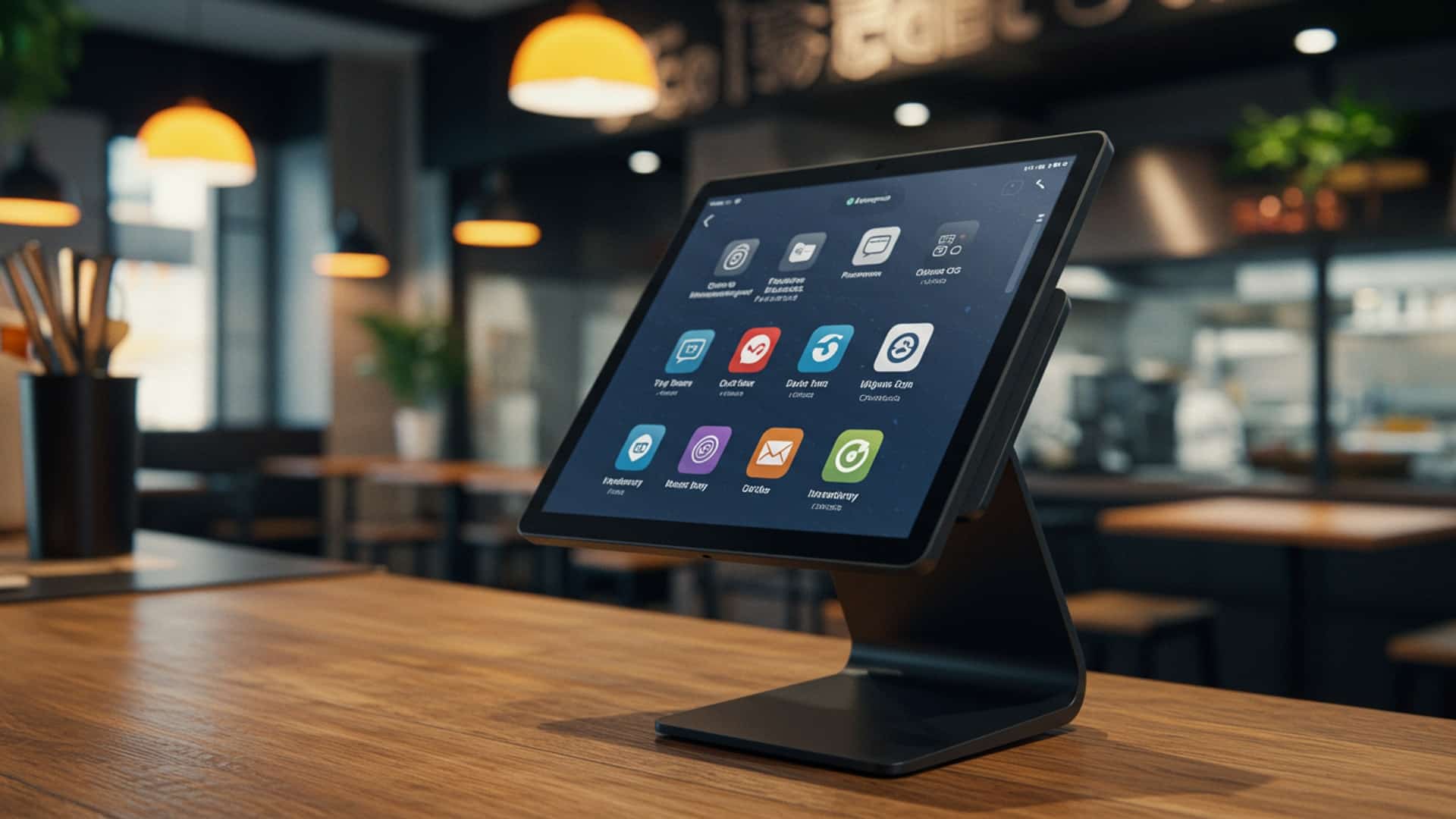
How to Select the Perfect Restaurant POS Learn Key Features for Success
Modern restaurants navigate a complex landscape of rising labor costs and evolving customer expectations, making a truly integrated Point-of-Sale system more critical than ever. Beyond merely processing transactions, the ideal POS now acts as a strategic operational hub, centralizing everything from dynamic inventory management and staff scheduling to mobile ordering via QR codes and even AI-driven sales analytics. Selecting the right platform means identifying the top features to look for in a restaurant POS that directly enhance efficiency, boost profitability. elevate guest experiences, moving far beyond outdated legacy systems to leverage cloud-native capabilities that drive real-time decision-making and sustainable growth.

The Evolving Role of the Restaurant POS System
In today’s fast-paced culinary world, a Point of Sale (POS) system is far more than just a cash register. It’s the central nervous system of your restaurant, orchestrating everything from order taking and payment processing to inventory management and customer data analysis. For anyone looking to open a new restaurant, upgrade an existing one, or simply streamline operations, understanding the foundational importance of a robust POS is paramount. Think of it as the digital backbone that supports every transaction, every customer interaction. every operational decision. Without a well-chosen system, even the most delicious menu or impeccable service can be hampered by inefficiencies.
Historically, POS systems were clunky, expensive. often required significant on-site infrastructure. But, technological advancements have ushered in a new era of sleek, intuitive. often cloud-based solutions. These modern systems offer unparalleled flexibility, scalability. access to data, transforming how restaurants operate and grow. As an expert in restaurant technology, I’ve seen firsthand how the right POS can turn a struggling establishment into a thriving success story. conversely, how a poor choice can lead to endless headaches and missed opportunities.
Cloud-Based vs. On-Premise POS: A Fundamental Choice
One of the first critical decisions you’ll face when selecting a new system is whether to opt for a cloud-based or an on-premise POS. Each has distinct advantages and disadvantages that can significantly impact your operational costs, flexibility. data security.
What is a Cloud-Based POS?
A cloud-based POS system stores all its data and software on remote servers, accessible via the internet. Instead of installing software directly on your local computers, you typically access the system through a web browser or a dedicated app on tablets or smartphones. This model often operates on a Software-as-a-Service (SaaS) subscription basis.
What is an On-Premise POS?
An on-premise, or “legacy,” POS system involves installing the software directly onto your restaurant’s local servers and computers. All data is stored locally. the system typically functions even without an internet connection, though some features might require it.
Here’s a quick comparison to help you weigh your options:
| Feature | Cloud-Based POS | On-Premise POS |
|---|---|---|
| Data Storage | Remote servers (internet required) | Local servers (on-site) |
| Accessibility | Anywhere, anytime with internet | Primarily on-site |
| Initial Cost | Lower (subscription model) | Higher (software license, hardware) |
| Maintenance | Managed by provider | Managed by restaurant/IT staff |
| Updates | Automatic, seamless | Manual, potentially disruptive |
| Scalability | Highly scalable, easy to add terminals | Can be complex, requires hardware upgrades |
| Data Security | Managed by provider (often robust) | Restaurant’s responsibility |
| Offline Capability | Often limited or partial; ‘offline mode’ syncs later | Full functionality (unless external services needed) |
For most modern restaurants, especially those with multiple locations or a desire for remote management, a cloud-based system offers superior flexibility and lower long-term TCO (Total Cost of Ownership) due to reduced IT overhead.
Essential Front-of-House Features: Powering Service and Sales
When considering the top features to look for in a restaurant POS, front-of-house (FOH) functionalities are often the most visible and directly impact your customer experience and staff efficiency. These are the tools that empower your servers, bartenders. hosts to provide seamless service.
- Intuitive Order Entry
- Table Management & Seating
- Order Modifiers & Customization
- Split Payments & Check Management
- Integrated Payment Processing (EMV & Contactless)
The system must be easy for staff to learn and use, minimizing training time and errors. This includes graphical table layouts, drag-and-drop functionality. quick menu item access. For example, a server should be able to quickly add a ‘no onion’ modification or split a check without calling a manager. A real-world example: A busy Friday night service where a server needs to quickly add a complex order with multiple modifications for a large table. An intuitive interface means they spend less time staring at the screen and more time attending to guests.
Visual floor plans allow hosts to manage reservations, seat guests efficiently. track table status (e. g. , seated, ordered, eating, paid, dirty). This feature directly impacts wait times and table turnover. Imagine a bustling brunch service; a good table management system allows the host to see which tables are about to open up and seat the next party without unnecessary delays.
Restaurants thrive on customization. Your POS needs robust support for modifiers (e. g. , “extra cheese,” “no pickles,” “gluten-free bun”), combo meals. special requests. This reduces miscommunication between the FOH and kitchen and ensures customer satisfaction.
Diners frequently request to split bills by item, evenly, or by specific amounts. A good POS handles this effortlessly. It also allows for easy transfer of items between checks or tables. This is a common pain point for diners. a smooth process can significantly improve their experience.
This is non-negotiable. Your POS must support secure, swift payment processing, including EMV chip cards and contactless payments (NFC) like Apple Pay or Google Pay. Integration means less manual entry, fewer errors. faster transaction times. Look for providers that offer competitive rates and transparent fee structures. The Payment Card Industry Data Security Standard (PCI DSS) is crucial here; ensure your POS provider helps you maintain compliance.
// Example of how a POS system might process a payment in a simplified command-line view (behind the scenes) // This is illustrative, actual implementations are more complex and secure. // Server inputs order details ADD_ITEM "Burger" QTY 1 MOD "No Onion" ADD_ITEM "Fries" QTY 1 ADD_ITEM "Coke" QTY 1 // Calculate total CALCULATE_TOTAL // Customer wants to pay PROCESS_PAYMENT METHOD "Credit Card" AMOUNT 25. 50 INITIATE_EMV_TRANSACTION // System prompts for card insert/tap READ_CARD_DATA SEND_TO_PAYMENT_GATEWAY_FOR_AUTHORIZATION RECEIVE_AUTHORIZATION_RESPONSE PRINT_RECEIPT UPDATE_ORDER_STATUS "Paid"
While often considered back-of-house, KDS directly impacts FOH efficiency. Orders from the POS should instantly appear on kitchen screens, color-coded by time or order type, reducing paper waste and improving communication. This is vital for quick-service and full-service restaurants alike, ensuring orders are prepared accurately and promptly.
Crucial Back-of-House Management Features: Streamlining Operations
The efficiency of your restaurant often hinges on what happens behind the scenes. The right back-of-house (BOH) features among the top features to look for in a restaurant POS can significantly reduce waste, optimize staffing. boost profitability.
- Inventory Management
- Menu Management
- Employee Management & Time Clock
- Reporting & Analytics
- Recipe Management
This is a game-changer. A robust inventory module tracks ingredients from delivery to dish. It should allow you to set par levels, receive alerts when stock is low. even integrate with suppliers for automated reordering. Accurate inventory means less food waste, better cost control. preventing popular items from running out. For instance, a system can automatically deduct individual ingredients (e. g. , 6 oz chicken, 2 oz sauce, 1 oz specific spice) from your inventory every time a “Chicken Tikka Masala” is sold, giving you a real-time picture of your stock.
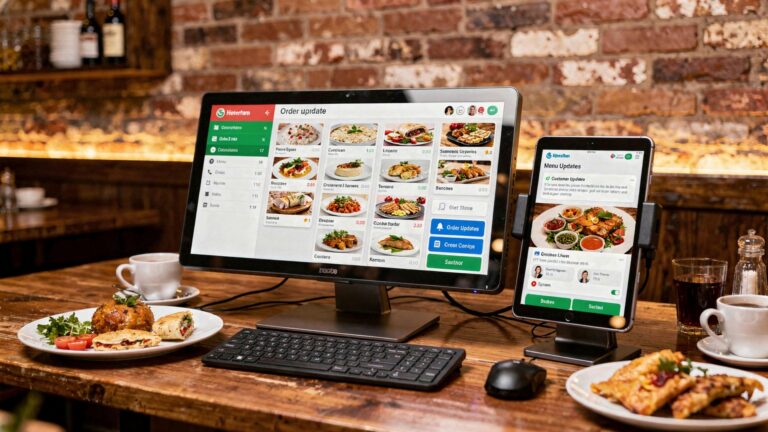
The ability to easily update menu items, prices, descriptions. availability across all terminals is essential. This includes support for daily specials, happy hour pricing. seasonal menus. A good system allows for quick changes without requiring IT support.
Track employee hours, manage shifts. monitor performance. Integrated time clocks help with payroll accuracy and prevent “buddy punching.” Some systems even offer labor forecasting based on sales data, helping you optimize staffing levels to reduce labor costs without compromising service.
This is where the true power of a modern POS lies. Comprehensive reports on sales performance (by item, server, time of day), labor costs, inventory usage. customer trends provide invaluable insights. Look for customizable dashboards and the ability to export data for further analysis. A manager could use this data to identify slow-moving menu items, peak sales hours, or top-performing employees, informing strategic decisions.
Actionable Takeaway: Regularly review your POS reports. Don’t just collect data; assess it to find patterns and make informed business decisions. For example, if your “Chef’s Special Pasta” consistently has high sales but also high food waste, investigate portion sizes or ingredient shelf life.
Some advanced POS systems include recipe management tools that help you standardize dishes, calculate food costs per item. ensure consistent quality. This is especially useful for maintaining brand standards across multiple locations.
Customer Relationship Management (CRM) & Marketing Capabilities
In an increasingly competitive market, fostering customer loyalty is key to long-term success. A POS system that integrates CRM and marketing features is a significant asset, making it one of the top features to look for in a restaurant POS.
- Customer Database
- Loyalty Programs
- Gift Card Management
- Email & SMS Marketing Integration
Capture customer details such as names, contact details, order history. preferences. This data is invaluable for personalized marketing and service. Imagine a returning customer being recognized by their favorite drink order!
Implement points-based, tiered, or punch card loyalty programs directly through your POS. This encourages repeat business and provides valuable data on your most loyal customers. Many successful coffee shops attribute a significant portion of their repeat business to seamless loyalty programs managed by their POS.
Sell, redeem. track gift cards seamlessly. This is a simple yet effective way to boost sales and attract new customers.
Some systems allow you to segment your customer database and send targeted promotions, special offers, or event invitations directly from the POS or via integration with marketing platforms. For example, you could send a special birthday offer to customers in your database a week before their birthday.
Seamless Integration Capabilities: Connecting Your Ecosystem
No single software does everything perfectly. The true power of a modern POS often lies in its ability to integrate with other essential restaurant technologies. When evaluating the top features to look for in a restaurant POS, robust integration capabilities are crucial for creating a cohesive operational ecosystem.
- Online Ordering & Delivery Platforms
- Accounting Software
- Reservations Systems
- Payroll Systems
- API (Application Programming Interface) Access
With the rise of third-party delivery services (e. g. , Uber Eats, DoorDash, Grubhub) and the growing demand for direct online ordering, seamless integration is vital. Orders should flow directly from these platforms into your POS and KDS, reducing manual entry errors and improving efficiency. A common challenge for restaurants without this integration is the need for staff to manually re-enter orders from multiple tablets into the POS, leading to delays and mistakes.
Integrate with platforms like QuickBooks, Xero, or Sage to automatically sync sales data, payroll. inventory costs. This drastically reduces manual bookkeeping, saves time. minimizes errors, ensuring accurate financial reporting.
If you use a separate reservation platform (e. g. , OpenTable, Resy), integration can link guest data, seating arrangements. waitlists directly to your POS table management system, providing a holistic view of your front-of-house operations.
Connecting your POS employee time clock data directly to your payroll provider streamlines the entire payroll process, saving administrative time and ensuring accurate payments.
For tech-savvy restaurants or those with unique needs, a POS that offers an open API allows for custom integrations and greater flexibility. An API acts as a bridge, allowing different software applications to talk to each other. For instance, you could use an API to build a custom loyalty app that feeds directly into your POS customer database.
Hardware Considerations: The Physical Touchpoints
While software is the brain, hardware is the body of your POS system. The right hardware ensures reliability, durability. ease of use. When considering the top features to look for in a restaurant POS, don’t overlook the physical components.
- Terminals
- Printers
- Cash Drawer
- Payment Terminals/Card Readers
- Kitchen Display Screens (KDS)
- Networking Equipment
Choose between traditional touchscreen terminals, tablets (iPad, Android), or mobile handheld devices. Tablets offer flexibility for tableside ordering and payment, enhancing customer experience. Traditional terminals are often more robust for high-volume counter service.
Thermal printers for receipts and kitchen tickets are standard. Ensure they are fast, reliable. easily connected (Ethernet, Wi-Fi, Bluetooth).
Even in a cashless world, a secure cash drawer is often necessary for smaller transactions or emergencies. Look for durable, electronically triggered models.
Must be EMV-compliant and support contactless payments. Consider mobile card readers for tableside payments.
Durable, grease-resistant screens are essential for the harsh kitchen environment. They should be easy to read and intuitive for kitchen staff to manage orders.
Reliable Wi-Fi and robust network infrastructure are critical, especially for cloud-based and mobile POS systems. A strong network prevents downtime and ensures smooth operations.
Case Study: “The Local Bistro” initially used a single stationary terminal, leading to long lines during peak hours. By investing in a cloud-based POS with three additional iPad terminals for tableside ordering and payment, they reduced average wait times by 15%, increased table turnover. significantly boosted customer satisfaction, demonstrating the impact of appropriate hardware selection.
Security and Compliance: Protecting Your Business and Customers
Data breaches can be devastating for a restaurant’s reputation and finances. Therefore, robust security and compliance features are among the top features to look for in a restaurant POS.
- PCI DSS Compliance
- Data Encryption
- User Access Controls
- Backup and Recovery
The Payment Card Industry Data Security Standard (PCI DSS) is a set of security standards designed to ensure that all companies that process, store, or transmit credit card details maintain a secure environment. Your POS provider must be PCI compliant and help you maintain your own compliance. Ask about their security certifications and practices.
All sensitive data, especially payment data, should be encrypted both in transit and at rest. This protects against unauthorized access.
The system should allow you to define granular user roles and permissions. For example, a server might only have access to order entry and payment processing, while a manager has access to inventory and reporting. This limits potential internal theft or misuse.
For cloud-based systems, inquire about their data backup frequency and disaster recovery plan. For on-premise systems, establish your own robust backup protocols. Data loss can be catastrophic.
Support, Training. Scalability: Future-Proofing Your Investment
A POS system is a long-term investment. The quality of support, ease of training. the system’s ability to grow with your business are crucial considerations.
- 24/7 Customer Support
- Onboarding & Training
- Scalability
- Cost Structure
Restaurants operate outside of typical business hours. When an issue arises during a busy dinner rush, you need immediate assistance. Look for providers offering 24/7 phone, chat, or email support.
How comprehensive is the vendor’s onboarding process? Do they offer training materials, webinars, or even on-site training? Ease of training for new staff is vital for operational continuity.
Can the system easily expand as your business grows? If you plan to open more locations or add new services (e. g. , catering, food truck), your POS should be able to accommodate these changes without requiring a complete overhaul.
comprehend all costs: subscription fees, transaction fees, hardware costs, installation fees. support contracts. Transparency is key. Avoid hidden fees that can inflate your budget.
Actionable Takeaway: Before committing to a POS, request a live demo and test it thoroughly. Talk to other restaurant owners who use the system. Ask about their experiences with customer support and how easily their staff adapted to the system.
Conclusion
Selecting the perfect restaurant POS isn’t merely about checking off features; it’s about envisioning your future operations and growth. We’ve explored critical elements from robust inventory management to seamless online ordering and CRM capabilities. My personal tip, refined from witnessing countless restaurant transformations, is to prioritize a system that offers true adaptability, like one that easily integrates with emerging third-party delivery platforms and supports AI-driven analytics for smarter purchasing decisions. Don’t just look at what it does today. how it empowers you for tomorrow’s trends, such as personalized customer experiences and efficient multi-location management, a crucial aspect in today’s dynamic market. Take the time to conduct thorough demos, asking how the system specifically addresses your unique operational pain points, whether it’s managing a bustling pizzeria’s peak hours or a fine-dining establishment’s intricate reservation system. Embrace this investment not as an expense. as the strategic backbone that will streamline your workflow, delight your customers. unlock unparalleled success.
More Articles
How to Identify the Best Restaurant POS System Features for Success
6 Common Restaurant POS Software Mistakes and How to Avoid Them
How to Choose the Best Restaurant POS Software for Your Business
Discover 7 Powerful Ways Restaurant POS Software Boosts Your Business
5 Key Questions to Ask Before Buying Restaurant POS Software

FAQs
What’s a POS system for a restaurant. why should I even care?
A Restaurant POS (Point of Sale) system is essentially the central hub for your restaurant’s operations. It’s where orders are taken, payments are processed. it often handles things like table management, inventory. staff scheduling. You should care because a good one makes your restaurant run smoother, faster. helps you make more money by reducing errors and giving you insights into your business.
Okay, so what are the really crucial features to look out for?
Definitely look for robust order management (easy splitting, combining, modifiers), efficient payment processing (accepting various types, mobile payments), inventory tracking, customer management (for loyalty programs). detailed reporting. Cloud-based access is also a huge plus for flexibility and remote management.
How can I tell if a new POS will play nice with my existing kitchen printers or accounting software?
Great question! Compatibility is key. You’ll want to check if the POS system offers integrations with common kitchen display systems (KDS), existing printers. popular accounting software like QuickBooks. Ask the vendor directly about their integration capabilities and if they have an open API for custom connections.
Beyond the initial price tag, what other costs should I be aware of with a POS?
The initial cost is just one piece. Factor in monthly subscription fees (especially for cloud-based systems), hardware costs (terminals, printers, card readers), installation fees, training costs. ongoing support contracts. Don’t forget transaction processing fees from your payment processor, which are separate but related.
My staff isn’t super tech-savvy. How hard is it to train them on a new POS?
Usability is crucial! Look for a system with an intuitive, user-friendly interface that mirrors how your staff already works. Many providers offer training resources, tutorials, or even on-site training. Ask for a demo and let a few staff members try it out to gauge ease of use. A simple system means less training time and fewer mistakes.
Can a POS really help me keep track of my food stock and manage my team’s shifts?
Absolutely! Many modern POS systems come with integrated inventory management tools that track ingredients as they’re used, helping you minimize waste and avoid running out of popular items. Some also offer staff management features for scheduling, time tracking. and even basic payroll integration, making your life a lot easier.
What if my restaurant grows or I open another location? Will the POS system still work for me?
That’s where scalability comes in. Choose a POS system that’s designed to grow with your business. Cloud-based systems are generally more scalable as you can easily add more terminals, users, or locations without needing a complete overhaul. Ask providers how their system handles multi-location management and increased transaction volumes.