7 Essential POS Software Features Chennai Businesses Need to Thrive
In Chennai’s rapidly evolving retail and F&B sectors, optimizing operations is crucial for sustained growth. Implementing the right pos software chennai businesses leverage can be the definitive factor distinguishing market leaders from competitors, streamlining everything from inventory management to customer transactions. Modern point-of-sale systems are no longer mere cash registers; they are comprehensive digital hubs designed to enhance efficiency, capture vital sales data. personalize customer interactions in real-time. Businesses striving for operational excellence and superior customer experiences grasp the imperative of integrated solutions that adapt to dynamic market demands. The ability to manage stock, review sales patterns. build loyalty programs directly impacts profitability and competitive advantage in this vibrant city.

Streamlined Sales & Billing: The Cornerstone of Efficient Operations
For any business operating in the bustling Chennai market, a point-of-sale (POS) system is no longer a luxury but a fundamental necessity. In particular, effective sales and billing capabilities are the bedrock upon which successful operations are built. When evaluating pos software Chennai businesses, it’s crucial to prioritize features that automate and accelerate the transaction process, minimizing errors and improving customer flow.
A robust POS system should offer intuitive interfaces for quick product lookups, barcode scanning. flexible payment options. Consider a busy retail outlet in T. Nagar during festival season; long queues due to manual billing or slow systems can directly translate into lost sales and frustrated customers. An advanced POS system ensures rapid processing, allowing staff to handle more transactions efficiently. This includes:
- Quick Product Entry
- Multiple Payment Methods
- Tax Calculation
- Discount and Promotion Management
Ability to scan barcodes, search by name, or use product categories for fast item selection.
Support for cash, credit/debit cards, UPI (like Google Pay, PhonePe, Paytm – essential in India’s digital payment landscape), mobile wallets. even custom payment types.
Automatic application of GST rates (SGST, CGST, IGST) relevant to Chennai and Tamil Nadu, ensuring compliance and accurate billing.
Easily apply percentage or fixed amount discounts, manage loyalty points redemption. implement promotional offers directly at the point of sale.
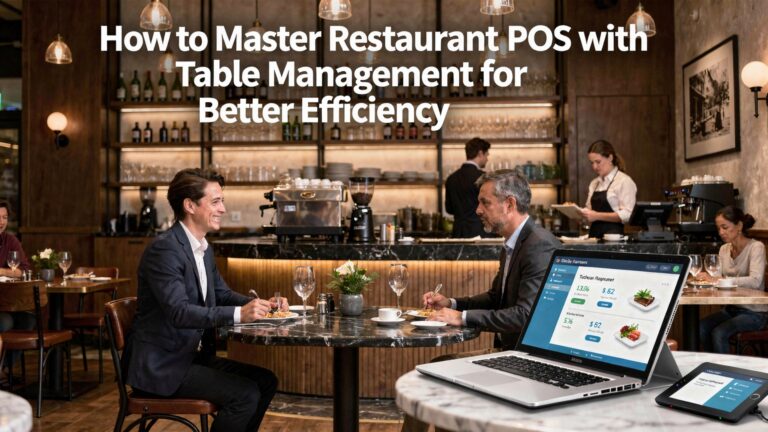
Imagine a multi-outlet restaurant chain in Anna Nagar. Their POS system must allow servers to take orders on a tablet, send them directly to the kitchen display system (KDS). then generate a bill instantly at the table, accepting various digital payments. This reduces order errors, speeds up service. enhances the overall dining experience.
Prioritize a POS solution that offers a user-friendly billing interface, comprehensive payment gateway integrations. automatic tax calculations to reduce operational friction and enhance customer satisfaction.
Comprehensive Inventory Management for Chennai Retailers
Effective inventory control is arguably one of the most critical features a pos software Chennai can offer, particularly for businesses dealing with physical goods. Chennai’s diverse retail landscape, from fashion boutiques in Nungambakkam to electronics stores in Ritchie Street, demands precise tracking to prevent stockouts, minimize waste. optimize purchasing. Without proper inventory management, businesses risk losing sales due to unavailability or incurring carrying costs for slow-moving items.
A sophisticated POS system integrates sales data directly with inventory levels, providing real-time updates. Key features include:
- Real-time Stock Tracking
- Low Stock Alerts
- Multi-location Management
- Supplier Management & Purchase Orders
- Product Variations
Automatically adjust stock levels with every sale, return, or transfer, providing an accurate count at any given moment.
Automated notifications when specific products fall below a predefined threshold, prompting timely reorders.
For businesses with multiple branches across Chennai, the ability to view and manage inventory levels across all locations from a central dashboard.
Streamline the ordering process by generating purchase orders directly from the POS, tracking vendor details. managing incoming stock.
Efficiently manage products with multiple attributes like size, color, or material.
Comparison: Traditional vs. Integrated POS Inventory
| Feature Aspect | Traditional Manual Inventory | Integrated POS Software Inventory |
|---|---|---|
| Stock Updates | Manual counting, periodic spreadsheet updates | Real-time automatic updates with every transaction |
| Accuracy | Prone to human error, often outdated | High accuracy, data-driven insights |
| Time Efficiency | Time-consuming, requires dedicated staff hours | Automated, frees up staff for customer service |
| Stockouts/Overstock | Frequent risk due to lack of real-time data | Minimised through alerts and data analysis |
| Reporting | Basic, often historical and siloed | Comprehensive, real-time, actionable reports |
A popular saree shop in Mylapore struggled with knowing which designs were selling fastest and when to reorder specific silk varieties. Implementing a POS with robust inventory management allowed them to track sales by design, material. even weaver, leading to optimized stock levels and a 15% reduction in dead stock over six months.
Invest in a POS system that offers granular, real-time inventory control, multi-location capabilities. automated reorder points to transform your stock management from a challenge into a strategic advantage.
Customer Relationship Management (CRM) Integration
In a competitive market like Chennai, building lasting customer relationships is paramount. A good pos software Chennai solution extends beyond mere transaction processing by incorporating robust customer relationship management (CRM) features. This allows businesses to interpret their clientele better, personalize interactions. foster loyalty.
Integrated CRM within a POS system enables businesses to:
- Capture Customer Data
- Loyalty Programs
- Personalized Marketing
- Feedback Collection
- Purchase History Tracking
Collect names, contact details, purchase history. preferences directly at the point of sale.
Implement and manage loyalty points, rewards. membership tiers to incentivize repeat business.
Use purchase data to segment customers and send targeted promotions, birthday discounts, or special offers relevant to their buying habits.
Easily gather customer feedback post-purchase, allowing businesses to address concerns and improve service quality.
Access a customer’s entire buying history to offer personalized recommendations or facilitate returns/exchanges.
Consider a bookstore in Adyar. With an integrated POS CRM, they can track which genres a customer frequently buys. Next time that customer visits, the staff can recommend new arrivals in their preferred genre, creating a more personalized and engaging shopping experience.
Choose a POS system that allows you to collect, review. leverage customer data to build effective loyalty programs and personalize marketing efforts, turning one-time buyers into loyal patrons.
Advanced Reporting and Analytics
Data is the new oil. for Chennai businesses, actionable insights derived from sales data are invaluable. The best POS software solutions offer powerful reporting and analytics features that go beyond basic sales summaries. These tools empower owners and managers to make informed decisions, identify trends. uncover opportunities for growth.
Key reporting capabilities include:
- Sales Reports
- Inventory Reports
- Employee Performance
- Customer Insights
- Trend Analysis
Detailed breakdowns by product, category, time of day, employee. payment method.
Insights into best-selling items, slow-moving stock, stock turnover rates. profit margins per product.
Track individual employee sales, average transaction values. shift performance.
Identify top customers, average spend. popular products among different customer segments.
Spot seasonal sales patterns, identify peak hours. forecast future demand.
Many modern cloud-based POS systems offer intuitive dashboards that visualize this data, making it easier to digest. For instance, understanding that sales for a particular food item in a Besant Nagar cafe spike on weekends allows the owner to adjust stock and staffing accordingly.
Many POS systems utilize SQL databases for storing transaction data, which is then processed through business intelligence (BI) tools to generate these reports. While the user doesn’t directly interact with SQL, understanding that data integrity is crucial for accurate reports highlights the importance of a reliable POS backend.
-- Example SQL query concept for daily sales report (simplified)
SELECT DATE(transaction_timestamp) AS sale_date, SUM(total_amount) AS total_sales, COUNT(transaction_id) AS total_transactions
FROM transactions
WHERE DATE(transaction_timestamp) = '2023-10-27'
GROUP BY sale_date;
Opt for a POS system that provides customizable, real-time reports and analytics tools. Use these insights to optimize pricing, inventory, staffing. marketing strategies, driving profitability for your Chennai business.
Employee Management and Access Control
Managing staff effectively is crucial for operational smoothness and security. A robust pos software Chennai offers features that simplify employee management, track performance. safeguard your business from internal theft or errors. This is particularly vital in environments with multiple staff members handling transactions.
Essential employee management features include:
- User Accounts & Roles
- Permission Settings
- Time Clock & Attendance
- Sales Performance Tracking
- Cash Drawer Management
Create individual accounts for each employee with specific roles (e. g. , cashier, manager, administrator), limiting access to sensitive functions.
Granular control over what each role can do – for instance, cashiers might not be able to process refunds or access sales reports, while managers can.
Track employee clock-in and clock-out times, helping with payroll and shift management.
Monitor individual sales metrics, commissions. performance against targets.
Track cash drawer openings, ensuring accountability for cash handling and reducing discrepancies.
In a large supermarket in Velachery, different departments (produce, dairy, checkout) have varying access needs. The POS system allows the store manager to grant specific permissions: produce staff can update stock, checkout staff can process sales. only managers can void transactions or access detailed financial reports. This minimizes internal risks and ensures operational integrity.
Select a POS system with comprehensive employee management features, including customizable roles and permissions, to enhance accountability, reduce errors. protect your business assets.
Cloud-Based Accessibility and Mobile POS (mPOS)
The modern business landscape, especially in a dynamic city like Chennai, demands flexibility and accessibility. Cloud-based POS systems, often coupled with mobile POS (mPOS) capabilities, offer unparalleled advantages over traditional on-premise solutions. They are a game-changer for businesses seeking scalability, remote management. adaptability.
Key benefits include:
- Remote Access
- Data Security & Backup
- Lower Upfront Costs
- Automatic Updates
- Mobile POS (mPOS)
Business owners can monitor sales, inventory. reports from anywhere, at any time, using an internet-connected device. This is invaluable for owners managing multiple outlets or traveling.
Cloud providers typically offer robust security protocols and automatic data backups, protecting against data loss due to hardware failure or local disasters.
Often operate on a subscription model, eliminating large upfront investments in hardware and server infrastructure.
Software updates, new features. security patches are automatically applied by the provider, ensuring the system is always current.
Allows sales to be processed on tablets or smartphones. This is perfect for pop-up stores, food trucks, outdoor events, or even queue busting in busy retail environments, enhancing customer service by bringing the checkout to the customer.
A small craft vendor participating in the annual Chennai Book Fair or a local artisan market can use an mPOS on their tablet to accept payments, track sales. manage inventory on the go, without needing a fixed counter setup.
Opt for a cloud-based POS solution with mPOS capabilities. This offers unparalleled flexibility, reduces infrastructure costs, enhances data security. empowers your business to operate efficiently beyond the traditional storefront.
Seamless Integrations with Other Business Tools
A truly powerful POS system doesn’t operate in isolation; it integrates seamlessly with other essential business applications. For Chennai businesses looking to optimize their entire operational ecosystem, this feature is non-negotiable. Integrations create a unified data flow, eliminate manual data entry. provide a holistic view of business performance.
Critical integration points include:
- Accounting Software
- E-commerce Platforms
- Payment Gateways
- Third-party Delivery Services
- CRM/Marketing Tools
Automatically sync sales data, expenses. inventory adjustments with popular accounting platforms like Tally, Zoho Books, or QuickBooks, simplifying bookkeeping and reconciliation.
For businesses with an online presence (e. g. , Shopify, WooCommerce), synchronize inventory, product data. sales data between online and offline channels.
Ensure compatibility with various payment processors and digital wallets prevalent in India, offering customers diverse payment options.
For restaurants or grocery stores, integrate with platforms like Swiggy or Zomato to streamline order management and delivery.
Beyond basic POS CRM, integration with dedicated CRM or email marketing platforms can enhance customer engagement strategies.
A boutique clothing store in Phoenix Market City uses a pos software Chennai solution that integrates with their e-commerce website and Tally accounting software. When a dress is sold in-store, the online inventory is automatically updated. , all sales data is pushed directly to Tally, eliminating the need for manual data entry and reducing accounting errors.
Prioritize a POS system that offers a wide array of integrations with your existing or planned business tools. This creates a cohesive operational environment, reduces manual effort. provides a more accurate, unified view of your business.
Conclusion
The thriving business landscape of Chennai demands more than just basic transaction processing; it requires a smart POS system integrated with the city’s pulse. Embracing the seven essential features we discussed—from robust inventory management crucial for a sprawling retail outlet in Sowcarpet to seamless customer relationship tools for a boutique on Khader Nawaz Khan Road—isn’t merely an upgrade, it’s a strategic imperative. My personal tip for Chennai business owners is to look beyond immediate needs and consider how a cloud-based system can offer real-time insights, essential for navigating recent market shifts and optimizing operations during peak seasons like Pongal or Diwali. For a deeper dive into how POS systems unlock broader business growth in Chennai, explore this resource: Unlock Business Growth with These 6 Benefits of POS Systems in Chennai. Don’t just implement; empower your team and delight your patrons. By choosing a POS that truly understands the nuances of Chennai’s diverse commercial ecosystem, you’re not just investing in software, you’re paving the way for sustained growth and a competitive edge in this vibrant city.
More Articles
How to Choose Essential POS System Functions for Restaurant Success
How To Choose The Best Restaurant POS Software For Your Business
What Key Features Should Your Restaurant POS Software Absolutely Have
5 Crucial Questions to Ask When Choosing Restaurant POS Software
Unlock Business Growth with These 6 Benefits of POS Systems in Chennai

FAQs
Why is efficient inventory management a game-changer for businesses in Chennai?
Efficient inventory management in a POS system is crucial for Chennai businesses because it helps you accurately track stock levels, reduce waste, prevent stockouts of popular items. manage diverse product ranges effectively. This ensures you always have what your customers want, minimizing lost sales and maximizing profitability.
How can sales reporting and analytics actually help my business grow?
Sales reporting and analytics provide deep insights into your business performance. You’ll comprehend sales trends, identify best-selling products, pinpoint peak hours. even evaluate staff performance. This data empowers you to make smarter decisions about promotions, staffing. inventory, directly contributing to your growth.
Do I really need customer relationship management (CRM) features in my POS?
Absolutely! CRM features are vital for building customer loyalty. They allow you to track purchase history, run effective loyalty programs. offer personalized discounts or promotions. In a competitive market like Chennai, fostering repeat business through strong customer relationships is key to sustained success.
What kind of payment options should a POS support for Chennai customers?
A modern POS for Chennai businesses should support a wide array of payment methods to cater to diverse customer preferences. This includes traditional cash, all major credit/debit cards. increasingly popular digital payments like UPI (Google Pay, PhonePe). QR code scanning. Offering flexibility makes transactions smoother and more convenient for everyone.
What happens if my internet connection is unstable or goes down? Will my POS stop working?
Not if your POS system has an offline mode capability! This feature is incredibly crucial in regions where internet connectivity can sometimes be unreliable. An offline mode allows your business to continue operating smoothly, process sales. capture transaction data even without an active internet connection. Once online again, all data seamlessly syncs, preventing any disruption to your operations.
Can a POS system help me manage my employees more effectively?
Yes, many POS systems come with robust employee management features. You can track attendance, manage shifts, monitor individual sales performance. even calculate commissions. This streamlines your HR processes, ensures accountability. helps you optimize your workforce for better service delivery.
My business is small right now. I plan to expand. Is a basic POS enough, or should I look for something more?
While a basic POS might suffice initially, it’s much smarter to invest in a scalable POS system. Look for one that can easily handle increased product lines, a growing customer base. even multiple store locations as your business expands. A scalable system means you won’t need to completely overhaul your setup down the line, saving you time and money.