10 Features Every Restaurant Needs in a POS System
In the fast-paced restaurant industry, investing in the right POS software can mean the difference between streamlined operations and constant headaches. Modern restaurant POS systems go far beyond basic transaction processing, offering features like real-time inventory tracking, customizable menu management. integration with delivery platforms to meet evolving customer demands. For instance, with the rise of contactless payments and online ordering, restaurants need systems that can seamlessly process digital transactions while providing robust data analytics to drive decision-making. Solutions that incorporate cloud-based technology ensure accessibility across devices, enabling managers to monitor sales and employee performance even when offsite. As customer expectations grow, POS systems with loyalty program integration and automated table management are becoming indispensable, enhancing both operational efficiency and guest satisfaction. Choosing a system equipped with these advanced features positions restaurants to stay competitive in an industry where adaptability and speed are paramount.
1. User-Friendly Interface
- Restaurants are often fast-paced environments, making it crucial for a Restaurant POS software to have an intuitive and easy-to-navigate interface.
- Staff members, including servers and cashiers, should be able to quickly learn how to use the system without extensive training.
- Features like touchscreen support, customizable menus. minimal navigation steps are essential for efficiency.
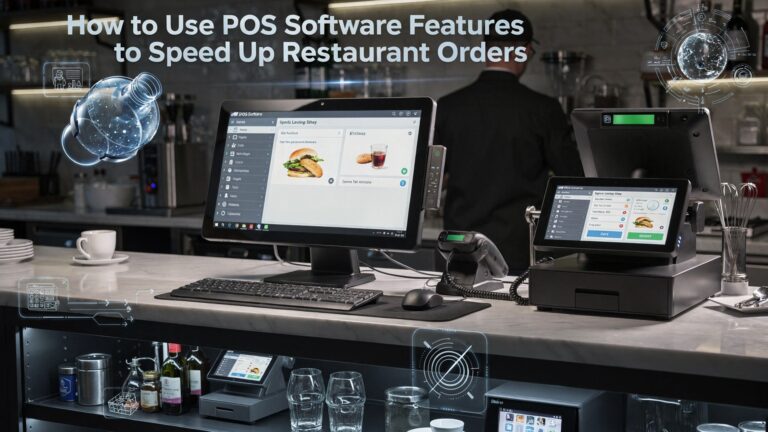
- Example: A dine-in restaurant can streamline order taking if its POS software allows servers to quickly add items with a few taps.
2. Inventory Management
- An effective Restaurant POS software should include robust inventory management tools to track stock levels in real time.
- This feature helps avoid over-ordering or running out of key ingredients during peak business hours.
- Some systems can even provide alerts when inventory is low or automatically reorder items from suppliers.
- Use case: A pizza parlor can monitor its cheese and dough inventory and set thresholds for auto-replenishment.
3. Table Management
- Restaurant POS systems with table management functionality improve the dining experience by helping staff assign tables efficiently.
- Features like table layouts, order tracking per table. status indicators (e. g. , order in progress, table ready for payment) ensure seamless operations.
- This is particularly useful for restaurants with dine-in services, helping reduce wait times and turnover inefficiencies.
4. Payment Processing Flexibility
- Modern diners expect flexibility in payment options, so a Restaurant POS software must support multiple payment methods such as credit cards, mobile wallets, QR codes. cash.
- Look for systems with integrated payment processors to speed up transactions and reduce errors.
- Example: A fast-casual eatery can benefit from quick tap-and-go payments during busy lunch hours.
5. Online Ordering Integration
- As the demand for online and takeout orders grows, restaurants need a POS system that integrates seamlessly with online ordering platforms.
- Features like menu synchronization, automated order routing to the kitchen. customer notifications are essential.
- Use case: A sushi restaurant can boost sales by managing both dine-in and online orders through a unified system.
6. Customer Relationship Management (CRM)
- CRM tools in Restaurant POS software enable businesses to collect and examine customer data, such as order history and preferences.
- This data can be used for targeted marketing campaigns, loyalty programs. personalized experiences.
- Example: A cafe can send exclusive birthday discounts to regular patrons using data from its CRM system.
7. Kitchen Display System (KDS) Integration
- A KDS integration allows orders to be sent directly from the POS system to the kitchen, reducing errors and improving communication between front-of-house and back-of-house staff.
- This feature is especially useful for fast-paced environments like quick-service restaurants.
- Example: A burger joint can ensure accurate preparation by routing orders directly to the kitchen display instead of using paper tickets.
8. Reporting and Analytics
- Detailed reporting and analytics features allow restaurant owners to monitor key metrics like sales performance, peak hours. best-selling items.
- These insights help in making data-driven decisions to optimize operations and increase profitability.
- Example: A fine dining restaurant can review which dishes are underperforming and adjust its menu accordingly.
9. Staff Management
- Restaurant POS software should include staff management tools for tracking employee hours, scheduling shifts. measuring productivity.
- Some systems also enable managers to set permissions, limiting access to certain features based on employee roles.
- Real-world application: A family-owned diner can simplify payroll by using clock-in/out data from the system.
10. Scalability and Cloud-Based Access
- As restaurants grow, their POS system should be able to scale with them by adding locations, users, or features without disruptions.
- Cloud-based Restaurant POS software allows owners to manage their business remotely, providing access to real-time data from any device.
- Example: A chain of coffee shops can track performance across locations from a single dashboard, enabling streamlined management.
Conclusion
The importance of a robust POS system in restaurants cannot be overstated, as it directly impacts operational efficiency, customer experience. profitability. From streamlined inventory management to seamless payment processing, the right POS system empowers restaurants to stay competitive in an ever-evolving industry. Features such as real-time reporting and mobile compatibility are no longer optional but essential for staying agile in a data-driven environment. For instance, adopting cloud-based systems ensures flexibility and reduces downtime, a critical factor in sustaining long-term success. To fully leverage the capabilities of your POS system, prioritize solutions that cater to your restaurant’s unique needs. A small café might focus on tools for loyalty programs, while a high-volume fine-dining establishment could benefit more from integrated reservations and staff management features. Staying informed about trends—like AI-driven inventory forecasting or customer engagement tools—can keep your operations ahead of the curve. Personally, I’ve seen how investing in tech-forward systems not only simplifies day-to-day operations but also enhances customer satisfaction by offering faster service and personalized experiences. Ultimately, the key to success lies in making thoughtful choices that align with your goals while embracing innovation. Let your POS system work for you, so you can focus on creating memorable dining experiences. The right investment today will shape your restaurant’s future tomorrow.
More Articles
10 Common Mistakes Restaurants Make When Choosing a POS System – [URL] How Mobile Ordering Is Revolutionizing Restaurants – [URL] Top Trends in Restaurant Technology for 2024 – [URL] The Benefits of Cloud-Based POS Systems for Small Restaurants – [URL] How Smart Data Analytics Can Boost Restaurant Profits – [URL]

FAQs
Why is menu customization essential in a POS system for restaurants?
Menu customization lets you quickly update items, prices. specials, making it easier to adapt to customer preferences or seasonal changes.
How does a POS system help with inventory tracking?
A POS system can automatically track inventory in real-time, alerting you when stock is low and helping prevent overordering or waste.
Can a restaurant POS system manage online orders?
Yes, modern POS systems often integrate with online ordering platforms, streamlining order management and reducing errors.
What’s the benefit of having analytics in a POS system?
Analytics provide insights into sales trends, peak hours. customer preferences, helping you make smarter business decisions.
Do POS systems help with employee management?
Many POS systems include features like shift scheduling, time tracking. performance monitoring, simplifying staff management.
Why is mobile compatibility a must-have for restaurant POS systems?
Mobile-friendly POS systems allow staff to take orders or process payments from anywhere in the restaurant, improving efficiency and customer experience.
How can a POS system improve customer loyalty?
Some systems have built-in loyalty programs, letting you offer discounts or rewards to repeat customers to keep them coming back.
Is secure payment processing included in most POS systems?
Yes, secure payment processing is a key feature, ensuring transactions are encrypted and customer data is protected.