7 Common Mistakes to Avoid When Choosing Restaurant POS Software
Choosing the right restaurant POS software can make or break your operations, yet many decision-makers fall into common pitfalls that cost time, money. efficiency. With the rise of cloud-based systems and integrations, it’s tempting to prioritize flashy features over usability or scalability. For instance, overlooking compatibility with existing hardware or opting for overly complex interfaces can derail employee productivity during peak hours. Moreover, failing to evaluate customer support options or hidden fees often leads to frustrating delays and budget strains. As restaurants increasingly rely on data-driven insights to streamline inventory and enhance guest experiences, it’s critical to avoid software that lacks robust reporting capabilities or adaptability to new trends like mobile order integration. By recognizing these mistakes early, restaurant owners can focus on finding solutions that align with their unique needs and set the stage for lasting success in a competitive industry.

1. Overlooking Scalability for Future Growth
- Many restaurant owners make the mistake of selecting a Restaurant POS software that meets only their current needs, without considering future growth. This short-term thinking can lead to significant hurdles as your business scales.
- For instance, a small cafe might not foresee the need for features like multi-location management or advanced inventory tracking. But, as they expand, they might require these functionalities, leaving them stuck with software that doesn’t support their needs.
- Always choose a POS system that can scale with your business. Look for features like multi-site support, cloud-based architecture. integration capabilities to accommodate future expansions.
2. Ignoring Hardware Compatibility
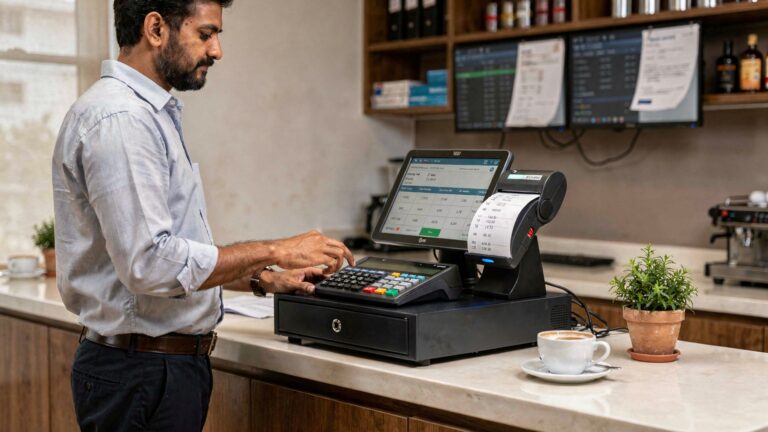
- Some restaurant owners focus solely on the software itself and fail to assess whether it’s compatible with their existing hardware. A mismatch between your Restaurant POS software and hardware can lead to unnecessary expenses and delays.
- For example, if the POS software requires high-end hardware or specific configurations, you might have to replace printers, tablets, or barcode scanners.
- Always verify hardware requirements before purchasing the software. Many modern POS systems are cloud-based and compatible with standard devices such as iPads and Android tablets, which can significantly reduce costs.
3. Neglecting Ease of Use and Training
- A user-friendly interface is a critical factor that often gets overlooked. If your staff struggles to use the software, it can result in inefficiency, errors. frustration.
- Consider the case of a restaurant that adopts a complicated POS system without providing proper training. It leads to delays in order processing, errors in transactions. dissatisfied customers.
- Opt for software that offers an intuitive interface and ensure that the vendor provides comprehensive training resources or onboarding support to help your team get up to speed quickly.
4. Failing to Evaluate Integration Capabilities
- Another common mistake is selecting software that doesn’t integrate well with other essential business tools. Restaurants often use additional solutions for accounting, payroll, customer loyalty programs, or online ordering.
- For example, if your Restaurant POS software doesn’t integrate with your preferred accounting software, you’ll be forced to manually transfer data, increasing the likelihood of errors and wasting time.
- Choose a POS system that can seamlessly integrate with third-party applications to streamline your operations and reduce the need for duplicate data entry.
5. Overlooking Security Features
- Data breaches can be devastating for any business, especially restaurants that handle sensitive customer payment details. Prioritizing cost over security is a mistake that many restaurant owners make when selecting a POS system.
- For instance, a lack of end-to-end encryption or PCI compliance in your POS software could leave your customers’ payment data vulnerable to cyberattacks.
- Always ensure that your POS system provides robust security measures, including data encryption, tokenization. compliance with industry standards like PCI DSS (Payment Card Industry Data Security Standard).
6. Forgetting About Customer Support
- Even the most reliable Restaurant POS software can face occasional issues. If your system goes down during peak hours and you can’t get immediate support, it can lead to revenue loss and unhappy customers.
- Many restaurant owners regret opting for cheaper software without considering the quality of customer support. For example, some providers might only provide email support with long response times, leaving you stranded during emergencies.
- Before purchasing POS software, evaluate the vendor’s support options. Look for providers with 24/7 support, multiple communication channels (e. g. , live chat, phone, email). a strong reputation for prompt assistance.
7. Not Considering Total Cost of Ownership
- Price is often a primary factor when choosing a POS system. many restaurant owners fail to consider the total cost of ownership (TCO). They focus only on the upfront costs, overlooking recurring expenses like monthly subscriptions, maintenance fees. hardware upgrades.
- For example, a low-cost POS system might have limited features, prompting you to purchase additional software or add-ons to meet your needs. In the long run, this can make the system more expensive than a comprehensive solution with higher upfront costs.
- When evaluating Restaurant POS software, calculate both the initial and ongoing expenses. Factor in software updates, hardware compatibility. potential add-on costs to determine the true cost of ownership.
Conclusion
Choosing the right restaurant POS software can feel overwhelming. avoiding common pitfalls ensures your decision supports your business growth. As we’ve explored, overlooking customization options, failing to prioritize user-friendly interfaces, or ignoring integration capabilities can lead to operational inefficiencies and customer dissatisfaction. For example, many restaurants today are embracing cloud-based POS systems to access real-time data and streamlined processes, which can make a significant difference in both management and customer experience. A personal tip is to always test drive the software with your staff before finalizing. This provides insights into how intuitive the system is and whether it aligns with your unique workflow. Moreover, staying updated with trends like mobile POS systems or AI-powered analytics can future-proof your investment, as these technologies are redefining the efficiency of modern F&B businesses. Remember, this decision is not just about technology—it’s about empowering your team, enhancing customer interactions. securing a competitive edge. By carefully aligning your choice with your restaurant’s goals, you’re investing in more than software; you’re building a foundation for sustainable success. Start today with thoughtful research. let your POS system become a partner in your journey toward excellence.
More Articles
How to Choose the Best Restaurant POS Features for Your Business
5 Ways Restaurant POS Software Can Boost Customer Satisfaction
How to Choose the Right POS Features for Your Restaurant
5 Common Mistakes to Avoid When Choosing a Restaurant POS System
How to Master Table Management with the Right Restaurant POS System

FAQs
What are the main mistakes people make when picking restaurant POS software?
The main mistakes include not considering ease of use, ignoring scalability, overlooking hidden costs. failing to check for integration options with other tools.
Why is skipping software demos a bad idea?
Skipping demos means you miss out on testing the software’s interface and features. This can lead to buying something that doesn’t fit your restaurant’s needs.
Should I prioritize price over everything else?
No, focusing only on price can result in choosing a system that lacks essential features or has poor customer support. Balance cost with functionality and reliability.
How can forgetting to check hardware compatibility cause issues?
If the software doesn’t work with your existing hardware, you might need to spend extra money on new equipment. Always verify compatibility before purchasing.
What happens if I pick a POS system without considering future growth?
Choosing a system that can’t scale with your business could lead to replacing it sooner than expected, costing you more time and money in the long run.
Why is customer support so crucial in a POS software?
Good customer support ensures quick help during downtime or technical issues. Poor support can leave you stuck and disrupt your restaurant operations.
Can ignoring user reviews backfire?
Yes, reviews provide insights into real-world experiences with the software. Ignoring them can mean missing red flags or positive points that might influence your decision.
Is it bad to choose a system with too many unnecessary features?
Yes, overly complicated systems can confuse staff and slow operations. Focus on features that align with your business needs.