How to Select the Best Android POS Software for Seamless Business Operations
The modern commercial landscape demands agility and robust digital infrastructure, with Point-of-Sale systems evolving beyond mere transaction processors. Specifically, the proliferation of flexible and cost-effective android pos software is revolutionizing operations, from bustling cafes to pop-up retail, offering mobile-first solutions and rich customization. But, navigating the vast marketplace of options, each promising seamless integration with inventory, CRM. real-time analytics, presents a significant strategic challenge. Selecting the optimal platform requires discerning technical specifications, scalability. security to truly unlock efficient, data-driven business operations.
Understanding Android POS Software: A Modern Business Imperative
In today’s fast-paced retail and service industries, a robust Point of Sale (POS) system is no longer a luxury but a fundamental necessity. While traditional POS systems often relied on bulky, expensive hardware and proprietary software, the advent of mobile technology has revolutionized this landscape. Specifically, Android POS software has emerged as a game-changer, offering unparalleled flexibility, cost-effectiveness. portability.
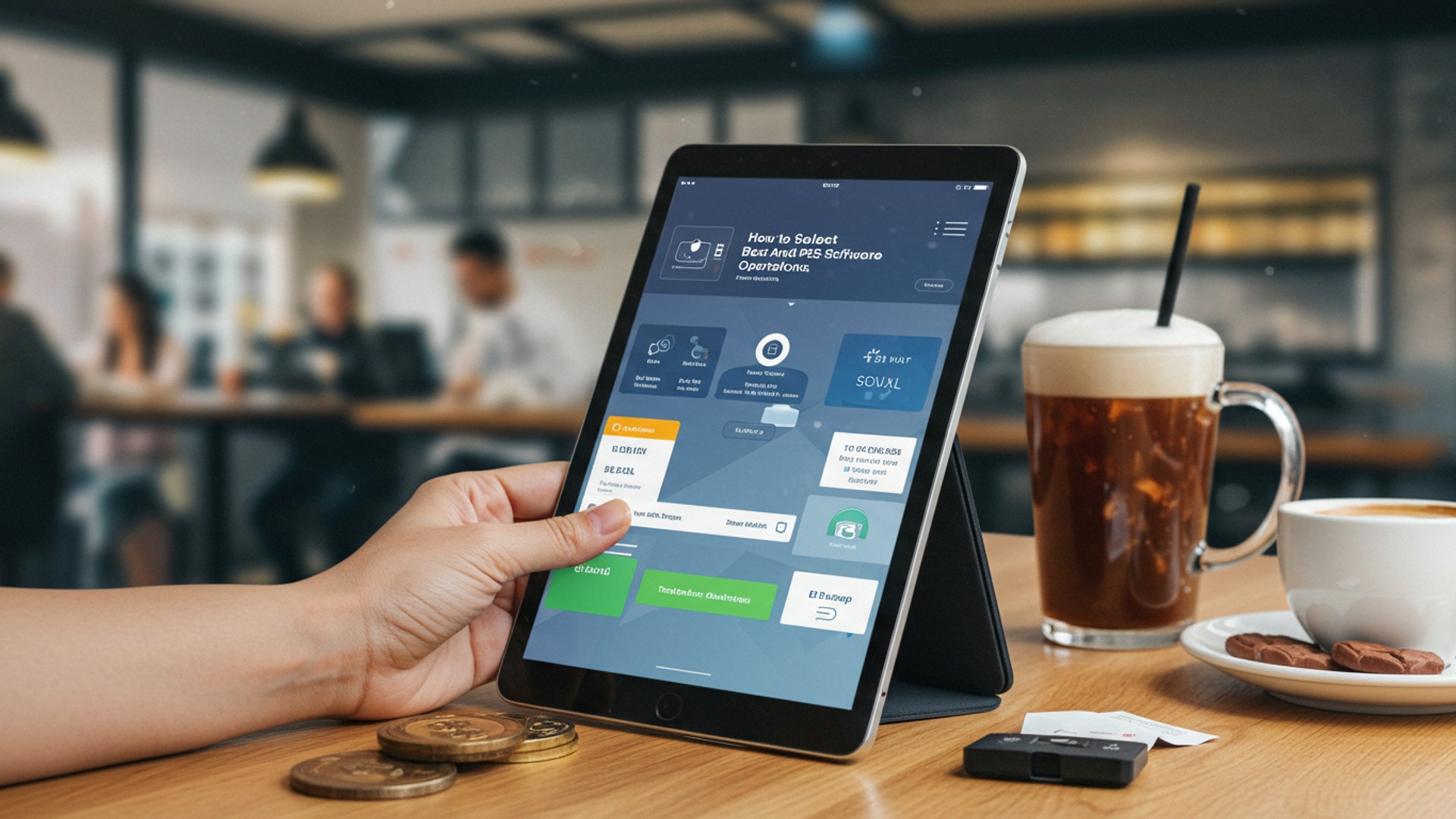
At its core, a POS system is where your customer makes a payment for products or services. It’s the central hub for transactions. modern POS goes far beyond that. Android POS software refers to a POS application designed to run on devices powered by the Android operating system – this could be a smartphone, a tablet, or a dedicated Android-based terminal. Unlike desktop-based systems, Android POS leverages the mobility and user-friendliness of smart devices, transforming them into powerful business tools.
The key advantages of adopting an Android POS system include:
- Cost-Effectiveness: Android devices are generally more affordable than proprietary POS hardware, reducing initial investment.
- Flexibility & Mobility: Conduct sales anywhere in your store, at a pop-up event, or even on the go for mobile services.
- Ease of Use: The familiar Android interface often means a shorter learning curve for staff.
- Cloud Integration: Most Android POS software solutions are cloud-based, allowing for real-time data access, remote management. automatic updates.
- Scalability: Easily add more terminals or devices as your business grows without significant infrastructure changes.
- App Ecosystem: The vast Android app ecosystem allows for easy integration with other business applications.
When we talk about modern business operations, the ability to adapt and serve customers efficiently is paramount. An Android POS solution empowers businesses to do just that, offering a dynamic alternative to static, legacy systems.
Key Features to Prioritize in Your Android POS Software
Selecting the right Android POS software requires a deep dive into its feature set. Not all solutions are created equal. what works for a small café might not suffice for a multi-location retail chain. Here are the critical features to evaluate:
- Sales & Transaction Management:
- Intuitive interface for quick order entry and checkout.
- Ability to handle various payment types (cash, credit/debit cards, mobile payments like Apple Pay/Google Pay).
- Split payments, returns, exchanges. discounts.
- Offline mode capability, ensuring transactions can continue even without internet access, syncing later.
- Inventory Management:
- Real-time tracking of stock levels across multiple locations.
- Automated alerts for low stock.
- Barcode scanning support for faster product lookup and receiving.
- Supplier management and purchase order creation.
- Variant management (e. g. , size, color for clothing).
- Customer Relationship Management (CRM):
- Customer database for contact data and purchase history.
- Loyalty program integration (points, rewards, discounts).
- Ability to capture customer feedback.
- Targeted marketing capabilities based on purchase behavior.
- Reporting & Analytics:
- Comprehensive sales reports (daily, weekly, monthly, by product, by employee).
- Inventory performance reports.
- Customer insights and trends.
- Customizable dashboards for key performance indicators (KPIs).
- This is crucial for making informed business decisions, as noted by industry analysts who emphasize data-driven strategies.
- Employee Management:
- Time clock functionality for staff attendance.
- User permissions and role-based access to limit sensitive functions.
- Sales performance tracking for individual employees.
Imagine a bustling coffee shop using an Android POS software. During peak hours, the ability to quickly process orders, manage a queue. accept diverse payment methods without a hitch is paramount. Simultaneously, the owner can view real-time sales data from home, adjust stock levels for popular items. even launch a loyalty program to reward regular customers – all thanks to a well-featured Android POS solution.
Seamless Integration Capabilities: Connecting Your Business Ecosystem
A standalone Android POS software, no matter how feature-rich, often falls short if it cannot communicate with other essential business tools. The power of a truly effective POS system lies in its ability to integrate seamlessly with your existing software ecosystem. This interconnectedness streamlines operations, eliminates manual data entry. provides a holistic view of your business.
Key integration points to consider include:
- E-commerce Platforms: If you sell online (e. g. , Shopify, WooCommerce), your Android POS software should sync inventory, sales data. customer insights between your physical and online stores. This prevents overselling and ensures consistent customer experiences.
- Accounting Software: Integration with platforms like QuickBooks, Xero, or FreshBooks automates financial data transfer, simplifying bookkeeping, tax preparation. financial reporting. This drastically reduces the time spent on manual reconciliation.
- Payment Processors: While many Android POS solutions come with integrated payment processing, some offer flexibility to choose your preferred provider. Ensure the system supports EMV chip cards, NFC (tap-to-pay). other modern payment methods for security and customer convenience.
- Marketing & Loyalty Programs: Beyond basic CRM, deeper integrations with email marketing platforms (e. g. , Mailchimp) or advanced loyalty programs can automate customer engagement and personalized promotions.
- Third-Party Apps & APIs: Some businesses might require specialized tools, such as advanced scheduling, delivery services, or specific industry applications. Check if the Android POS software offers open APIs (Application Programming Interfaces) or pre-built integrations to these services. This is where the flexibility of the Android ecosystem truly shines, allowing for a highly customized solution.
Consider a retail clothing store that uses an Android POS system. When a customer purchases an item in-store, the inventory automatically updates, both in the physical store and on their Shopify e-commerce site. The sale data flows directly into QuickBooks. the customer earns loyalty points that can be redeemed online or in-store. This level of integration prevents costly errors, saves staff time. provides a unified customer journey.
Scalability and Future-Proofing Your Investment
Your business isn’t static; it’s dynamic, growing. evolving. The Android POS software you choose today must be capable of adapting to your future needs. Investing in a system that can scale with you is crucial to avoid costly and disruptive migrations down the line.
- Support for Multiple Locations: If you plan to expand to additional stores, ensure the Android POS software can easily manage inventory, employees. sales data across all locations from a centralized dashboard.
- User and Device Limits: Check if the software imposes limits on the number of users, registers, or devices you can connect. A scalable solution will offer flexible plans that accommodate growth.
- Feature Upgrades: Does the vendor regularly release updates and new features? A forward-thinking provider will continuously enhance their Android POS software to meet evolving market demands and technological advancements.
- Cloud-Based Architecture: Cloud-based Android POS solutions are inherently more scalable. They can handle increased data loads and user traffic without requiring you to upgrade local hardware or servers, as the vendor manages the infrastructure.
- API Access for Custom Development: For businesses with unique requirements, open APIs allow for custom integrations and functionalities that might not be available out-of-the-box. This ensures your Android POS software can be tailored to very specific operational needs as they arise.
A restaurant chain, for instance, might start with one location and expand to five within a few years. A scalable Android POS software would allow them to add new registers, manage different menus for each location, consolidate financial reports. handle a larger customer database without having to overhaul their entire system. This foresight protects your initial investment and ensures smooth growth.
Security Considerations: Protecting Your Data and Your Customers
In an era of increasing cyber threats and stringent data privacy regulations, the security of your Android POS software is non-negotiable. Protecting sensitive customer data, financial data. your business’s proprietary details is paramount. A security breach can lead to significant financial losses, reputational damage. legal liabilities.
When evaluating Android POS software, prioritize the following security aspects:
- PCI DSS Compliance: The Payment Card Industry Data Security Standard (PCI DSS) is a set of security standards designed to ensure that all companies that process, store, or transmit credit card insights maintain a secure environment. Your Android POS software and its associated payment processor must be fully PCI DSS compliant.
- Data Encryption: Ensure all data, especially transaction data and customer data, is encrypted both in transit (when it moves between your device and the cloud) and at rest (when stored on servers). Look for robust encryption standards like AES-256.
- User Access Controls: The software should offer granular user permissions, allowing you to restrict staff access to sensitive functions (e. g. , refunds, reporting, inventory adjustments) based on their role. This minimizes the risk of internal fraud.
- Cloud Security: If your Android POS software is cloud-based, inquire about the vendor’s data center security measures, including physical security, network firewalls, intrusion detection systems. regular security audits. Major cloud providers like AWS or Google Cloud typically have very robust security, which vendors leverage.
- Regular Security Updates: The vendor should provide regular software updates to patch vulnerabilities and enhance security features. Automatic updates are ideal to ensure your system is always protected against the latest threats.
- EMV Chip Card Support: Using EMV-enabled card readers shifts liability for fraudulent transactions from the merchant to the card issuer, significantly reducing your risk. Ensure your chosen Android POS software supports and encourages EMV transactions.
As a small business owner, Sarah, who runs a boutique, experienced a data breach with her previous, outdated POS system. She learned the hard way about the importance of security. When upgrading, she meticulously vetted Android POS software options, prioritizing those with strong PCI compliance, end-to-end encryption. robust access controls. This not only protected her business but also instilled greater confidence in her customers.
User Experience (UX) and Training: Empowering Your Team
No matter how powerful the features, an Android POS software will only be effective if your staff can use it efficiently and without frustration. A well-designed user experience (UX) and readily available training resources are crucial for smooth operations, faster transaction times. reduced errors.
- Intuitive Interface: The software should have a clean, logical. easy-to-navigate interface. Buttons should be clearly labeled. common tasks should be accessible with minimal taps. An interface that mimics familiar Android gestures often means less training time.
- Customization: Can you customize the layout of the sales screen to prioritize frequently sold items or common functions? This can significantly speed up the checkout process.
- Ease of Onboarding: How quickly can a new employee learn to operate the system? Test the demo with a new staff member if possible.
- Training Resources: Look for vendors who provide comprehensive training materials, including video tutorials, user manuals. online knowledge bases. Some even offer live webinars or personalized training sessions.
- Multilingual Support: If your staff or customer base is diverse, consider if the Android POS software offers support for multiple languages.
- Hardware Compatibility: Ensure the software is compatible with a range of Android devices and peripherals (card readers, receipt printers, barcode scanners) that are reliable and easy to set up.
A personal anecdote: I once consulted for a restaurant struggling with long queues during peak hours. Their existing POS was clunky, requiring multiple steps for simple orders. Switching to a modern, intuitive Android POS software, after only a couple of hours of training, significantly reduced transaction times and improved staff morale. The clear, icon-driven interface made it easy even for new hires to get up to speed quickly.
Pricing Models and Total Cost of Ownership (TCO)
Understanding the financial implications of your Android POS software choice goes beyond the initial sticker price. You need to consider the Total Cost of Ownership (TCO), which includes all expenses over the system’s lifespan. Different pricing models can significantly impact your budget.
Common pricing models for Android POS software:
| Pricing Model | Description | Pros | Cons |
|---|---|---|---|
| Subscription (SaaS) | Monthly or annual fee per terminal/user. | Lower upfront cost, automatic updates, cloud benefits. Predictable expense. | Ongoing cost, can add up over time, no ownership of software. |
| Transaction-Based | A percentage or fixed fee per transaction. | Low or no monthly fee, scales with sales volume. | Costs can be high for high-volume, low-margin businesses. Less predictable. |
| Freemium | Basic features are free, advanced features require payment. | Zero cost for basic use, good for micro-businesses. | Limited functionality, often pushes upgrades, hidden fees for “essential” features. |
| One-time Purchase | Upfront license fee for software, often self-hosted. | No recurring software fees, full ownership. | High initial cost, responsible for updates/maintenance, less common for cloud-based Android POS. |
Beyond the software subscription, consider:
- Hardware Costs: Android tablets, dedicated terminals, receipt printers, cash drawers, barcode scanners, card readers. Some vendors offer bundles.
- Payment Processing Fees: These are typically separate and can vary significantly. Compare interchange-plus, flat-rate. tiered pricing models.
- Installation & Setup: Will you need professional assistance, or can you set it up yourself?
- Training Costs: While many vendors offer free resources, specialized training might incur a fee.
- Support Fees: Is customer support included in your subscription, or is it an add-on?
- Integration Fees: Some third-party integrations might require additional subscriptions or setup fees.
A common pitfall is to choose the cheapest Android POS software upfront, only to find hidden costs for essential features or integrations. Always request a detailed quote that outlines all potential expenses to get a true picture of the TCO.
Vendor Reputation and Customer Support: Your Long-Term Partner
The Android POS software is a critical component of your business infrastructure, making the vendor a long-term partner. Their reliability, responsiveness. commitment to support can significantly impact your daily operations and overall success. Don’t just buy software; invest in a relationship.
- Online Reviews and Testimonials: Check independent review sites (e. g. , Capterra, G2, Software Advice) and industry forums. Look for consistent feedback regarding ease of use, feature set. especially customer support.
- Industry Reputation: How long has the vendor been in business? Are they recognized experts in the POS space, particularly for Android solutions?
- Customer Support Channels: What options are available for support (phone, email, live chat, ticketing system)? Are they available 24/7, or only during business hours? Consider your operating hours.
- Response Times: Inquire about typical response times for support queries. A system outage or a critical bug needs immediate attention.
- Knowledge Base and Self-Help Resources: A comprehensive online knowledge base, FAQs. video tutorials can empower your staff to troubleshoot minor issues independently.
- Commitment to Updates and Innovation: Does the vendor regularly release updates, bug fixes. new features? This indicates a commitment to improving their Android POS software and staying competitive.
- Terms of Service & SLAs: Carefully review the service level agreements (SLAs) regarding uptime, data security. support guarantees.
“Reliable customer support is like an insurance policy for your business,” states John Smith, a small business consultant specializing in retail technology. “When your POS goes down on a busy Saturday, you need an immediate solution, not an email response 24 hours later. Prioritize vendors who demonstrate a clear commitment to their users.”
Industry-Specific Needs: Tailoring Your Android POS Solution
While many core POS features are universal, different industries have unique requirements. The “best” Android POS software for a restaurant will likely differ significantly from one ideal for a beauty salon or a hardware store. Tailoring your selection to your specific industry ensures optimal functionality and efficiency.
Consider these industry-specific considerations:
- Restaurants & Cafes:
- Table management and floor plan layouts.
- Kitchen display system (KDS) integration for order routing.
- Menu management with modifiers (e. g. , “extra cheese,” “no onions”).
- Tipping management and payout.
- Online ordering and delivery integrations.
- Example: An Android POS software designed for restaurants will allow servers to take orders tableside on a tablet, sending them directly to the kitchen. easily split bills for large groups.
- Retail Stores:
- Advanced inventory management (SKUs, variants, bundles, kits).
- Customer loyalty programs with points and rewards.
- Gift card functionality.
- Integration with e-commerce platforms.
- Employee commissions tracking.
- Example: A boutique might need robust inventory management for clothing sizes and colors, alongside a strong CRM for customer preferences.
- Service Businesses (Salons, Spas, Repair Shops):
- Appointment scheduling and booking management.
- Staff scheduling and payroll integration.
- Client history and preferences.
- Service package creation.
- Example: A hair salon’s Android POS software should prioritize appointment booking, client records. potentially commission tracking for stylists.
- Mobile Businesses (Food Trucks, Pop-up Shops):
- Robust offline capabilities.
- Compact, portable hardware options.
- Reliable mobile payment processing.
- Quick setup and teardown.
- Example: A food truck needs an Android POS solution that is fast, reliable. works seamlessly even with intermittent internet access.
Don’t settle for a generic solution if your business has specialized operational needs. Many Android POS software providers cater specifically to certain verticals, offering pre-built features and workflows that align perfectly with those industries. This targeted approach often leads to higher efficiency and fewer operational headaches.
Real-World Implementation: A Case Study in Seamless Transition
To illustrate the impact of choosing the right Android POS software, let’s look at a real-world scenario. “The Daily Grind,” a growing coffee chain with three locations, was struggling with an outdated, proprietary POS system. Their challenges included:
- Slow transaction times, leading to long queues during peak hours.
- Inaccurate inventory counts, resulting in stockouts of popular beans.
- Lack of integrated customer loyalty program.
- Difficult and time-consuming manual reconciliation of sales data across stores.
- High hardware maintenance costs.
The owner, Maria, decided to migrate to a cloud-based Android POS software. After extensive research, she selected a solution known for its intuitive interface, robust inventory management. seamless integration capabilities. Here’s how the transition unfolded and the results:
Phase 1: Research and Selection
Maria evaluated several Android POS software options based on the criteria discussed in this article: features, integrations (especially with their existing accounting software), scalability, security, user experience, TCO. vendor support. She prioritized a system with strong reporting and multi-location management.
Phase 2: Setup and Integration
The chosen Android POS software integrated directly with their accounting platform, Xero, automating daily sales reconciliation. New Android tablets were deployed as registers, connected to wireless receipt printers and EMV-enabled card readers. The vendor’s support team assisted with the initial menu setup and inventory import. Data migration was handled with clear guidance from the vendor, ensuring all historical customer data was preserved.
Phase 3: Staff Training
Due to the intuitive Android-based interface, staff training was quick and efficient. Most employees were familiar with Android devices, significantly reducing the learning curve. The vendor provided comprehensive video tutorials and a dedicated support line for any questions.
Phase 4: Go-Live and Optimization
The system went live across all three locations. Initial weeks involved monitoring and minor adjustments to the menu layout and discount settings. Maria leveraged the real-time reporting to identify peak sales times, popular items. employee performance, optimizing staffing and inventory ordering.
Results:
- Increased Efficiency: Transaction times decreased by 30%, significantly reducing queue lengths and improving customer satisfaction.
- Accurate Inventory: Real-time inventory tracking virtually eliminated stockouts and reduced waste, saving an estimated 10% on inventory costs.
- Boosted Loyalty: The integrated loyalty program saw a 20% increase in repeat customer visits within six months.
- Streamlined Accounting: Automated data transfer to Xero saved Maria and her bookkeeper over 10 hours of manual work per month.
- Cost Savings: Lower hardware costs and reduced maintenance compared to their old system led to significant long-term savings.
This case study underscores that the right Android POS software isn’t just a tool; it’s a strategic investment that can drive operational improvements and foster business growth.
Actionable Checklist for Selecting Your Android POS Software
Navigating the myriad of Android POS software options can be daunting. To simplify your decision-making process, use this actionable checklist to guide your evaluation:
- Define Your Needs:
- What are your core business operations? (Retail, restaurant, service, mobile?)
- What are your must-have features? (Inventory, CRM, reporting, employee management?)
- What is your current transaction volume and expected growth?
- What is your budget for software, hardware. ongoing fees?
- Feature Deep Dive:
- Does it offer robust sales and transaction management (offline mode, split payments)?
- Is inventory management comprehensive (real-time, variants, purchase orders)?
- Are CRM and loyalty features included or easily integrated?
- Are reporting and analytics powerful and customizable?
- Does it have essential employee management tools?
- Integration Capabilities:
- Does it integrate with your existing e-commerce platform (e. g. , Shopify, WooCommerce)?
- Is it compatible with your accounting software (e. g. , QuickBooks, Xero)?
- Does it support your preferred payment processor and modern payment methods?
- Are there APIs or integrations for other critical third-party apps?
- Scalability & Future-Proofing:
- Can it support multiple locations and growing transaction volumes?
- Does the vendor offer regular updates and new features?
- Is it cloud-based for flexibility and easier scaling?
- Security & Compliance:
- Is the Android POS software PCI DSS compliant?
- Does it use strong data encryption (in transit and at rest)?
- Are granular user access controls available?
- Does it support EMV chip card readers?
- User Experience & Training:
- Is the interface intuitive and easy for your staff to learn?
- Are comprehensive training resources (videos, guides) available?
- Can you customize the sales screen for efficiency?
- Pricing & Total Cost of Ownership (TCO):
- comprehend the pricing model (subscription, transaction-based, freemium).
- Account for all hardware, payment processing, setup. support fees.
- Request a detailed, all-inclusive quote.
- Vendor Reputation & Support:
- Check independent reviews and testimonials.
- Assess available support channels (phone, chat, email) and their hours.
- Evaluate the vendor’s knowledge base and self-help resources.
- Inquire about their commitment to ongoing development and customer satisfaction.
- Demo & Trial:
- Request a live demo tailored to your business.
- Utilize any free trials to test the Android POS software in a real-world setting with your staff.
Conclusion
Choosing the right Android POS software isn’t just a purchase; it’s a strategic investment. My advice is to thoroughly evaluate each solution against your unique operational needs, focusing on features like real-time inventory synchronization and an intuitive user interface. Don’t just look at today; envision how the software will support your growth, much like how top retailers future-proof their systems. I always recommend taking advantage of free trials – nothing beats hands-on experience. Pay close attention to integration capabilities; a seamless connection with existing accounting or CRM systems is a game-changer, crucial for leveraging current cloud-based solution trends. My personal tip: a robust support system is invaluable when navigating new technology, ensuring you’re never left in the lurch. Ultimately, selecting the best Android POS will empower you to streamline operations, reduce errors. enhance customer satisfaction. It’s about building a foundation for success, transforming daily tasks into effortless workflows. Be diligent, be smart. watch your business thrive with the right technology. For more insights on the evolving landscape of mobile payment solutions, consider exploring industry reports from sources like Forbes Technology Council.
More Articles
A Complete Guide to Choosing the Best POS Software for Retail
How to Easily Set Up Mobile POS Software for Your Small Business
10 Reasons Why Android POS for Restaurants in India Boosts Efficiency
How to Optimize Your Billing Process Using Modern POS Software Solutions
How to Choose the Best POS Software for Your Grocery Store Business

FAQs
What’s the big deal with Android POS software for my business?
Android POS combines the power of a modern point-of-sale system with the flexibility and affordability of Android devices. It helps manage sales, inventory, customers. reporting all from a tablet or smartphone, streamlining your operations and often saving you money compared to traditional systems. It brings mobility and efficiency right to your fingertips.
What are the absolute must-have features I should look for?
Definitely prioritize robust inventory management (real-time tracking is key!) , quick and easy sales processing, comprehensive customer management (for loyalty programs and data capture), detailed reporting and analytics (to truly comprehend your business trends). efficient employee management (tracking shifts, commissions). Mobility for taking orders anywhere is also a huge plus for many businesses.
How essential is it for the POS to play nice with my other business tools?
Super crucial! Look for software that integrates smoothly with things like your accounting software (e. g. , QuickBooks, Xero), any e-commerce platforms you use, your preferred payment processors. even existing loyalty programs. Seamless integration avoids manual data entry, keeps all your systems talking to each other. saves you headaches and valuable time.
Should I worry about the cost? What pricing models are common?
Absolutely keep an eye on the cost. don’t just pick the cheapest option. Common models include subscription-based (monthly or annually), transaction-based fees, or a one-time purchase for the software license. Make sure to fully comprehend what’s included in the price – hardware compatibility, customer support, updates. different feature tiers can all affect the total cost of ownership.
What kind of customer support should I expect from a good POS provider?
Good support is crucial for smooth operations! Look for providers offering multiple channels like phone, email. live chat, ideally with extended hours or even 24/7 availability for urgent issues. Clear documentation, video tutorials. a comprehensive knowledge base are also very helpful for troubleshooting common issues yourself. You want someone reliable there when you need them most.
Can Android POS software really handle the unique needs of my specific business, like a restaurant or a retail shop?
Yes, many Android POS solutions are designed with industry-specific features in mind. For restaurants, think table management, kitchen display systems (KDS). menu customization. For retail, consider advanced barcode scanning, inventory features for different product variations. robust customer loyalty programs. Always check if the software has modules or features specifically tailored to your vertical.
How safe is my data with an Android POS? What about security?
Data security is paramount. Ensure the software uses strong encryption for all transactions and sensitive customer data. Look for features like PCI compliance (essential for payment processing), secure cloud storage for backups, granular user access controls (to limit what employees can do). regular data backups. Always use strong, unique passwords and keep your devices and software updated to the latest versions.