How to Choose the Best Restaurant POS Features for Your Business
Navigating the modern restaurant landscape demands more than just a basic point-of-sale system; it requires a strategic selection of core Restaurant POS features that truly elevate operations. With the rapid acceleration of digital ordering platforms, contactless payment methods. sophisticated loyalty programs, an effective POS solution now acts as the central nervous system for your establishment. Consider how robust inventory management features can minimize food waste and optimize ordering, or how integrated online reservation and takeout modules streamline front-of-house efficiency. The right system offers real-time sales analytics and staff performance insights, moving beyond simple transaction processing to empower informed business decisions and enhance guest experiences, ultimately driving profitability in a fiercely competitive market.
Understanding the Foundation: What is a Restaurant POS System?
At its heart, a Point-of-Sale (POS) system in a restaurant environment is far more than just a cash register. It’s the central nervous system that manages transactions, tracks sales, streamlines operations. provides critical insights into your business performance. Historically, POS systems were bulky, on-premise terminals, often requiring significant upfront investment and specialized IT knowledge. Today, the landscape has largely shifted towards cloud-based solutions, offering flexibility, remote access. often a subscription-based model that lowers the barrier to entry.
The evolution of these systems means that choosing the right
Restaurant POS features
is no longer just about processing payments; it’s about optimizing every facet of your establishment, from the front-of-house to the back-of-house. A well-chosen system can reduce errors, speed up service, enhance customer experience. ultimately, boost your bottom line.
Core Restaurant POS Features: The Essentials You Can’t Live Without
When you’re evaluating Restaurant POS features, certain functionalities are non-negotiable for almost any type of food service business. These form the bedrock of efficient operations.
- Order Management
- Table Management
- Kitchen Display Systems (KDS) Integration
- Customizable Modifiers
- Payment Processing
- EMV & NFC Compatibility
- Split Payments & Gratuity Management
- Gift Card and Loyalty Program Integration
- Inventory Management
- Real-time Tracking
- Vendor Management & Purchase Orders
- Waste Tracking
- Reporting & Analytics
- Sales Reports
- Labor Reports
- Inventory Reports
- Customizable Reports
- Employee Management
- Time Clock
- Shift Scheduling Integration
- Permissions & Roles
- Online Ordering & Delivery Integration
- In-house Online Ordering System
- Third-Party Delivery Platform Integration
- Customer Relationship Management (CRM) & Loyalty Programs
- Guest Profiles
- Rewards & Points Systems
- Reservations & Waitlist Management
- Online Reservation System
- Digital Waitlist
- Multi-Location Management
- Centralized Reporting
- Centralized Menu & Inventory Control
- API Integrations
- Accounting Software Integration
- Marketing Automation
- Advanced Analytics Tools
- Fast order entry (touchscreen)
- Efficient payment processing (EMV, NFC)
- KDS integration
- Basic inventory tracking
- Simple reporting
- Online ordering & delivery integration
- Customer loyalty programs
- Self-ordering kiosks
- Kitchen prep time tracking
- Detailed table management
- Advanced modifier options
- Split checks & gratuity management
- Detailed inventory management (recipe costing)
- Robust sales & labor reporting
- Reservations & waitlist management
- CRM for guest profiles & preferences
- Handheld tableside ordering devices
- Wine/beverage inventory management
- Accounting software integration
- Fast transaction speed
- Age verification prompts
- Tab management
- Integrated payment processing
- Basic inventory (bottles, kegs)
- Detailed beverage inventory (pour costing)
- Happy hour pricing automation
- Employee performance tracking (upselling)
- Advanced CRM for regulars
- Offline mode capability
- Mobile payment processing (card readers)
- Compact hardware
- Basic inventory tracking
- Sales reporting by location/event
- Online pre-ordering for pickup
- Customer loyalty via phone number
- Integration with social media for location updates
- Simple CRM for repeat customers
- Assess Current Pain Points
- Future Growth Considerations
- Budgeting for Features vs. Long-term Value
- Scalability
- Ease of Use and Training
- 24/7 Technical Support
- Data Security (PCI Compliance, Encryption)
- Regular Updates and Maintenance
- Define Your Needs
- Research & Compare
- Request Demos
- Check for Integrations
- Evaluate Support & Security
- Consider Scalability
- Review Pricing Structure
- Read Reviews & Ask for References
This is the backbone of your service.
For full-service restaurants, the ability to assign orders to tables, move checks, split bills. manage table statuses (e. g. , occupied, waiting for food, paid) is crucial.
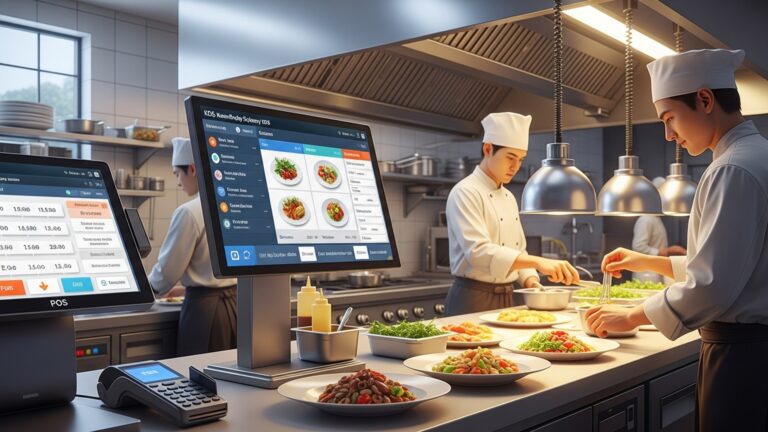
A digital KDS replaces paper tickets, displaying orders clearly to kitchen staff. This reduces errors, speeds up prep times. allows for real-time order tracking. For instance, a KDS can highlight urgent orders or alert staff when an item has been waiting too long.
Essential for handling customer requests like “no onions,” “extra cheese,” or “sauce on the side.” Your POS should allow easy addition and tracking of these modifications without slowing down the order process.
Seamless and secure payment options are paramount.
EMV (Europay, MasterCard. Visa) chip card readers offer enhanced security against fraud. NFC (Near Field Communication) allows for contactless payments like Apple Pay or Google Pay, which are increasingly popular for speed and hygiene.
The ability to easily split checks by item or equally among diners. to add gratuity, is a must-have, especially in full-service environments.
Many POS systems offer built-in or integrated solutions for managing gift cards and customer loyalty points, encouraging repeat business.
Keeping track of ingredients and supplies is vital for cost control and menu planning.
Automatically deducts ingredients from inventory as items are sold. This helps prevent stockouts and reduces waste.
Streamlines the ordering process from suppliers, tracks deliveries. manages vendor details.
Allows staff to record spoiled or wasted items, providing data to identify areas for improvement and reduce food costs.
Data is power. robust reporting is one of the most valuable Restaurant POS features.
Daily, weekly, monthly sales breakdowns by item, category, employee. time of day. This helps identify peak hours, best-selling items. underperforming menu options.
Tracks employee hours, overtime. labor costs, helping manage staffing efficiently.
Provides insights into ingredient usage, cost of goods sold. potential waste.
The ability to generate specific reports tailored to your unique business needs.
Efficiently manage your team.
Employees can clock in and out directly from the POS, accurately tracking hours.
Some systems offer built-in scheduling or integrate with popular scheduling software.
Assign different access levels to employees based on their roles, enhancing security and accountability.
Advanced Restaurant POS Features: Elevating Your Operations
Beyond the essentials, a range of advanced Restaurant POS features can give your business a significant competitive edge, especially in today’s dynamic market. These features often cater to specific operational needs or ambitious growth strategies.
Allows customers to place orders directly through your website or a custom app, often saving on third-party commission fees.
Seamlessly connects with services like DoorDash, Uber Eats, or Grubhub, pushing orders directly into your KDS and POS for consolidated management. “We saw a 25% increase in takeout orders within three months of integrating our POS with a popular delivery app,” noted Sarah Chen, owner of ‘The Urban Spoon’ bistro. “It drastically simplified order processing and reduced errors.”
Collects customer data, including order history, preferences. contact insights, enabling personalized marketing.
Automatically tracks customer spending and awards points that can be redeemed for discounts or free items, fostering loyalty.
Allows customers to book tables online, reducing phone calls and walk-in uncertainty.
Manages queues efficiently, often with SMS notifications to alert guests when their table is ready.
For restaurants with multiple branches, this is a game-changer.
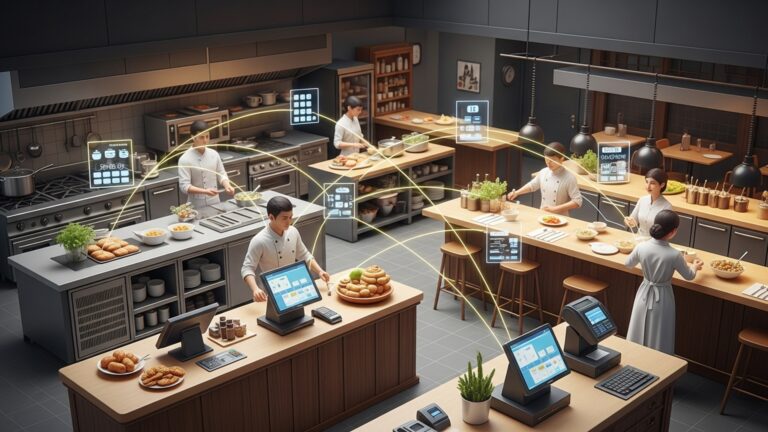
View sales, inventory. labor data across all locations from a single dashboard.
Push menu updates, pricing changes. manage inventory across all stores simultaneously, ensuring consistency.
An API (Application Programming Interface) allows different software systems to communicate with each other. This is crucial for expanding your POS functionality.
Syncs sales data directly with platforms like QuickBooks or Xero, simplifying bookkeeping.
Connects with email marketing or SMS platforms to leverage customer data for targeted campaigns.
Integrate with specialized business intelligence tools for deeper data analysis and predictive modeling.
Comparing Key Restaurant POS Features for Different Business Models
The “best” Restaurant POS features are highly dependent on your specific business type. A bustling coffee shop will have different priorities than a fine-dining establishment or a food truck.
| Business Model | Essential Restaurant POS Features | Highly Recommended Advanced Features |
|---|---|---|
| Quick Service Restaurant (QSR) / Cafe |
|
|
| Full-Service Restaurant / Fine Dining |
|
|
| Bar / Pub |
|
|
| Food Truck / Mobile Vendor |
|
|
Consider the case of “Mama Mia’s Pizzeria,” a local favorite. They initially struggled with managing phone orders and walk-ins. By implementing a POS system with robust online ordering and KDS integration, they streamlined their operations. Orders from their website now flow directly to the kitchen, significantly reducing errors and freeing up staff to focus on in-house customers. This specific set of Restaurant POS features allowed them to increase their order volume by 30% without needing to hire additional staff, demonstrating the direct impact of choosing the right tools.
Evaluating Your Business Needs: A Strategic Approach to Choosing Restaurant POS Features
Selecting the ideal Restaurant POS features isn’t a one-size-fits-all decision. It requires a thoughtful assessment of your current operations and future aspirations.
What are the biggest challenges in your current system or processes? Are orders frequently wrong? Is inventory control a nightmare? Are you spending too much time on manual accounting? Identifying these issues will highlight which Restaurant POS features will offer the most immediate value.
Where do you see your business in 3-5 years? Do you plan to expand to multiple locations, introduce delivery, or launch a loyalty program? Choose a system whose Restaurant POS features can scale with your ambitions. A modular system that allows you to add features as you grow can be a cost-effective strategy.
While cost is always a factor, focus on the return on investment (ROI) that specific Restaurant POS features can provide. A more expensive system with advanced inventory or reporting capabilities might save you significantly more in waste reduction or improved efficiency than a cheaper, less feature-rich option.
Can the system handle increased transaction volumes during peak hours or if your business grows significantly? Cloud-based systems are generally more scalable than on-premise solutions.
A powerful POS system is useless if your staff can’t operate it efficiently. Prioritize systems with intuitive interfaces that require minimal training. Ask for demos and trial periods to get your team’s feedback.
The Importance of Support and Security in Restaurant POS Features
Even the most advanced Restaurant POS features are only as good as the support and security underpinning them.
Restaurants operate beyond standard business hours. If your POS goes down during a busy dinner rush, you need immediate assistance. Look for providers offering round-the-clock support via phone, chat, or email.
Handling sensitive customer payment data means security is paramount. Ensure your chosen POS system is PCI (Payment Card Industry Data Security Standard) compliant. This means it adheres to strict security standards for handling credit card details. Data encryption, both in transit and at rest, is also critical to protect against breaches.
Technology evolves rapidly. Your POS provider should offer regular software updates to introduce new features, improve existing ones. patch security vulnerabilities. grasp their update schedule and how it impacts your operations.
Actionable Takeaways: Your Checklist for Selecting the Best Restaurant POS Features
To ensure you make an informed decision when selecting your next POS system, follow this actionable checklist:
Clearly list your non-negotiable and desired Restaurant POS features based on your business type and current pain points.
Investigate at least 3-5 different POS providers. Pay close attention to their specific Restaurant POS features and how they align with your list.
Don’t just read brochures. Get hands-on with the software through live demonstrations or trial periods. Involve key staff members in this process.
Confirm that the POS can seamlessly integrate with your existing or planned third-party software (e. g. , accounting, online ordering platforms).
Ask detailed questions about their customer support availability, training resources, data security protocols. update policies.
Choose a system that can grow with your business, whether that means adding new locations, expanding services, or increasing transaction volume.
comprehend all costs involved – hardware, software subscriptions, payment processing fees, installation. ongoing support. Look for transparency.
See what other restaurant owners in your niche are saying about the systems you’re considering.
Conclusion
Choosing the ideal restaurant POS features isn’t merely about ticking boxes; it’s a strategic investment in your establishment’s future. You must look beyond basic transaction processing and consider how features like integrated online ordering, robust inventory management. even AI-driven predictive analytics can genuinely streamline your operations and enhance customer experience. From my own observations, many businesses overlook the power of a unified system, opting for fragmented solutions that ultimately hinder efficiency. Therefore, I strongly recommend a deep dive into your unique workflow, imagining how a POS could solve existing pain points—perhaps by offering seamless QR code ordering for busy lunch rushes or providing granular sales data to optimize your menu. Think like a futurist: will this system adapt to emerging trends like advanced loyalty programs or expanded delivery options? Make an actionable plan to pilot a few top contenders, focusing on user-friendliness for your staff, as this directly impacts adoption. The right POS system empowers your team, delights your customers. ultimately drives profitability, setting your business apart in today’s competitive culinary landscape.
More Articles
How to Choose and Use Essential POS Software Features for Restaurants
10 Must-Have Features for Modern Restaurant POS Software Solutions
How to Select Essential Restaurant POS Features to Boost Your Eatery’s Efficiency
How to Boost Restaurant Sales with 6 Powerful POS Features
Master Essential Restaurant POS Features to Boost Your Business Profitability
FAQs
Where do I even begin when looking for POS features?
Start by really understanding your restaurant’s unique needs and daily operations. Are you a busy coffee shop needing quick order entry, a fine-dining establishment requiring detailed table management, or a bar focused on fast drink service? Your specific business type should guide your initial feature wishlist.
What are the absolute must-have features for daily operations?
You’ll definitely need robust order management (taking, modifying. sending orders to the kitchen), efficient table management if you have dine-in service, seamless payment processing for various methods. ideally, integration with a Kitchen Display System (KDS) to streamline communication between front and back of house.
Is inventory management really that vital in a POS?
Absolutely! Good inventory features are a game-changer. They help you track ingredients, minimize waste, manage supplier orders. control your food costs, directly impacting your profitability. It’s a critical tool for any restaurant looking to optimize its bottom line.
How can a POS help me keep customers coming back?
Look for features like built-in customer relationship management (CRM), loyalty programs. gift card functionality. These allow you to gather customer data, offer personalized rewards. encourage repeat visits, turning one-time diners into regulars.
Why should I care about reporting and analytics features?
Reporting gives you a clear snapshot of your sales trends, popular menu items, peak hours. staff performance. Analytics takes that data and turns it into actionable insights, helping you make smarter business decisions, optimize staffing. refine your menu for maximum profit.
What if my business grows or I open another location?
Choose a POS that’s scalable. This means it can easily handle increased transaction volumes, additional terminals. even multiple locations from a central system. Cloud-based solutions are often excellent for this, offering flexibility and remote management capabilities.
Should I look for a POS that plays well with other tools?
Definitely! A POS that integrates smoothly with third-party applications like accounting software (e. g. , QuickBooks), online ordering platforms, or delivery services can save you a ton of time, reduce manual errors. create a more connected and efficient ecosystem for your entire business.