How To Choose The Best Restaurant POS System Essential Features Guide
In today’s hyper-competitive dining landscape, a restaurant’s operational backbone hinges on its Point-of-Sale (POS) system, far beyond mere transaction processing. The shift to cloud-based solutions and integrated platforms demands careful consideration, as modern guests expect seamless experiences, from digital menus and tableside ordering to diverse payment options like QR code payments. Selecting a system equipped with the right must-have restaurant POS functionalities is crucial for optimizing workflows, managing real-time inventory across multiple locations, and streamlining third-party delivery integrations. leveraging data analytics for personalized marketing. This technological pivot isn’t just about efficiency; it’s about enhancing the entire guest journey and empowering staff with intuitive tools that drive profitability and adaptability in a rapidly evolving market.
Understanding the Core of a Restaurant POS System
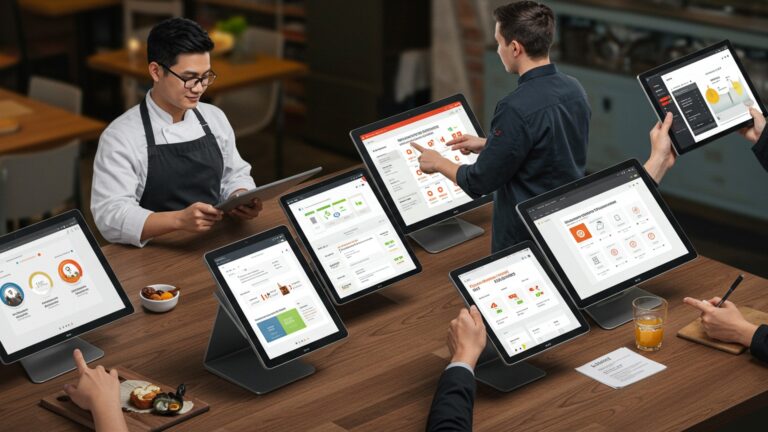
In today’s fast-paced culinary world, a Point of Sale (POS) system is far more than just a cash register. It’s the central nervous system of a restaurant, orchestrating everything from order taking and inventory management to customer relations and sales analytics. Essentially, a restaurant POS system is a combination of hardware (like touchscreens, card readers. receipt printers) and software that processes transactions and manages various operational aspects of your business. Its evolution from simple transaction processing to a comprehensive management tool reflects the growing complexity and demands of the modern restaurant industry. For any restaurant owner, understanding these fundamental capabilities is the first step toward identifying the must-have restaurant POS functionalities that will drive efficiency and growth.
Consider a busy lunch rush: orders are flying in, tables are turning over quickly. staff are constantly on the move. Without a robust POS, this scenario can quickly devolve into chaos. A well-chosen system ensures that orders are accurately transmitted to the kitchen, payments are processed swiftly and securely. inventory levels are updated in real-time. This seamless operation not only enhances the customer experience but also empowers staff to perform their duties more effectively, reducing errors and improving overall service quality. It’s about creating a harmonious environment where every component works together to achieve operational excellence.
Key Considerations Before Diving into Features
Before you even begin to evaluate specific must-have restaurant POS functionalities, it’s crucial to lay the groundwork by considering your restaurant’s unique needs and operational environment. A system that works perfectly for a quick-service cafe might be entirely unsuitable for a fine-dining establishment or a multi-location chain. Thinking through these foundational aspects will significantly narrow down your options and guide you towards the most appropriate solution.
-
- Restaurant Type and Size
Are you a bustling cafe, a sit-down restaurant, a food truck, or a multi-location franchise? Each type has distinct operational flows and thus, different POS requirements. A food truck might prioritize mobile capabilities and offline mode, while a large restaurant needs advanced table management and reservation features.
-
- Budget Constraints
POS systems come with varying price tags, including initial setup costs, monthly software subscriptions. hardware expenses. It’s vital to establish a realistic budget, keeping in mind that the cheapest option isn’t always the most cost-effective in the long run if it lacks essential features or reliable support.
-
- Scalability
Do you plan to expand in the future, perhaps opening new locations or adding new services like online ordering? Your chosen POS should be able to grow with your business without requiring a complete system overhaul. Look for systems that offer modular add-ons or multi-location management capabilities.
-
- Integration Needs
Will your POS need to integrate with existing accounting software (e. g. , QuickBooks), third-party delivery platforms (e. g. , DoorDash, Uber Eats), or loyalty programs? Seamless integration prevents manual data entry, reduces errors. streamlines back-office operations.
-
- Ease of Use
A powerful POS system is only effective if your staff can use it efficiently. Prioritize systems with intuitive interfaces that require minimal training. A complex system, no matter how feature-rich, can lead to frustration and costly mistakes.
Front-of-House (FOH) Must-Have Restaurant POS Functionalities
The front-of-house (FOH) operations are the face of your restaurant, directly impacting customer satisfaction. Therefore, the POS functionalities that support your FOH staff are paramount. These are the tools that enable smooth order taking, efficient service. hassle-free payment processing, making them essential for any modern restaurant.
Order Management
This is the bedrock of FOH operations. Efficient order management ensures accuracy and speed, crucial during peak hours. These are definitive must-have restaurant POS functionalities.
-
- Table Management
Visual floor plans allow staff to easily assign tables, track their status (seated, ordered, eating, paid). manage reservations. Imagine a host quickly seating new guests without confusion, even when the restaurant is packed.
-
- Split Checks & Item Splitting
Customers frequently request to split bills by item or by an even amount. A good POS makes this process effortless, preventing manual calculations and potential errors that can frustrate customers and staff alike.
-
- Modifiers and Special Requests
From “no onions” to “extra sauce” or “allergy alert,” the ability to add detailed modifiers to orders is crucial for customizing dishes and ensuring kitchen accuracy. This feature prevents miscommunications between servers and the kitchen.
-
- Order Pacing
For fine dining or multi-course meals, a POS can help pace orders, ensuring appetizers, main courses. desserts are delivered at appropriate intervals, enhancing the dining experience.
Menu Management
Your menu is dynamic. your POS should be too. Effective menu management is among the critical must-have restaurant POS functionalities.
-
- Easy Menu Updates
The ability to quickly add new items, update prices, mark items as out-of-stock, or create daily specials without complex programming is invaluable. This agility allows restaurants to respond to ingredient availability or changing customer preferences instantly.
-
- Categorization and Sub-menus
Organizing menu items into logical categories and sub-menus makes order entry faster and reduces staff training time.
-
- Ingredient-Level Tracking
Linking menu items to inventory helps track consumption and can even suggest reorder points for popular dishes.
Customer Relationship Management (CRM)
Building customer loyalty is key to long-term success. Your POS can be a powerful tool for this, offering distinct must-have restaurant POS functionalities for engagement.
-
- Loyalty Programs
Integrate loyalty points, reward systems, or gift card programs directly into your POS. This encourages repeat business and allows you to gather valuable customer data.
-
- Customer Profiles
Capture customer insights like preferred orders, dietary restrictions, or visit history. This allows for personalized service and targeted marketing efforts. For instance, if a regular customer always orders the same coffee, a server can proactively ask, “The usual today?” enhancing their experience.
Payment Processing
Secure, flexible. fast payment processing is non-negotiable. These are core must-have restaurant POS functionalities.
-
- Multiple Payment Types
Support for credit/debit cards (Visa, MasterCard, Amex, Discover), mobile payments (Apple Pay, Google Pay), gift cards. even split payments is essential.
-
- EMV and Contactless Payments
EMV chip card compliance protects against fraud, while contactless options offer speed and hygiene, appealing to modern consumers.
-
- Online and Mobile Payment Integration
For restaurants offering takeout or delivery, seamless integration with online payment gateways is crucial. Customers expect to pay conveniently through your website or app.
-
- Tip Management
Automated tip calculation and distribution help manage payroll accurately and ensure fairness among staff.
Back-of-House (BOH) Must-Have Restaurant POS Functionalities
While FOH features are about customer interaction, BOH functionalities are the unsung heroes that ensure operational efficiency, cost control. profitability. Optimizing these areas is critical for long-term success, making them indispensable must-have restaurant POS functionalities.
Inventory Management
Controlling food costs is paramount in the restaurant industry. robust inventory management is the key. This is one of the most impactful must-have restaurant POS functionalities.
-
- Real-time Tracking
Monitor ingredient levels in real-time, automatically deducting items as they are sold. This prevents stockouts of popular dishes and over-ordering of slow-moving items.
-
- Vendor Management
Track supplier data, purchase orders. delivery schedules. Some advanced systems can even automate reordering when stock falls below predefined levels.
-
- Recipe Management
Link menu items to their specific ingredients to calculate exact food costs per dish. This helps with pricing strategies and identifies high-cost items.
-
- Waste Tracking
Record spoilage, breakage, or expired items to get a clearer picture of actual inventory loss and identify areas for improvement.
Employee Management
Managing staff effectively is crucial for smooth operations and labor cost control. These are essential must-have restaurant POS functionalities for your team.
-
- Time Clock Integration
Allow employees to clock in and out directly through the POS, providing accurate labor data for payroll.
-
- Scheduling Tools
Some systems offer basic scheduling capabilities, helping managers create shifts, manage availability. track labor costs against sales forecasts.
-
- Performance Tracking
Monitor individual server sales, tips. order accuracy. This data can be used for performance reviews, incentives. identifying training needs.
-
- Permissions and Role-Based Access
Assign different access levels to staff based on their roles (e. g. , servers can’t access financial reports, managers can). This enhances security and prevents unauthorized changes.
Reporting and Analytics
Data is power. a good POS system provides the insights needed to make informed business decisions. These analytical must-have restaurant POS functionalities are vital for strategic planning.
-
- Sales Reports
Detailed reports on daily, weekly, monthly. yearly sales, broken down by item, category, server, or time of day. Identify your best-selling dishes and peak hours.
-
- Inventory Reports
Track ingredient usage, waste. current stock levels to optimize ordering and reduce spoilage.
-
- Labor Reports
examine labor costs against sales to ensure optimal staffing levels and identify areas where labor might be overspent.
-
- Customer Reports
interpret customer spending habits, loyalty program effectiveness. visit frequency.
-
- Actionable Insights
The best systems don’t just present data; they help you interpret it to make decisions, like adjusting menu prices, optimizing staff schedules, or launching targeted promotions. For instance, if your reports show a significant dip in sales on Tuesdays, you might consider a “Taco Tuesday” special to boost traffic.
Kitchen Display System (KDS) Integration
A KDS streamlines communication between the FOH and BOH, making it one of the most valuable must-have restaurant POS functionalities for efficiency.
-
- Digital Order Transmission
Orders placed at the POS instantly appear on kitchen screens, eliminating handwritten tickets, reducing errors. improving speed.
-
- Order Prioritization
Kitchen staff can easily see order queues, prioritize rush orders. track preparation times.
-
- Bump Screen Functionality
As dishes are completed, they can be “bumped” off the screen, providing a clear overview of active orders.
-
- Improved Communication
Color-coded orders, preparation timers. easy-to-read displays reduce stress in a busy kitchen environment. We’ve seen how a KDS can cut down ticket times by an average of 15-20% in high-volume establishments, directly impacting customer satisfaction.
Beyond the Basics: Advanced Must-Have Restaurant POS Functionalities
While the core FOH and BOH features are fundamental, modern restaurants often benefit from more advanced capabilities that extend the reach and efficiency of their operations. These are the advanced must-have restaurant POS functionalities that can provide a competitive edge.
Online Ordering & Delivery Integration
In the age of convenience, online ordering and delivery are no longer optional but essential for many restaurants.
-
- Native Online Ordering
A POS with a built-in online ordering platform allows customers to place orders directly through your website or a branded app, streamlining the process and avoiding third-party commission fees.
-
- Third-Party Delivery Aggregator Integration
Seamlessly integrate with popular platforms like DoorDash, Uber Eats. Grubhub. Orders from these platforms should flow directly into your POS and KDS, eliminating the need for separate tablets and manual data entry.
-
- Delivery Management
Some systems offer tools for managing your own delivery drivers, including route optimization and order tracking.
Multi-Location Management
For restaurateurs with ambitions to grow, multi-location management is a critical feature.
-
- Centralized Control
Manage menus, pricing, promotions. inventory across all your locations from a single dashboard.
-
- Consolidated Reporting
Get a bird’s-eye view of performance across your entire enterprise, allowing for better strategic decision-making and identifying top-performing locations or areas needing improvement.
-
- Shared Customer Data
Allow customers to use loyalty points or gift cards at any of your locations, enhancing their experience.
API & Third-Party Integrations
The ability of your POS to “talk” to other software is incredibly powerful.
-
- Open API
An Application Programming Interface (API) allows your POS to connect with a wide range of other business tools. This flexibility is a key aspect of advanced must-have restaurant POS functionalities.
-
- Accounting Software
Integrate with QuickBooks, Xero, or other accounting platforms to automatically sync sales data, payroll. inventory costs, reducing manual bookkeeping and ensuring accuracy.
-
- Marketing Automation
Connect with email marketing platforms (e. g. , Mailchimp) to leverage customer data for targeted promotions and campaigns.
-
- Reservations Systems
Link with platforms like OpenTable or Resy for seamless reservation management that updates your table availability in real-time.
Security Features
Protecting sensitive customer and business data is non-negotiable.
-
- PCI Compliance
Ensure your POS system adheres to Payment Card Industry Data Security Standard (PCI DSS) requirements to protect cardholder data.
-
- Data Encryption
All sensitive data, especially payment insights, should be encrypted both in transit and at rest.
-
- User Role Management
Granular permissions control ensures that only authorized staff can access specific functions or sensitive data, minimizing internal fraud risks.
-
- Cloud Backup
For cloud-based systems, automatic data backup provides peace of mind in case of hardware failure or data loss.
Cloud-Based vs. On-Premise POS Systems
One of the fundamental decisions you’ll face when choosing a POS system is whether to opt for a cloud-based or an on-premise solution. Each has distinct advantages and disadvantages that can significantly impact your operations and budget. Understanding these differences is crucial for selecting the right infrastructure for your must-have restaurant POS functionalities.
- Cloud-Based POS
Also known as SaaS (Software as a Service) POS, these systems run on remote servers and are accessed via the internet through a web browser or app. Data is stored in the cloud.
- On-Premise POS
These are traditional systems where the software and data are installed and stored directly on your restaurant’s local servers and computers.
| Feature | Cloud-Based POS | On-Premise POS |
|---|---|---|
| Cost Structure | Typically subscription-based (monthly/annually). Lower upfront hardware costs. | Higher upfront cost for software licenses and server hardware. Lower ongoing software fees (sometimes one-time purchase). |
| Accessibility | Access data and manage operations from anywhere with internet access (e. g. , phone, tablet, laptop). | Limited to local network access; typically requires being on-site to access backend data. Remote access often requires complex VPN setups. |
| Updates & Maintenance | Automatic software updates and maintenance handled by the vendor. No IT staff required. | Requires manual updates and maintenance by your IT staff or a hired contractor. Potentially disruptive. |
| Data Storage & Security | Data stored on vendor’s secure servers, often with robust backup and disaster recovery. Relies on vendor’s security measures. | Data stored locally; security and backup are entirely your responsibility. Requires dedicated hardware. |
| Reliability | Requires a stable internet connection for full functionality. Some offer offline modes for basic transactions. | Less reliant on internet connection for core functionality (but may need it for external integrations). Vulnerable to local hardware failure. |
| Scalability | Easier to scale up or down as business needs change (e. g. , adding locations, users). | Scaling often requires significant hardware upgrades and additional software licenses. |
| Integration | Often designed with open APIs for easier integration with third-party apps (online ordering, accounting). | Integrations can be more complex, custom. costly, often requiring bespoke development. |
For many modern restaurants, especially those prioritizing flexibility, remote management. lower upfront costs, cloud-based systems are often the preferred choice. But, establishments with specific security concerns, robust in-house IT support, or a preference for absolute control over their data might still opt for an on-premise solution.
Implementation and Support: The Unsung Heroes
Even the most feature-rich POS system is only as good as its implementation and the support behind it. These aspects, often overlooked during the initial feature comparison, are critical for a smooth transition and long-term satisfaction with your chosen must-have restaurant POS functionalities. A system that’s difficult to set up or lacks reliable support can quickly become a liability rather than an asset.
Installation Process
The initial setup can be complex, involving hardware installation, network configuration. software setup. Look for vendors who offer comprehensive installation services or clear, step-by-step guides. A smooth installation minimizes downtime and ensures your staff can hit the ground running.
Training
Your staff will be interacting with the POS system constantly. Adequate training is therefore essential. Inquire about the training options offered by the vendor:
-
- On-site training
Ideal for comprehensive, hands-on learning.
-
- Online tutorials and webinars
Great for ongoing learning and refreshing knowledge.
-
- User manuals and knowledge bases
Provide quick answers to common questions.
-
- Train-the-trainer programs
Empower a few key staff members to train others, ensuring consistent knowledge.
A well-trained team makes fewer errors, operates more efficiently. can leverage all the must-have restaurant POS functionalities to their fullest potential.
Customer Support
Issues can arise at any time, especially during peak hours. Reliable customer support is non-negotiable.
-
- Availability
Does the vendor offer 24/7 support, or are they only available during business hours? For a restaurant, round-the-clock support is often crucial.
-
- Support Channels
Can you reach them via phone, email, live chat, or an online ticketing system? Multiple options provide flexibility.
-
- Response Time
What are the guaranteed response times for critical issues? Quick resolution of problems directly impacts your operations.
-
- Reputation
Check reviews and testimonials regarding the vendor’s support quality. A vendor with a reputation for excellent support can save you immense headaches down the line.
Hardware Considerations
The software is only one part of the equation; the hardware is equally vital for the must-have restaurant POS functionalities to work seamlessly.
-
- Durability
Restaurant environments can be tough. Look for robust, spill-resistant hardware designed for commercial use.
-
- Form Factor
Do you need fixed terminals, mobile tablets for tableside ordering, or both? Consider the flow of your restaurant.
-
- Peripherals
Don’t forget essential peripherals like receipt printers (thermal vs. impact), cash drawers, barcode scanners (if applicable). kitchen display screens (KDS monitors).
-
- Compatibility
Ensure the hardware is fully compatible with your chosen POS software. Some vendors offer proprietary hardware, while others support a range of third-party devices.
By carefully evaluating these implementation and support factors, you can ensure that your investment in a POS system translates into smooth operations and long-term success, maximizing the utility of all the essential must-have restaurant POS functionalities.
Conclusion
Choosing the right restaurant POS system transcends merely ticking off a feature list; it’s about identifying the true operational backbone for your establishment. My personal experience dictates: always prioritize a live demo over a brochure. A system might promise advanced analytics and real-time inventory. if your front-of-house staff struggles with a clumsy interface during a Saturday night rush, its value diminishes rapidly. Consider the recent surge in QR code table ordering and robust third-party delivery integrations; these aren’t just trends. now fundamental expectations for modern diners. The unique insight here is that the “best” POS isn’t the one with the most bells and whistles. the one that seamlessly integrates into your specific workflow, empowering your team and enhancing customer satisfaction. A truly effective system, like those offering cloud-based reporting for agile decision-making, becomes an invisible ally, not a cumbersome tool. Invest wisely today. you’re not just purchasing software; you’re laying the foundation for unparalleled efficiency, sustained growth. a happier, more productive team.
More Articles
How to Select the Best Restaurant POS System 7 Essential Features Guide
Learn How to Select Essential POS Software Features for Your Restaurant
Master Essential Restaurant POS Features a Complete Guide to Choosing Wisely
Avoid 6 Common Restaurant POS Software Problems with These Simple Solutions
10 Smart Strategies to Optimize Your Restaurant POS System Guide

FAQs
What exactly is a restaurant POS system and why do I even need one?
A restaurant Point of Sale (POS) system is the central hub for your entire operation. It’s where orders are taken, payments processed. sales tracked. You need one because it streamlines everything from front-of-house order taking to back-of-house inventory, helping you manage staff, reduce errors. interpret your business better.
What are the most essential features I should prioritize in a new POS?
Definitely prioritize features like robust order management (table service, takeout, delivery), intuitive payment processing (including split bills and various payment types), real-time inventory tracking, employee management (time clock, permissions). detailed sales reporting. Online ordering integration is also increasingly vital these days.
How can I ensure the POS system fits my specific type of restaurant?
Look for a system that offers flexibility and customization. If you run a quick-service cafe, you’ll need fast order entry and digital display integration. For a fine-dining establishment, features like reservation management, table mapping. advanced modifier options are key. Always check if the system can scale with your business as it grows or changes.
Is ease of use a major factor when choosing a system?
Absolutely, it’s huge! A complex system will slow down your staff, lead to mistakes. require extensive training. Opt for a system with an intuitive interface that your employees can quickly pick up, ideally with minimal training. This saves time, reduces frustration. keeps your operations running smoothly.
What about integrating with other restaurant tech like online ordering or loyalty programs?
Integration capabilities are crucial for a modern restaurant. Your POS should ideally connect seamlessly with other essential tools like online ordering platforms, loyalty programs, accounting software. third-party delivery services. This avoids manual data entry, reduces errors. creates a more cohesive operational ecosystem.
How vital are reporting and analytics features?
Extremely crucial! Good reporting gives you deep insights into your sales trends, peak hours, popular menu items, labor costs. inventory usage. This data is invaluable for making informed decisions about staffing, menu engineering, marketing. overall business strategy. Look for customizable reports and easy-to-grasp dashboards.
What should I consider regarding the cost and ongoing support?
Don’t just look at the upfront price. Consider subscription fees, hardware costs, installation. potential transaction fees. Also, thoroughly evaluate the provider’s customer support. Do they offer 24/7 support? Is it included or an extra cost? Reliable and responsive support is vital when issues arise, as downtime can be very costly for a restaurant.