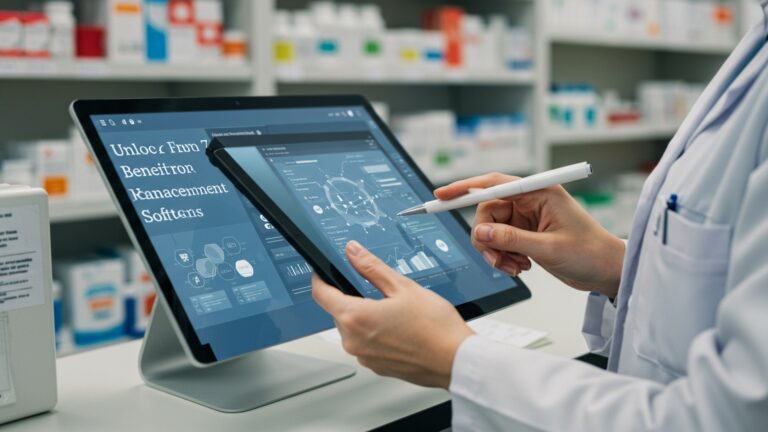
Top 10 Restaurant POS Features That Streamline Your Daily Operations
In today’s hyper-competitive culinary landscape, restaurant operators constantly seek innovative ways to streamline processes and elevate guest satisfaction. The right Restaurant POS software is no longer just a transaction tool; it’s the digital backbone orchestrating everything from kitchen efficiency to customer engagement. Modern cloud-based systems, for instance, now integrate advanced inventory management that predicts stock needs based on sales data, or offer frictionless QR code ordering directly from tables, reducing wait times and labor costs. Embracing features like real-time table management to optimize seating or integrated CRM for personalized loyalty programs transforms daily operations, ensuring a smoother flow and significantly impacting profitability in a demanding market.

Understanding Restaurant POS Software: The Backbone of Modern Operations
In today’s fast-paced culinary world, efficiency is paramount. Gone are the days of handwritten orders and clunky cash registers. Modern restaurants, from bustling cafes to upscale dining establishments, rely heavily on technology to streamline their daily operations. At the heart of this technological revolution is the Restaurant POS software, or Point of Sale software. Essentially, a POS system is a combination of hardware (like touchscreens, receipt printers. card readers) and software that manages all aspects of a restaurant’s transactions and operational data.
It’s more than just a cash register; it’s a comprehensive management tool designed to handle everything from taking orders and processing payments to managing inventory and tracking sales performance. Think of it as the central nervous system of your restaurant, integrating various functions to create a seamless workflow for staff and an improved experience for customers. Choosing the right Restaurant POS software can significantly impact profitability, customer satisfaction. operational fluidity.
1. Intuitive Order Management and Customization
One of the foundational features of any effective Restaurant POS software is its ability to handle orders efficiently. This goes beyond simply punching in menu items.
- What it is: This feature allows staff to quickly and accurately input customer orders, manage table layouts, split checks. apply discounts with ease. It includes intuitive graphical interfaces that mirror your restaurant’s floor plan, enabling servers to assign orders to specific tables or guest numbers. Advanced customization options mean servers can add specific instructions for the kitchen, such as “no onions,” “extra cheese,” or “sauce on the side.”
- Why it’s crucial: Accurate order entry reduces errors, minimizes food waste. speeds up service. The ability to customize orders directly at the point of sale ensures that customer preferences are met, leading to higher satisfaction. For instance, during a busy lunch rush, a server can quickly take an order for a sandwich with specific dietary modifications without having to walk to the kitchen to verbally relay complex instructions, reducing bottlenecks and miscommunications.
- Actionable Takeaway: When evaluating Restaurant POS software, test its order entry interface. Is it easy to navigate for new staff? Does it allow for quick modifications and split checks? A system that requires extensive training will slow down your operations rather than streamline them.
2. Flexible and Secure Payment Processing
In an age where customers expect diverse payment options, a robust payment processing feature is non-negotiable for any Restaurant POS software.
- What it is: This feature integrates seamlessly with various payment methods, including credit/debit cards (EMV chip cards), mobile payments (Apple Pay, Google Pay), contactless payments. even digital wallets. Crucially, it ensures these transactions are secure, often complying with PCI Data Security Standards (PCI DSS) to protect sensitive customer financial details. Many systems also offer “pay-at-the-table” options using portable devices.
- Why it’s crucial: Offering multiple payment options enhances customer convenience and speeds up the checkout process. Security features protect both the restaurant and its customers from fraud. Consider a scenario where a large group wants to split a bill onto multiple credit cards. A modern POS system handles this swiftly and securely, preventing long queues and frustrated customers. A study by the National Restaurant Association consistently highlights that ease of payment is a significant factor in customer satisfaction.
- Comparison: Older POS systems often relied on separate credit card terminals, leading to double entry and potential errors. Integrated payment processing within modern Restaurant POS software eliminates this redundancy, reducing transaction times from minutes to seconds.
3. Real-time Inventory Management
Managing inventory effectively is key to controlling costs and reducing waste, making it a powerful feature of advanced Restaurant POS software.
- What it is: This functionality tracks ingredients and supplies as they are used and sold. When a dish is ordered, the system automatically deducts the necessary ingredients from your stock. It can also trigger alerts when stock levels fall below a predetermined threshold, prompting reorder suggestions.
- Why it’s crucial: Real-time inventory helps prevent stockouts of popular items and overstocking of slow-moving ones, which can tie up capital and lead to spoilage. For example, if your POS tracks every avocado used in your guacamole, you’ll know precisely when to order more, avoiding both the embarrassment of running out and the financial hit of spoiled produce. This feature directly impacts your bottom line by optimizing purchasing and minimizing waste.
- Real-world Application: Chef Maria, owner of “The Green Spoon Bistro,” uses her Restaurant POS software to track her specialty organic vegetables. By setting reorder points, she receives automated notifications when her kale stock is low, allowing her to place orders with her local farmer just in time, ensuring freshness and reducing waste by 20% in her first year.
4. Integrated Employee Management
Efficient staff management is vital for smooth daily operations. top-tier Restaurant POS software offers integrated tools to simplify this.
- What it is: This feature includes functionalities like time clock management for staff clock-ins and outs, scheduling tools, performance tracking. role-based permissions. It can monitor individual sales performance, tip tracking. even integrate with payroll systems.
- Why it’s crucial: Automating timekeeping and scheduling reduces administrative burdens and minimizes payroll errors. Role-based permissions ensure that only authorized staff can perform specific actions (e. g. , discounts, voids), enhancing security and accountability. For instance, a manager can quickly pull up sales data for each server to identify top performers or those needing additional training, all within the same system.
- Actionable Takeaway: Look for Restaurant POS software that allows for easy staff scheduling adjustments and robust permission settings. This empowers your team while maintaining control over sensitive operations.
5. Robust Reporting and Analytics
Making informed decisions requires data. this is where the reporting and analytics features of Restaurant POS software shine.
- What it is: This feature compiles sales data, inventory usage, employee performance. customer trends into easily digestible reports. These reports can show peak hours, most popular menu items, average check sizes, profit margins. more, often visualized through dashboards and charts.
- Why it’s crucial: Detailed analytics provide actionable insights that help managers optimize menus, staffing levels, marketing campaigns. purchasing decisions. For example, by identifying that Tuesdays are consistently slow, a restaurant can run a special promotion on that day or adjust staffing. Or, discovering that a particular appetizer consistently generates high-profit margins might prompt its placement more prominently on the menu.
- Citation: According to a report by Square, businesses that leverage data analytics from their POS systems often see significant improvements in operational efficiency and profitability by identifying trends and making data-driven decisions.
6. Online Ordering and Delivery Integration
In today’s digital age, online presence is critical. a powerful Restaurant POS software seamlessly extends your reach beyond the dining room.
- What it is: This feature allows customers to place orders directly through your website or a dedicated app, often integrated with third-party delivery services like DoorDash or Uber Eats. The orders flow directly into your POS system and often directly to the kitchen display system (KDS).
- Why it’s crucial: Online ordering expands your customer base, provides an additional revenue stream. caters to the growing demand for convenience. It reduces the burden on phone lines and front-of-house staff, allowing them to focus on in-house diners. A restaurant that offers integrated online ordering can process take-out and delivery orders with the same efficiency as dine-in orders, preventing chaos during peak hours.
- Real-world Application: “Pizza Palace” saw a 30% increase in take-out orders after implementing a new Restaurant POS software with integrated online ordering. The system automatically sends orders to the kitchen and provides estimated pickup times, delighting customers and reducing staff workload.
7. Kitchen Display System (KDS) Integration
For efficient kitchen operations, a KDS integration with your Restaurant POS software is a game-changer.
- What it is: A KDS replaces traditional paper tickets with digital screens in the kitchen. When an order is placed through the POS, it instantly appears on the KDS, often color-coded by order type (dine-in, takeout, delivery) or time elapsed. Chefs can view, prioritize. mark orders as completed with a tap.
- Why it’s crucial: KDS systems drastically improve communication between the front and back of the house, reduce errors from misread handwriting. streamline kitchen workflow. It helps chefs manage multiple orders simultaneously, ensuring dishes are prepared in the correct sequence and delivered fresh. This is particularly valuable in high-volume restaurants where timing is everything.
- Comparison:
Feature Paper Tickets KDS Integration Order Accuracy Prone to handwriting errors, lost tickets Digital, clear, eliminates miscommunication Speed & Efficiency Manual sorting, slower communication Instant updates, visual prioritization Tracking & Analytics Difficult to track prep times Tracks prep times, identifies bottlenecks Waste & Cost Paper cost, errors lead to food waste No paper cost, reduced food waste from errors
8. Customer Loyalty and CRM Features
Retaining customers is often more cost-effective than acquiring new ones. a smart Restaurant POS software helps you achieve this.
- What it is: This feature allows restaurants to capture customer data (with consent), track their purchase history. implement loyalty programs (e. g. , points systems, free item after X visits). It can also facilitate personalized marketing campaigns, such as sending birthday offers or promotions based on past purchases.
- Why it’s crucial: Loyalty programs incentivize repeat business and foster a stronger connection with your clientele. Understanding customer preferences enables targeted marketing, which is far more effective than generic promotions. Imagine a coffee shop using its POS to track how many lattes a regular customer buys, then automatically offering a free one after every tenth purchase. This simple act builds goodwill and ensures continued patronage.
- Actionable Takeaway: Implement a simple loyalty program through your Restaurant POS software. Even a small incentive can significantly increase customer retention and build a loyal following.
9. Advanced Menu Management with Modifiers
A dynamic menu is essential. your Restaurant POS software should make managing it effortless.
- What it is: This feature allows restaurant owners to easily add, edit, or remove menu items, adjust prices. categorize dishes. Crucially, it includes robust modifier management – defining options for each dish (e. g. , steak doneness, pizza toppings, side dish choices) and whether they incur additional charges.
- Why it’s crucial: Efficient menu management ensures that your offerings are always up-to-date and accurate across all ordering channels (in-house, online). Modifiers prevent confusion and ensure accurate pricing for customized orders. For a bustling burger joint, the ability to quickly add new seasonal burger combinations or adjust prices for cheese and bacon toppings without extensive manual input saves countless hours and prevents pricing errors.
- Real-world Application: During a seasonal menu change, “The Harvest Table” updated over 50 menu items and their associated modifiers in less than an hour using their Restaurant POS software, ensuring a smooth transition without any disruption to service or customer orders.
10. Advanced Security and Offline Mode
Reliability and security are foundational pillars for any business technology, especially for Restaurant POS software.
- What it is: Advanced security features protect sensitive data (customer details, sales figures, financial transactions) through encryption, secure user authentication. audit trails. An offline mode ensures that your POS system continues to function even if your internet connection temporarily goes down, storing data locally and syncing it once connectivity is restored.
- Why it’s crucial: Data breaches can be catastrophic for a business’s reputation and finances. Robust security measures protect your business and your customers. An offline mode prevents operational paralysis during internet outages, which are surprisingly common. Imagine a busy Friday night where the internet goes down – without an offline mode, your restaurant might grind to a halt, unable to take orders or process payments. With it, operations continue seamlessly, minimizing revenue loss and customer frustration.
- Personal Anecdote: I once witnessed a restaurant’s internet go down during a major sporting event. Their POS system, lacking an offline mode, became useless. They resorted to pen and paper, leading to long waits, incorrect orders. significant lost sales. This experience underscored the critical importance of a reliable offline mode in any modern Restaurant POS software. It’s not just a convenience; it’s a disaster prevention mechanism.
Conclusion
The features we’ve explored aren’t just technical specifications; they are strategic tools that, when mastered, fundamentally transform your daily operations. My personal tip? Focus not just on what a POS can do. how intuitively it integrates, like how real-time inventory updates prevent the frustrating menu disappointments I’ve witnessed firsthand. This synergy, from tableside ordering hitting the kitchen display system to automated stock adjustments, is where true streamlining power resides. With current trends leaning towards cloud-based systems offering integrated online ordering and dynamic menu management, choosing wisely means future-proofing your business. Consider how a system handles surge pricing or loyalty programs, a recent development that significantly impacts customer retention. Embrace these advancements not as an expense. as an indispensable investment in efficiency, profitability. an elevated guest experience. Your journey to a smoother, more successful restaurant begins with leveraging the right technology today.
More Articles
How to Choose the Right Restaurant POS 6 Crucial Steps for Success
Avoid These 6 Common Mistakes When Implementing New Restaurant POS Software Solutions
How to Master Essential Restaurant POS Features for Seamless Service
Learn 8 Best Practices for Maximizing Your Restaurant POS System Investment Today
How to Identify the Best Restaurant POS System Features for Success

FAQs
What’s the big deal with these top POS features for restaurants anyway?
They’re all about making your restaurant run smoother, faster. with fewer headaches! Think quicker order taking, happier staff because their job is easier. more accurate numbers. It helps you serve more customers and make better decisions.
How does a good POS help my servers take orders faster and avoid mistakes?
A great POS usually has super intuitive order entry screens, customizable menus. visual table layouts. This means servers can quickly punch in orders, send them straight to the kitchen. keep track of tables without writing everything down on paper, cutting down on errors big time.
Can a modern POS system really help me stop wasting food or running out of ingredients?
Absolutely! Many top POS systems include robust inventory management. They track what you use in real-time, warn you when stock is getting low. can even help predict what you’ll need based on past sales. This means less food waste and no more frantic last-minute runs to the store for a key ingredient.
What kind of payment options do these advanced POS systems support for customers?
Modern POS systems are super flexible when it comes to payments. They handle everything from traditional credit and debit cards to mobile payments like Apple Pay and Google Pay. often even contactless options. This makes checkout quick and convenient for every customer.
I need better insights into my sales. How do these POS features help with that?
Top POS systems come with powerful reporting tools that give you a clear picture of your business. They can break down your sales by hour, day, item, or even server. You get clear data on your most popular dishes, peak times. overall performance, helping you make smarter business decisions.
How does a Kitchen Display System (KDS) improve efficiency in the back of the house?
A Kitchen Display System (KDS) replaces paper tickets with digital screens in the kitchen. Orders instantly appear, chefs can see what needs to be made and in what order, mark items as complete. even communicate with servers. It speeds up service, reduces errors from misread handwriting. keeps everyone on the same page.
Can a POS help me manage my staff better, like their hours or performance?
Yes, many advanced POS systems offer features for staff management. This often includes a built-in time clock for accurate payroll, tools for tracking individual server sales and tips. sometimes even basic scheduling capabilities. It streamlines HR tasks and helps you keep an eye on team performance.