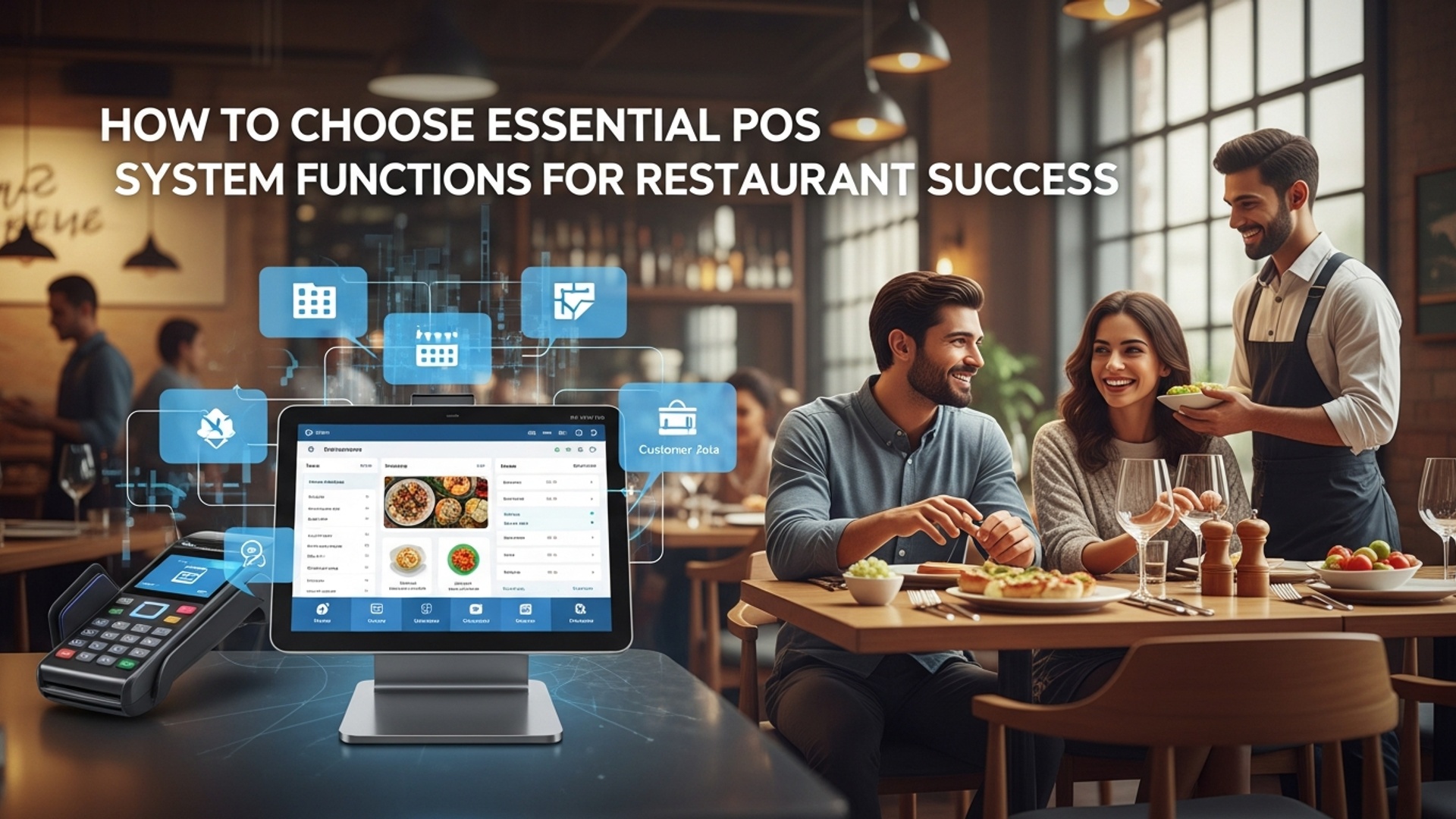
How to Choose Essential POS System Functions for Restaurant Success
Navigating the complex landscape of modern restaurant operations demands a robust technological core, making the selection of must-have restaurant POS functionalities a critical decision for sustainable growth. Beyond mere transaction processing, today’s competitive culinary environment requires a POS system to act as the central nervous system, integrating essential features like real-time inventory management, seamless online ordering with third-party delivery platform integration. dynamic table management. The most effective POS solutions now offer cloud-native architectures, enabling crucial data analytics for menu engineering, labor optimization. enhanced customer relationship management through personalized loyalty programs. Choosing the right system means future-proofing operations, ensuring agility. significantly impacting profitability in a rapidly evolving industry.

Understanding the Core of Restaurant POS Systems
In the fast-paced world of hospitality, a Point of Sale (POS) system is far more than just a cash register; it’s the central nervous system of a restaurant’s operations. Choosing the right POS system means carefully evaluating the must-have restaurant POS functionalities that will drive efficiency, enhance customer experience. ultimately boost profitability. For restaurant owners, managers. even aspiring entrepreneurs, understanding these essential features is crucial for making an informed investment in POS software. A well-chosen system should streamline everything from order taking to inventory management, providing actionable insights that inform strategic decisions.
A POS system, at its core, is a combination of hardware and software that processes transactions and manages various aspects of a business. In a restaurant context, this includes order management, payment processing, inventory tracking. customer relationship management (CRM). The evolution of POS technology has brought us from bulky terminals to sleek, cloud-based solutions accessible on tablets and mobile devices, offering unparalleled flexibility and data insights. Industry experts consistently highlight that the key to restaurant success lies in leveraging technology that simplifies complex processes and allows staff to focus on guest satisfaction.
Core Operational Must-Have Restaurant POS Functionalities
When you begin your search for the ideal POS solution, certain operational features stand out as non-negotiable. These are the foundational elements that enable a restaurant to function smoothly day-to-day.
- Intuitive Order Management
- Secure Payment Processing
- Inventory Management
- Employee Management
This is arguably the most critical functionality. Servers need to quickly and accurately take orders, send them to the kitchen (Kitchen Display System integration is a huge plus here). manage modifications effortlessly. Look for features like customizable menus, table management, split checks. easy void/comp capabilities. An anecdote from a bustling downtown bistro illustrates this: their old system often led to order mix-ups and delays. Switching to a POS with a drag-and-drop table layout and intuitive modifiers significantly reduced errors and sped up service, directly impacting customer satisfaction.
Beyond simply accepting cash, modern restaurants need robust payment processing. This includes support for various payment methods such as credit/debit cards (EMV chip cards are standard), mobile payments (Apple Pay, Google Pay). gift cards. PCI compliance is paramount to protect sensitive customer data. A good POS system integrates directly with payment processors, minimizing manual entry errors and ensuring secure transactions.
Effective inventory control is vital for profitability. This functionality allows you to track ingredients, monitor stock levels, set reorder points. reduce waste. Imagine a pizzeria owner who, using their POS, discovers they’re consistently over-ordering pepperoni. With detailed inventory tracking, they can adjust future orders, saving hundreds of dollars monthly. Look for features that allow for recipe costing, vendor management. waste tracking.
Managing staff efficiently is key. A strong POS system offers time clock functionality, shift scheduling. performance tracking. It can help calculate wages, manage tips. even provide insights into server performance based on sales data. This reduces administrative burden and ensures accurate payroll.
Advanced Features for Enhanced Efficiency and Growth
Beyond the basics, several other must-have restaurant POS functionalities elevate a good system to an indispensable one. These features focus on optimization, customer engagement. business intelligence.
- Reporting and Analytics
- Customer Relationship Management (CRM)
- Online Ordering & Delivery Integration
- Kitchen Display System (KDS) Integration
- Multi-Location Management (for chains/franchises)
Data is power. A comprehensive POS system should offer detailed reports on sales trends, popular menu items, peak hours, labor costs. more. These insights help managers make informed decisions, such as optimizing staffing levels, refining menus. planning marketing campaigns. For instance, a chain restaurant uses its POS analytics to identify underperforming locations and implement targeted training programs, leading to a 15% increase in sales at those branches.
Building customer loyalty is crucial. A POS with integrated CRM capabilities allows you to capture customer data, track purchase history. manage loyalty programs. This enables personalized marketing efforts, such as sending birthday offers or promotions based on past orders.
In today’s digital age, online ordering is a necessity. A seamless integration with your POS system ensures that online orders flow directly to the kitchen, avoiding manual entry and errors. Moreover, integration with third-party delivery platforms (e. g. , DoorDash, Uber Eats) or offering your own delivery management system can significantly expand your reach.
A KDS replaces paper tickets in the kitchen, displaying orders digitally. This improves communication between front-of-house and back-of-house, reduces errors, speeds up order fulfillment. helps manage kitchen workflow, especially during busy periods.
If you operate multiple restaurants, a POS system that offers centralized management across all locations is invaluable. This allows for consistent menu updates, consolidated reporting. streamlined inventory management from a single dashboard.
Cloud-Based vs. On-Premise POS: A Critical Comparison
The architecture of your POS system significantly impacts its functionalities, accessibility. cost. Understanding the differences between cloud-based and on-premise solutions is a key step in choosing the right fit.
| Feature | Cloud-Based POS (SaaS) | On-Premise POS |
|---|---|---|
| Data Storage | Data stored remotely on vendor’s servers; accessible from anywhere with internet. | Data stored locally on restaurant’s own servers. |
| Accessibility | High; accessible via any internet-connected device (tablets, smartphones, computers). | Limited; primarily accessible from the restaurant’s local network. Remote access often requires complex VPN setups. |
| Cost Structure | Subscription-based (monthly/annual fees); lower upfront hardware costs. | High upfront cost for hardware and software licenses; lower ongoing fees (maintenance, updates). |
| Updates & Maintenance | Managed by vendor; automatic updates, security patches. | Managed by restaurant IT staff or third-party; manual updates, potential downtime. |
| Scalability | Highly scalable; easy to add terminals, locations, or features. | Can be complex and costly to scale, requiring additional hardware/licenses. |
| Offline Mode | Many modern cloud POS systems offer robust offline modes to continue operations during internet outages, syncing data once connection is restored. | Operates fully offline by default. lacks remote access benefits. |
| Security | Vendor responsible for security, often with robust measures and regular audits. | Restaurant responsible for all security measures; requires dedicated IT expertise. |
For most modern restaurants, especially those prioritizing flexibility, remote management. lower upfront costs, cloud-based POS systems represent the future. They often provide more dynamic and frequently updated must-have restaurant POS functionalities without the burden of extensive IT infrastructure.
Integrating with Other Restaurant Technologies
The true power of a modern POS system lies in its ability to integrate seamlessly with other specialized software and hardware. This creates a cohesive ecosystem that automates processes and eliminates data silos.
- Accounting Software
- Reservation Systems
- Loyalty Programs & Marketing Automation
- Third-Party Delivery Aggregators
Integration with platforms like QuickBooks or Xero simplifies bookkeeping, automatically syncing sales data, labor costs. inventory values. This saves countless hours of manual data entry and reduces accounting errors.
For fine dining or popular establishments, integrating with reservation platforms (e. g. , OpenTable, Resy) allows for real-time table management and guest data sharing between the front desk and the POS.
Beyond basic CRM, deep integrations with dedicated loyalty platforms or email marketing tools can automate targeted promotions and rewards, driving repeat business.
As mentioned, direct API (Application Programming Interface) integrations with services like DoorDash, Uber Eats. Grubhub can centralize online orders, pushing them directly to your KDS without staff needing to re-enter them from a separate tablet. This is a significant time-saver and error reducer.
When evaluating potential POS systems, always inquire about their API capabilities and existing integrations. A flexible system with a strong API indicates a future-proof investment that can adapt to new technologies and services.
Actionable Takeaways for Your POS System Selection
Choosing the right POS system is a strategic decision that impacts every aspect of your restaurant. Here are key actionable steps:
- Assess Your Specific Needs
- Prioritize Core Functionalities
- Consider Scalability
- Evaluate User-Friendliness
- Test Drive Demos
- Factor in Support and Training
- comprehend the Total Cost of Ownership (TCO)
- Check for Offline Capabilities
Before looking at any system, list your restaurant’s unique requirements. Are you a quick-service cafe, a fine-dining establishment, or a multi-location chain? Your operational flow dictates the essential functionalities.
Focus first on the non-negotiable must-have restaurant POS functionalities like intuitive order entry, secure payments. robust reporting.
Choose a system that can grow with your business. Will it support additional terminals, new locations, or expanded services (e. g. , catering, delivery)?
A complex system will lead to training headaches and operational errors. Opt for a solution with an intuitive interface that staff can quickly learn and use efficiently.
Always request a free demo or trial period. Get your staff involved in testing the system to gather feedback on usability and workflow.
Excellent customer support and comprehensive training resources are invaluable. What are the response times? Is support available 24/7?
Beyond upfront costs, consider subscription fees, hardware maintenance, upgrade costs. potential training expenses.
Even with cloud-based systems, ensuring a reliable offline mode is crucial for uninterrupted service during internet outages.
By diligently evaluating these factors and understanding the critical functionalities, you can select a POS system that not only meets your current needs but also positions your restaurant for sustained success and growth in a competitive industry.
Conclusion
The journey to choosing essential POS system functions is less about ticking boxes and more about understanding your restaurant’s unique rhythm. Don’t just chase the latest bells and whistles; instead, critically evaluate your specific operational needs. For instance, a small, bustling cafe might prioritize rapid order entry and integrated loyalty programs to handle peak times efficiently, while a fine-dining establishment would benefit immensely from advanced table management and detailed inventory tracking for precise cost control. My personal tip? Always consider scalability and integration. I’ve seen firsthand how a robust system that seamlessly connects front-of-house with back-of-house, like real-time stock updates from sales, can be transformative, preventing countless stockouts. We’re also seeing a clear trend towards cloud-based, mobile-friendly solutions that offer deeper analytics, helping you make data-driven decisions – a recent development making sophisticated insights accessible to all. This strategic selection isn’t merely an expense; it’s an investment that empowers your team, optimizes operations. ultimately enhances every guest interaction. Choose wisely. watch your success truly flourish.
More Articles
5 Crucial Questions to Ask When Choosing Restaurant POS Software
How to Select Essential POS Features for Your Restaurant’s Success
7 Essential Restaurant POS Features Your Business Needs to Thrive
10 Smart Ways Restaurant POS Software Can Cut Your Operating Costs

FAQs
What are the absolute must-have functions for any restaurant POS?
At its core, a good POS needs to handle orders quickly and accurately, process payments smoothly (cash, card, mobile, contactless). print receipts. These are the basics for keeping your operations running and your customers happy.
How does a POS system make taking orders and getting them to the kitchen easier?
Look for features like intuitive order entry (easy to add modifiers, combos, special requests), robust table management (seeing what tables are open/occupied). seamless integration with a Kitchen Display System (KDS). A KDS sends orders directly to kitchen screens, cutting down on paper, errors. speeding up prep time.
What kind of payment options should a modern restaurant POS support?
Flexibility is key! Ensure it supports all major credit cards, mobile payments (Apple Pay, Google Pay). allows for easy bill splitting among guests. Contactless payment options are a huge plus for convenience and hygiene, too.
Beyond just taking orders, what features can really help my restaurant grow?
Definitely look for robust reporting and analytics. This means getting real-time insights into your best-selling items, peak hours. staff performance. Also, strong inventory management helps track ingredients, reduce waste. manage costs effectively, directly impacting your bottom line.
Is it essential for the POS to help me manage my staff?
Absolutely! A good POS often includes features like time clock functionality for clocking in/out, shift scheduling tools. even performance tracking. This simplifies payroll, helps you manage labor costs. keeps your team organized.
What about customer loyalty? Can a POS help with that?
Many modern POS systems offer built-in CRM (Customer Relationship Management) features or easy integrations. This allows you to track customer preferences, run loyalty programs. send targeted promotions, which are fantastic for encouraging repeat business and building a community.
How do I make sure the POS I choose can grow with my restaurant?
Scalability is crucial. Look for a system that can easily add more terminals as you get busier, support multiple locations if you expand. integrate smoothly with other tools you might need down the line (like online ordering platforms or accounting software). You don’t want to outgrow your system in a year!