How to Utilize Key POS Features to Boost Your Restaurant’s Efficiency
Restaurants today face unprecedented operational demands. their POS system holds the key to unlocking efficiency. Modern POS software features for restaurants transcend simple transaction processing, evolving into integrated operational hubs. Consider how real-time inventory management prevents waste and optimizes ordering, or how integrated online ordering and delivery platforms streamline off-premise sales, a critical trend accelerated by recent shifts. Advanced systems now offer granular customer relationship management (CRM) for personalized marketing and dynamic table management to maximize seating capacity during peak hours. Leveraging these capabilities transforms raw data into actionable insights, moving beyond basic sales reports to predictive analytics that inform staffing and menu engineering.
Understanding the Core of a Modern POS System
In today’s fast-paced culinary world, a robust Point of Sale (POS) system is no longer just a luxury—it’s the backbone of efficient restaurant operations. At its heart, a POS system is a centralized hub that processes transactions, manages inventory, tracks sales. streamlines various aspects of your restaurant’s daily workflow. Gone are the days of manual order pads and clunky cash registers; modern POS systems, particularly those with advanced POS software features for restaurants, have evolved into sophisticated platforms designed to boost productivity, enhance customer satisfaction. ultimately, drive profitability.
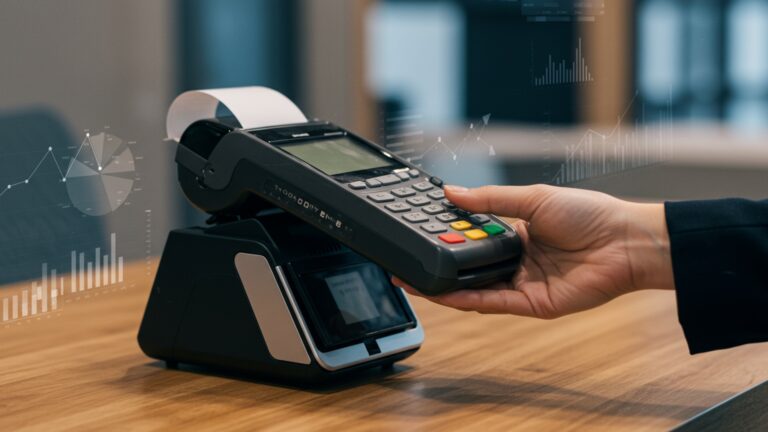
Think of a traditional cash register as a simple calculator. A modern POS system, by contrast, is a comprehensive enterprise resource planning (ERP) tool tailored specifically for the unique demands of the food service industry. It integrates hardware like touch screen terminals, printers. card readers with powerful software that manages everything from front-of-house operations to back-of-house logistics. For any restaurant owner looking to thrive, understanding and leveraging these features is paramount.
Streamlining Order Management and Kitchen Operations
One of the most immediate impacts of a well-implemented POS system is the transformation of your order management process. Efficiency here translates directly into faster service and happier customers.
- Digital Menu and Order Taking
- Kitchen Display Systems (KDS)
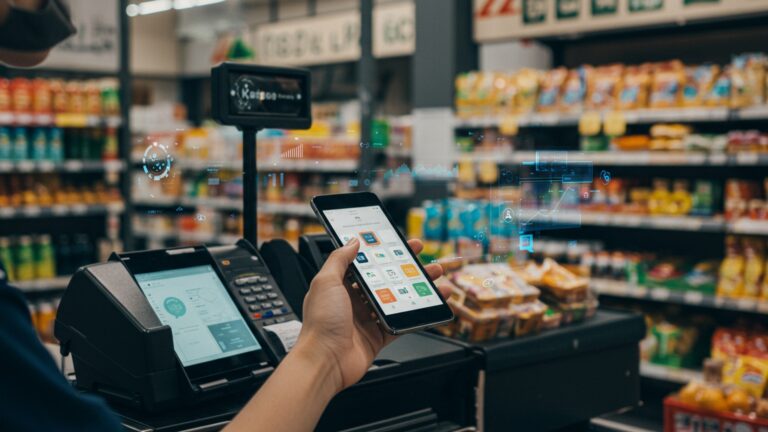
Modern POS software features for restaurants enable digital menus accessible via tablets or even QR codes that link to online ordering platforms. Servers can take orders tableside using handheld devices, sending them instantly to the kitchen. This eliminates handwriting errors, reduces walking time for staff. ensures order accuracy. For instance, a recent study by Toast (a leading POS provider) highlighted that restaurants using tableside ordering saw a significant increase in order accuracy and average check size.
Replacing paper tickets, a KDS is a digital screen in the kitchen that displays incoming orders. This system organizes orders, prioritizes them. tracks preparation times. Chefs can easily view new orders, mark items as prepared. communicate with the front of house. This not only minimizes miscommunications but also significantly reduces ticket times. Consider a busy Friday night: a KDS ensures that appetizers for Table 5 are fired before entrees. that all dishes for a single table are ready at the same time, maintaining food quality and consistency.
Optimizing Inventory and Supply Chain
Food cost is often the largest controllable expense for a restaurant. Effective inventory management through your POS system can make a substantial difference to your bottom line.
- Real-time Inventory Tracking
- Recipe Management
Advanced POS software features for restaurants include granular inventory control. Every ingredient used in a dish, from a pinch of salt to a cut of steak, can be tracked. As orders are placed, the system automatically deducts ingredients from your stock. This provides real-time insights into what you have, what you need. what’s nearing expiration. Take the case of “The Green Plate,” a local bistro that struggled with food waste. By implementing a POS system with robust inventory tracking, they were able to identify frequently wasted ingredients, adjust their purchasing. reduce spoilage by 15% within six months.
This feature allows you to input precise recipes for every menu item, detailing ingredients and quantities. The system can then calculate the exact cost of each dish, helping you price menus strategically and maintain consistent quality. This is invaluable for new staff training and ensuring every plate served meets your restaurant’s standards. Moreover, it allows for accurate allergen tracking, a crucial aspect of modern dining safety.
Enhancing Customer Experience and Loyalty
A great meal is only part of the equation; a memorable experience builds loyalty. POS systems offer powerful tools to foster stronger customer relationships.
- Customer Relationship Management (CRM) Integration
- Loyalty Programs and Gift Cards
Many POS systems offer integrated CRM capabilities, allowing you to capture customer data such as order history, dietary preferences. even special occasions like birthdays. This data empowers your staff to offer personalized service, remember a customer’s favorite drink, or suggest dishes based on past preferences. A restaurant that greets a returning customer by name and remembers their preferred table creates an immediate, positive impression.
Implementing loyalty programs (e. g. , points-based systems, tiered rewards) and managing digital gift cards is seamless with modern POS software features for restaurants. Customers can earn points with every purchase, redeem rewards. receive targeted promotions. This encourages repeat business and transforms first-time visitors into regulars. For example, “Brew & Bite Cafe” saw a 20% increase in repeat customers after launching a digital loyalty program managed entirely through their POS.
Boosting Sales and Revenue through Data Analytics
Beyond transactional processing, a POS system is a goldmine of data that, when analyzed, can inform critical business decisions and drive revenue growth.
- Sales Reporting and Analytics
- Upselling and Cross-selling Prompts
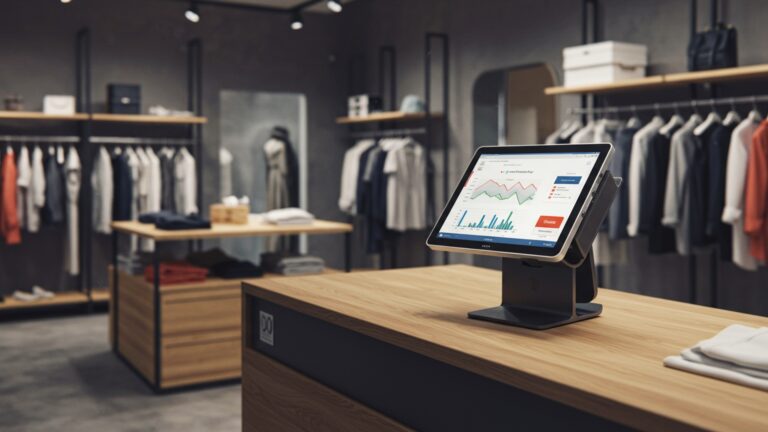
Comprehensive reports generated by your POS system offer insights into peak hours, popular menu items, average check sizes. staff performance. This data is invaluable for menu engineering (identifying high-profit, high-popularity items), optimizing staffing levels. planning effective promotions. For instance, if analytics show that your artisanal burger is a top seller during lunch but barely moves during dinner, you might consider promoting it differently or adjusting its availability.
Many POS systems can be configured to prompt servers with upsell opportunities at the point of sale. For example, when an order for a steak is entered, the system might suggest adding a side of truffle fries or a specific wine pairing. This subtle nudge can significantly increase your average check size without making the customer feel pressured.
Staff Management and Operational Efficiency
Managing your team effectively is crucial for smooth operations. your POS system can be a powerful ally.
- Time Clock and Scheduling
- Performance Tracking
Integrated time clock features allow employees to clock in and out directly through the POS terminal, ensuring accurate payroll. Many systems also offer basic scheduling tools, helping managers create shifts, track breaks. manage labor costs more effectively. This reduces manual errors and frees up management time.
The POS can track individual server sales, tips. average check sizes. This data can be used to identify top performers, provide targeted training to those who need it. even implement incentive programs. Understanding individual contributions helps foster a more productive and motivated team.
To illustrate the versatility of POS software features for restaurants, let’s compare how different types of restaurants might prioritize these functionalities:
| Feature Category | Fine Dining Restaurant | Quick Service Restaurant (QSR) | Casual Dining Restaurant |
|---|---|---|---|
| Order Management | Tableside ordering, advanced reservation system, custom modifiers for complex orders. | Self-service kiosks, online ordering integration, rapid order processing. | Handheld devices for servers, robust table management, split check functionality. |
| Inventory Control | Detailed ingredient tracking, recipe costing, vendor management, wine list management. | Simplified inventory for high-volume, pre-prepared items, automated reorder alerts. | Real-time inventory, waste tracking, ingredient-level costing for menu items. |
| Customer Experience | Extensive CRM for guest preferences, personalized recommendations, loyalty programs. | Streamlined ordering, quick payment options, digital receipts, basic loyalty points. | Guest profiles, birthday/anniversary tracking, gift card management, targeted promotions. |
| Reporting & Analytics | Detailed sales by dish/chef, profit margin analysis, labor cost vs. sales. | Peak hour analysis, average transaction time, daily sales volume, drive-thru metrics. | Menu item performance, server sales reports, promotion effectiveness, daypart analysis. |
Security and Compliance
Finally, no discussion of POS systems is complete without addressing security and compliance, especially when dealing with sensitive customer and financial data.
- Payment Processing Security (PCI DSS)
- Data Backup and Cloud Solutions
A reliable POS system ensures that all credit card transactions are processed securely, adhering to Payment Card Industry Data Security Standard (PCI DSS) requirements. This protects both your business and your customers from fraud and data breaches. Using tokenization and end-to-end encryption is standard for reputable POS providers.
Many modern POS systems are cloud-based, meaning your data is automatically backed up off-site. This protects your critical business insights from hardware failures, natural disasters, or theft, ensuring business continuity and accessibility from anywhere, at any time.
Conclusion
Harnessing your POS isn’t merely about processing payments; it’s a strategic move to sculpt a more efficient, profitable restaurant. By actively utilizing features like integrated inventory management, for instance, you can proactively track ingredient usage, significantly reducing waste and optimizing ordering, a trend crucial in today’s cost-sensitive market. I’ve personally witnessed establishments transform by simply leveraging their POS for real-time sales analytics, allowing them to adjust staffing and menu offerings dynamically rather than reactively. To truly boost efficiency, make it a personal tip to regularly train your staff on all functionalities, from tableside ordering to loyalty program enrollment. This ensures seamless operations and enhances the customer experience, turning a simple transaction into an opportunity for engagement. Remember, the goal is not just to have a POS. to master its capabilities, transforming every feature into a tool that propels your restaurant forward. Embrace this powerful technology. unlock unparalleled operational excellence and growth.
More Articles
How to Choose the Best Restaurant POS Features for Your Business
Learn 10 Proven Ways to Maximize Your Restaurant POS Software Benefits Now
How to Pick Top POS Software Features to Boost Restaurant Efficiency
Master Essential Restaurant POS Functionalities a Guide to Boosting Operations

FAQs
How can my POS help speed up taking orders and avoid mistakes?
Focus on features like intuitive touch screens, customizable menus with modifiers. direct kitchen printing. This minimizes manual entry errors and gets orders to the kitchen faster, leading to quicker service and happier customers.
What’s the deal with POS and inventory? Can it really help me save money?
Absolutely! Your POS can track ingredients in real-time as dishes are sold. This helps you monitor stock levels, identify popular items, reduce waste from spoilage or over-ordering. even send alerts when supplies are low, ultimately cutting down on food costs.
My restaurant is busy. I don’t always know why. How can the POS show me what’s really going on?
Your POS is a goldmine for data! It can generate reports on sales trends, peak hours, most profitable menu items. even staff performance. Diving into these analytics helps you make smarter decisions about staffing, menu adjustments. marketing efforts.
How can I use my POS to get customers to come back more often?
Many POS systems offer built-in CRM or loyalty program features. You can track customer preferences, offer personalized discounts, or set up a points system for repeat visits. This encourages customer loyalty and helps you build a strong returning customer base.
Is there a way my POS can make managing my team easier?
Yes, indeed! Look for features like employee time clocks, shift scheduling. performance tracking. This helps with accurate payroll, optimizing staff allocation during busy periods. identifying training needs, making your team more efficient.
We’re doing more takeout and delivery. Can my POS streamline that process?
Definitely. Modern POS systems often integrate seamlessly with online ordering platforms and third-party delivery services. This means orders come directly into your system, reducing manual re-entry, potential errors. improving the speed and accuracy of your off-premise operations.
How can my POS help me get more diners seated and served faster?
Utilize your POS’s table management features. You can see real-time table status (seated, ordering, served, paying, dirty), manage reservations. assign servers. This helps optimize table turnover, reduce wait times. ensure a smooth flow during peak hours.