How to Pick Top POS Software Features to Boost Restaurant Efficiency
In today’s dynamic restaurant landscape, where labor shortages and soaring operational costs persist, selecting optimal POS software features for restaurants has become a critical strategic decision. Beyond basic transaction processing, cutting-edge systems now integrate AI-driven inventory forecasting, touchless QR code ordering. robust staff management modules, directly addressing efficiency gaps. Leveraging features like real-time sales analytics and seamless third-party delivery platform integration empowers operators to not only streamline workflows but also optimize menu engineering and enhance the guest experience, positioning businesses for sustainable growth in a rapidly evolving market.
Understanding the Cornerstone: What is POS Software for Restaurants?
In the bustling world of gastronomy, efficiency is paramount. Every second counts, from taking an order to delivering the final bill. This is where Point of Sale (POS) software steps in, acting as the central nervous system for restaurant operations. At its core, POS software for restaurants is a system that processes transactions. modern iterations extend far beyond simple sales. It integrates various facets of your business, from front-of-house (FOH) order taking to back-of-house (BOH) inventory management and detailed reporting.
Historically, POS systems were clunky, on-premise machines requiring significant upfront investment and specialized IT knowledge. Today, the landscape is dominated by cloud-based solutions, offering flexibility, accessibility. scalability. A cloud-based POS system stores data remotely on secure servers, accessible from any internet-connected device. This contrasts with on-premise systems, where data resides on local servers within the restaurant itself. The shift to the cloud has democratized access to powerful tools, making sophisticated POS software features for restaurants available to establishments of all sizes, from food trucks to multi-location fine dining.
Core POS Software Features for Restaurants: The Essentials
When evaluating POS software features for restaurants, a foundational set of capabilities is non-negotiable for efficient daily operations. These are the building blocks upon which all other efficiencies are constructed.
- Order Management
- Payment Processing
- Inventory Management
- Reporting and Analytics
- Customer Relationship Management (CRM) Lite
This is the heart of any restaurant POS. It encompasses intuitive order entry, allowing staff to quickly input customer selections, handle modifications (e. g. , “no onions,” “extra cheese”). send orders directly to the kitchen display system (KDS) or printer. Features like table management, splitting checks. transferring orders between tables are crucial here.
Real-world application: Imagine a busy Friday night. A server quickly takes an order on a handheld device, customizing a dish for an allergy. The order instantly appears on the KDS, streamlining communication and reducing errors that often occur with handwritten tickets.
Secure and swift payment processing is vital. Top POS software features for restaurants include support for various payment methods: cash, credit/debit cards (with EMV chip compatibility), mobile payments (Apple Pay, Google Pay). contactless options. Integration with reliable payment processors ensures smooth transactions and compliance with PCI DSS standards.
Keeping track of ingredients is a significant challenge for restaurants. An effective POS system should offer real-time inventory tracking, recipe management to deduct ingredients accurately per dish sold, vendor management. automated low-stock alerts. This helps minimize waste, prevent stockouts. control food costs.
Case Study: A small bistro owner struggled with inconsistent food costs. By implementing a POS with robust inventory management, they linked sales to ingredient depletion. Within three months, they identified over-portioning issues and reduced their weekly food waste by 10%, leading to a direct boost in profit margins.
Data is power. Essential reporting features include sales summaries, peak hour analysis, server performance reports. popular menu item insights. These analytics provide actionable takeaways, enabling managers to make informed decisions about staffing, menu engineering. marketing strategies.
While not a full-blown CRM, many restaurant POS systems include basic customer data capture for loyalty programs, gift cards. marketing initiatives. This allows you to track customer preferences, offer personalized promotions. build repeat business.
Advanced POS Software Features for Restaurants: Elevating Efficiency
Beyond the basics, a range of advanced POS software features for restaurants can significantly enhance operational efficiency, guest experience. overall profitability.
- Kitchen Display Systems (KDS)
- Online Ordering & Delivery Integration
- Employee Management
- Reservations & Waitlist Management
- Multi-Location Management
- API Integrations
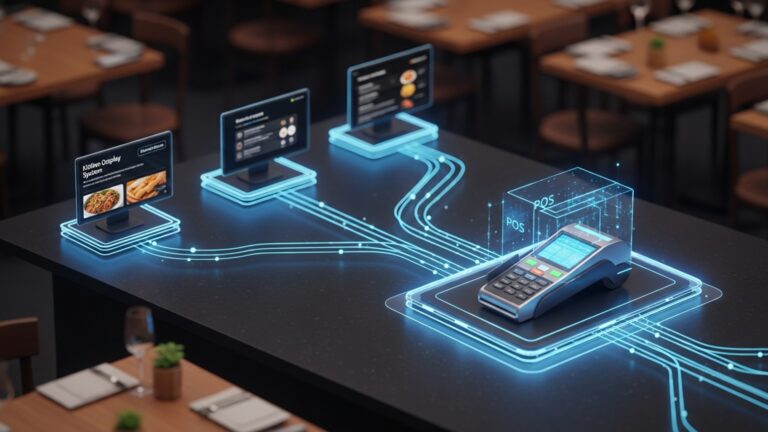
A digital screen in the kitchen replaces paper tickets, displaying orders clearly and efficiently. KDS features often include customizable views, order timers (to track preparation times). the ability for chefs to mark items as complete, ensuring synchronized service.
Comparison: KDS vs. Traditional Printers
| Feature | KDS (Kitchen Display System) | Traditional Printers |
|---|---|---|
| Clarity & Legibility | High; digital, customizable fonts, color-coding. | Variable; depends on ink/paper quality, handwriting. |
| Accuracy | High; direct digital transmission, reduces errors. | Moderate; prone to misreading, paper jams. |
| Efficiency | Faster workflow, order timers, multi-station routing. | Slower, manual handling of tickets. |
| Cost | Higher initial setup, lower ongoing (no paper/ink). | Lower initial, higher ongoing (paper/ink costs). |
| Environmental Impact | Low; paperless. | Higher; uses paper. |
In today’s digital age, online ordering is a must. Seamless integration with your website and third-party delivery platforms (like DoorDash, Uber Eats) brings orders directly into your POS, eliminating manual entry and potential errors. This is one of the most impactful POS software features for restaurants looking to expand reach.
Beyond basic clock-in/out, advanced features include shift scheduling, payroll integration, performance tracking. tip management. This streamlines HR tasks and ensures fair and accurate compensation.
For establishments that take reservations, integration with a system that manages bookings, table availability. even waitlists can dramatically improve customer flow and reduce no-shows.
For growing restaurant groups, the ability to manage multiple outlets from a single dashboard is invaluable. This includes centralized menu updates, inventory tracking across locations, consolidated reporting. consistent pricing.
An open API (Application Programming Interface) allows your POS to “talk” to other software, creating a unified ecosystem. This might include accounting software (e. g. , QuickBooks), marketing platforms, or advanced CRM systems.
// Example of an API call concept (simplified) // A POS might send sales data to an accounting system like this: POST /api/v1/sales_data Host: accounting-software. com Content-Type: application/json Authorization: Bearer [YOUR_API_KEY] { "transaction_id": "TXN7890123", "date": "2023-10-26T14:30:00Z", "total_amount": 125. 50, "items_sold": [ {"item_id": "MNU001", "quantity": 2, "price": 15. 00}, {"item_id": "MNU005", "quantity": 1, "price": 95. 50} ], "restaurant_id": "REST101" }
This allows for automated data transfer, reducing manual data entry and potential errors between systems.
Industry-Specific Considerations: Tailoring Your Choice
The ideal POS software features for restaurants can vary significantly based on the type of establishment you operate. A fine dining restaurant will have different needs than a quick-service cafe or a bar.
- Fine Dining
- Quick Service Restaurants (QSR) & Cafes
- Bars & Nightclubs
- Pizzerias
Look for advanced table management, detailed reservation systems, robust wine list management, sommelier features. perhaps integrated guest feedback tools. The emphasis is on personalized service and an elevated customer experience.
Speed and efficiency are king. Prioritize fast order entry, self-service kiosks, drive-thru management, combo meal customization. loyalty programs that encourage frequent visits.
Focus on quick tab management, robust inventory control for liquor, happy hour pricing, age verification integration. efficient bartender workflows. Speed of service and loss prevention are critical.
Specific features like half-and-half topping options, complex pricing for different sizes and crusts, delivery zone management. driver tracking are essential.
Understanding these nuances will guide your selection of the most impactful POS software features for restaurants in your specific niche.
Choosing the Right System: A Strategic Approach
Selecting the best POS software features for restaurants isn’t just about ticking boxes; it’s a strategic investment in your business’s future. Here’s an actionable framework:
- Assess Your Current Needs and Future Goals
- Budget Allocation
- Ease of Use and Training
- Reliability and Support
- Security and Compliance
- Vendor Reputation and Roadmap
Start by thoroughly evaluating your current operational pain points. Are order errors frequent? Is inventory a nightmare? Then, consider where you want your business to be in 3-5 years. Do you plan to expand? Introduce online ordering? Your POS should grow with you.
POS systems come with varying pricing models—upfront costs, monthly subscriptions, transaction fees. Factor in hardware costs (terminals, printers, KDS screens, handheld devices), software subscriptions, installation. ongoing support.
An intuitive interface means less training time for staff and fewer errors. Opt for systems with a clean design and logical workflow. Ask about training resources and ongoing support.
A POS crash on a busy night can be catastrophic. Look for providers with a proven track record of uptime and responsive 24/7 customer support. Check reviews and ask for references.
Ensure the system is PCI compliant for payment processing and has robust data security measures to protect sensitive customer and business data.
Research the vendor’s reputation. Do they regularly update their software? Do they have a clear roadmap for future features? A forward-thinking vendor ensures your investment remains relevant.
Actionable Takeaway: Create a detailed checklist of “must-have” and “nice-to-have” POS software features for restaurants specific to your operation. Engage your team in this process; their insights from daily operations are invaluable.
Implementation and Beyond: Maximizing Your Investment
Once you’ve selected your ideal POS software features for restaurants, the implementation phase is critical. A smooth rollout ensures minimal disruption and quick adoption by your team.
- Data Migration
- Staff Training
- Pilot Testing
- Ongoing Optimization
Work closely with your vendor to migrate existing menu data, customer lists. inventory data. Ensure accuracy to avoid issues post-launch.
Comprehensive training for all staff, from FOH to BOH, is paramount. Hands-on practice, role-playing. clear documentation can significantly reduce the learning curve. Consider staggered training sessions to accommodate different roles and learning styles.
Before a full launch, consider running a pilot test during a quieter period or with a limited menu. This helps identify and resolve any unforeseen glitches in the POS software features for restaurants without impacting peak service.
A POS system isn’t a “set it and forget it” solution. Regularly review your reports, gather feedback from staff. explore new features or integrations offered by your vendor. The restaurant industry is dynamic. your POS should evolve with it. For instance, if you notice a consistent dip in sales during certain hours, your POS data can help you adjust staffing or introduce happy hour specials to counter it.
Conclusion
Choosing the right POS software features isn’t merely a technical decision; it’s a strategic investment in your restaurant’s future efficiency. I’ve personally witnessed the transformative power of a well-chosen system. also the headaches from neglecting a thorough evaluation. My advice: don’t just look at a feature list; conduct a real-world workflow audit of your operations first. For instance, if your kitchen struggles with order accuracy, prioritize a robust Kitchen Display System (KDS) integration over flashy customer loyalty programs initially. In today’s fast-paced, delivery-centric environment, seamless online ordering integration and real-time inventory management for those ever-changing daily specials are no longer optional – they’re critical. A current trend I highly recommend considering is the flexibility of mobile POS terminals for tableside ordering, which significantly boosts server efficiency and customer satisfaction. This proactive approach, rather than just reacting to what competitors have, will ensure your chosen features genuinely streamline operations. Embrace this selection process as an opportunity to truly empower your team and elevate your guest experience, propelling your restaurant towards sustained growth and profitability. Discover more about emerging POS trends in the restaurant industry.
More Articles
How to Choose Essential POS Features for Your Restaurant Success Guide
Discover the 10 Best Restaurant POS Software Solutions for Small Businesses
Master Essential Restaurant POS Functionalities a Guide to Boosting Operations
Your Guide to Must-Have Restaurant POS Functionalities and How to Use Them
How to Choose and Use Essential POS Software Features for Restaurants

FAQs
What’s the absolute first thing I should look for in a new POS system?
Start with ease of use. If your staff can’t quickly learn and navigate the system, even the best features will be wasted. A user-friendly interface reduces training time, minimizes errors. keeps your service running smoothly, which is critical during peak hours.
How vital are order management features for a busy restaurant?
Extremely vital! Look for robust features like table management, split check options, customizable order modifiers (extra cheese, no onions). direct integration with a kitchen display system (KDS). These streamline the order-taking, preparation. delivery process, significantly cutting down on mistakes and customer wait times.
Should I really bother with inventory tracking in my POS?
Absolutely, it’s a game-changer for efficiency and profitability! A good inventory management module allows you to track ingredients in real-time, get alerts for low stock. identify popular or slow-moving items. This helps reduce waste, optimizes your purchasing decisions. prevents the frustration of running out of customer favorites.
What about customer-facing features like loyalty programs or online ordering?
These are massive for boosting sales and building customer loyalty! A POS that integrates loyalty programs helps you reward regulars and encourage repeat business. Built-in online ordering or seamless integration with delivery platforms expands your reach, offers convenience to customers. keeps you competitive in today’s market.
Are reporting and analytics features really necessary, or just a nice-to-have?
They are definitely necessary for smart business decisions! Robust reporting isn’t just a ‘nice-to-have’; it’s crucial. You need to easily access data on sales trends, peak hours, popular dishes, staff performance. more. This actionable data helps you optimize staffing, engineer your menu effectively. refine marketing strategies, directly impacting your bottom line.
Is mobile POS crucial for improving service speed?
Yes, absolutely! Mobile POS, utilizing tablets or handheld devices, allows servers to take orders tableside, send them directly to the kitchen. even process payments right there on the spot. This dramatically speeds up service, reduces staff walking time. greatly enhances the overall customer experience, especially in a bustling environment.
What if I need to manage multiple locations or different payment types?
For multiple locations, prioritize a cloud-based POS that offers centralized management and reporting across all your venues for consistency and oversight. Regarding payments, ensure the system supports a wide range of options like credit/debit, mobile payments (Apple Pay, Google Pay). gift cards to offer maximum flexibility and convenience for all your customers.