5 Smart Tips for Choosing the Best POS System in Chennai
Navigating Chennai’s vibrant commercial landscape demands a robust point-of-sale system, far beyond mere transaction processing. As businesses from traditional Koyambedu market vendors to modern OMR tech-park eateries embrace digital transformation, selecting the optimal POS system becomes a critical strategic decision. Recent trends emphasize cloud-based solutions offering real-time inventory synchronization and integrated UPI payment gateways, crucial for managing diverse customer flows efficiently. A well-chosen POS system in Chennai doesn’t just streamline operations; it provides invaluable data analytics for localized marketing strategies, enabling businesses to adapt swiftly to consumer preferences and maintain competitive edge amidst evolving market dynamics.
1. Thoroughly grasp Your Business’s Unique Needs and Workflow
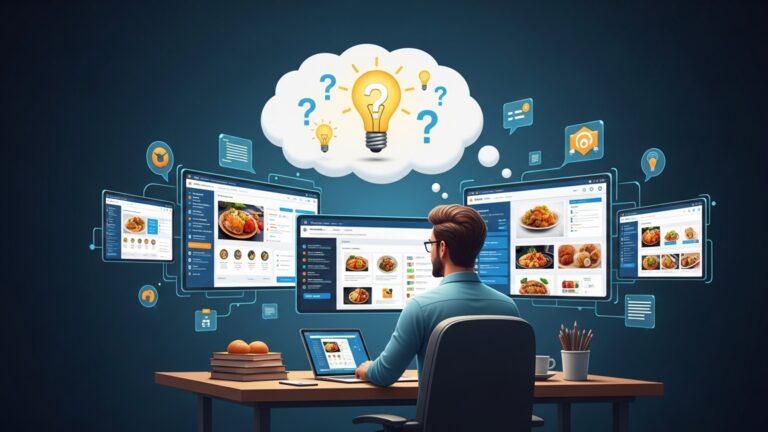
Before diving into the myriad of Point of Sale (POS) systems available, the most critical first step is to conduct an in-depth analysis of your own business operations. A POS system is not a one-size-fits-all solution; what works perfectly for a quick-service restaurant might be entirely inadequate for a high-end fashion boutique or a multi-branch retail chain. Understanding your specific requirements will serve as your compass, guiding you toward a pos chennai system that truly aligns with your operational dynamics.
What is a POS System?
At its core, a Point of Sale (POS) system is the hardware and software combination that processes transactions at the point where a customer makes a payment for goods or services. Beyond simple cash registers, modern POS systems integrate a wide array of functionalities, including inventory management, customer relationship management (CRM), sales reporting, employee management. more. It’s the central nervous system of many businesses, streamlining operations and providing vital data.
- Map Your Customer Journey
- Identify Key Operational Bottlenecks
- List Essential Features
- Consider Your Business Type
- Retail
- Restaurants/Cafes
- Service Businesses (Salons, Spas)
Trace every step a customer takes from browsing to checkout. Where do transactions occur? What details is exchanged? This will highlight essential touchpoints for your POS.
Are inventory discrepancies a common issue? Do long queues form during peak hours? Does reconciling daily sales take too long? A new POS system should address these pain points directly.
Categorize features into “must-have,” “nice-to-have,” and “irrelevant.” For instance, a restaurant might prioritize table management and kitchen display systems (KDS), while a retail store will focus on barcode scanning, returns processing. multi-location inventory.
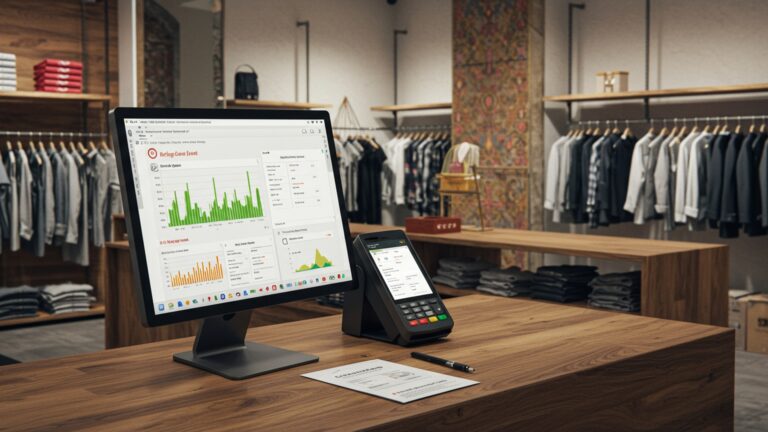
Needs robust inventory tracking, barcode scanning, loyalty programs. efficient returns processing.
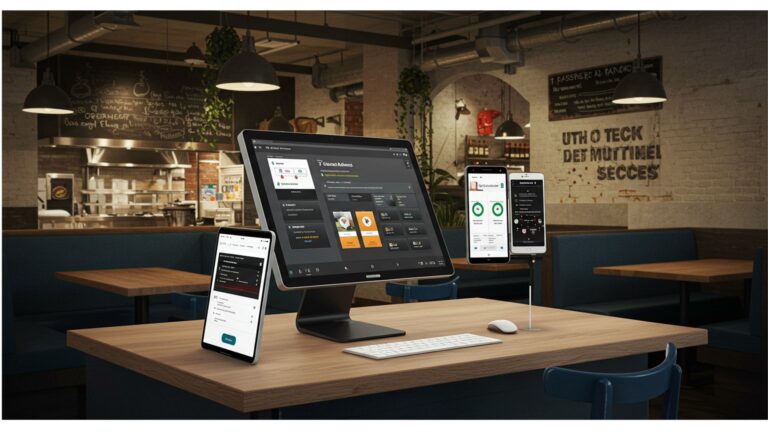
Requires table management, order customization, split bills, kitchen order printing (KOT). online ordering integration.
Benefits from appointment scheduling, staff management. client history tracking.
By meticulously outlining these aspects, you create a clear functional specification, making it easier to evaluate potential POS solutions for your Chennai-based business.
2. Evaluate Core Features, Customization Capabilities. Integrations
Once you have a clear understanding of your business needs, the next step is to meticulously evaluate the features offered by various POS systems. A powerful pos chennai solution should not only handle basic transactions but also empower you with tools to manage and grow your business efficiently. Look beyond the flashy interface to the underlying functionality and how well it integrates with your existing or future tech stack.
- Inventory Management
- Sales Reporting and Analytics
- Customer Relationship Management (CRM)
- Employee Management
- Payment Processing
- Returns and Exchanges
Track stock levels in real-time, manage product variations (size, color), automate reorder points. handle multiple locations if applicable. This is crucial for preventing stockouts and overstocking.
Comprehensive reports on sales trends, peak hours, best-selling products. employee performance. Data-driven insights are invaluable for strategic decision-making.
Capture customer data, track purchase history, manage loyalty programs. facilitate targeted marketing efforts. Building customer loyalty is key to repeat business.
Track employee hours, manage shifts, assign permissions. monitor individual sales performance.
Ensure compatibility with various payment methods (credit/debit cards, UPI, mobile wallets) and integrate seamlessly with your preferred payment gateway.
A straightforward process for handling returns and exchanges is vital for customer satisfaction.
A truly effective POS system in Chennai should offer a degree of customization to fit your specific workflows and integrate with other essential business tools. For instance, can it integrate with your accounting software (e. g. , Tally, Zoho Books), e-commerce platform (e. g. , Shopify, WooCommerce), or third-party delivery services?
| Feature Category | Basic POS System | Advanced POS System |
|---|---|---|
| Transaction Processing | Simple sales, cash/card payments. | Multi-tender payments, split payments, refunds, exchanges, gift cards, credit on account. |
| Inventory Management | Basic stock count, manual updates. | Real-time tracking, low stock alerts, vendor management, purchase orders, multi-location inventory, batch tracking. |
| Reporting | Daily sales, end-of-day reports. | Detailed sales analytics, product performance, employee performance, customer buying patterns, custom report generation. |
| Customer Management | Basic customer insights storage. | CRM integration, loyalty programs, customer purchase history, targeted promotions, SMS/email marketing. |
| Integrations | Limited or none. | Seamless integration with accounting, e-commerce, delivery platforms, marketing tools, payroll. |
| Hardware Support | Basic peripherals (printer, cash drawer). | Supports various terminals, scanners, scales, KDS, customer-facing displays. |
Prioritize systems that offer flexibility and a robust API (Application Programming Interface) for future integrations, ensuring your investment remains relevant as your business evolves.
3. Consider Hardware, Software Compatibility. Scalability
A POS system isn’t just software; it’s a synergistic blend of software and hardware. The choice of hardware and the underlying software architecture significantly impact performance, reliability. future growth potential for your pos chennai setup. It’s crucial to assess compatibility with your existing infrastructure and ensure the system can scale with your business.
- POS Terminal
- Barcode Scanner
- Receipt Printer
- Cash Drawer
- Payment Terminal (Card Reader)
- Other Peripherals
Touchscreen terminals are common, offering ease of use. Consider durability, screen size. power consumption.
Essential for retail. Choose between handheld or fixed scanners based on your transaction volume and product types.
Thermal printers are fast and quiet. Consider connectivity (USB, Ethernet, Bluetooth) and paper roll size.
Look for sturdy, secure drawers with multiple compartments.
Ensure it supports EMV chip cards, NFC (contactless payments). UPI QR codes, which are prevalent in Chennai.
Kitchen display systems (KDS) for restaurants, customer-facing displays, weighing scales, handheld order taking devices.
Software Architecture: Cloud-Based vs. On-Premise
This is a fundamental decision impacting cost, accessibility. maintenance.
- Cloud-Based (SaaS – Software as a Service) POS
- Definition
- Pros
- Cons
- Real-world Application
- On-Premise (Local) POS
- Definition
- Pros
- Cons
- Real-world Application
The software is hosted on remote servers and accessed via the internet through a web browser or app. Data is stored in the cloud.
Lower upfront cost (subscription model), accessible from anywhere, automatic updates, reduced IT maintenance, robust data backup. Ideal for businesses with multiple locations or those needing remote access.
Requires a stable internet connection, potential reliance on vendor’s security protocols, subscription fees can add up over time.
A small cafe in Anna Nagar needing to manage inventory and sales from a tablet, with the owner checking reports remotely.
The software is installed and runs directly on your local computers and servers within your business premises. Data is stored locally.
No internet dependency for core operations, full control over data and security, one-time software purchase (though maintenance fees may apply).
Higher upfront cost (server hardware, software license), requires in-house IT expertise for maintenance and updates, limited remote access, potential data loss if local backups aren’t managed diligently.
A large supermarket in T. Nagar with a dedicated IT team and a preference for maximum control over their data, operating with multiple terminals that need to communicate seamlessly offline.
Your business will likely grow. your POS system should be able to grow with it. Can it easily add more terminals, users, or locations? Can it handle increased transaction volumes without slowing down? A scalable pos chennai system avoids the costly and disruptive process of replacing your entire setup down the line.
4. Assess Vendor Support, Training. Local Presence
Choosing a POS system is a long-term partnership with a vendor. The quality of support, the availability of training. the vendor’s local presence in Chennai can make a significant difference in your day-to-day operations and your ability to resolve issues swiftly. A feature-rich system is only as good as the support behind it.
- Availability
- Channels
- Response Time
- Service Level Agreements (SLAs)
- Local Presence in Chennai
What are their support hours? Is it 24/7, or limited to business hours? Consider your peak operational times.
Do they offer phone support, email, live chat, or a dedicated support portal? A multi-channel approach is often best.
Inquire about their typical response times for critical and non-critical issues. Downtime for a POS system can lead to significant revenue loss.
Does the vendor provide an SLA outlining their commitment to uptime and support response?
For businesses in Chennai, having a vendor with local support staff or an office can be invaluable. This often means faster on-site assistance for hardware issues, more personalized training. a better understanding of local business nuances. Look for pos chennai providers with a strong local reputation.
- Initial Setup and Onboarding
- Staff Training
- Ongoing Resources
What kind of assistance do they provide during the initial setup? Is it guided, or are you left to figure it out?
Do they offer comprehensive training for your staff on how to use the system effectively? This can be on-site, virtual, or through detailed tutorials. Well-trained staff are more efficient and less prone to errors.
Look for vendors who provide a knowledge base, FAQs, video tutorials, or regular webinars to help you and your team continuously learn and troubleshoot minor issues independently.
comprehend the vendor’s implementation roadmap. What are the typical timelines? Who is responsible for data migration (e. g. , existing inventory, customer lists)? A smooth implementation minimizes disruption to your business.
Imagine your POS system crashes during a busy lunch rush in your restaurant in Mylapore. A responsive local support team from your pos chennai vendor, who can troubleshoot quickly over the phone or even send a technician, is far more valuable than waiting for an international support desk. This immediate assistance can save you lost sales and customer frustration.
5. Prioritize Security, Compliance. Data Management
In an age where data breaches are increasingly common and customer trust is paramount, the security and compliance features of your POS system cannot be overstated. Protecting sensitive customer data and ensuring your business adheres to regulatory standards is not just good practice; it’s a legal and ethical imperative. This is particularly vital for any pos chennai system handling financial transactions.
- Payment Card Industry Data Security Standard (PCI DSS) Compliance
- Definition
- Importance
- Data Encryption
- User Access Controls
- Secure Cloud Hosting (for Cloud POS)
A set of security standards designed to ensure that all companies that process, store, or transmit credit card details maintain a secure environment.
Non-compliance can lead to hefty fines, reputational damage. loss of ability to process card payments. Ensure your chosen POS system and its payment processor are PCI DSS compliant.
All sensitive data, especially payment data, should be encrypted both in transit (when it’s being sent) and at rest (when it’s stored). This protects against unauthorized access.
The POS system should allow you to set different permission levels for various staff roles. For example, a cashier might only have access to sales functions, while a manager can access reports and inventory. This minimizes internal fraud and errors.
If opting for a cloud-based system, inquire about the vendor’s data center security, backup procedures. disaster recovery plans. Are they using reputable cloud providers (e. g. , AWS, Azure) with robust security measures?
- Data Backup and Recovery
- Data Ownership
- Data Export
interpret how frequently your data is backed up and what the process is for data recovery in case of an outage or data loss. For on-premise systems, establish your own robust backup strategy.
Clarify who owns your business data (sales, customer data, inventory). Reputable vendors explicitly state that you retain ownership of your data. This is crucial for migrating to another system if needed in the future.
Can you easily export your data in a usable format (e. g. , CSV, Excel) for your own analysis, accounting, or migration purposes?
While India doesn’t have a single overarching data protection law like GDPR (though the Digital Personal Data Protection Act, 2023, is gaining traction), businesses must still comply with various IT and consumer protection laws. Ensure your POS system facilitates compliance with any relevant local tax regulations or invoicing requirements specific to Chennai and India.
By prioritizing these security and data management aspects, you not only protect your business from potential threats but also build trust with your customers, which is an invaluable asset in the competitive Chennai market.
Conclusion
Choosing the ideal POS system for your Chennai business isn’t merely a purchase; it’s a strategic investment in efficiency and growth. My advice is to always prioritize a system that offers seamless UPI integration and robust offline capabilities, crucial for handling the city’s dynamic network conditions and diverse payment preferences. Think of the bustling bakeries in Mylapore or the vibrant boutiques on Pondy Bazaar – they thrive on quick, reliable transactions. The current trend leans heavily towards cloud-based solutions, offering real-time data access from anywhere, yet never underestimate the power of strong local support for swift resolutions. Before making your final decision, take the system for a thorough test drive. Engage with a vendor who understands Chennai’s unique market pulse and is committed to long-term partnership, not just a sale. By carefully evaluating features against your operational needs, you’ll not only streamline daily tasks but also master your sales and billing processes, unlocking new avenues for expansion. Embrace this choice confidently, for a well-chosen POS system is your reliable co-pilot towards sustained success and greater profitability in Chennai’s competitive landscape.
More Articles
Learn How to Unlock Top Restaurant POS System Features for Seamless Operations
Learn How to Select Essential POS Software Features for Your Restaurant
Master 5 Common Restaurant Challenges With Smart POS Solutions
5 Smart Strategies to Master Your POS System in Chennai
How to Choose the Best Restaurant Software in Chennai 5 Key Tips

FAQs
Why is understanding my business type so vital when picking a POS system in Chennai?
Different businesses in Chennai, whether it’s a restaurant, a retail store, or a salon, have unique operational needs. A POS system tailored to your specific industry will have the right features – like table management for eateries or advanced inventory for retail – making your operations smoother and more efficient, rather than paying for features you’ll never use.
Should I prioritize local support when choosing a POS vendor for my Chennai business?
Absolutely! Having local support in Chennai can be a game-changer. It means faster response times for technical issues, on-site assistance if needed. staff training that understands the local business environment. This minimizes downtime and ensures your business keeps running smoothly without long waits for remote troubleshooting.
What key features should I really look out for in a POS system for my business in Chennai?
Beyond basic sales, look for robust inventory management, customer relationship management (CRM) tools, detailed sales reporting and analytics. employee management features. For restaurants, consider kitchen display system (KDS) integration and online ordering capabilities. Retailers might need multi-store management or loyalty programs. Customization for your specific needs is key.
How can I ensure the POS system I choose will grow with my business here in Chennai?
Look for scalability. A good POS system should be able to easily add more terminals, users, or even new store locations as your business expands. Cloud-based systems often offer superior scalability and flexibility compared to traditional on-premise solutions, adapting well to the dynamic growth of businesses in Chennai.
What’s the best way to figure out a realistic budget for a POS system in Chennai?
Don’t just consider the initial purchase price. Factor in all costs: hardware, software licenses or subscription fees, installation, training. ongoing support or maintenance fees. It’s smart to calculate the total cost of ownership over a few years to get a clear picture and ensure it aligns with your financial projections.
Is ease of use really that vital for my staff when implementing a new POS in Chennai?
Yes, it’s crucial! An intuitive and user-friendly POS system reduces training time for your staff, minimizes errors during transactions. ultimately leads to faster service and happier customers. If your employees find it difficult to use, it can slow down operations and create frustration.
What about data security? How essential is that for a POS system handling transactions in Chennai?
Data security is paramount. You need to ensure the POS system has robust security measures in place, like end-to-end encryption for all transactions, secure cloud storage for your data. compliance with relevant data protection standards. Protecting customer details and your business’s financial data is non-negotiable.