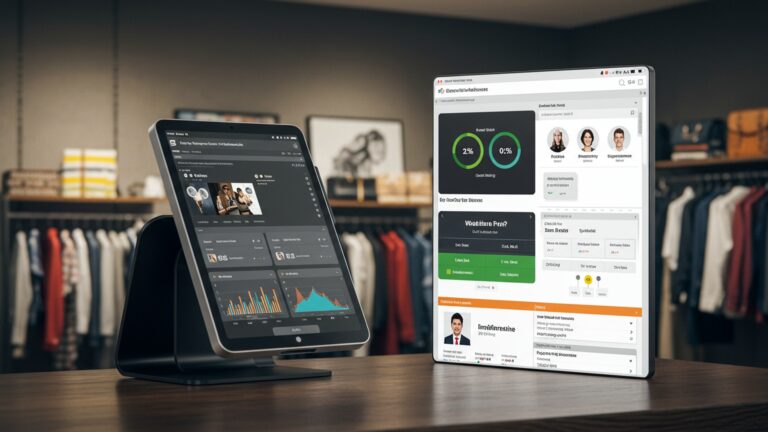
Master 5 Key Strategies to Optimize Restaurant Operations with POS Software
Navigating the complexities of modern restaurant operations demands more than just processing payments; it requires strategic agility in an era defined by fluctuating supply chains and increasing demand for frictionless customer experiences. A cutting-edge Restaurant POS software now acts as an intelligent command center, seamlessly integrating online ordering platforms, QR-code table service. robust inventory management to prevent costly waste like unsold daily specials. This system empowers real-time data analytics, providing granular insights into peak service times and popular menu items, enabling operators to optimize staff deployment and personalize loyalty programs. It transforms raw sales figures into a powerful tool for predictive decision-making, ensuring operational efficiency and a superior dining experience.
Understanding the Power of Restaurant POS Software
In today’s fast-paced culinary world, efficiency and precision are paramount. Gone are the days of handwritten orders and manual inventory counts. Modern restaurants, from bustling cafes to fine dining establishments, are increasingly relying on sophisticated technology to streamline operations and enhance profitability. At the heart of this technological revolution is Restaurant POS software – a comprehensive system designed to manage sales, orders, inventory. much more. But what exactly is a POS system. why has it become indispensable?
A Point of Sale (POS) system, in its simplest form, is where transactions are processed. But, modern Restaurant POS software extends far beyond just processing payments. It integrates various aspects of restaurant management into a single, cohesive platform. Think of it as the central nervous system of your restaurant, connecting the front-of-house (FOH) with the back-of-house (BOH), managing customer interactions. providing invaluable data insights. This integration allows for real-time communication, reduces human error. empowers management with actionable intelligence. Understanding its multi-faceted capabilities is the first step toward unlocking its full potential for operational optimization.
1. Streamlining Order Management and Kitchen Workflow
One of the most immediate and impactful benefits of robust Restaurant POS software is its ability to revolutionize order management and kitchen workflow. The traditional method of servers jotting down orders and physically carrying them to the kitchen is prone to errors, delays. miscommunication, especially during peak hours. Modern POS systems eliminate these inefficiencies.
- Digital Order Taking
- Kitchen Display Systems (KDS)
- Intelligent Order Routing
Servers can take orders directly on handheld devices or stationary terminals. These orders are instantly transmitted to the kitchen display system (KDS) or printers, ensuring accuracy and speed. This significantly reduces the chances of misinterpretations that often arise from illegible handwriting or verbal instructions. For instance, consider a busy Friday night at “The Urban Bistro.” Before implementing their new POS, orders would sometimes get lost or misinterpreted, leading to re-fires and frustrated customers. Now, every order taken on a tablet instantly appears on the KDS, detailing modifications and special requests clearly.
A KDS is a digital screen in the kitchen that displays incoming orders. It organizes orders by preparation time, course, or table number, allowing chefs to manage their workload more effectively. Different stations (e. g. , grill, sauté, prep) can receive specific parts of an order, optimizing the flow of food preparation. This not only speeds up service but also significantly reduces ticket times and food waste caused by incorrect orders. A study by Toast found that restaurants using a KDS can reduce ticket times by over 20%.
Advanced Restaurant POS software can intelligently route specific items to relevant kitchen stations. For example, a steak order goes to the grill station, while a salad goes to the cold prep station. This ensures that each kitchen team member focuses on their specialty, leading to faster and more consistent food delivery.
By automating and digitizing this critical process, restaurants can serve more customers in less time, improve order accuracy. reduce the stress on both front-of-house and back-of-house staff, leading to a smoother, more pleasant dining experience for everyone.
2. Optimizing Inventory and Supply Chain
Managing inventory is a perpetual challenge for restaurants. Spoilage, theft. inaccurate ordering can lead to significant financial losses. This is where Restaurant POS software shines, transforming inventory management from a tedious, error-prone task into a precise, data-driven process.
- Real-time Inventory Tracking
- Automated Reordering and Vendor Management
- Waste Reduction and Cost Control
- Recipe Management
Every time an item is sold, the POS system automatically deducts it from the inventory count. This provides a real-time, accurate picture of what’s in stock, eliminating the need for manual counts and reducing discrepancies. Imagine “Mama Rosa’s Pizzeria,” which used to struggle with running out of popular toppings during peak hours. With their integrated POS, they now know exactly how many pepperoni slices or mushrooms are left after each order, preventing stock-outs.
Based on established par levels (minimum stock levels) and sales data, the POS can automatically generate purchase orders for suppliers when stock runs low. Some advanced systems can even send these orders directly to vendors, streamlining the entire supply chain. This feature prevents over-ordering, reduces waste. ensures that popular ingredients are always available.
By tracking ingredient usage and waste, Restaurant POS software helps identify areas where food is being over-portioned, spoiled, or lost. This data allows management to implement corrective measures, negotiate better deals with suppliers based on actual usage. ultimately reduce food costs – which often account for 25-35% of a restaurant’s operating expenses.
Many POS systems include recipe management features, allowing restaurants to standardize portion sizes and ingredient usage for each dish. This ensures consistency in food quality and helps in accurately calculating food costs per plate.
The precise control offered by POS inventory features translates directly into improved profitability, reduced waste. a more efficient kitchen operation. It’s about knowing exactly what you have, what you need. when you need it, minimizing costly guesswork.
3. Enhancing Customer Experience and Loyalty Programs
In a competitive market, customer loyalty is a goldmine. Restaurant POS software provides powerful tools to not only process transactions but also to comprehend and engage with your customers, fostering repeat business and positive word-of-mouth.
- Customer Relationship Management (CRM) Integration
- Personalized Marketing and Promotions
- Integrated Loyalty Programs
- Faster Service and Order Accuracy
- Online Ordering and Reservations
Modern POS systems often integrate with or include CRM functionalities. This allows restaurants to capture valuable customer data such as order history, dietary preferences, visit frequency. contact details. For example, if a regular customer at “The Daily Grind Cafe” always orders a vegan latte, the POS can flag this, allowing staff to offer a personalized experience.
With customer data at their fingertips, restaurants can craft highly targeted marketing campaigns. This could include sending personalized birthday offers, exclusive discounts to frequent diners, or promotions based on past purchasing behavior. Instead of generic mass emails, customers receive offers that are genuinely relevant to them, significantly increasing engagement and conversion rates.
POS systems make it easy to implement and manage loyalty programs. Customers can earn points for every purchase, which can then be redeemed for discounts, free items, or exclusive experiences. These programs are incredibly effective at encouraging repeat visits. A classic example is a local sushi spot, “Sakura Sushi,” that offers a free roll after every 10 visits recorded through their POS loyalty program, directly increasing foot traffic and customer retention.
Beyond personalized offers, the fundamental improvement in service speed and order accuracy (as discussed in Strategy 1) directly enhances the customer experience. Customers appreciate quick, correct orders. a seamless payment process, all facilitated by efficient Restaurant POS software.
Many modern POS solutions integrate with online ordering platforms and reservation systems. This convenience allows customers to place orders for pickup or delivery, or book tables from anywhere, further streamlining their interaction with your restaurant.
By leveraging the data and features within their POS, restaurants can move beyond transactional interactions to build meaningful relationships with their patrons, turning first-time visitors into loyal advocates.
4. Leveraging Data Analytics for Strategic Decision-Making
Perhaps one of the most underutilized yet powerful aspects of Restaurant POS software is its robust reporting and analytics capabilities. Beyond just processing sales, a good POS system collects a vast amount of data that, when analyzed, can provide invaluable insights for strategic decision-making.
- Comprehensive Sales Reports
- Menu Performance Analysis
- Staff Performance Metrics
- Inventory Variance Reports
- Customer Behavior Trends
The POS generates detailed sales reports that can be filtered by time of day, day of week, menu item, server, or payment type. This allows management to identify peak hours, best-selling dishes. underperforming items. “Gastronomy Grill” used their POS sales data to discover that their weekday lunch specials were significantly more popular than their weekend brunch, prompting them to reallocate marketing efforts.
Understanding which menu items are most popular and profitable is crucial for menu engineering. The POS can track sales volume, cost of goods sold (COGS) for each item. profit margins. This data helps restaurants decide which dishes to promote, which to adjust. which to remove, optimizing profitability. For instance, if a dish has a high sales volume but a low-profit margin, the restaurant might look into ingredient cost reduction or a slight price adjustment.
Many POS systems can track individual server performance, including average check size, tips earned. sales per hour. This data can be used for training, performance reviews. identifying top performers. It also helps in optimizing staff scheduling during busy periods.
By comparing theoretical inventory usage (based on sales) with actual inventory counts, the POS can highlight discrepancies, indicating potential waste, theft, or portion control issues.
As mentioned in the previous section, analyzing customer data can reveal purchasing patterns, preferred items. visit frequency, guiding targeted marketing and menu development.
The ability of Restaurant POS software to transform raw transactional data into actionable intelligence is a game-changer. It allows restaurant owners and managers to move beyond intuition and make informed decisions based on hard facts, leading to increased efficiency, reduced costs. improved profitability.
5. Boosting Operational Efficiency and Staff Management
Beyond customer-facing and inventory aspects, Restaurant POS software significantly enhances the overall operational efficiency of a restaurant, particularly concerning staff management and daily workflows.
- Employee Time Tracking and Scheduling
- Table Management
- Payment Processing Flexibility
- Simplified Training and Onboarding
- Reduced Administrative Burden
Most POS systems include integrated time clock functionalities, allowing employees to clock in and out directly from the terminal. This provides accurate labor cost data and simplifies payroll processing. Moreover, some advanced systems offer shift scheduling features, enabling managers to create and distribute schedules, manage shift swaps. forecast labor needs based on historical sales data. This reduces overtime costs and ensures adequate staffing during peak times. A case in point is “The Corner Cafe,” where managers spent hours manually creating schedules. With their POS, they can now generate optimized schedules in minutes, factoring in employee availability and predicted sales volume.
For dine-in restaurants, effective table management is critical. POS software allows hosts to view table status (occupied, vacant, waiting for food, paid), assign tables. manage waitlists digitally. This leads to faster table turnover, especially during busy periods. improves the customer’s waiting experience.
Modern Restaurant POS software supports a wide range of payment options, including credit/debit cards, mobile payments (e. g. , Apple Pay, Google Pay), gift cards. even split payments. This flexibility caters to diverse customer preferences and speeds up the checkout process, reducing lines and improving convenience.
User-friendly POS interfaces are designed to be intuitive, significantly reducing the training time required for new staff members. This means new hires can become productive faster, minimizing disruption to operations.
By automating tasks like sales reporting, inventory updates. time tracking, managers can spend less time on administrative duties and more time focusing on critical aspects like staff training, customer engagement. business growth.
The comprehensive nature of Restaurant POS software makes it an invaluable asset for streamlining every facet of daily operations. From managing staff to optimizing table turns and simplifying payments, it empowers restaurants to run more smoothly, efficiently. profitably, ensuring a solid foundation for sustainable growth.
Conclusion
Optimizing your restaurant operations with POS software is far more than just digitizing transactions; it’s about strategically leveraging technology to transform every facet of your business. Don’t merely install a system; actively integrate the five key strategies discussed to unlock its full potential. My personal tip: dedicate time, even just fifteen minutes weekly, to delve into your POS analytics. I once observed a small cafe significantly reduce their food waste and optimize staffing by simply analyzing peak order times and ingredient usage trends, a testament to the power of data-driven decisions in today’s dynamic market. Consider how a well-configured POS can streamline everything from inventory management, preventing costly overstocking or stockouts, to personalizing the customer experience with loyalty programs and efficient table management. This isn’t just about efficiency; it’s about creating a smarter, more responsive operation ready for current trends like contactless ordering and delivery integration. If you’re still determining the ideal system for your establishment, understanding how to choose the best restaurant POS software is your crucial first step. Embrace these strategies now. watch your restaurant not just adapt to the future. actively shape a more profitable and delightful dining experience for everyone.
More Articles
Unlock 8 Practical Strategies to Maximize Your Restaurant POS Software
10 Essential POS Features Your Restaurant Needs to Master Operations
Master 5 Common Restaurant Challenges With Smart POS Solutions
Discover How to Optimize Your Restaurant with Essential POS System Features
How to Utilize Key POS Features to Boost Your Restaurant’s Efficiency

FAQs
What exactly are the big benefits of using POS software for my restaurant’s operations?
POS software helps you streamline everything from taking orders and managing tables to tracking inventory and staff. It’s designed to boost efficiency, cut down on errors. give you valuable insights to make smarter business decisions, ultimately optimizing your entire operation.
How does POS software help me keep better track of my ingredients and reduce food waste?
A good POS system offers robust inventory management features. It automatically updates stock levels with every sale, alerts you when items are low. helps you identify popular or slow-moving dishes. This means you can order more precisely, reduce spoilage. maintain better control over your food costs.
Can a POS system really speed up service and make customers happier?
Absolutely! With a POS, orders go directly from the server to the kitchen, minimizing errors and wait times. Table management features ensure smooth seating and turnover. faster, more accurate billing contributes to a much smoother and more enjoyable dining experience for your guests.
How can POS software help me manage my team more effectively?
POS systems often include features for employee management, such as tracking clock-ins/outs, managing shifts. even performance monitoring. This helps you optimize labor costs, ensure adequate staffing during peak hours. provides data for fair scheduling and accurate payroll.
I want to comprehend my sales better. How does POS software provide useful insights?
POS software generates detailed sales reports in real-time. You can easily see which dishes are best sellers, peak sales hours, average check sizes. more. This data is crucial for menu engineering, planning promotions. making informed decisions about your overall business strategy.
Does optimizing operations with POS software actually lead to more profit?
Yes, definitely! By optimizing operations through better inventory control, faster and more accurate service, reduced errors. smarter labor management, you naturally reduce costs and improve customer satisfaction. Happier customers tend to return more often and spend more, directly contributing to increased profitability and a healthier bottom line.
How does a good POS system help my restaurant adapt and grow in the long run?
A flexible POS system is a powerful tool for long-term growth. It provides the data you need to identify market trends, efficiently expand your menu offerings, or even plan for new locations. Its ability to scale with your business and integrate with other essential tools like online ordering makes it a critical asset for future success and staying competitive.